
faroro PF50
Faroro Automatic Pet Feeder User Manual
Model: PF50
Introduction
Thank you for choosing the Faroro Automatic Pet Feeder. This smart food dispenser is designed to provide convenient and reliable feeding for your cats and small dogs, ensuring they receive their meals on time, every time. With app control, programmable timers, and a voice recorder, managing your pet's diet has never been easier.
Package Contents and Components
Please ensure all components are present before proceeding with setup.
Package Contents:
- Faroro Automatic Pet Feeder Unit
- Power Adapter
- User Manual
Feeder Components:
| Component | Description |
|---|---|
| Food Hopper | Holds up to 6 liters of dry pet food. |
| Control Panel | Buttons for manual feeding, recording voice, and Wi-Fi pairing. |
| Food Tray | Detachable tray for dispensed food. |
| Power Port | For connecting the power adapter. |
| Battery Compartment | Holds three D-size batteries for backup power (not included). |

Image: Front view of the Faroro Automatic Pet Feeder, showing the food hopper, control panel, and food tray with dispensed kibble. This image illustrates the main components of the feeder.
Setup Guide
1. Powering the Feeder:
- Connect the power adapter to the feeder's power port and plug it into a wall outlet.
- For backup power, open the battery compartment at the bottom of the feeder and insert three D-size batteries (not included). This ensures continuous operation during power outages.

Image: The Faroro Automatic Pet Feeder plugged into a wall outlet, illustrating the dual power supply capability (AC adapter and battery backup).
2. Filling the Food Hopper:
- Open the lid of the food hopper.
- Pour dry pet food into the hopper. Ensure the food is of appropriate size for the dispenser mechanism.
- Close the lid securely to maintain food freshness and prevent pets from accessing it.
3. App Installation and Wi-Fi Connection:
The Faroro feeder connects via 2.4G WiFi ONLY. Ensure your router supports 2.4Ghz.
- Download the "Faroro" app from your smartphone's app store (iOS or Android).
- Register or log in to your account.
- Follow the in-app instructions to add your new feeder. This typically involves putting the feeder into pairing mode (refer to the app or feeder's control panel for specific button presses) and connecting it to your home 2.4G Wi-Fi network.

Image: The Faroro Automatic Pet Feeder next to a smartphone displaying the "Faroro" app, highlighting the 2.4GHz WiFi connectivity.
Operating Instructions
1. Scheduling Automatic Feeding:
Use the "Faroro" app to set up a feeding schedule.
- Open the app and select your feeder.
- Navigate to the "Schedule" or "Timer" section.
- You can program up to 15 meals per day.
- For each meal, set the desired time and the number of portions (1 to 50 portions, 5g each portion). This allows for precise control over your pet's intake.
- Save your schedule. The feeder will automatically dispense food at the programmed times.
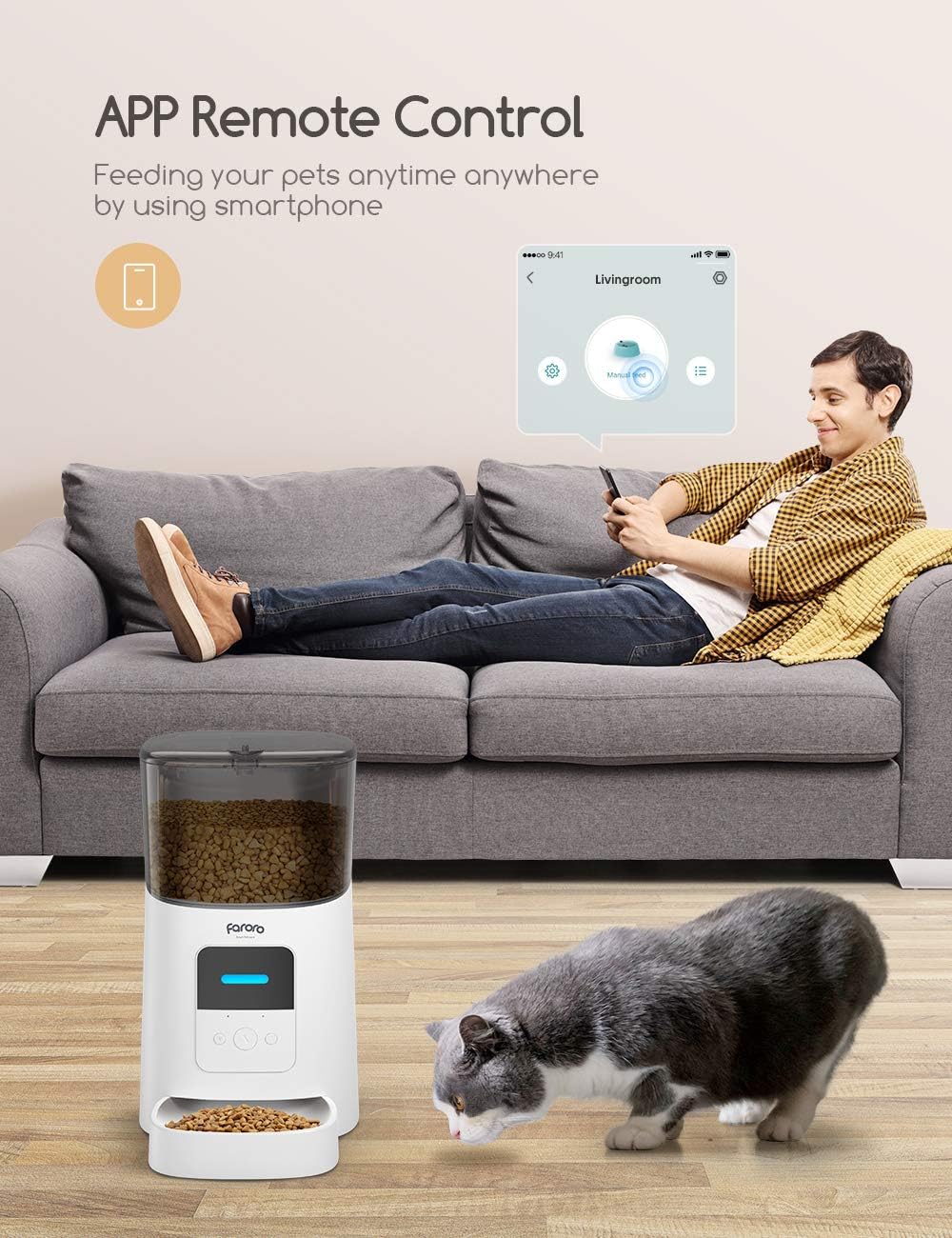
Image: A cat near the Faroro Automatic Pet Feeder, with a hand holding a smartphone displaying the app's schedule feeding interface, showing options for setting meal times and portions.
2. Manual Feeding:
You can manually dispense food using the app or the physical button on the feeder.
- Via App: Open the "Faroro" app, select your feeder, and tap the "Manual Feed" button. You can usually select the number of portions to dispense.
- Via Feeder Button: Press the manual feed button on the feeder's control panel. Each press typically dispenses one portion.
3. Voice Recording:
Record a personalized 10-second voice message to call your pet at meal times.
- On the feeder's control panel, locate the record button (often indicated by a microphone icon).
- Press and hold the button to start recording your message. Release to stop.
- The recorded message will play automatically before each scheduled meal.
4. Low Food Alert:
The feeder is equipped with a sensor to detect low food levels in the hopper.
- When the food level is low, you will receive a notification on your "Faroro" app.
- This feature helps ensure your pet never misses a meal due to an empty hopper.

Image: An internal view of the Faroro Automatic Pet Feeder's food hopper, illustrating the low food level detection, accompanied by a smartphone displaying a "No food left" notification from the app.
Maintenance and Cleaning
Regular cleaning ensures optimal performance and hygiene for your pet.
- Disconnect Power: Always unplug the feeder and remove backup batteries before cleaning.
- Remove Food: Empty any remaining food from the hopper.
- Clean Detachable Parts: The food hopper and food tray are detachable and washable. Wash them with mild soap and water. Rinse thoroughly and dry completely before reassembling.
- Wipe Main Unit: Use a soft, damp cloth to wipe the exterior of the main feeder unit. Do not submerge the main unit in water.
- Dry Thoroughly: Ensure all parts are completely dry before refilling with food and reconnecting power.

Image: A hand washing the detachable food tray of the Faroro Automatic Pet Feeder under a faucet, demonstrating the ease of cleaning the removable components.
Troubleshooting
| Problem | Possible Cause | Solution |
|---|---|---|
| Feeder not dispensing food. | Hopper empty; Food jammed; Power issue. | Refill hopper; Clear any food blockages; Check power connection and batteries. |
| Cannot connect to Wi-Fi. | Incorrect Wi-Fi band (not 2.4Ghz); Incorrect password; Feeder too far from router. | Ensure you are connecting to a 2.4Ghz network; Double-check password; Move feeder closer to router. |
| App notifications not received. | App permissions not granted; Internet connectivity issues. | Check app notification settings on your phone; Verify feeder's internet connection. |
| Voice recording not playing. | Recording failed; Volume too low. | Re-record the message; Ensure feeder volume is adequate (if adjustable). |
Specifications
- Model: PF50
- Capacity: 6 Liters (approx. 6 lbs dry food)
- Material: Acrylonitrile Butadiene Styrene (ABS)
- Dimensions: 7.68 x 14.08 x 14.25 inches
- Weight: 4.99 pounds
- Power: DC 5V/1A adapter, 3 x D-size batteries (backup, not included)
- Wi-Fi: 2.4GHz only
- Max Meals/Day: Up to 15
- Portion Size: 1-50 portions (approx. 5g per portion)
- Voice Recording: 10 seconds
- Target Species: Cat, Dog
Warranty and Support
Faroro products are designed for reliability and performance. For warranty information, technical support, or customer service inquiries, please refer to the contact information provided on the official Faroro website or within the "Faroro" app.
Please retain your proof of purchase for warranty claims.
For further assistance, visit the Faroro Store on Amazon.
Related documentsPF50


Ask a question about this manual
Ask about setup, troubleshooting, compatibility, parts, safety, or missing instructions. Manuals+ will review the question and use this page’s manual context to help answer it.