
Nulaxy C900
Nulaxy USB Webcam C900 Instruction Manual
Model: C900 | Brand: Nulaxy
Introduction
This manual provides detailed instructions for the setup, operation, and maintenance of your Nulaxy C900 USB Webcam. The C900 is a Full HD 1080p webcam designed for high-quality video communication, featuring a built-in stereo microphone and a privacy cover for enhanced security.
What's in the Box
- USB Cable
- Privacy Cover
- Nulaxy C900 USB Webcam
Features
- FULL HD 1080P WEBCAM: C900 webcam with advanced video processing technology supports H.264 to capture sharp and clear image at 30fps. High definition 1080P webcam provides smooth video for video chatting, conferencing, webinar etc.
- PLUG & PLAY and ROTATION: Just plug the USB cable into the computer’s USB port, no any drivers needed, plug and play. Wide 92° view angle, 360° rotating head and adjustable clip can achieve optimal viewing angle and gives easy access to any laptop, monitor, PC or tripod.
- BUILT-IN STEREO MICROPHONE: Featured with high sensitivity and echo-canceling technology, the USB camera with built-in omnidirectional microphone is very sensitive to capture clear sound in rich stereo audio from different angles.
- PRIVACY SHUTTER: The webcam with cover allows you to control what you want to show, protects your privacy, and gives you peace of mind when not in use. Just slide the webcam cover to close when needed and to blocks potential hackers. Cable length: 6 ft. (1.8 m).
- UNIVERSAL COMPATIBILITY: The computer webcam can widely work with PC, notebook and laptop, compatible with Windows 7, 8, 10 and above, Linux 2.6.24, Mac OS 10.6, Android 5.1 and other operating systems, supports major platforms like Skype, OBS, Twitch, Youtube, Face time, XBOX, Xsplit, Twitter, Whatsapp and more.
Setup
Mounting the Webcam
The Nulaxy C900 webcam features an adjustable clip for versatile mounting options on various devices.

Image: The Nulaxy C900 Webcam, showing its integrated stand and USB cable.
- On a Display: Gently open the clip and place the webcam on top of your monitor or display, ensuring the front of the webcam faces you. Adjust the angle for optimal viewing.
- On a Laptop: Position the webcam on the top edge of your laptop screen. The adjustable clip will secure it in place.
- On a Tripod: The webcam's base includes a standard tripod thread. Attach it to a compatible tripod for more flexible positioning.
Video: Demonstrates mounting the Nulaxy C900 webcam on a display and a laptop, followed by plugging it into a USB port. This video also shows the webcam in use during a video call and how to use the privacy cover.
Connecting the Webcam (Plug & Play)
The Nulaxy C900 is designed for easy plug-and-play functionality, requiring no additional drivers for most operating systems.
- Locate an available USB port on your computer (PC, laptop, or smart TV).
- Insert the USB cable from the webcam firmly into the USB port.
- The webcam should be automatically recognized by your operating system. A small indicator light on the webcam will illuminate when it is active.
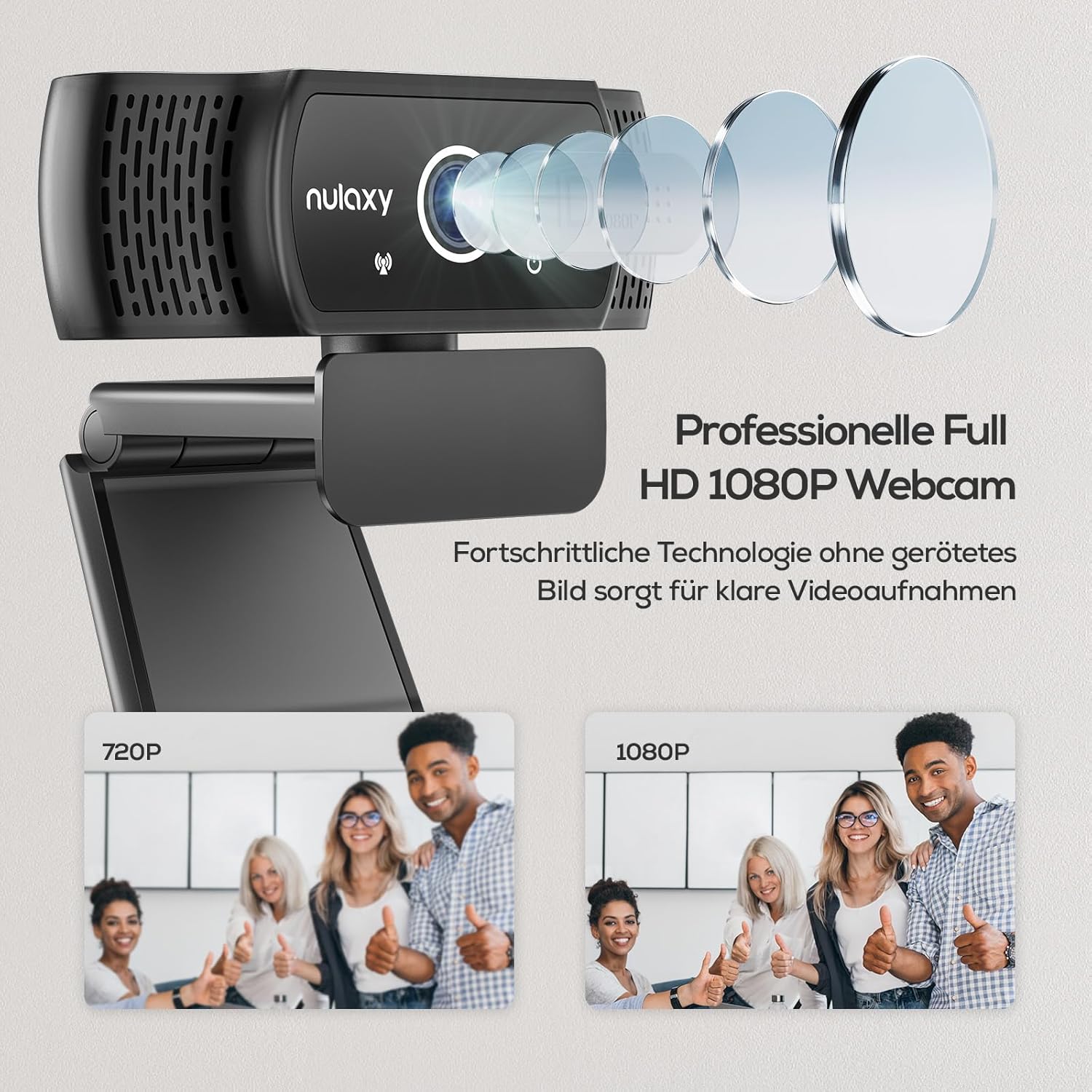
Image: Comparison of 720p and 1080p video quality from the Nulaxy C900 webcam, highlighting the clarity of Full HD.
Operating the Webcam
Using for Video Calls and Streaming
Once connected, the Nulaxy C900 webcam can be selected as your video and audio input device in most communication and streaming applications.
- Open your preferred video conferencing or streaming software (e.g., Skype, Zoom, OBS, Twitch, YouTube, FaceTime, WhatsApp).
- Navigate to the application's settings or preferences, typically under "Audio" and "Video" sections.
- Select "Nulaxy C900 Webcam" as your camera device.
- Select "Nulaxy C900 Microphone" (or similar) as your audio input device.
- Adjust video and audio settings within the application as needed.

Image: The Nulaxy C900 Webcam, illustrating its built-in stereo microphone for clear audio capture.
Using the Privacy Cover
The integrated privacy cover provides an easy way to ensure your privacy when the webcam is not in use.
- To block the camera lens, simply slide the privacy cover over the lens.
- To use the camera, slide the privacy cover away from the lens.

Image: The Nulaxy C900 Webcam demonstrating the functionality of its privacy shutter, showing both open and closed positions.
Maintenance
- Cleaning the Lens: Use a soft, lint-free cloth specifically designed for optics to gently wipe the webcam lens. Avoid abrasive materials or harsh chemicals.
- Cleaning the Body: Wipe the body of the webcam with a soft, damp cloth. Do not immerse the webcam in water or any cleaning solutions.
- Storage: When not in use for extended periods, store the webcam in a dry, dust-free environment. Ensure the privacy cover is closed.
Troubleshooting
- Webcam not detected:
- Ensure the USB cable is securely plugged into a working USB port. Try a different USB port.
- Restart your computer.
- Check your operating system's device manager to see if the webcam is listed. If there's an error, try updating or reinstalling USB drivers.
- Ensure no other application is currently using the webcam.
- Poor video quality:
- Ensure the lens is clean and free of dust or smudges.
- Check the lighting in your environment. Adequate lighting is crucial for good video quality.
- Verify that your video conferencing software is set to the highest available resolution (e.g., 1080p).
- Ensure your internet connection is stable and fast enough for high-definition video.
- Microphone not working:
- Ensure the Nulaxy C900 Microphone is selected as the input device in your application's audio settings and your computer's sound settings.
- Check the microphone volume levels in both your application and operating system.
- Ensure the microphone is not muted in your application or system settings.
Specifications
| Feature | Detail |
|---|---|
| Model Number | C900 |
| Max Screen Resolution | 1080p Full HD |
| Video Capture Resolution | 1080p, 720p |
| Photo Sensor Technology | CMOS |
| Connectivity Technology | USB |
| Built-in Microphone | Yes (Stereo, Omnidirectional) |
| Privacy Cover | Integrated |
| Rotation | 360° horizontal |
| Cable Length | 6 ft (1.8 m) |
| Compatible Operating Systems | Windows 7/8/10+, Linux 2.6.24+, Mac OS 10.6+, Android 5.1+ |
| Hardware Platform | Mac, PC, Laptop, Smart TV |
| Item Weight | 6.7 ounces |
| Color | Black |
Warranty and Support
For warranty information and technical support, please refer to the official Nulaxy website or contact Nulaxy customer service directly. Details are typically provided on the product packaging or through the manufacturer's online resources.
You can also visit the Nulaxy Store on Amazon for additional product information and support resources.
Ask a question about this manual
Ask about setup, troubleshooting, compatibility, parts, safety, or missing instructions. Manuals+ will review the question and use this page’s manual context to help answer it.