
VIVOTEK FE9380-HV
VIVOTEK FE9380-HV User Manual
5MP Outdoor Network Fisheye Dome Camera
1. Introduction
This manual provides comprehensive instructions for the installation, operation, and maintenance of the VIVOTEK FE9380-HV 5MP Outdoor Network Fisheye Dome Camera. Please read this manual thoroughly before using the product to ensure proper setup and functionality. The FE9380-HV is designed for robust outdoor surveillance, offering a 360-degree panoramic view with high-resolution imaging.
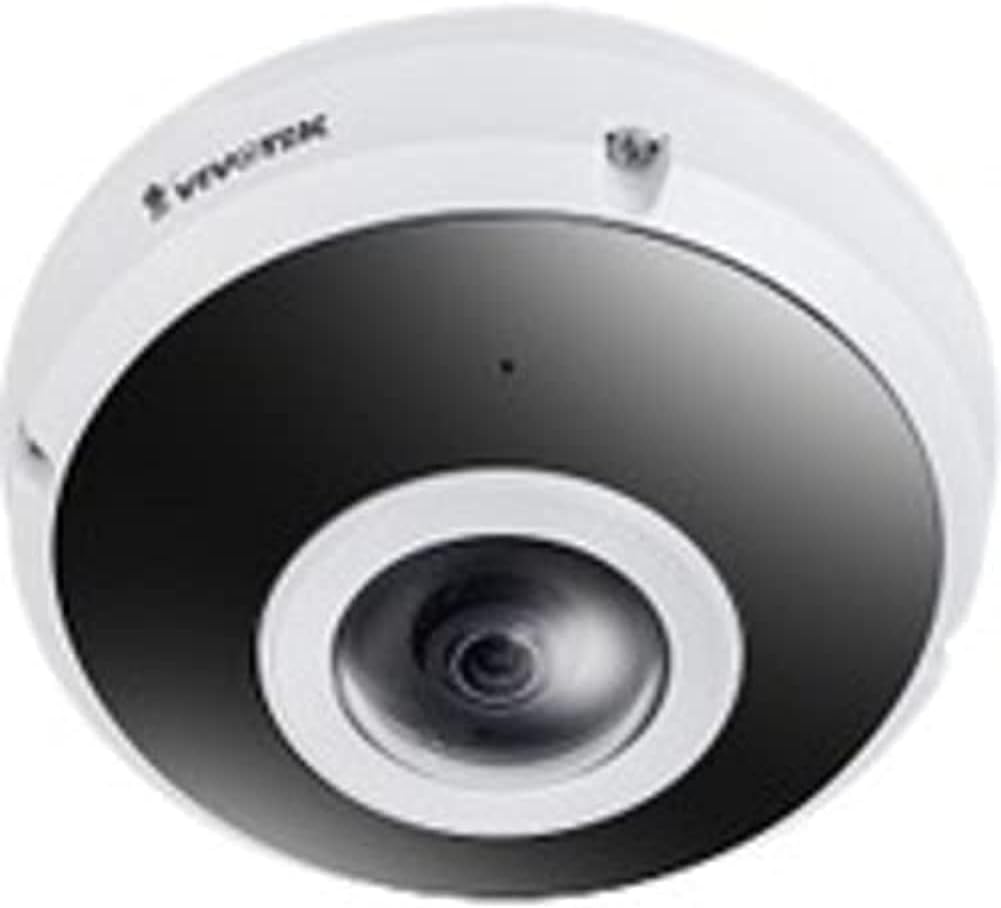
Figure 1: VIVOTEK FE9380-HV Fisheye Dome Camera. This image displays the camera's white dome housing with a central black lens assembly, characteristic of a fisheye surveillance camera.
2. Safety Information
Observe the following safety precautions to prevent damage to the camera and ensure safe operation:
- Ensure the power source matches the camera's requirements (220V, Corded Electric).
- Do not expose the camera to extreme temperatures or humidity beyond its specified operating conditions.
- Avoid direct exposure to strong light sources, which may damage the image sensor.
- Installation should be performed by qualified personnel in accordance with local electrical codes.
- Do not attempt to disassemble or modify the camera. This will void the warranty.
- Clean the camera lens and housing with a soft, dry cloth. Avoid abrasive cleaners.
3. Package Contents
Verify that all items are present in the package before proceeding with installation:
- VIVOTEK FE9380-HV Fisheye Dome Camera (1 unit)
- Mounting Screws and Anchors
- Quick Installation Guide
- Waterproof Connector (if applicable)
- Alignment Sticker (if applicable)
Note: Specific accessories may vary by region or package.
4. Setup and Installation
4.1 Mounting Location
The FE9380-HV is designed for outdoor wall mount installation. Choose a location that provides the desired field of view (360 degrees) and is within reach of a power source and network connection. Ensure the mounting surface is strong enough to support the camera's weight (approximately 4.4 pounds).
4.2 Physical Installation
- Prepare the Mounting Surface: Use the provided alignment sticker (if included) to mark drilling points for the mounting screws.
- Drill Holes: Drill pilot holes according to the marks. Insert wall anchors if mounting on drywall or masonry.
- Secure the Camera Base: Attach the camera's mounting base securely to the prepared surface using the provided screws.
- Connect Wiring:
- Power: Connect the camera to a 220V corded electric power source. Ensure connections are secure and waterproof for outdoor use.
- Network: Connect an Ethernet cable to the camera's network port. This camera supports Wi-Fi connectivity, but a wired connection is recommended for initial setup and stable performance.
- Attach Camera Body: Secure the main camera body to the mounted base, ensuring all connections are properly seated and sealed.
4.3 Network Configuration
After physical installation, connect the camera to your network. The camera supports Wi-Fi connectivity. Refer to the Quick Installation Guide for detailed instructions on initial network discovery and IP address assignment. Typically, you will use a VIVOTEK utility or access the camera's web interface via its default IP address to configure network settings, including Wi-Fi connection details.
5. Operating the Camera
5.1 Accessing the Camera Interface
The VIVOTEK FE9380-HV can be controlled via a dedicated mobile application or through its web-based interface using a standard web browser. Once the camera is connected to your network, use the VIVOTEK utility to discover its IP address, then enter the IP address into your browser's address bar.
5.2 Basic Functions
- Live View: Access real-time video streams from the camera. The 360-degree fisheye view can be de-warped into various display modes (e.g., panoramic, quad view) through the interface.
- Recording: Configure recording schedules, motion detection triggers, and storage locations (e.g., local storage via 128 GB Flash Memory, Network Attached Storage).
- Playback: Review recorded footage.
- Settings: Adjust image quality (5 MP resolution), network settings, user accounts, and advanced features like night color technology for low-light conditions.
- App Control: Utilize the dedicated VIVOTEK app for remote monitoring and control from your smartphone or tablet.
6. Maintenance
Regular maintenance ensures optimal performance and longevity of your VIVOTEK FE9380-HV camera:
- Cleaning: Periodically clean the camera lens and housing to remove dust, dirt, or water spots. Use a soft, lint-free cloth. For stubborn marks, a mild, non-abrasive cleaning solution can be applied to the cloth (not directly to the camera).
- Firmware Updates: Check the VIVOTEK official website regularly for firmware updates. Keeping the firmware updated ensures the latest features, security patches, and performance improvements.
- Cable Inspection: Periodically inspect all cables (power and network) for any signs of wear, damage, or loose connections, especially in outdoor environments.
- Environmental Checks: Ensure the camera's immediate environment remains clear of obstructions that could block its field of view or interfere with its operation.
7. Troubleshooting
This section addresses common issues you might encounter with your VIVOTEK FE9380-HV camera.
| Problem | Possible Cause | Solution |
|---|---|---|
| No video feed / Camera offline |
|
|
| Poor image quality |
|
|
| Cannot access web interface |
|
|
8. Specifications
| Model Number | FE9380-HV |
| Brand | VIVOTEK |
| Description | 5MP Outdoor Network Fisheye Dome Camera |
| Mounting Type | Wall Mount |
| Video Capture Resolution | 5 MP |
| Effective Video Resolution | 5 MP |
| Maximum Webcam Image Resolution | 5 MP |
| Number of Channels | 4 |
| Wireless Communication Technology | Wi-Fi |
| Form Factor | Dome |
| Power Source | Corded Electric (220V) |
| Wattage | 3600W |
| Dimensions (L x W x H) | 3.15 x 5.12 x 4.72 inches |
| Flash Memory Installed Size | 128 GB |
| Item Weight | 4.4 pounds (2 Kilograms) |
| Optical Zoom | 3 x |
| Field Of View | 360 Degrees |
| Low Light Technology | Night Color |
| Recommended Usage Environments | Outdoor Security |
| Indoor/Outdoor Usage | Outdoor |
| Video Capture Format | MPEG-4 |
| International Protection Rating | IP21 |
| Control Method | App |
| Manufacturer | Vivotek |
| Date First Available | July 31, 2020 |
9. Warranty and Support
For detailed warranty information, please refer to the warranty card included with your product or visit the official VIVOTEK website. VIVOTEK provides technical support for its products. For assistance with installation, configuration, or troubleshooting beyond this manual, please contact VIVOTEK customer support through their official channels.
Online Resources:
Related documentsFE9380-HV


Ask a question about this manual
Ask about setup, troubleshooting, compatibility, parts, safety, or missing instructions. Manuals+ will review the question and use this page’s manual context to help answer it.