
Retevis RB615
Retevis RB615 Mini PMR446 Walkie Talkie Instruction Manual
Model: RB615 (EUA9188BX5-C9118A)
1. Introduction
This instruction manual provides essential information for the safe and efficient operation of your Retevis RB615 Mini PMR446 Walkie Talkie. Please read this manual thoroughly before using the device and retain it for future reference.
2. Safety Information
Before using this radio, read this guide which contains important operating instructions for safe use and awareness of RF energy, and control for compliance with applicable standards and regulations. Keep away from fire and water.
3. Package Contents
Upon unpacking, please verify that all items listed below are included in your package:
- 5 x Retevis RB615 Walkie Talkie Units
- 5 x 1100 mAh Lithium-ion Battery
- 5 x Belt Clip
- 5 x Lanyard
- 5 x User Manual
- 5 x USB Charging Cable

Figure 3.1: Contents of the Retevis RB615 package.
4. Product Overview
Familiarize yourself with the various parts of your Retevis RB615 walkie talkie:

Figure 4.1: Labeled diagram of the Retevis RB615 Walkie Talkie.
- Antenna: For transmitting and receiving signals.
- ON/OFF Button: Powers the device on or off.
- LCD Display: Shows channel number, battery status, and other indicators.
- Indicator Light: Illuminates to indicate transmission (red) or reception (green).
- Earpiece Jack: For connecting an external earpiece or headset.
- PTT (Push-To-Talk) Button: Press and hold to transmit, release to receive.
- Side Key 1 & 2: Programmable function keys.
- Programming / Charging Port: USB port for charging and programming.
- MIC: Microphone for voice input.
- Up/Down Buttons: Navigate menus and adjust settings.
- MENU Button: Accesses the menu for various settings.
- Speaker: For audio output.
- Back Clip: For attaching the radio to clothing or a belt.
5. Setup
5.1 Battery Installation
- Ensure the walkie talkie is powered off.
- Align the battery with the battery compartment on the back of the radio.
- Gently push the battery into place until it clicks securely.
5.2 Charging the Battery
Before initial use, fully charge the battery. The RB615 supports various USB charging methods.
- Connect the USB charging cable to the programming/charging port on the side of the walkie talkie.
- Connect the other end of the USB cable to a compatible power source (e.g., wall adapter, power bank, car charger, laptop USB port).
- The indicator light will show charging status (refer to device for specific light indications).
- Once fully charged, disconnect the cable.
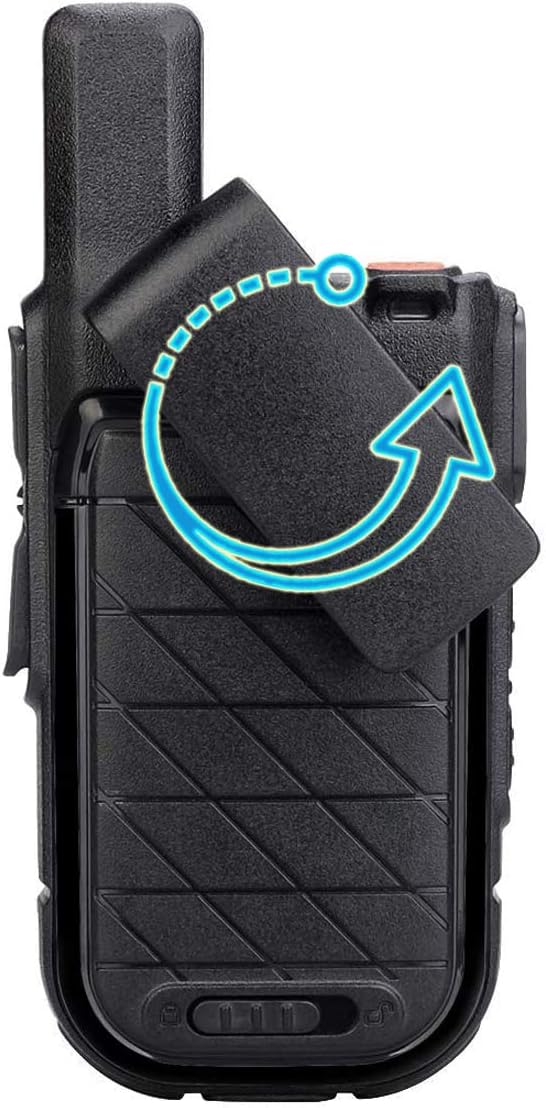
Figure 5.1: Multiple USB charging options for the Retevis RB615.
5.3 Attaching the Belt Clip
The 360° rotating back clamp allows for flexible attachment.
- Align the belt clip with the designated slots on the back of the radio.
- Slide the clip down until it locks into place.
- To remove, push the release tab (if present) and slide the clip upwards.

Figure 5.2: The 360° rotating belt clip.
6. Operating Instructions
6.1 Power On/Off
Press and hold the ON/OFF button located on the top of the radio until the LCD screen illuminates (for power on) or turns off (for power off).
6.2 Volume Adjustment
Use the Up and Down buttons to adjust the speaker volume. The volume level will typically be displayed on the LCD screen.
6.3 Channel Selection
To change channels:
- Press the MENU button once to enter channel selection mode.
- Use the Up or Down buttons to select the desired channel (1-16).
- Press the MENU button again to confirm your selection, or wait a few seconds for it to automatically save.
6.4 Transmitting and Receiving
To transmit:
- Ensure you are on the same channel as the receiving party.
- Press and hold the PTT (Push-To-Talk) button on the side of the radio. The indicator light will turn red.
- Speak clearly into the microphone.
- Release the PTT button when you finish speaking to return to receive mode. The indicator light will turn green if a signal is being received.
6.5 VOX Function (Voice Operated Exchange)
The VOX function allows for hands-free operation, transmitting automatically when it detects your voice.
- Press the MENU button three times to access the VOX setting.
- Use the Up or Down buttons to select the desired VOX sensitivity level (e.g., OFF, 1-9). A higher number indicates higher sensitivity.
- Press the MENU button again to confirm.
6.6 Vibration Function
The vibration function provides a silent alert for incoming calls, useful in noisy environments or when discretion is required.
- Access the menu settings to enable or disable the vibration alert.
- When enabled, the radio will vibrate upon receiving a signal.

Figure 6.1: The vibration alert feature in action.
6.7 Emergency Alarm
The RB615 features a local and remote emergency alarm function.
- To activate the emergency alarm, refer to the specific key assignment in your radio's programming. Typically, one of the side keys can be programmed for this function.
- Activating the alarm will emit a loud siren sound (local) and/or transmit an alarm signal to other radios (remote), depending on configuration.
6.8 Wireless Cloning
The wireless cloning feature allows you to quickly copy settings from one RB615 radio to another of the same model.
- Ensure both the source and target radios are powered on and have sufficient battery.
- Place the radios in close proximity.
- Follow the specific key sequence on the source radio to initiate cloning mode (refer to advanced programming guide if not in this manual).
- Follow the specific key sequence on the target radio to enter receiving clone mode.
- The settings will be transferred wirelessly.
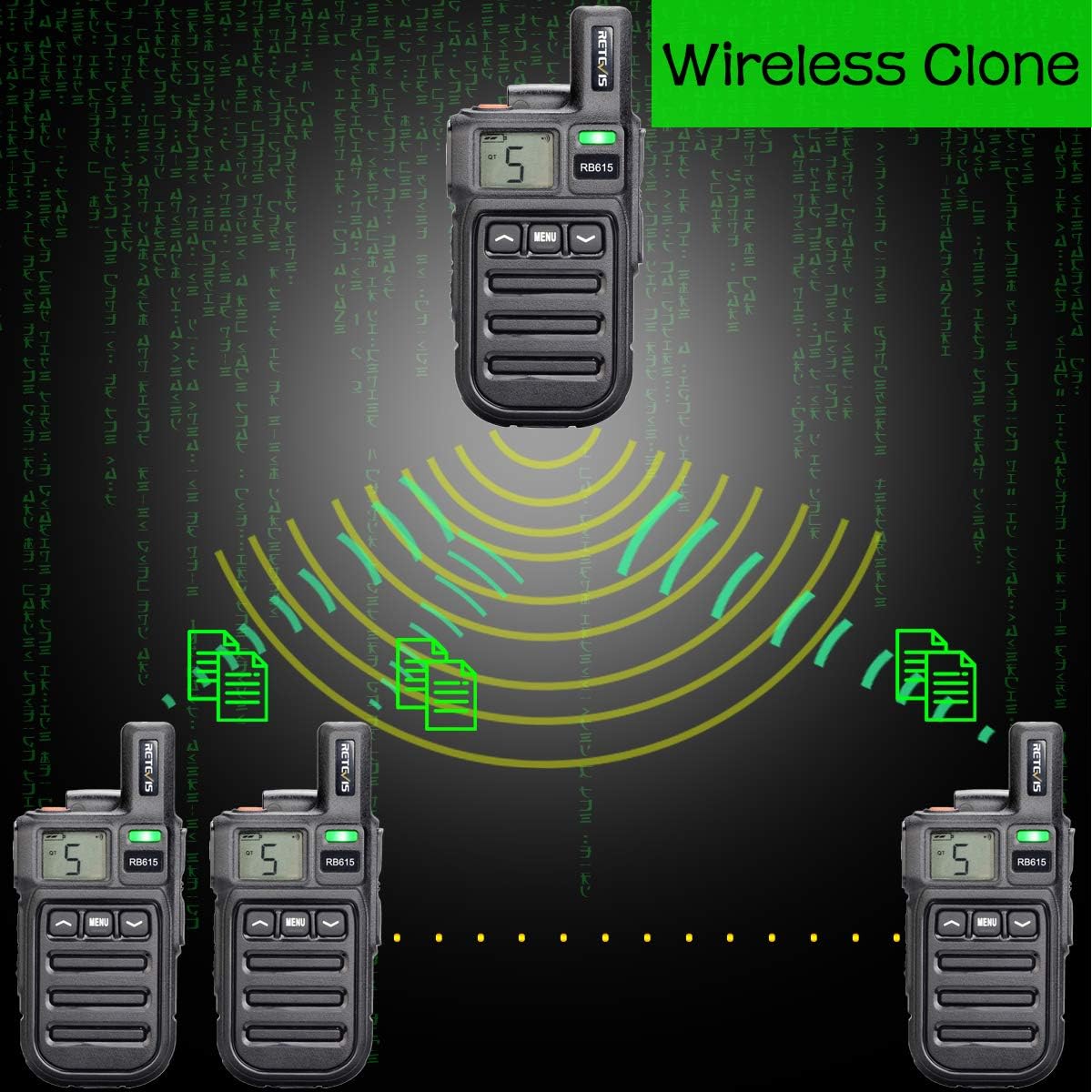
Figure 6.2: Wireless cloning of radio settings.
7. Maintenance
7.1 Cleaning
To clean the radio, use a soft, damp cloth. Do not use harsh chemicals, solvents, or abrasive cleaners. Ensure the charging port cover is securely closed before cleaning.
7.2 Battery Care
- Avoid fully discharging the battery frequently.
- Store the radio and battery in a cool, dry place when not in use for extended periods.
- Do not expose the battery to extreme temperatures.
8. Troubleshooting
If you encounter issues with your Retevis RB615, refer to the following common problems and solutions:
| Problem | Possible Cause | Solution |
|---|---|---|
| Radio does not power on. | Battery is depleted or not properly installed. | Charge the battery. Ensure the battery is correctly inserted. |
| Cannot transmit or receive. | Incorrect channel, out of range, or low battery. | Verify both radios are on the same channel. Move closer to the other radio. Charge the battery. |
| Poor audio quality or static. | Weak signal, interference, or volume too low/high. | Move to an open area. Adjust volume. Check for obstructions. |
| VOX function not working. | VOX is disabled or sensitivity is too low. | Enable VOX and adjust sensitivity level in the menu. |
If the problem persists after trying these solutions, please contact Retevis customer support.
9. Specifications
Detailed technical specifications for the Retevis RB615 Walkie Talkie:
| Feature | Specification |
|---|---|
| Brand | Retevis |
| Model Number | EUA9188BX5-C9118A |
| Dimensions | 11.9 x 5.5 x 2.3 cm |
| Weight | 93 g |
| Battery Type | Lithium-ion |
| Battery Capacity | 1100 mAh |
| Average Battery Life | 10 Hours |
| Voltage | 3.7 Volts |
| Tuner Technology | PMR446 |
| Frequency Range | 446.00625-446.19375 MHz |
| Number of Channels | 16 |
| Maximum Talk Range | 2.5 Kilometers |
| Special Features | Emergency Alarm, Rechargeable, Vibration, Wireless Cloning, VOX |
| Water Resistance Level | Not water resistant |

Figure 9.1: Dimensions of the Retevis RB615 Walkie Talkie.
10. Warranty and Support
Retevis products are designed for reliability and performance. For warranty information, please refer to the warranty card included with your purchase or visit the official Retevis website. For technical support, troubleshooting assistance, or service inquiries, please contact Retevis customer service through their official channels.
You can find more information and support resources on the Retevis Brand Store.
Related documentsRB615


Ask a question about this manual
Ask about setup, troubleshooting, compatibility, parts, safety, or missing instructions. Manuals+ will review the question and use this page’s manual context to help answer it.