
Introduction
This manual provides essential instructions for the safe operation, assembly, maintenance, and troubleshooting of your AIPER 330CFM 20V Cordless Leaf Blower. Please read this manual thoroughly before using the product and retain it for future reference. Proper use and care will ensure optimal performance and extend the lifespan of your device.
Important Safety Instructions
WARNING: Read all safety warnings and instructions. Failure to follow the warnings and instructions may result in electric shock, fire, and/or serious injury.
- Always wear eye protection and hearing protection when operating the leaf blower.
- Do not operate the blower in wet conditions or rain.
- Keep children, bystanders, and pets at a safe distance (at least 15 meters) from the operating area.
- Ensure the battery is fully charged before use. Only use the charger provided by AIPER.
- Never point the blower nozzle at people or animals.
- Inspect the blower for damaged parts before each use. Do not use if any part is damaged.
- Remove the battery pack before cleaning, servicing, or storing the unit.
- Store the blower in a dry, secure place out of reach of children.
Package Contents
Verify that all items listed below are included in your package:
- 1 x AIPER Leaf Blower Unit
- 2 x 2.0Ah Rechargeable Lithium Batteries
- 1 x Quick Charger
- 1 x User Manual

Image: The AIPER Leaf Blower unit, two 2.0Ah lithium batteries, and the quick charger included in the package.
Product Overview
Familiarize yourself with the components of your AIPER Leaf Blower:
- Blower Nozzle: Directs the airflow.
- Handle: Ergonomic grip for comfortable operation.
- Trigger Switch: Activates the blower.
- Speed Control Button: Adjusts airflow speed (two settings).
- Battery Compartment: Holds the rechargeable battery.
- Battery Release Button: For removing the battery.

Image: A person holding the AIPER Leaf Blower, illustrating its compact and lightweight design for ease of use.
Setup
1. Charging the Battery
Before first use, fully charge both batteries. The quick charger provides a full recharge in approximately 1 hour.
- Connect the quick charger to a standard power outlet.
- Slide the battery pack onto the charger until it clicks into place.
- The charger indicator light will show the charging status (refer to charger manual for specific light patterns).
- Once fully charged, remove the battery from the charger.
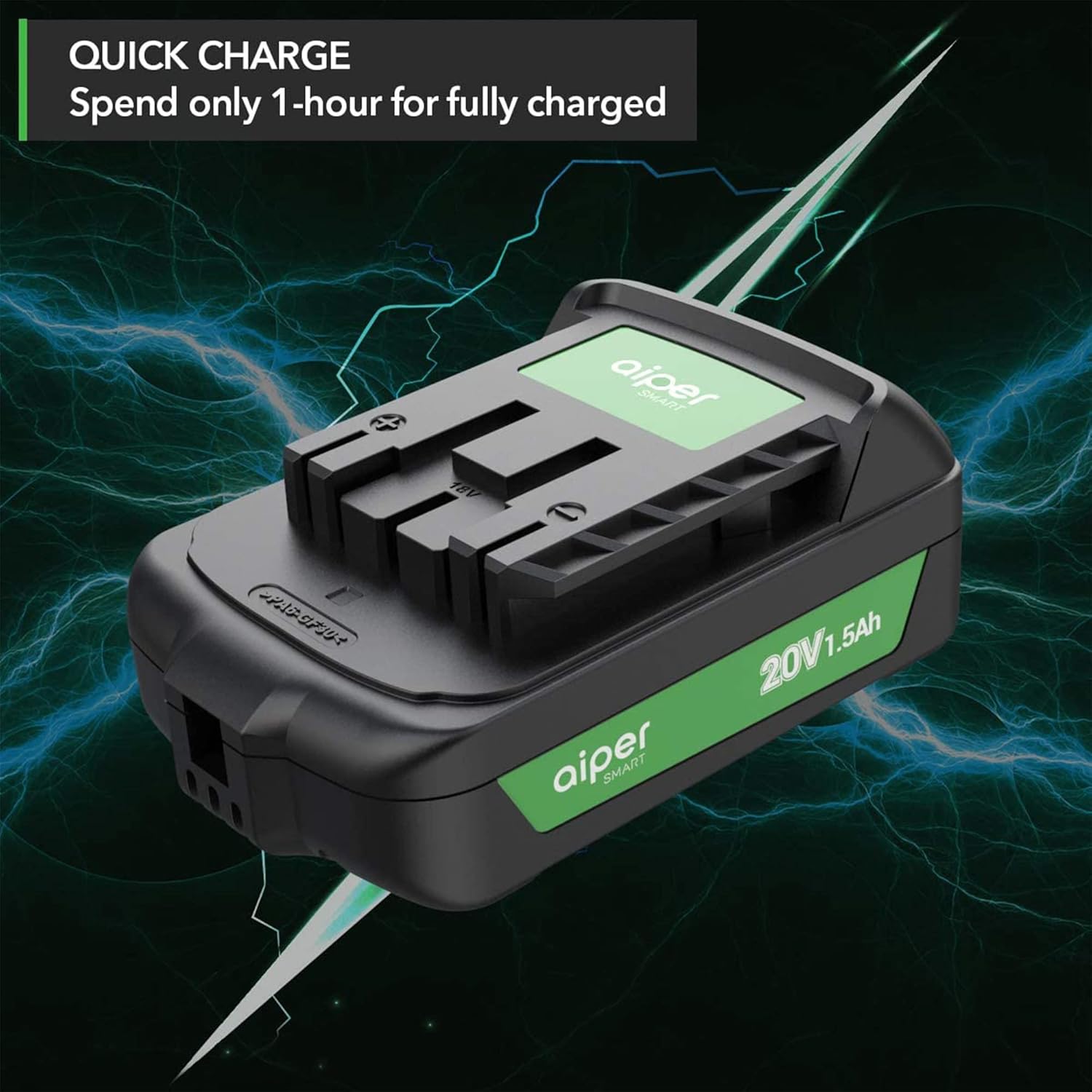
Image: An AIPER 20V 1.5Ah lithium-ion battery connected to its quick charger, illustrating the fast charging capability.
2. Installing the Battery
- Ensure the blower is turned off.
- Align the charged battery pack with the battery compartment on the blower.
- Slide the battery into the compartment until it clicks securely into place.
- To remove, press the battery release button and slide the battery out.
Operating Instructions
1. Starting and Stopping the Blower
- To start: Press and hold the trigger switch.
- To stop: Release the trigger switch.
2. Adjusting Airflow Speed
The AIPER Leaf Blower features two speed control settings:
- Speed 1: Standard airflow for lighter debris and general clearing (up to 268 CFM).
- Turbo Speed: Maximum airflow for tougher debris and larger areas (up to 335 CFM).
Press the speed control button located on the handle to toggle between Speed 1 and Turbo Speed.

Image: A close-up view of the leaf blower's handle, highlighting the two-speed control buttons for adjusting airflow.
3. General Operation Tips
- Hold the blower firmly with both hands for better control.
- Sweep from side to side, moving debris away from you.
- For stubborn debris, use the Turbo Speed setting.
- Battery runtime is approximately 26 minutes with two 2.0Ah batteries.

Image: A person operating the AIPER Leaf Blower to clear a pile of leaves, showcasing its high air volume of up to 330 CFM.

Image: A user operating the AIPER Leaf Blower, with an overlay indicating the inclusion of two batteries for a total working time of up to 26 minutes.
Maintenance
Regular maintenance ensures the longevity and efficiency of your leaf blower.
- Cleaning: After each use, remove the battery and clean the exterior of the blower with a damp cloth. Ensure air vents are free from debris. Do not use harsh chemicals or abrasive cleaners.
- Storage: Store the leaf blower and batteries in a cool, dry place, away from direct sunlight and extreme temperatures. Ensure batteries are partially charged (around 50%) for long-term storage to preserve battery health.
- Battery Care: Do not store batteries in a discharged state. Recharge them periodically if not used for extended periods.
Troubleshooting
| Problem | Possible Cause | Solution |
|---|---|---|
| Blower does not start. | Battery not installed correctly or discharged. | Ensure battery is fully inserted and charged. |
| Reduced airflow. | Air intake or nozzle blocked. | Remove battery, then clear any obstructions from the air intake or nozzle. |
| Short battery runtime. | Battery not fully charged or aging battery. | Ensure battery is fully charged. Consider purchasing new batteries if runtime significantly decreases over time (search for "B08L4LSZ65"). |
| Charger indicator not working. | Charger not plugged in or faulty battery/charger. | Check power connection. Try a different outlet. If problem persists, contact customer support. |
Specifications
| Feature | Detail |
|---|---|
| Model Name | Leaf Blower-001 |
| Brand | AIPER |
| Voltage | 20 Volts |
| Air Volume (Max) | 335 CFM |
| Speed Control | 2-speed (Standard, Turbo) |
| Battery Type | Lithium-Ion |
| Battery Capacity | 2 x 2.0Ah (included) |
| Charging Time | Approx. 1 hour (with quick charger) |
| Runtime (Max) | Up to 26 minutes (with two 2.0Ah batteries) |
| Item Weight | 3.18 kg (6.7 lbs) |
| Product Dimensions | 20.32 x 38.1 x 38.1 cm |
| Special Features | Cordless, Lightweight |
Warranty and Customer Support
Your AIPER Leaf Blower is backed by a 1.5-year worry-free warranty.
For any questions, concerns, or assistance with your product, please do not hesitate to contact AIPER customer support via email or phone. Refer to the contact information provided in your original purchase documentation or on the official AIPER website.