
Introduction
Thank you for choosing the aPerfectLife Kids Keyboard Piano. This 32-key multifunctional electric keyboard is designed to provide an engaging and educational musical experience for children aged 3-8 years. It features a variety of tones, rhythms, and demonstration songs to foster musical theory, hand-eye coordination, and fine motor skills. Please read this manual thoroughly to ensure proper setup, operation, and maintenance of your new musical instrument.
Safety Information
- Adult Supervision: Always ensure children are supervised while playing with the keyboard.
- Battery Safety: This product requires 4 AA batteries (not included). Only use battery power. Do not mix old and new batteries, or different types of batteries. Insert batteries with correct polarity. Remove batteries if the product is not used for a long period.
- Choking Hazard: The power button may detach easily. Keep small parts away from young children who may put them in their mouth.
- Volume Control: Be mindful of the volume level, especially for young children, as it resets to a higher volume when turned off and on.
- Material Safety: Made from non-toxic environmental protection ABS plastic, certified by CPC children and conforming to RoHS safety certification.
Package Contents
- 1 x aPerfectLife Kids Keyboard Piano (Model HS-3260A)
- 1 x Detachable Microphone
- 1 x Audio Cable (for microphone connection)
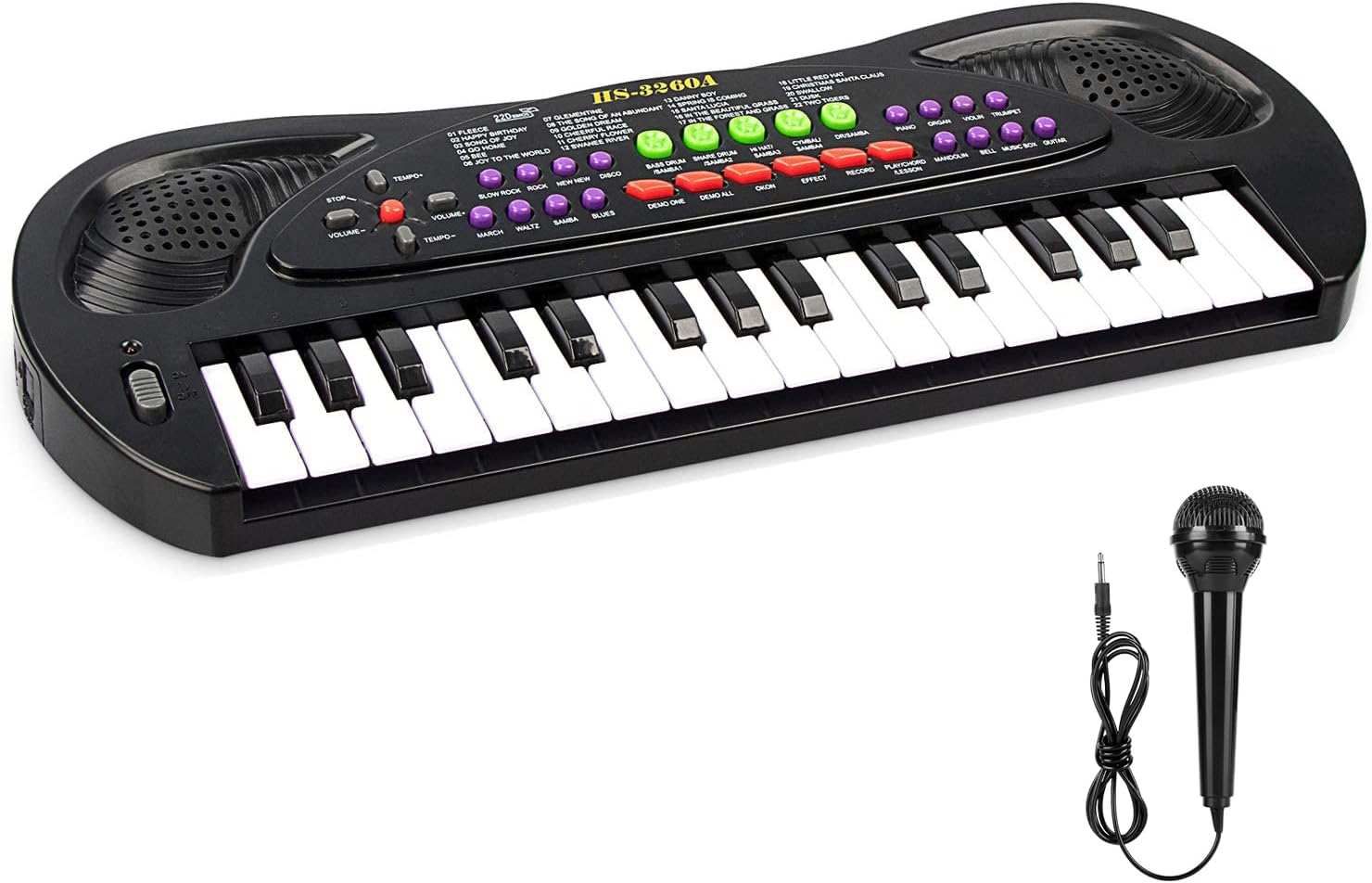
Image: The aPerfectLife Kids Keyboard Piano in black, shown with its detachable microphone.
Setup
Battery Installation
- Locate the battery compartment on the underside of the keyboard.
- Using a screwdriver, open the battery compartment cover.
- Insert 4 x 1.5V AA batteries (not included), ensuring correct polarity (+/-).
- Replace the battery compartment cover and secure it with the screw.

Image: The bottom of the keyboard with the battery compartment open, showing where to insert 4 AA batteries.
Operating Instructions
Power On/Off and Volume Control
- To turn on the keyboard, slide the POWER switch located on the left side of the keyboard. A red indicator light will illuminate.
- Adjust the volume using the VOLUME +/- buttons. Note that the volume resets to a default level upon power cycling.
- To turn off the keyboard, slide the POWER switch back to the OFF position. The keyboard also features an automatic standby sleep function to conserve battery life.
Key Functions and Modes
The keyboard offers a variety of functions accessible via its control panel. Refer to the image below for a visual guide to the key function panel.

Image: Overhead view of the keyboard highlighting the key function panel with labels for song list, music demo, volume control, tone list, power switch, rhythm list, percussion instruments, Samba sound, and Hi-Fi speakers.
- 8 Tones: Press the yellow buttons to switch between different instrument tones such as Piano, Organ, Violin, Trumpet, Mandolin, Bell, Music Box, and Guitar.
- 8 Rhythms: Select from various rhythm styles including March, Waltz, Samba, Blues, Slow Rock, Rock, New New, and Disco by pressing the purple buttons.
- 4 Percussion Sounds: Use the green buttons for Bass Drum, Snare Drum, Hi-Hat, and Cymbal percussion sounds.
- 6 Demo Songs: Press the "DEMO ONE" button to play individual demonstration songs or "DEMO ALL" to cycle through all 6 pre-recorded melodies.
- Record & Playback:
- Press the RECORD button to begin recording your playing.
- Press the PLAYBACK button to listen to your recorded melody.
- Ensemble Mode: Engage the ensemble mode for interactive play.
- Microphone: Connect the detachable microphone to the audio cable jack to sing along while playing.
Visual Overview of Features

Image: A detailed diagram pointing out key features such as double speakers, volume & tempo control, percussion/Samba sound, power switch, 8 tones, 8 rhythms, and record playback function.
Product Demonstration Video
Video: An official product video demonstrating the features and sounds of the aPerfectLife 32 Keys Black Kids Piano Keyboard.
Maintenance
- Cleaning: Wipe the keyboard with a soft, dry cloth. Do not use abrasive cleaners or immerse in water.
- Storage: Store the keyboard in a cool, dry place away from direct sunlight and extreme temperatures.
- Battery Removal: If the keyboard will not be used for an extended period, remove the batteries to prevent leakage and damage.
Troubleshooting
| Problem | Possible Cause | Solution |
|---|---|---|
| No sound or low volume. | Batteries are low or incorrectly installed. Volume is set too low. | Check battery installation and replace if necessary. Increase volume using the VOLUME + button. |
| Buttons not responding. | Low batteries. Internal malfunction. | Replace batteries. If problem persists, contact customer support. |
| Microphone not working. | Microphone not properly connected. | Ensure the microphone's audio cable is fully inserted into the jack. |
Specifications
- Model Number: HS-3260A
- Product Dimensions: 40 x 15.5 x 3.1 cm (15.7 x 6.1 x 1.2 inches)
- Item Weight: 1.19 pounds
- Material: ABS Plastic
- Power Source: 4 x 1.5V AA Batteries (not included)
- Recommended Age: 3 years and up
- Features: 32 keys, 8 tones, 8 rhythms, 6 demo songs, 4 percussion, record/playback, detachable microphone, double speakers.

Image: The keyboard with dimensions overlaid, showing its length of 15.7 inches and width of 6.1 inches.
Warranty and Support
For any questions, concerns, or support regarding your aPerfectLife Kids Keyboard Piano, please contact the manufacturer directly through their official channels. Please refer to the product packaging or the retailer's website for specific warranty information and contact details.
We are committed to providing quality service and ensuring your satisfaction with our products.


