
aPerfectLife BF-420
Kids Keyboard Piano - Instruction Manual
Model: BF-420 | Brand: aPerfectLife
1. Introduction
Thank you for choosing the aPerfectLife Kids Keyboard Piano. This 37-key portable electronic keyboard is designed to provide an engaging and educational musical experience for children aged 3 to 8 years. It features a variety of tones, rhythms, and interactive functions to foster creativity and develop musical skills.
2. Safety Information
Please read and understand all safety instructions before using the product. Keep this manual for future reference.
- Do not expose the keyboard to water or moisture.
- Avoid dropping or subjecting the keyboard to strong impacts.
- Use only the specified power adapter (DC 5V-1A) or 3 AA batteries.
- Adult supervision is recommended during play.
- This product is made from non-toxic, environmentally friendly ABS plastic and is certified by CPC children and conforms to RoHS safety certification.

Image: Product certifications for child safety and environmental standards.
3. Package Contents
- 1 x 37-Key Kids Keyboard Piano
- 1 x USB Power Cord
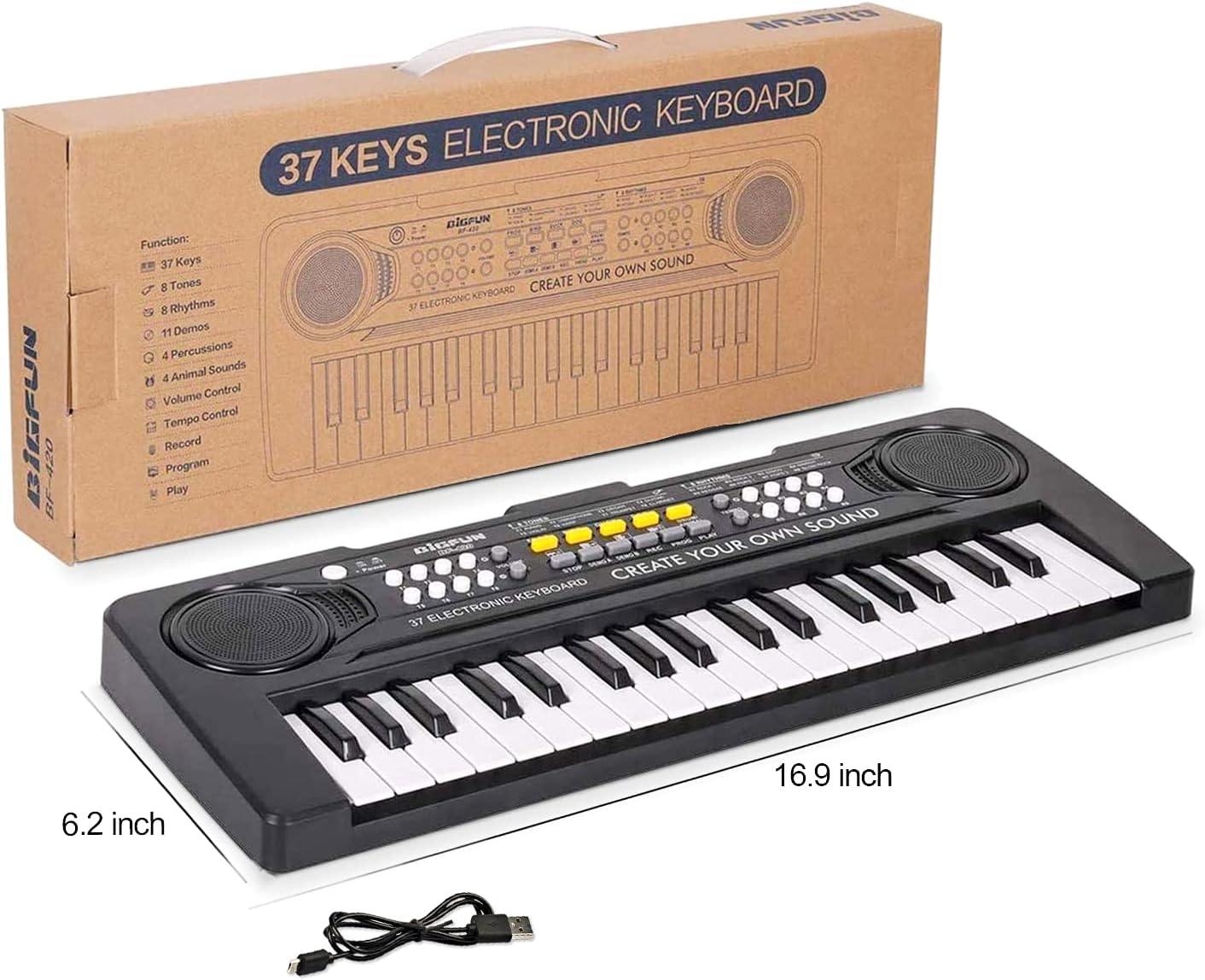
Image: The keyboard piano shown with its included USB power cable and product dimensions.
4. Setup
4.1 Powering the Keyboard
The keyboard can be powered in two ways:
- USB Power Cord: Connect the DC power connector of the USB power cord to the power jack at the back of the keyboard. Connect the other end to a USB power adapter with a DC 5V-1A power output (adapter not included).
- Batteries: Insert 3 x AA batteries (not included) into the battery compartment located on the underside of the keyboard. Ensure correct polarity.

Image: Detailed view of the USB power input and the battery compartment for 3 AA batteries.
4.2 Turning On/Off
Locate the 'Power' button on the top left side of the keyboard. Press it to turn the keyboard ON or OFF.
5. Operating Instructions
The keyboard offers a variety of functions to enhance the playing experience:
- Volume Control: Adjust the overall sound volume using the 'Volume' buttons (T1-T8) located on the left side of the control panel.
- Tones: Select from 8 different instrument tones (e.g., Piano, Vibraphone, Organ, Guitar, Violin, Harp, Trumpet, Clarinet) by pressing the corresponding 'T' buttons (T1-T8).
- Rhythms: Choose from 8 different rhythms (e.g., Rock 1, Rock 2, Disco, March, Reggae, Pops 1, Pops 2, Slow Rock) by pressing the 'R' buttons (R1-R8).
- Tempo Control: Adjust the speed of the selected rhythm using the 'Tempo' Up and Down buttons.
- Demo Songs: The keyboard includes 11 demo songs. Press 'DEMO A' or 'DEMO B' to play pre-recorded melodies.
- Percussion/Animal Sounds: Explore 4 percussion sounds and 4 animal sounds (Frog, Bird, Duck, Dog) using the dedicated buttons.
- Record & Playback: Use the 'REC' button to record your own melodies and 'PLAY' to listen to them.
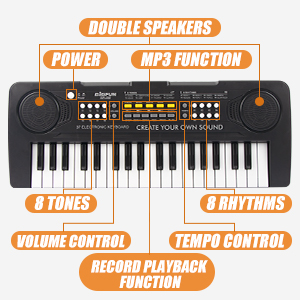
Image: Detailed view of the keyboard's control panel, highlighting various function buttons.

Image: Visual representation of the keyboard's key features including 37 keys, record, play, tones, and demo functions.
6. Maintenance
6.1 Cleaning
Wipe the keyboard with a soft, dry cloth. Do not use abrasive cleaners or solvents.
6.2 Storage
Store the keyboard in a cool, dry place away from direct sunlight and extreme temperatures. If storing for an extended period, remove the batteries to prevent leakage.
7. Troubleshooting
| Problem | Possible Cause | Solution |
|---|---|---|
| No sound | Low volume; No power; Batteries drained | Increase volume; Check power connection; Replace batteries |
| Keys not responding | Low power; Malfunction | Check power/batteries; Restart keyboard; Contact support if issue persists |
| Distorted sound | Low batteries; Speaker issue | Replace batteries; Contact support |
8. Specifications
- Keys: 37 Electronic Keys
- Product Size: 16.9 x 6.2 x 2.1 inches (L x W x H)
- Material: ABS (Non-toxic environmental protection plastic)
- Power Supply: DC 5V-1A via USB power cord or 3 x AA batteries (not included)
- Recommended Age: 3-8 years old
- Features: Dual Speakers, 8 Tones, 8 Rhythms, 11 Demos, 4 Percussion, Record/Playback, Tempo Control, Animal Sounds

Image: The aPerfectLife Kids Keyboard Piano, showcasing its compact design.
9. Warranty & Support
For warranty information or product support, please contact aPerfectLife customer service through the retailer where the product was purchased. Please retain your proof of purchase.
Thank you for choosing aPerfectLife!
Ask a question about this manual
Ask about setup, troubleshooting, compatibility, parts, safety, or missing instructions. Manuals+ will review the question and use this page’s manual context to help answer it.