
Bozily BL-X3
Bozily Golf Rangefinder BL-X3 User Manual
Model: BL-X3
Introduction
The Bozily Golf Rangefinder BL-X3 is an advanced laser range finder designed for golfers, providing precise distance measurements to enhance your game. Equipped with 4 scan modes, 6X magnification, and a range of up to 1200 yards, this device offers features like Slope Adjustment, Flag-Lock, and Continuous Scan support. Its compact and ergonomic design ensures ease of use on the golf course.
This manual provides essential information for the proper setup, operation, maintenance, and troubleshooting of your BL-X3 Golf Rangefinder. Please read it thoroughly before using the device to ensure optimal performance and longevity.
Key Features
- 6X Magnification: Provides a clear and magnified view of your target.
- 1200 Yards Range: Capable of measuring distances up to 1200 yards with high accuracy.
- Slope Adjustment Technology: Calculates and displays slope-compensated distances for uphill and downhill shots.
- Flag-Lock with Jolt Technology: Quickly locks onto the flagstick, providing a short vibration to confirm target acquisition.
- Continuous Scan Mode: Allows for scanning multiple targets to get continuous distance readings.
- Tournament Legal Mode: Features a mode that disables slope compensation, making it legal for tournament play.
- Waterproof & Fog Resistant: Designed to withstand various weather conditions on the course.
- Rechargeable Battery: Built-in rechargeable battery for convenience.
Setup
1. Charging the Device
Before first use, fully charge the rangefinder.
- Locate the USB charging port on the device.
- Connect the provided USB cable to the rangefinder and a compatible USB power source (e.g., computer, wall adapter).
- The charging indicator light will show the charging status. It typically turns green when fully charged.
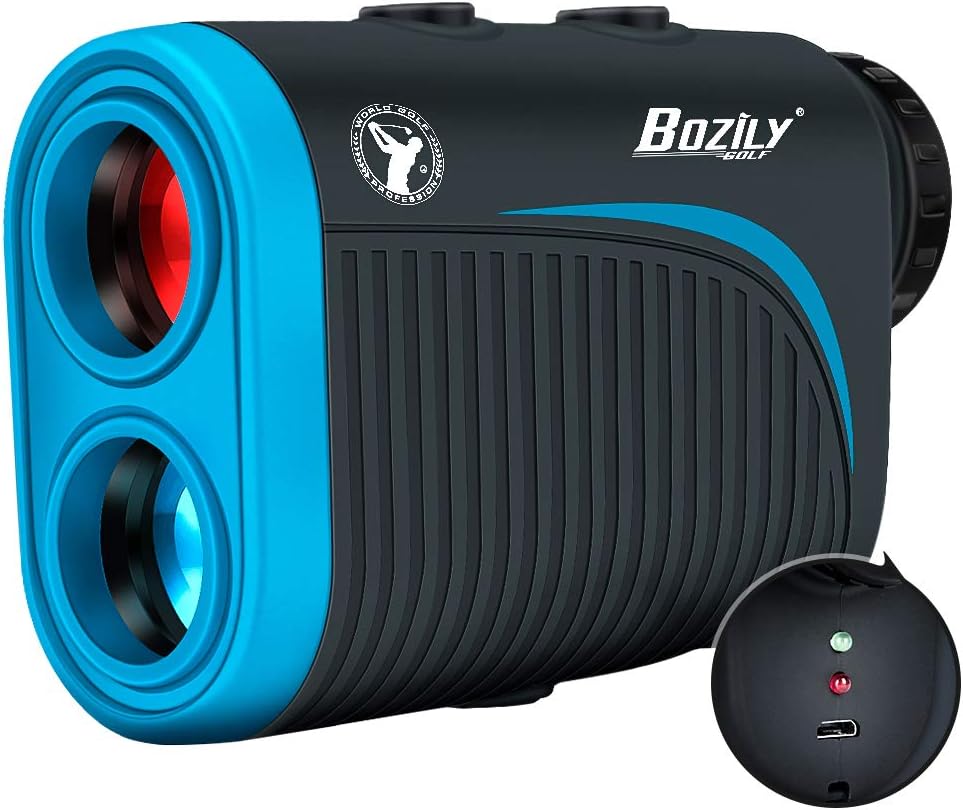
Image: The Bozily BL-X3 Golf Rangefinder showing its compact design and the charging port with indicator lights. The device is black and blue with a textured grip.
2. Powering On/Off
- To power on, press the Power/Measurement button (usually located on top).
- The device will automatically power off after a period of inactivity to conserve battery.
3. Adjusting Diopter
For a clear view through the eyepiece, rotate the diopter adjustment ring (located near the eyepiece) until the display and target appear sharp.
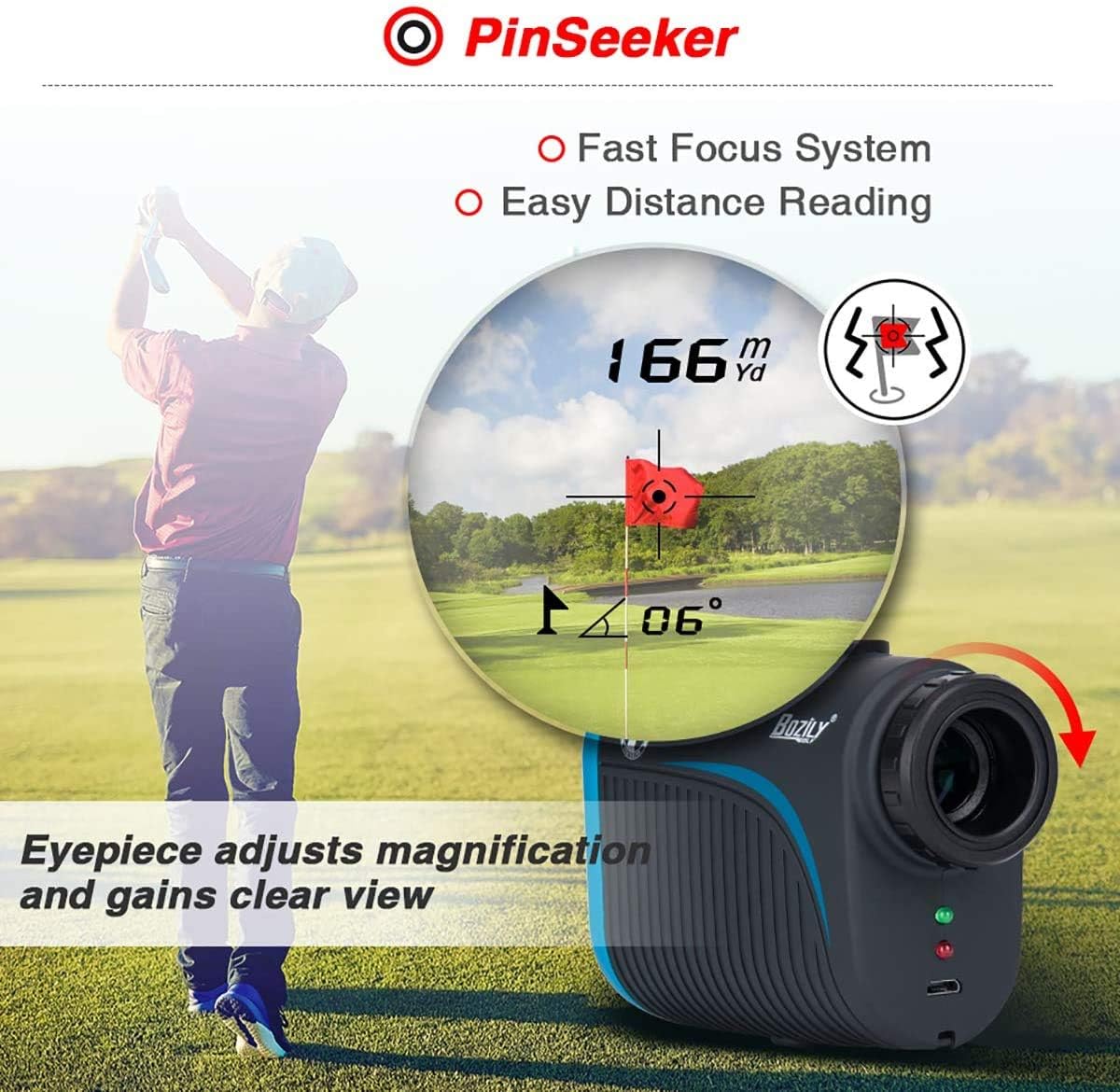
Image: A golfer using the Bozily BL-X3 rangefinder, with an inset showing the clear view through the eyepiece and the diopter adjustment ring. The display shows a distance of 166 yards/meters and a flag-lock icon.
Operating Instructions
1. Basic Measurement
- Aim the crosshairs at your desired target.
- Press the Power/Measurement button once. The distance will be displayed on the LCD.
2. Mode Selection
The BL-X3 features multiple modes for different golfing scenarios. Press the Mode button (usually located next to the Power button) to cycle through the available modes.
- Mode 1 (Tournament Legal): This mode provides straight-line distance measurement without slope compensation. It includes Continuous Scan and Flag-Lock features.
- Mode 2 (Slope Mode): Displays the actual distance, angle, and the slope-compensated distance. Includes Flag-Lock with Jolt technology.
- Mode 3 (Horizontal Measurement + Height Measurement): Measures horizontal distance and vertical height difference.
- Mode 4 (Speed Mode): Measures the speed of a moving object.
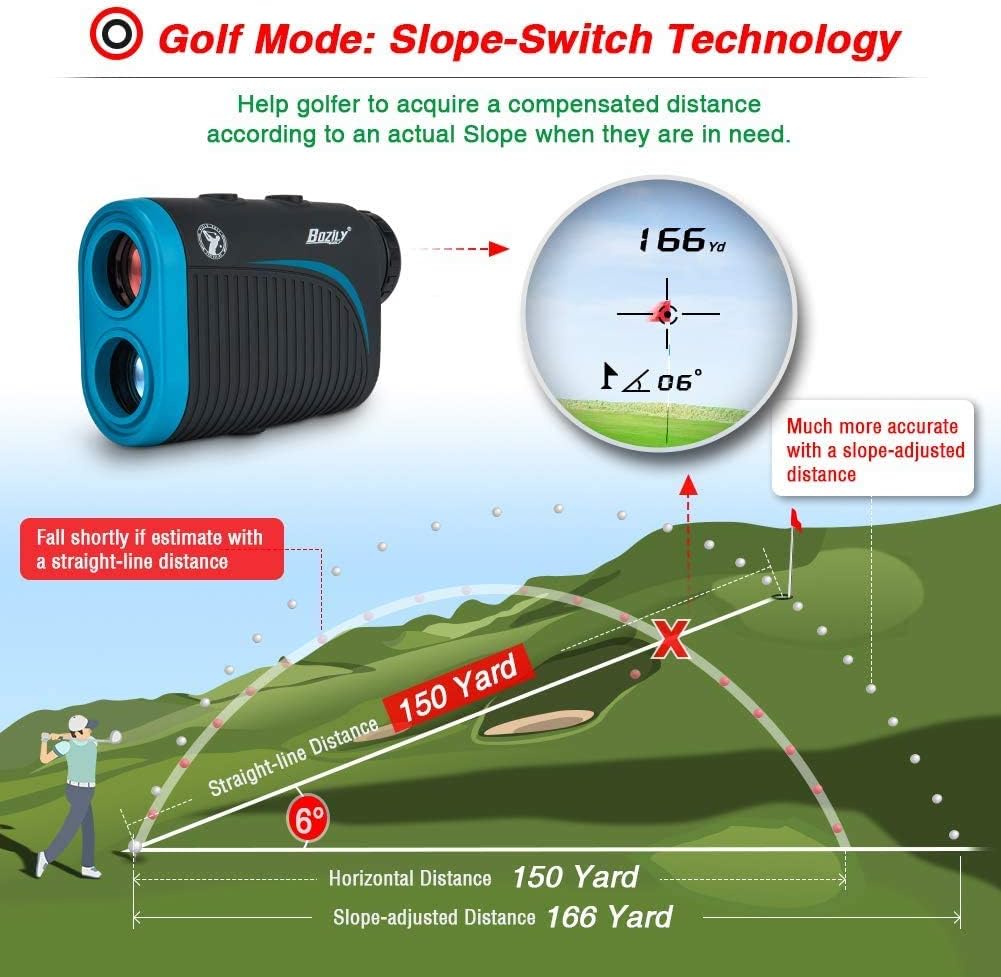
Image: A diagram illustrating the Slope-Switch Technology. It shows how the rangefinder calculates a compensated distance (e.g., 166 yards) based on the actual slope, as opposed to a straight-line distance (e.g., 150 yards).
3. Using Flag-Lock and Continuous Scan
- Flag-Lock: In applicable modes, slowly scan the area around the flagstick. The device will lock onto the flag and often provide a vibration (jolt) to confirm.
- Continuous Scan: Press and hold the Power/Measurement button. Pan the rangefinder across multiple targets to get continuous distance updates. Release the button to stop scanning.
Maintenance
1. Cleaning
- Use the provided cleaning cloth to gently wipe the lenses and the body of the rangefinder.
- Do not use abrasive materials or chemical cleaners, as they may damage the optics or casing.
- Ensure the device is dry before storing.
2. Storage
- Store the rangefinder in its protective carrying case when not in use.
- Keep it in a cool, dry place, away from direct sunlight and extreme temperatures.
- Avoid dropping or subjecting the device to strong impacts.
Troubleshooting
| Problem | Possible Cause | Solution |
|---|---|---|
| Inaccurate Readings |
|
|
| Device Not Powering On |
|
|
| Display is Blurry |
|
|
Specifications
| Feature | Detail |
|---|---|
| Model | BL-X3 |
| Magnification | 6X |
| Range | 5-1200 yards |
| Accuracy | ±1 yard |
| Laser Type | Class 1, 905nm |
| Field Angle | 7 degrees |
| Measurement Unit | Meters/Yards |
| Battery Type | Rechargeable (1 CR2 battery included) |
| Dimensions | 107 x 74 x 42 mm (approx. 4.2 x 2.9 x 1.65 inches) |
| Weight | 294.84 grams (approx. 0.65 lbs) |
| IP Rating | IP65 (Waterproof & Fog Resistant) |
Warranty and Support
Bozily offers a 12-month warranty for any product defects or customer dissatisfaction.
- Return Policy: Refer to Amazon's 30-day return policy for initial returns.
- Technical Support: For technical assistance or warranty claims, please contact Bozily customer support. They offer 24-hour reply service.
For the most up-to-date contact information, please refer to the official Bozily website or your purchase documentation.
Additional Information

Image: A visual summary of the Bozily Golf Rangefinder's key specifications: Accuracy of +/- 1 Yard, Range of 1200 Yards, and USB charging capability with no extra battery required.

Image: A golfer holding a trophy, with the Bozily Golf Rangefinder in the foreground, representing the product's role in achieving success in golf.
Ask a question about this manual
Ask about setup, troubleshooting, compatibility, parts, safety, or missing instructions. Manuals+ will review the question and use this page’s manual context to help answer it.