
Introduction
This manual provides detailed instructions for the proper installation, operation, and maintenance of your PKPOWER 65ft White BNC Cable Cord. This cable is designed for connecting security cameras, such as Lorex Flir CVC7662B Bullet Security Camera and MC7662 models, to a compatible recording device or monitor. Please read this manual thoroughly before use to ensure optimal performance and longevity of your product.
Setup and Installation
Follow these steps to properly connect your BNC cable:
- Identify Connectors: The PKPOWER BNC cable features BNC connectors for video signal and DC power connectors (male and female) for power supply. Ensure you identify the correct connectors for your camera and recording device/power source.
- Connect Video: Connect the BNC end of the cable to the video output port on your security camera. Then, connect the other BNC end to the video input port on your DVR, NVR, or monitor. Ensure a secure, twist-lock connection.
- Connect Power: Connect the DC power male connector from the cable to the power input port on your security camera. Connect the DC power female connector from the cable to your camera's power adapter. Ensure these connections are firm.
- Route Cable: Carefully route the 65ft cable to avoid kinks, sharp bends, or placement near sources of electromagnetic interference (EMI). Use cable clips or ties to secure the cable along its path.
- Test Connection: After all connections are made, power on your security camera system and verify that the video feed is clear and stable.
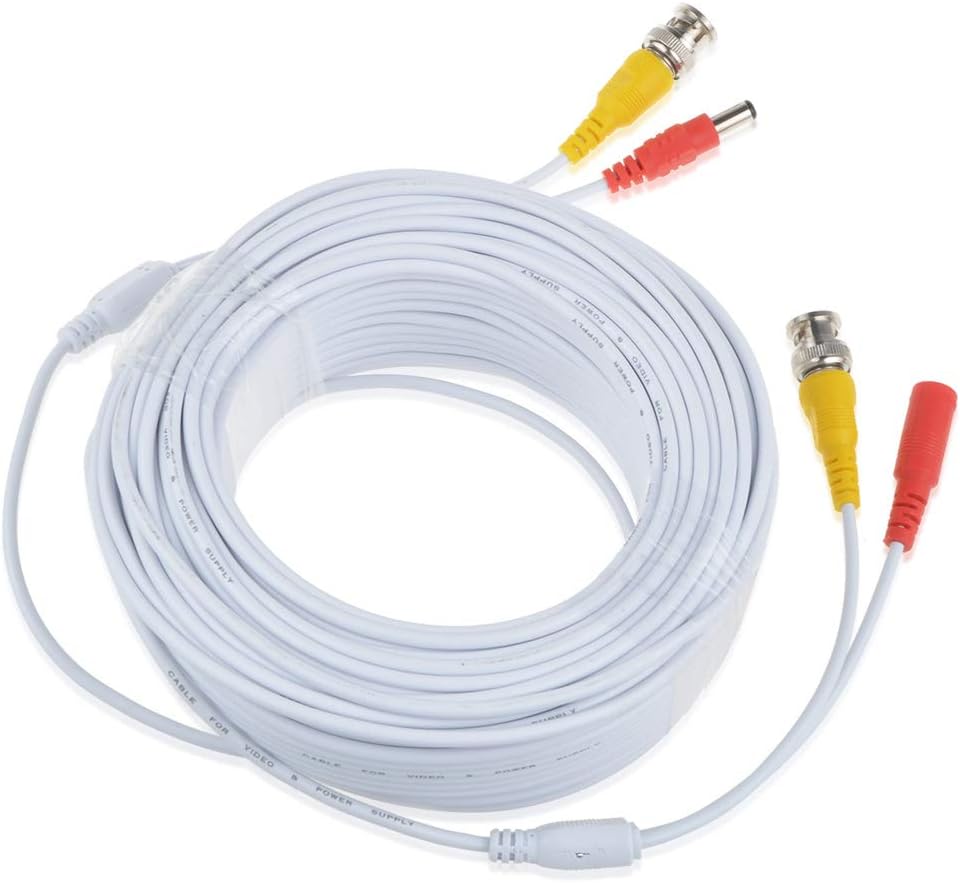
Image 1: The PKPOWER 65ft BNC Cable Cord, showing the coiled cable and its BNC (yellow) and DC power (red) connectors at both ends.

Image 2: A closer view of the BNC (yellow) and DC power (red) connectors on the PKPOWER cable, illustrating their design for secure connections.
Operation
Once properly installed, the PKPOWER BNC cable operates passively to transmit video and power signals. No user interaction is required for its operation beyond ensuring secure connections.
- Signal Transmission: The cable facilitates the transmission of analog video signals from your camera to your recording device.
- Power Delivery: It also carries DC power from your power adapter to the camera, eliminating the need for separate power cables.
Maintenance
To ensure the longevity and reliable performance of your BNC cable, consider the following maintenance tips:
- Regular Inspection: Periodically check the cable for any signs of physical damage, such as cuts, fraying, or severe kinks, especially in areas exposed to weather or high traffic.
- Connector Integrity: Ensure that all BNC and power connectors remain clean and securely fastened. Loose or corroded connections can lead to signal loss or intermittent power.
- Environmental Protection: While the cable is designed for security camera use, protect it from extreme temperatures, direct sunlight for prolonged periods, and excessive moisture if not rated for outdoor exposure.
- Avoid Stress: Do not pull, twist, or bend the cable excessively, as this can damage the internal wiring.
Troubleshooting
If you encounter issues with your security camera system, consider these troubleshooting steps related to the BNC cable:
| Problem | Possible Cause | Solution |
|---|---|---|
| No Video Signal | Loose BNC connection, damaged cable, incorrect input selected on DVR/monitor. | Ensure BNC connectors are securely twisted. Inspect the cable for visible damage. Verify the correct video input channel is selected on your recording device or monitor. |
| Flickering or Distorted Video | Loose BNC connection, cable interference, damaged cable, power fluctuations. | Check BNC connections. Reroute the cable away from power lines or other sources of EMI. Inspect the cable for damage. Ensure stable power supply to the camera. |
| Camera Not Powering On | Loose DC power connection, faulty power adapter, damaged power line within the cable. | Verify DC power connections are firm. Test the camera with a known working power adapter. Inspect the cable for damage, especially near the power connectors. |

Image 3: A detailed view of the BNC (yellow) and DC power (red) connectors, highlighting the robust construction designed for reliable signal and power transmission.
Specifications
| Feature | Detail |
|---|---|
| Brand | PKPOWER |
| Color | White |
| Cable Length | 65 feet (780 Inches) |
| Connectors | BNC (Video), DC Power (Male/Female) |
| Compatibility | Lorex Flir CVC7662B Bullet Security Camera, MC7662, and similar BNC/DC powered cameras. |
| Item Weight | 15 ounces |
| Manufacturer | PKPOWER |
Warranty and Support
PKPOWER products are designed for reliability and performance. This product is CE / FCC / RoHS certified, ensuring it meets high safety and quality standards.
For any questions, concerns, or support needs, please contact our customer service. Our friendly and reliable customer service team is committed to responding to your inquiries within 24 hours.
Please refer to your purchase documentation or the seller's information for specific warranty details and contact methods.