
Introduction
Thank you for purchasing the MIPOW Mini Electric USB Fan F01. This portable and rechargeable fan is designed to provide personal cooling with adjustable airflow and angle. Please read this manual carefully before use to ensure proper operation and maintenance.
Package Contents
- MIPOW Mini Electric USB Fan F01
- USB Charging Cable
- User Manual
Safety Instructions
To prevent injury or damage to the product, please observe the following safety precautions:
- Do not immerse the fan in water or other liquids.
- Keep the fan away from open flames, heat sources, and direct sunlight.
- Do not insert fingers or foreign objects into the fan grille.
- This appliance is not intended for use by persons (including children) with reduced physical, sensory or mental capabilities, or lack of experience and knowledge, unless they have been given supervision or instruction concerning use of the appliance by a person responsible for their safety.
- Use only the provided USB charging cable or a certified equivalent.
- Do not attempt to disassemble, repair, or modify the fan. Contact customer support if service is required.
- Ensure the fan is placed on a stable, flat surface during operation.
Product Overview
Familiarize yourself with the components of your MIPOW Mini Electric USB Fan F01.
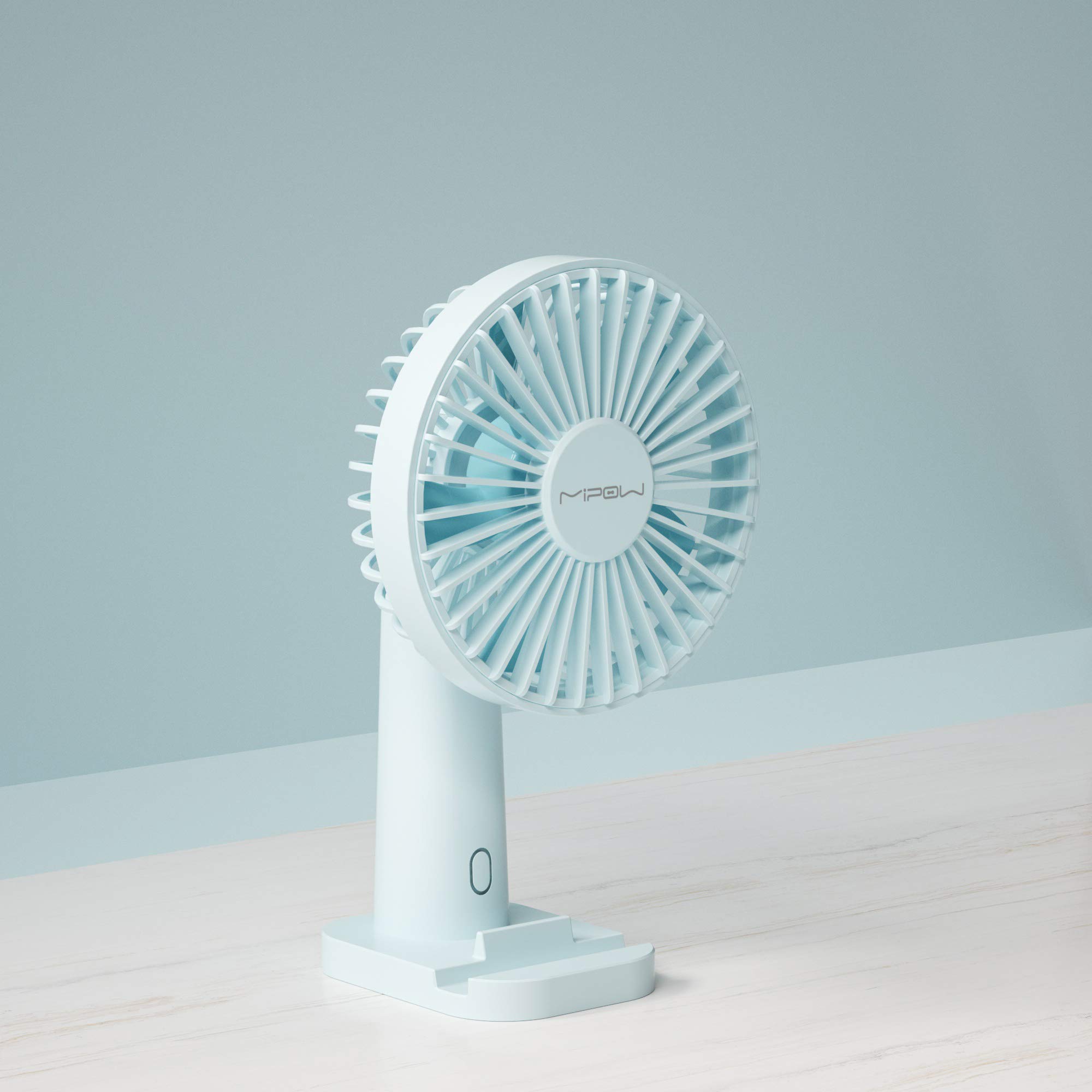
Image 1: Front view of the MIPOW Mini Electric USB Fan F01. This image displays the fan's compact design, the protective grille covering the fan blades, and the stable base. The fan is shown in a Tiffany Blue color.
- Fan Grille: Protective cover for the fan blades.
- Fan Blades: Generate airflow.
- Control Button: Powers the fan on/off and adjusts speed settings.
- Base: Provides stability for the fan.
- Charging Port (USB): Located on the back or side of the base, used for charging the internal battery.
- Indicator Light: Shows charging status or power status.
Setup
1. Charging the Fan
- Connect the small end of the USB charging cable to the charging port on the fan.
- Connect the larger end of the USB cable to a USB power adapter (not included), computer USB port, or power bank.
- The indicator light will illuminate (e.g., red) during charging and turn off or change color (e.g., blue) when fully charged.
- Allow approximately 2-3 hours for a full charge.
2. Placement
- Place the fan on a flat, stable surface to prevent it from tipping over.
- Ensure there are no obstructions to the airflow around the fan.
Operating Instructions
Power On/Off and Speed Adjustment
- To Power On: Press the control button once. The fan will start at Speed 1 (low).
- To Adjust Speed: Press the control button repeatedly to cycle through the speed settings:
- First press: Speed 1 (Low)
- Second press: Speed 2 (Medium)
- Third press: Speed 3 (High)
- To Power Off: After Speed 3, press the control button a fourth time to turn the fan off.
Adjusting the Fan Angle
The fan head can be manually tilted up or down to direct the airflow as desired. Gently hold the base and adjust the fan head to your preferred angle.
Maintenance
Cleaning
- Ensure the fan is turned off and unplugged before cleaning.
- Wipe the exterior of the fan with a soft, dry cloth.
- Do not use abrasive cleaners, solvents, or immerse the fan in water.
- For dust accumulation on the grille, use a soft brush or compressed air to gently remove it.
Storage
- When not in use for an extended period, store the fan in a cool, dry place.
- It is recommended to fully charge the fan before storing and recharge it every 3 months to maintain battery health.
Troubleshooting
| Problem | Possible Cause | Solution |
|---|---|---|
| Fan does not turn on. | Battery is depleted. | Charge the fan using the provided USB cable. |
| Fan airflow is weak. | Fan is on a low speed setting. | Press the control button to increase the speed. |
| Fan is not charging. | USB cable or power adapter is faulty; connection is loose. | Ensure the USB cable is securely connected. Try a different USB port or power adapter. |
| Unusual noise during operation. | Obstruction in fan blades; fan not on a stable surface. | Turn off and unplug the fan. Carefully check for any obstructions and remove them. Place the fan on a stable surface. |
Specifications
| Brand | MIPOW |
| Model Number | F01 |
| Power Source | Battery Powered (Rechargeable) |
| Number of Speeds | 3 |
| Control Method | Button Control |
| Special Feature | Portable |
| Item Weight | 172 Grams |
| Blade Material | Plastic |
| Color | Tiffany Blue |
Warranty and Support
MIPOW products are manufactured to high-quality standards. For information regarding warranty coverage, technical support, or service inquiries, please refer to the warranty card included with your purchase or visit the official MIPOW website. Please retain your proof of purchase for warranty claims.