
Introduction
The ORICO CPB3-BK-BP Mobile Computer Tower Stand is designed to elevate your computer tower, providing enhanced mobility, improved cooling, and protection from floor-level elements. Constructed from durable ABS material, this stand features four caster wheels, two of which are lockable, allowing for easy repositioning and secure placement of your PC, gaming console, or printer. Its thoughtful design promotes better airflow, contributing to the longevity and stable operation of your equipment.
Product Overview

The ORICO Mobile Computer Tower Stand provides a stable and mobile solution for your PC, featuring durable construction and efficient design for optimal performance.

Elevates your computer off the ground, preventing moisture and dust accumulation, as shown in this damp-proof feature illustration.

Detailed view of the stand's butterfly structure for stability, protective side design, and high-side edges to secure the computer case.
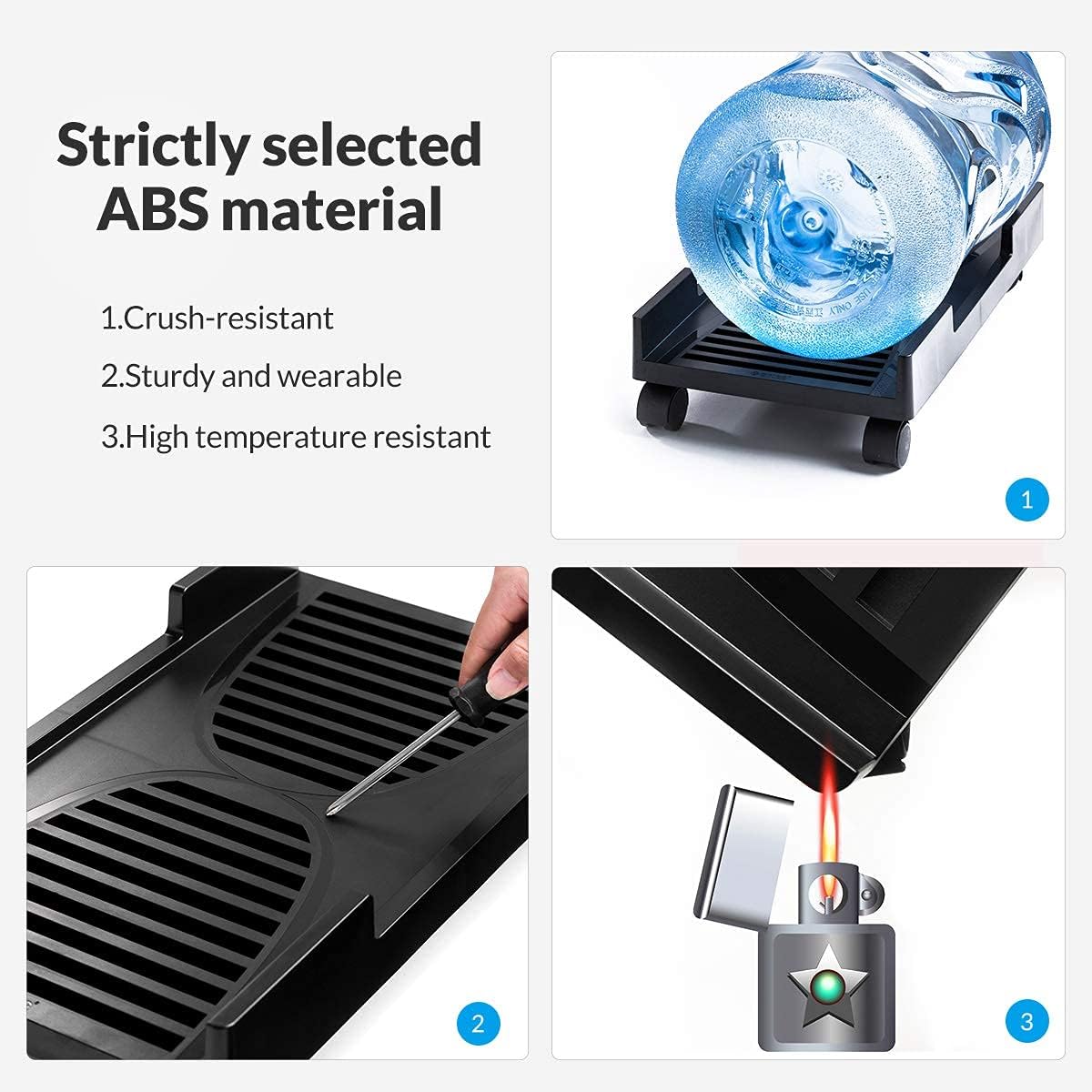
Illustration highlighting the crush-resistant, sturdy, wearable, and high-temperature resistant ABS material used in the stand's construction.

Close-up of the lockable caster wheels, demonstrating the easy mobility and stability features of the stand.

Diagram showing the external and internal dimensions of the ORICO Computer Tower Stand, including length, width, and height.
Setup & Assembly
- Unpack all components: two main panels, two adjustable metal bars, and four caster wheels (two with locks).
- Insert the metal bars into the designated slots on the inner sides of the main panels. Ensure they click securely into place.
- Adjust the width of the stand by sliding the panels along the metal bars to match the width of your computer tower.
- Once the desired width is achieved, secure the adjustable bars by engaging the locking mechanisms on the panels.
- Insert the four caster wheels into the holes on the underside of the stand. Push firmly until they snap into place.
- Place your computer tower onto the assembled stand, ensuring it sits securely within the high-side edges.
This video demonstrates the assembly process of the ORICO CPB3-BK-BP Mobile Computer Tower Stand, including attaching wheels and adjusting the width.
Operating Instructions
- Adjusting Width: To change the width of the stand, unlock the adjustable bars, slide the panels to the desired width, and then re-engage the locking mechanisms.
- Mobility: The stand is equipped with four 360-degree swivel caster wheels for easy movement. To move your computer tower, ensure the two lockable wheels are in the unlocked position.
- Stability: For stationary use, engage the locks on the two designated caster wheels to prevent the stand from rolling.
- Enhanced Airflow: The elevated design and thermal hollows on the stand's surface promote better air circulation around your computer tower, aiding in cooling and preventing overheating.
- Protection: The stand effectively elevates your CPU, protecting it from moisture, dirt, and dust on the floor.
Maintenance
- Regularly wipe the stand with a damp cloth to remove dust and dirt. Avoid using harsh chemicals that may damage the ABS material.
- Periodically check the caster wheels and their locking mechanisms to ensure they are functioning correctly.
- Ensure the adjustable bars remain securely locked when the stand is stationary to maintain stability.
Troubleshooting
- Issue: Stand is not stable or wobbles.
Solution: Ensure all four caster wheels are fully inserted and securely attached. Verify that the adjustable bars are locked into position at the correct width for your computer tower. - Issue: Difficulty moving the stand.
Solution: Check that the locking mechanisms on the two designated caster wheels are disengaged (unlocked). Ensure the floor surface is clear of any obstructions. - Issue: Computer tower does not fit.
Solution: Refer to the specifications section for the internal dimensions. Adjust the stand's width to accommodate your tower. If your tower's width exceeds the maximum internal size (9.37 inches), this stand may not be suitable.
Specifications
| Brand | ORICO |
| Series | ORICO-CPB3-BK-BP-US-NEW |
| Item Model Number | ORICO CPB3-BK-BP |
| Item Weight | 1.6 pounds |
| Product Dimensions | 18.11 x 10.24 x 1.77 inches |
| Item Dimensions LxWxH | 18.11 x 10.24 x 1.77 inches |
| Color | Black |
| Manufacturer | ORICO Technologies Co.,Ltd |
| Compatible Devices | CPU |
| Mounting Type | Tabletop |
Warranty & Support
The ORICO CPB3-BK-BP Mobile Computer Tower Stand comes with a 12-month warranty. For any product inquiries, technical support, or warranty claims, please contact ORICO customer service directly through their official channels or the retailer where the product was purchased.