
Beurer BM28
Contents
Beurer BM28 Blood Pressure Monitor User Manual
Comprehensive instructions for setup, operation, and maintenance of your Beurer BM28 Blood Pressure Machine.
1. Product Overview
The Beurer BM28 Upper Arm Blood Pressure Monitor is designed to help you monitor your vital signs at home. This fully automatic blood pressure and pulse monitor for the upper arm features arrhythmia detection, a color risk indicator based on WHO metrics, and a 4-user capacity with 30 memory spaces per user. Its large screen displays real-time measurements, time, and date, and includes an incorrect usage message for accuracy.

Figure 1: Beurer BM28 Blood Pressure Monitor with universal cuff.
2. Safety Information
Always refer to the complete instruction manual provided with your device for detailed safety guidelines. Ensure the device is used in a calm environment and that the cuff is correctly positioned for accurate readings. Consult a healthcare professional for interpretation of results or if you have any health concerns.
3. What's Included
- Beurer BM28 Blood Pressure Monitor Unit
- Universal Upper Arm Cuff (fits 8.7" - 16.5" / 22-42 cm)
- 4 x AA Batteries
- Storage Case
- Instruction Manual (this document)

Figure 2: All components included with the Beurer BM28 Blood Pressure Monitor.
4. Setup
4.1. Battery Installation
- Open the battery compartment cover on the back of the monitor.
- Insert the 4 AA batteries provided, ensuring correct polarity (+/-).
- Close the battery compartment cover securely.
4.2. Cuff Placement
Proper cuff placement is crucial for accurate readings. The universal cuff is designed for upper arm circumferences from 8.7 to 16.5 inches (22 to 42 cm).
- Ensure you are seated comfortably with your arm resting on a flat surface.
- Slide the cuff onto your bare upper arm, approximately 0.5 to 1 inch (1-2 cm) above the elbow joint. The air tube should run down the inside of your arm.
- Tighten the cuff so it is snug but not uncomfortably tight. You should be able to insert two fingers between the cuff and your arm.
- Connect the air tube from the cuff to the air socket on the side of the monitor.

Figure 3: Illustration of the adjustable cuff size (8.6 to 16.5 inches) and proper arm placement.
4.3. User Settings (Optional)
The BM28 supports up to 4 users. Refer to the full manual for instructions on setting up individual user profiles and storing readings for each user.
5. Operating Instructions
5.1. Taking a Measurement
For best results, rest for at least 5 minutes before taking a reading. The device features a patented resting indicator to ensure you are sufficiently calm for accurate measurements.
- With the cuff correctly positioned and connected, press the power button (I/O) to turn on the monitor.
- The monitor will automatically begin inflation and measurement. Remain still and do not talk during the measurement.
- Once complete, your systolic, diastolic, and pulse readings will be displayed on the large LCD screen. The date and time of the measurement will also be shown.
- The color risk indicator will classify your blood pressure reading according to WHO guidelines.
- The device will automatically detect irregular heartbeats and display an arrhythmia symbol if detected.

Figure 4: The large LCD display shows blood pressure, pulse, date, and time.
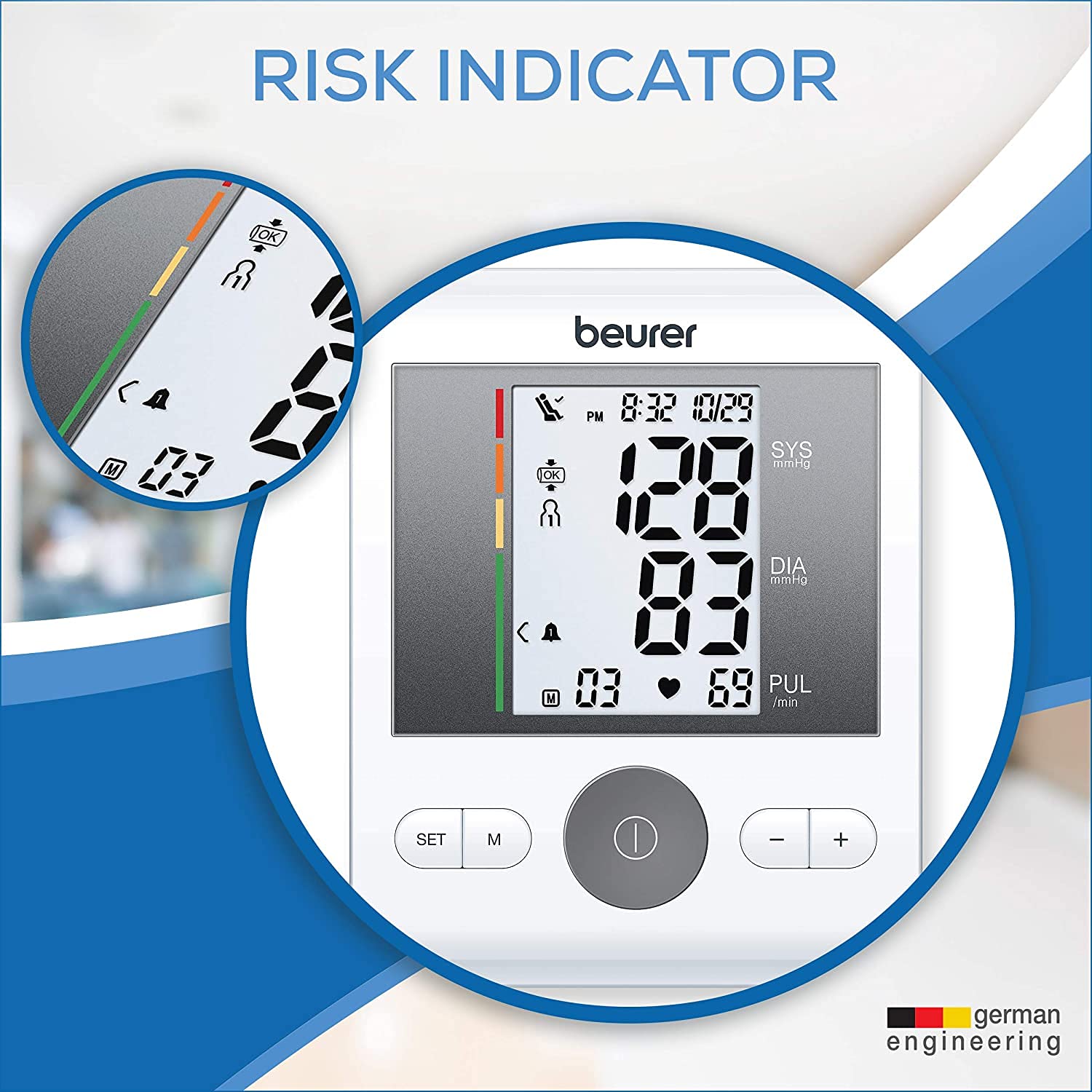
Figure 5: The risk indicator provides a visual classification of your blood pressure reading.
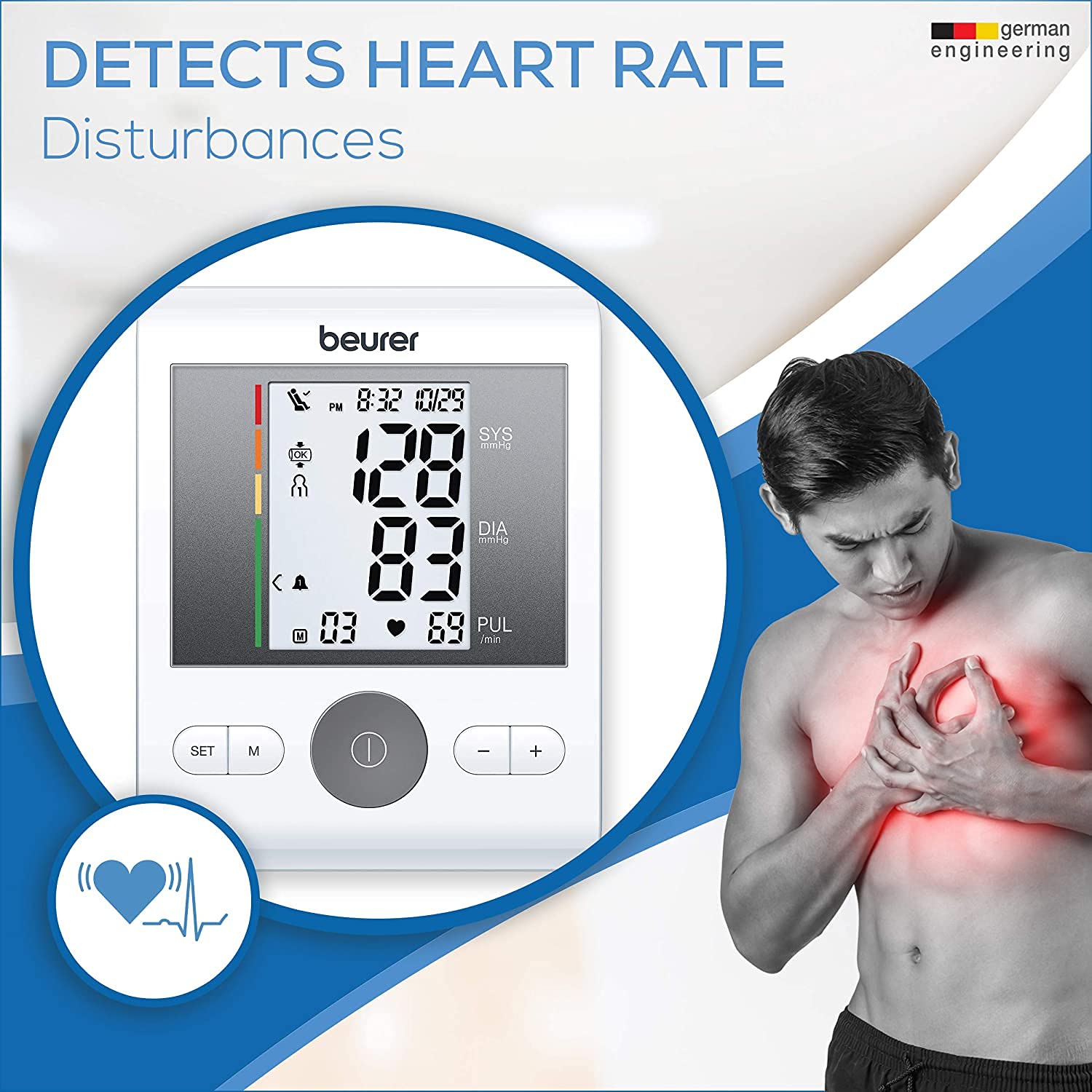
Figure 6: The monitor's ability to detect and indicate heart rate disturbances.
5.2. Recalling Stored Readings
The BM28 can store up to 30 readings for each of the 4 users, totaling 120 memory spaces. To recall previous measurements, press the 'M' button. Use the '+' and '-' buttons to navigate through the stored readings.

Figure 7: The monitor can save up to 120 measurements across 4 users.
5.3. Using the HealthManager Pro App
The Beurer HealthManager Pro App allows you to manage your health data from various Beurer devices, including the BM28 blood pressure monitor. You can track your progress, view trends, and share data with healthcare professionals.
Video 1: Overview of the Beurer HealthManager Pro App, demonstrating how it integrates with various Beurer health devices to track and manage personal health data.
6. Maintenance and Care
- Clean the monitor and cuff with a soft, dry cloth. Do not use abrasive cleaners or immerse the device in water.
- Store the device in its provided storage case when not in use to protect it from dust and damage.
- Replace batteries when the low battery indicator appears on the display.
7. Troubleshooting
| Problem | Possible Cause | Solution |
|---|---|---|
| No display/Device won't turn on | Batteries are dead or incorrectly inserted. | Check battery polarity or replace with new AA batteries. |
| Inaccurate readings | Incorrect cuff placement, movement during measurement, or not resting before measurement. | Ensure cuff is correctly positioned and snug. Remain still and silent during measurement. Rest for 5 minutes prior to measuring. |
| Error message on display | Cuff not properly inflated, air leakage, or excessive movement. | Check cuff connection and ensure it's securely wrapped. Repeat measurement, ensuring no movement. |
For further troubleshooting or persistent issues, please refer to the comprehensive troubleshooting section in the full instruction manual.
8. Specifications
- Model: BM28
- Product Dimensions: 7.7 x 3.5 x 5.2 inches; 1 Pound
- Cuff Size: Universal Cuff (8.7" - 16.5" / 22-42 cm)
- Memory Spaces: 4 users x 30 memory spaces (120 total)
- Power Source: 4 x AA Batteries (included)
- Display Type: LCD
- Features: Arrhythmia Detection, Resting Indicator, Cuff Position Control, WHO Risk Indicator
- Material: Plastic

Figure 8: Dimensions of the Beurer BM28 Blood Pressure Monitor.
9. Warranty and Support
Beurer products are known for their quality and precision. While specific warranty details should be confirmed with your purchase documentation, Beurer typically offers a 5-year warranty on their blood pressure monitors.
For customer service and support in the USA, you can contact Beurer North America LP directly:
- Phone: +1 (800) 536-0366
- Website: Visit the Beurer Store on Amazon
Documents and downloads
Ask a question about this manual
Ask about setup, troubleshooting, compatibility, parts, safety, or missing instructions. Manuals+ will review the question and use this page’s manual context to help answer it.