
1. Introduction
Thank you for choosing the Socobeta Digital Wooden Alarm Clock. This device combines modern functionality with a classic wooden aesthetic, offering time display, temperature monitoring, and alarm features. This manual provides detailed instructions to help you set up and operate your new clock effectively.
The clock is designed for ease of use and can be powered by either AAA batteries or a USB connection. Its LED display ensures clear visibility, even in low light conditions.
2. Product Overview
The Socobeta Digital Wooden Alarm Clock offers several key features:
- Dual Power Options: Can be powered by 3 x AAA batteries (not included) or a DC 5V/500mA USB power supply.
- Time Retention: The clock maintains internal timing even when the display is off or power is disconnected, eliminating the need to reset the time upon power restoration.
- Multi-functional Display: Shows both time and temperature. Temperature can be displayed in Celsius (C) or Fahrenheit (F).
- Multiple Alarms: Features three selectable alarm settings.
- Clear LED Display: Bright, soft LED lights are displayed through the smooth wooden surface, visible day or night.
- Two Display Modes: Choose between Sound Control Mode (display activates with sound) and Always Bright Mode (display remains continuously on). Sound Control Mode is recommended for battery power to conserve energy.
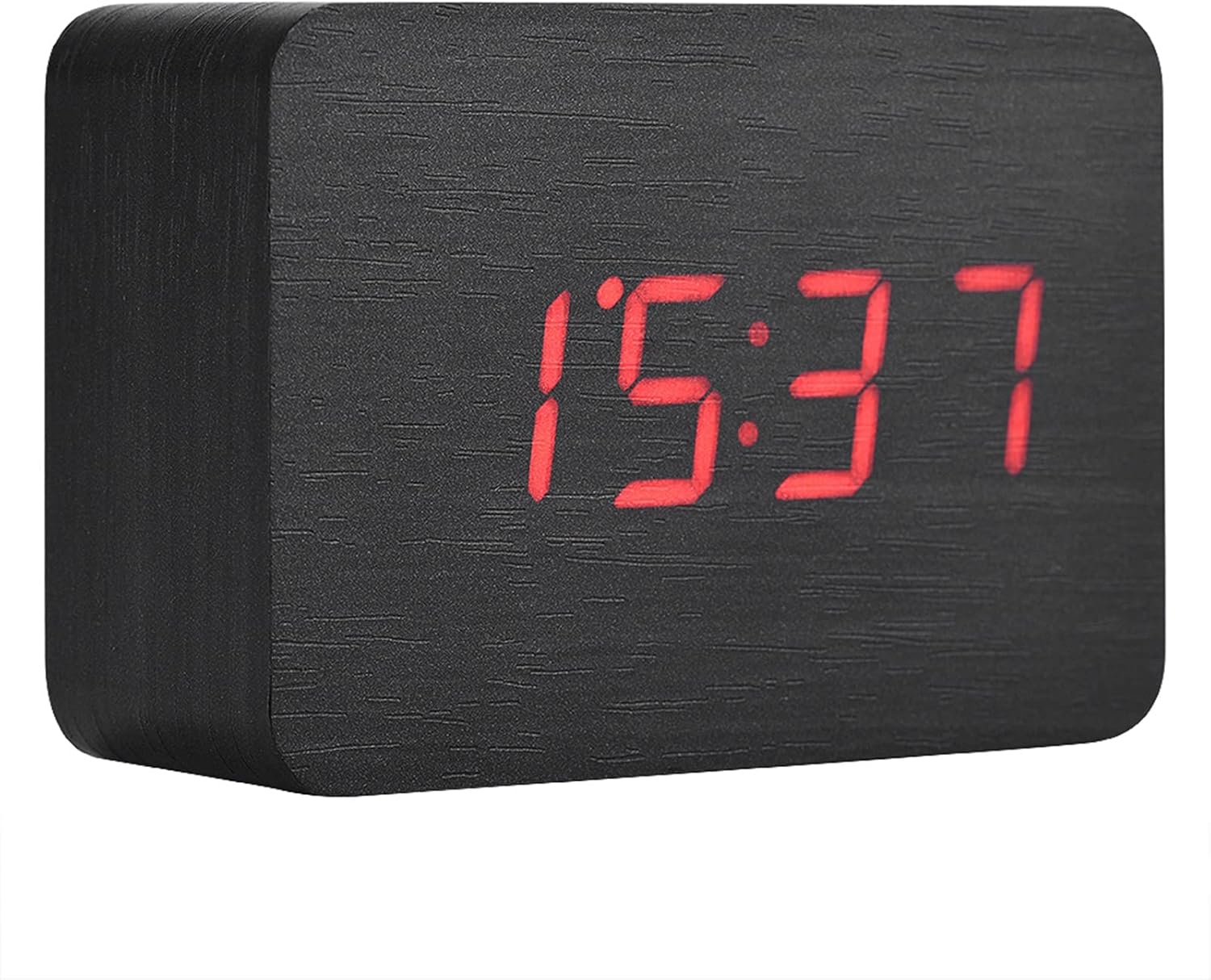
Figure 2.1: Front view of the alarm clock, showing the time display.
3. Setup
3.1 Powering the Device
The clock can be powered in two ways:
- USB Power: Connect the provided USB cable to the DC 5V/500mA port on the back of the clock and plug the other end into a compatible USB power adapter (not included) or a USB port.
- Battery Power: Open the battery compartment on the back of the clock and insert 3 x AAA batteries (not included), ensuring correct polarity.
For continuous display, USB power is recommended. When using battery power, the sound control mode is advised to conserve energy.

Figure 3.1: Back view of the clock, illustrating the battery compartment and control buttons.
3.2 Initial Power On
Once powered, the LED display will illuminate, showing the current time or a default setting. The clock will automatically begin tracking time internally.
4. Operating Instructions
The clock features three control buttons on the back: SET, UP, and DOWN.

Figure 4.1: Detail of the control buttons on the back of the clock.
4.1 Setting Time and Date
- Press and hold the SET button to enter time setting mode. The display will flash.
- Use the UP and DOWN buttons to adjust the hour. Press SET to confirm and move to minutes.
- Adjust minutes with UP and DOWN. Press SET to confirm.
- Continue pressing SET to cycle through year, month, and day settings, adjusting each with UP and DOWN.
- After setting the date, press SET to exit the setting mode.
4.2 12/24 Hour Mode Selection
While in normal time display mode, press the UP button to toggle between 12-hour and 24-hour formats.
4.3 Setting Alarms
The clock supports up to three alarms (AL1, AL2, AL3).
- Press the SET button repeatedly until 'AL1' appears on the display.
- Press and hold SET to enter alarm setting mode for AL1. The hour will flash.
- Use UP and DOWN to set the alarm hour, then press SET.
- Use UP and DOWN to set the alarm minutes, then press SET.
- The display will show 'ON' or 'OFF'. Use UP or DOWN to enable or disable the alarm. Press SET to confirm.
- Repeat for AL2 and AL3 if desired.
4.4 Temperature Display (C/F)
In normal display mode, press the DOWN button to switch the temperature unit between Celsius (C) and Fahrenheit (F).
4.5 Display Modes (Sound Control / Always Bright)
The clock offers two display modes:
- Sound Control Mode: The display will turn off after a short period of inactivity. To activate the display, make a sound (e.g., clap your hands) or gently tap the clock. This mode is energy-efficient and recommended when using battery power.
- Always Bright Mode: The display remains continuously on. This mode consumes more power and is best used when the clock is connected via USB.
To switch between modes, press the UP button (or a dedicated 'MODE' button if present, though not explicitly listed for this model, typically the UP button cycles through display options). Refer to the specific instructions for your model if the UP button does not cycle modes.
5. Maintenance
To ensure the longevity and proper functioning of your Socobeta Digital Wooden Alarm Clock, follow these maintenance guidelines:
- Cleaning: Wipe the clock with a soft, dry cloth. Avoid using abrasive cleaners, solvents, or chemical sprays, as these can damage the wooden finish and electronic components.
- Placement: Place the clock on a stable, flat surface. Avoid direct sunlight, extreme temperatures, and high humidity, which can affect the wood and internal electronics.
- Battery Replacement: If using batteries, replace all three AAA batteries simultaneously when the display dims or functions become erratic. Do not mix old and new batteries or different types of batteries.
- Power Source: Always use a DC 5V/500mA power adapter for USB connection. Using an incorrect power source may damage the device.
6. Troubleshooting
If you encounter issues with your clock, please refer to the following common problems and solutions:
- Display is off or dim:
- Check power source: Ensure USB cable is securely connected or batteries are correctly inserted and not depleted.
- If in Sound Control Mode, make a sound or tap the clock to activate the display.
- If using batteries, replace them with fresh ones.
- Clock not keeping accurate time:
- Perform a reset: Locate the small 'RESET' button on the back (often a small hole requiring a pin) and press it. Then, re-set the time.
- Ensure a stable power supply.
- Alarm not sounding:
- Verify that the alarm is set to 'ON' in the alarm settings.
- Check the alarm time to ensure it is correctly set.
- Buttons not responding:
- Try resetting the device using the 'RESET' button.
- Ensure the clock has adequate power.
If the problem persists after attempting these solutions, please contact customer support.
7. Specifications
| Feature | Specification |
|---|---|
| Brand | Socobeta |
| Model Number | Socobetab5801gvfsr-02 |
| Material | Wood |
| Display Type | Digital LED |
| Time Display | 12-hour or 24-hour mode |
| Power Source | 3 x AAA Battery (not included) OR USB power (DC 5V/500mA) |
| Special Features | Alarm, Temperature Display (C/F), Sound Control, Backlit |
| Product Dimensions | 10 cm (W) x 6 cm (H) x 4 cm (D) / 3.94 x 2.36 x 1.57 inches |
| Weight | Approximately 173g |

Figure 7.1: Product dimensions.
8. Warranty and Support
For warranty information or technical support, please refer to the retailer's return policy or contact the seller directly. Keep your purchase receipt as proof of purchase.
For general inquiries or further assistance, please visit the official Socobeta website or contact their customer service department.