
1. Product Overview
The Jansite Motorcycle TPMS (Tire Pressure Monitoring System) M2 is designed to enhance riding safety by providing real-time monitoring of your motorcycle's tire pressure and temperature. This system features an LCD display, external sensors, and multiple alarm functions to alert you to potential tire issues.
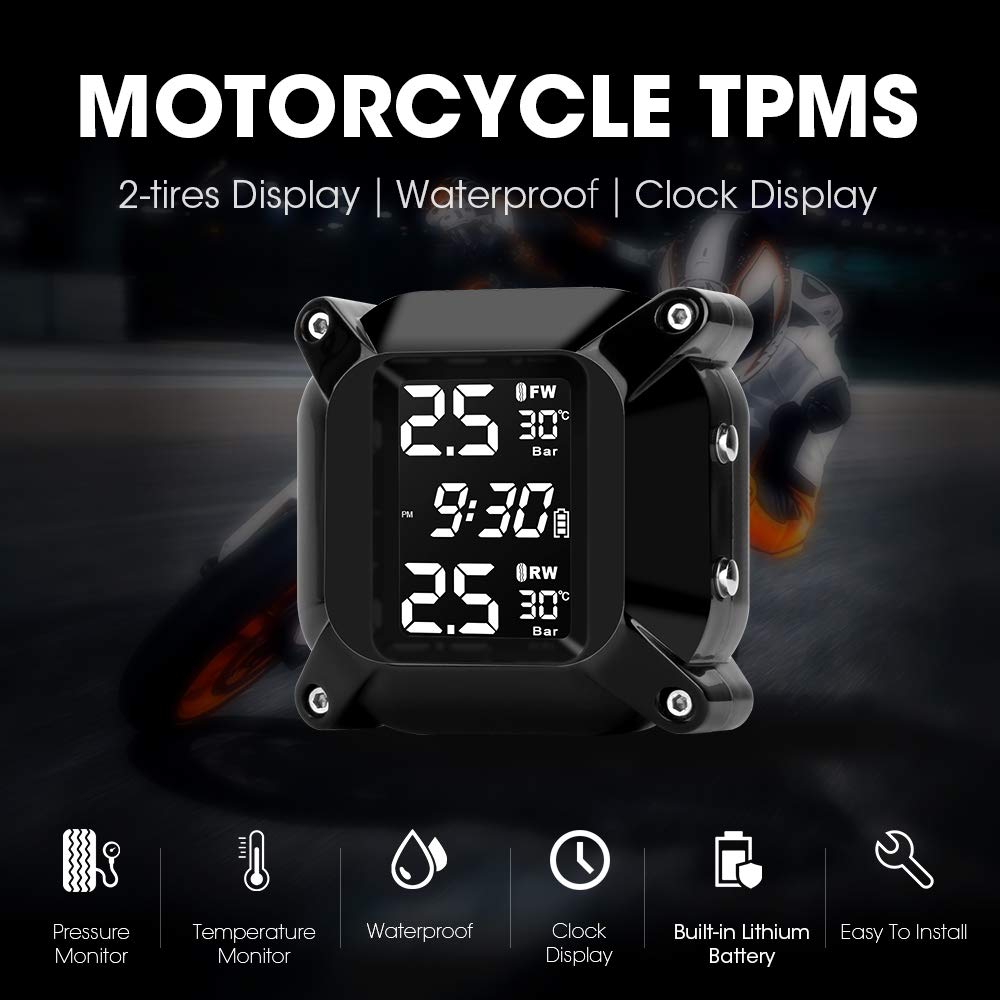
Image 1.1: Jansite Motorcycle TPMS M2 display unit and key features.
Key Features:
- Real-time Monitoring: Displays tire pressure and temperature simultaneously.
- LCD Digital Display: Clear and compact screen for easy readability.
- Adjustable Alarm Values: Customizable pressure alarm thresholds for various motorcycle models.
- Multiple Alarm Modes: Includes alarms for air leakage, low/high pressure, high temperature, sensor low battery, no signal, and receiver low battery.
- Magnetic USB Charging: Convenient charging for the display unit.
- Waterproof and Dustproof Sensors: Designed for use in all weather conditions.
- Anti-theft Design: External sensors include an anti-theft nut.
- Switchable Units: Pressure units (Psi/Bar) and temperature units (°C/°F) are switchable.
2. Package Contents
Before installation, please verify that all components are present in the package:

Image 2.1: Jansite Motorcycle TPMS M2 package contents.
- 1 x TPMS Display Unit
- 2 x External Sensors (Front Wheel 'FW' and Rear Wheel 'RW')
- 1 x Mounting Bracket
- 1 x USB Charging Cable
- 2 x Anti-theft Nuts
- 1 x Wrench
3. Setup and Installation
3.1 Display Unit Installation
- Attach the mounting bracket to your motorcycle's handlebar or a suitable location using the provided hardware.
- Secure the TPMS display unit onto the mounting bracket.
- Ensure the display unit is positioned for clear visibility during riding.
3.2 External Sensor Installation
Follow these steps to install the external sensors on your motorcycle tires:

Image 3.1: Schematic diagram of external sensor installation.
- Remove Valve Cap: Unscrew the original valve cap from the tire valve stem.
- Install Anti-theft Nut: Screw the hexagonal anti-theft nut onto the valve stem. Do not tighten it yet.
- Install Sensor: Screw the corresponding sensor (FW for front, RW for rear) onto the valve stem. Ensure it is hand-tight.
- Secure Sensor: Use the provided wrench to tighten the anti-theft nut against the sensor. This secures the sensor and prevents theft.
- Check for Leaks: Apply soapy water around the valve stem and sensor connection to check for any air leaks. If bubbles appear, re-tighten the sensor and nut.
Note: Ensure the correct sensor (FW/RW) is installed on the corresponding tire. Incorrect placement may lead to inaccurate readings.
4. Operating Instructions
4.1 Powering On/Off
- Press and hold the "Power/Selec" button (usually the top button on the side) to turn the display unit on or off.
4.2 Display Information

Image 4.1: Real-time monitoring display of the TPMS unit.
The LCD screen displays the following information:
- Front Wheel (FW) Pressure and Temperature
- Rear Wheel (RW) Pressure and Temperature
- Current Time
- Battery Level Indicator for the display unit
4.3 Setting Parameters (Pressure/Temperature Units, Alarm Values)
Use the "Menu" button (usually the bottom button on the side) to enter the settings menu. Use the "Power/Selec" button to navigate through options and adjust values.
- Enter Menu: Press and hold the "Menu" button until the settings interface appears.
- Navigate Options: Short press the "Menu" button to cycle through different settings (e.g., pressure unit, temperature unit, high pressure alarm, low pressure alarm, high temperature alarm).
- Adjust Values: When an option is selected, short press the "Power/Selec" button to change the value.
- Save and Exit: Press and hold the "Menu" button again to save your settings and exit the menu.
Default Alarm Values: Refer to your motorcycle's manual for recommended tire pressures. Adjust the alarm thresholds accordingly.
4.4 Alarm Functions
The system provides visual and audible alerts for the following conditions:
- Air Leakage Alarm: Rapid pressure drop.
- Low Pressure Alarm: Tire pressure falls below the set low threshold.
- High Pressure Alarm: Tire pressure exceeds the set high threshold.
- High Temperature Alarm: Tire temperature exceeds the set high threshold.
- Sensor Low Battery Alarm: Indicates a low battery in one of the external sensors.
- No Signal Alarm: Loss of communication with a sensor.
- Receiver Low Battery Alarm: Indicates a low battery in the display unit.
When an alarm is triggered, the display will flash the affected parameter, and an audible alert will sound. Address the issue promptly.
5. Maintenance
5.1 Charging the Display Unit
- The display unit has a built-in lithium battery. When the receiver low battery alarm activates or the battery indicator is low, connect the unit to a USB power source using the provided magnetic USB charging cable.
- A full charge typically takes a few hours.
5.2 Sensor Battery Replacement
The external sensors use replaceable batteries. When a sensor low battery alarm occurs, replace the battery as follows:
Image 5.1: External sensor battery replacement diagram.
- Remove Sensor: Use the wrench to loosen the anti-theft nut, then unscrew the sensor from the valve stem.
- Open Sensor Casing: Carefully open the sensor casing. Some models may require a small tool or the provided wrench to pry open.
- Remove Gasket: Remove the waterproofing gasket.
- Replace Battery: Remove the old battery and insert a new CR1632 lithium coin cell battery, ensuring correct polarity.
- Reassemble: Place the waterproofing gasket back correctly, then close the sensor casing.
- Reinstall Sensor: Reinstall the sensor onto the tire valve stem, following the installation steps in Section 3.2.
Note: Ensure the waterproofing gasket is properly seated to maintain the sensor's waterproof integrity.
5.3 Cleaning
- Wipe the display unit and sensors with a soft, damp cloth. Do not use abrasive cleaners or solvents.
- Ensure the charging port is clean and dry before charging.
6. Troubleshooting
| Problem | Possible Cause | Solution |
|---|---|---|
| Display unit does not power on. | Low or depleted battery. | Charge the display unit using the USB cable. |
| No signal from sensor / Inaccurate readings. |
|
|
| Air leakage alarm. |
|
|
| Display shows incorrect time. | Time not set or reset. | Adjust the time through the settings menu (refer to Section 4.3). |
7. Specifications
| Parameter | Value |
|---|---|
| Brand | Jansite |
| Model Number | M2 |
| Display Type | LCD Digital |
| Pressure Units | Psi, Bar |
| Temperature Units | °C, °F |
| Sensor Type | External |
| Sensor Battery Type | CR1632 Lithium Coin Cell (replaceable) |
| Display Unit Battery | Built-in Lithium-ion (rechargeable via USB) |
| Waterproof Rating | Sensors are waterproof and dustproof. |
| Package Dimensions | 13.8 x 13.5 x 5.2 cm |
| Product Weight | 220 Grams |
| UPC | 759337624907 |

Image 7.1: Dimensions and display layout of the TPMS unit.
8. Warranty and Support
8.1 Warranty Information
This Jansite TPMS M2 product comes with a 1-year warranty from the date of purchase. This warranty covers manufacturing defects and malfunctions under normal use.
The warranty does not cover damage caused by:
- Improper installation or use.
- Accidental damage, misuse, or abuse.
- Unauthorized repairs or modifications.
- Natural disasters or external causes.
8.2 Customer Support
For any questions, technical assistance, or warranty claims, please contact Jansite customer support. Refer to your purchase documentation or the seller's contact information for the most up-to-date support channels.
When contacting support, please have your product model (M2) and purchase details ready.