
1. Introduction
The ATO Load Cell Junction Box is designed to sum signals from multiple load cells, typically used in weighing systems such as electronic truck scales and hopper weighers. This device features a robust aluminum alloy casing, providing excellent anti-interference capabilities and an IP67 protection rating for waterproof and dustproof performance. It is equipped with 4 inlets for individual load cells and 1 outlet for the summed signal, making it easy to assemble and debug.
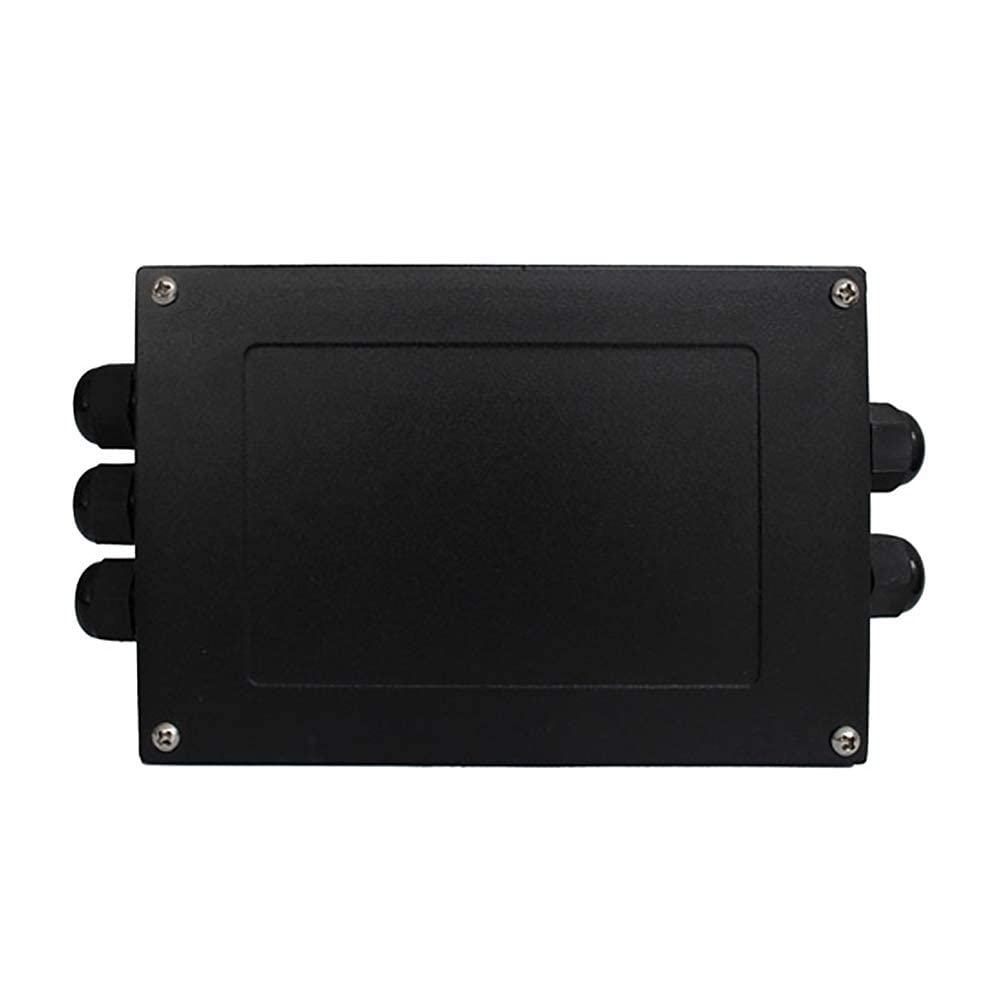
Figure 1: ATO Load Cell Junction Box (Top View)
This image shows the exterior of the ATO Load Cell Junction Box, a black rectangular aluminum alloy casing with cable glands on the sides for secure cable entry and exit.
2. Key Features
- Multi-channel Input: Features 4 inlets for connecting individual load cells.
- Single Output: Provides 1 outlet for the combined load cell signal.
- Durable Construction: Made with an aluminum alloy casing for good anti-interference.
- Environmental Protection: Equipped with special waterproof sealing joints and dustproof rubber gaskets, achieving an IP67 protection class.
- Easy Adjustment: Each channel includes adjustable balance potentiometers to prevent sensor damage from inductive lightning and surge signals.
- High Accuracy: Achieves an accuracy of ±0.1%FS.
3. Package Contents
Please verify that all items are present and undamaged upon opening the package.
- 1 x ATO Load Cell Junction Box (Model: ATO-LCJBX-JXH-S4)
- (No additional accessories or manuals are typically included, as per product information.)
4. Setup and Installation
Proper installation is crucial for the accurate and reliable operation of the load cell system. Ensure power is disconnected from all components before beginning installation.
4.1 Physical Installation
- Mount the junction box in a secure location, preferably close to the load cells to minimize cable length and signal interference.
- Utilize the mounting holes on the casing for stable attachment to a flat surface.
- Ensure the environment is suitable for IP67 rated equipment, protecting it from excessive moisture or dust beyond its rating.

Figure 2: Load Cell Junction Box Dimensions
This diagram provides the physical dimensions of the junction box in millimeters, including length, width, and height, along with the spacing of mounting holes.
4.2 Electrical Wiring
The junction box is designed for 4 load cell inputs and 1 summed output. Refer to the wiring diagram below for correct connections.

Figure 3: Load Cell Junction Box Wiring Diagram
This diagram illustrates the internal circuit board with terminal blocks, showing connections for four load cells (LC1, LC2, LC3, LC4) to the left side and the single output connection to the right. Wire colors (Black, White, Green, Red) are indicated for both input and output, corresponding to common load cell wiring standards (e.g., Black for -EXE, White for -SIG, Green for +SIG, Red for +EXE, and SHILD for shield).
- Open the junction box cover by unscrewing the four corner screws.
- Feed the cables from each load cell through the designated cable glands (inlets) on one side of the box.
- Connect the wires from each load cell to the corresponding terminals (LC1, LC2, LC3, LC4) on the internal PCB. Ensure correct polarity:
- Black: -EXE (Excitation Negative)
- White: -SIG (Signal Negative)
- Green: +SIG (Signal Positive)
- Red: +EXE (Excitation Positive)
- SHILD: Shield (Ground)
- Feed the output cable through the cable gland (outlet) on the opposite side of the box.
- Connect the output cable to the "1 Outlet" terminals on the PCB, matching the wire colors/functions as indicated in the diagram. This output will connect to your weighing indicator, transmitter, or PLC.
- Tighten all cable glands to ensure a waterproof and dustproof seal.
- Close the junction box cover and secure it with the screws.

Figure 4: Internal View of Junction Box
This image displays the open junction box, revealing the internal circuit board with terminal blocks for connecting load cells and the output, along with potentiometers for individual channel adjustments.
5. Operating Instructions
The junction box functions as a passive summing device for load cell signals. Its primary operation involves signal combination and balance adjustment.
5.1 Signal Summing
Once all load cells are correctly wired, the junction box combines their individual electrical signals into a single output signal. This combined signal represents the total force or weight measured by all connected load cells.
5.2 Balance Adjustment (Debugging)
Each load cell input (LC1, LC2, LC3, LC4) on the PCB has an associated potentiometer (small blue adjustable resistors). These potentiometers are used to balance the output of each individual load cell, compensating for slight variations in their sensitivity or initial zero offset. This ensures that the summed signal is accurate and that the system provides consistent readings across the entire weighing platform.
- To adjust, apply a known, stable load (or no load for zero balance) to the weighing system.
- Using a small screwdriver, carefully turn the potentiometers for each load cell input. Observe the reading on your weighing indicator or display.
- Adjust each potentiometer incrementally until the system provides a stable and accurate reading, or until the zero point is correctly set when no load is applied.
- This process may require iterative adjustments to achieve optimal balance across all load cells.
6. Maintenance
The ATO Load Cell Junction Box is designed for low maintenance due to its robust construction and IP67 rating. However, periodic checks are recommended to ensure optimal performance.
- Visual Inspection: Periodically inspect the casing for any signs of physical damage, corrosion, or loose cable glands.
- Cable Integrity: Check all connected cables for wear, fraying, or damage. Ensure connections remain secure.
- Cleanliness: If operating in a dusty environment, occasionally wipe down the exterior of the box to prevent accumulation that could compromise seals. Do not use harsh chemicals.
- Seal Check: Ensure the waterproof and dustproof rubber gaskets on the cover and cable glands are intact and properly seated.
7. Troubleshooting
If you encounter issues with your load cell system, consider the following troubleshooting steps related to the junction box:
| Problem | Possible Cause | Solution |
|---|---|---|
| Inaccurate or Unstable Readings |
|
|
| No Signal Output |
|
|
| Water or Dust Ingress |
|
|
8. Specifications
| Attribute | Detail |
|---|---|
| Model Number | ATO-LCJBX-JXH-S4 |
| Brand | ATO |
| Material | Aluminum Alloy |
| Color | Black |
| Style | Compact |
| Finish Type | Powder Coated |
| Inlets | 4 (for load cells) |
| Outlet | 1 (summed signal) |
| Accuracy | ±0.1%FS |
| Protection Class | IP67 (Waterproof and Dustproof) |
| Package Dimensions | 10.51 x 5.16 x 1.97 inches |
| Item Weight | 1.59 Pounds |
9. Warranty and Support
ATO is committed to providing quality products and customer satisfaction. While specific warranty details are not provided in this manual, general support is available.
- For any questions, concerns, or issues regarding the product or its operation, please contact ATO customer service.
- You can typically reach support via email, and responses are generally provided within 12 hours.
- Please refer to the product listing or ATO's official website for the most current contact information and warranty policy.
