Introduction
Welcome to the user manual for your KAHLES Helia Mono LRF 7x25. This guide provides essential information for the proper setup, operation, maintenance, and troubleshooting of your device. Please read this manual thoroughly before using the product to ensure optimal performance and longevity.
Product Overview
Key Features
- Premium-quality OLED display with five manual brightness settings and display in meter or yards
- Scan mode, temperature- and air pressure measurement
- Easy and reliable targeting up to 2,000m
- EAC-function (Enhanced Angle Compensation) for angle correction (patented)
Components
The KAHLES Helia Mono LRF 7x25 is a compact laser rangefinder monocular. It typically includes:
- Objective Lens
- Eyepiece
- Power/Measurement Button
- Mode/Menu Button
- Battery Compartment
- Lanyard Attachment Point

This image displays the KAHLES Helia Mono LRF 7x25 from a side perspective, highlighting its ergonomic design, the KAHLES branding, and the primary button used for power and measurement functions. The orange accent stripe is visible along the top.
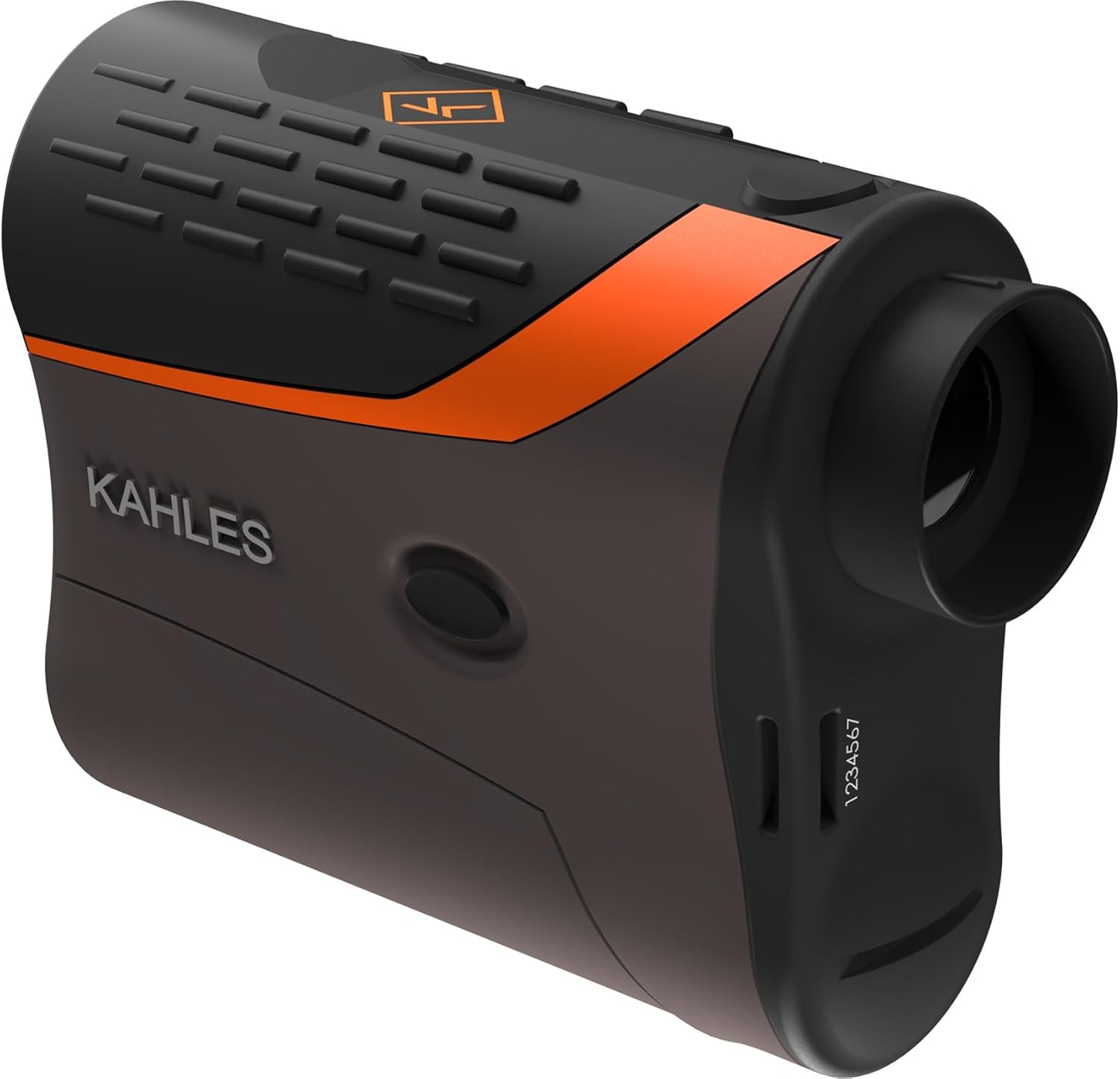
This image provides a three-quarter view of the KAHLES Helia Mono LRF 7x25, showcasing both the objective lens and the eyepiece. The textured grip areas on the top and side are visible, along with the orange accent and the KAHLES logo. A small serial number or identification mark is visible on the side.
Setup
Battery Installation
The Helia Mono LRF 7x25 uses a CR2 lithium battery.
- Locate the battery compartment cover, usually on the side or bottom of the device.
- Unscrew or open the cover.
- Insert the CR2 battery with the correct polarity (+/-) as indicated inside the compartment.
- Securely close the battery compartment cover.
Lanyard Attachment
Attach the included lanyard to the designated attachment point on the device to prevent accidental drops.
Operating Instructions
Powering On/Off
To power on the device, press the main power/measurement button briefly. The display will illuminate. The device will automatically power off after a period of inactivity to conserve battery.
Taking a Measurement
Single Measurement: Aim the reticle at the target and press the power/measurement button. The distance will be displayed instantly.
Scan Mode: Press and hold the power/measurement button. The device will continuously measure distances as you pan across multiple targets. Release the button to stop scanning.
Display Settings
The Helia Mono LRF 7x25 features a premium-quality OLED display.
Brightness Adjustment: Use the mode/menu button to cycle through five manual brightness settings to suit ambient light conditions.
Unit Selection: The display can show measurements in meters or yards. Refer to the device's menu system (accessed via the mode/menu button) to switch between units.
Enhanced Angle Compensation (EAC)
The patented EAC function provides angle-corrected distance measurements, which is crucial for accurate targeting in varied terrain. This function is automatically applied or can be toggled via the menu, depending on the specific firmware version. Consult the on-screen prompts or menu options for details.
Maintenance and Care
Cleaning
Lenses: Use a soft, lint-free cloth specifically designed for optics. Gently wipe the lens surfaces. For stubborn dirt, use a small amount of lens cleaning fluid applied to the cloth, not directly to the lens.
Body: Wipe the device body with a soft, damp cloth. Avoid abrasive cleaners or solvents.
Storage
Store the device in a cool, dry place, away from direct sunlight and extreme temperatures. If storing for extended periods, remove the battery to prevent leakage.
Battery Replacement
Replace the CR2 battery when the low battery indicator appears on the display or when the device fails to power on. Follow the battery installation steps outlined in the Setup section.
Troubleshooting
| Problem | Possible Cause | Solution |
|---|---|---|
| Device does not power on | Dead or incorrectly installed battery | Check battery polarity; replace battery |
| Inaccurate measurements | Obstruction in line of sight; target too far/close; unstable hold | Ensure clear line of sight; check target distance against specifications; hold device steady |
| Display is dim or unreadable | Low battery; brightness setting too low; extreme ambient light | Replace battery; adjust display brightness; move to a shaded area |
| No measurement displayed | Target not reflective enough; measurement range exceeded | Aim at a more reflective surface; ensure target is within 2000m range |
Specifications
| Feature | Detail |
|---|---|
| Brand | KAHLES |
| Model Name | Helia Mono LRF |
| Part Number | 20020 |
| Color | Black |
| Style | Enhanced Angle Compensation (EAC) |
| Sport | Hunting |
| Item Weight | 7.76 Ounces |
| Magnification | 7 x |
| Mounting Type | Cantilever Mount |
| Night Vision | No |
| UPC | 708026200205 |
| Maximum Range | Up to 2,000m |
Warranty and Support
For warranty information, technical support, or service inquiries regarding your KAHLES Helia Mono LRF 7x25, please contact KAHLES directly or refer to their official website.
KAHLES Official Website: www.kahles.at
Contact Information: Refer to the website for regional contact details, including phone numbers and email addresses.
Please retain your proof of purchase for warranty claims.


