
VIPARSPECTRA XS1000
VIPARSPECTRA XS1000 LED Grow Light Instruction Manual
Model: XS1000 | Brand: VIPARSPECTRA
Introduction
Thank you for choosing the VIPARSPECTRA XS1000 LED Grow Light. This manual provides essential information for the safe and efficient operation of your new grow light. The XS1000 is designed with high-efficiency Samsung LM301H diodes, offering a full spectrum light ideal for all stages of plant growth, from germination to flowering. Its dimmable feature and daisy-chain capability make it versatile for various indoor gardening setups.

Image: Overview of the VIPARSPECTRA XS1000 LED Grow Light, showcasing its compact design and LED board.
What's in the Box
Upon opening your package, please verify that all components are present and undamaged:
- 1x VIPARSPECTRA XS1000 LED Grow Light
- 1x Power Cord
- 2x Stainless Steel Hooks
- 2x Rope Hangers
- 1x Dimming Cable
- 1x User Manual (this document)

Image: A visual representation of all items included in the VIPARSPECTRA XS1000 package, laid out neatly.
Setup Instructions
- Unpack the Light: Carefully remove all components from the packaging. Inspect for any signs of damage.
- Attach Hanging Hardware: Connect the stainless steel hooks to the designated holes on the grow light fixture. Attach the rope hangers to the hooks.
- Mount the Light: Hang the grow light securely from a sturdy support structure within your grow tent or cultivation area using the rope hangers. Adjust the height as needed for your plants' growth stage.
- Connect Power: Plug the power cord into the grow light's power input. Ensure the connection is firm.
- Connect Dimming Cable (Optional): If using the daisy-chain function or an external controller, connect the dimming cable to the 'OUT' port on the light and to the 'IN' port of the next light or controller.
- Plug into Power Outlet: Plug the power cord into a grounded electrical outlet.
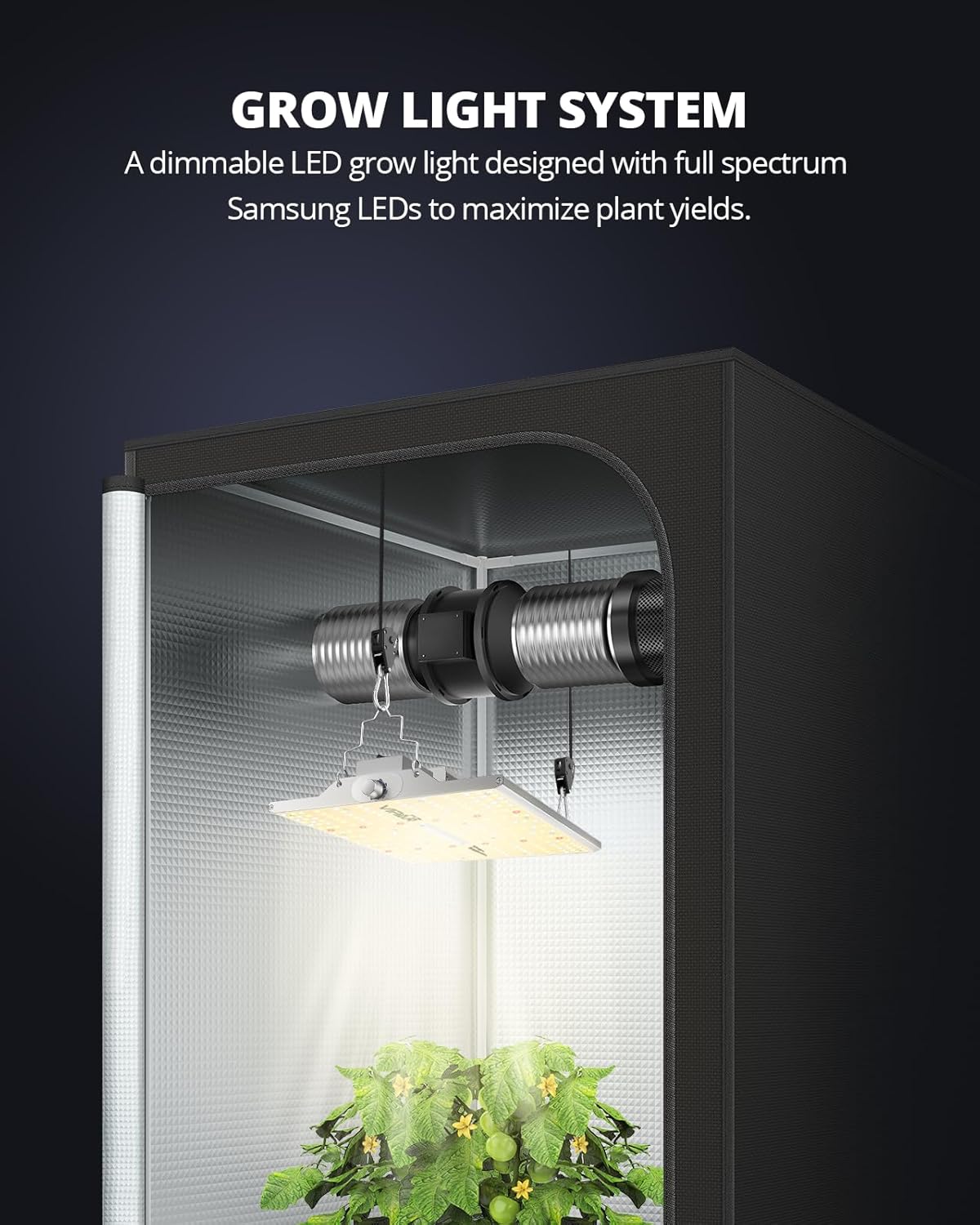
Image: The VIPARSPECTRA XS1000 LED Grow Light suspended inside a grow tent, illuminating plants below.
Operating Instructions
Full Spectrum for All Growth Stages
The XS1000 provides a true full spectrum light, combining 3000K, 5000K, 660nm (red), and 730nm (IR) LEDs. This optimized spectrum supports all plant growth stages, from seed germination to vegetative growth, flowering, and fruiting, promoting healthy development and increased yields.

Image: Diagram illustrating the different LED types (3000K, 5000K, 660nm, 730nm) and their respective benefits for plant growth stages, along with a spectral distribution graph.
Dimmable Control
The integrated dimmer allows you to adjust the light brightness from 0% to 100% in 6 levels. This feature enables precise control over light intensity, catering to the specific needs of your plants at different growth phases. Always adjust the brightness and hanging height according to your plants' requirements to prevent stress or light burn.

Image: Close-up view of the dimmable controller knob on the grow light, showing the 0% to 100% brightness settings.
Daisy Chain Function
The daisy-chain feature allows you to connect up to 20 XS1000 grow lights from a single power outlet. This is ideal for commercial farming, horizontal/vertical growing, greenhouses, and hydroponic systems, simplifying wiring and management for larger setups. Use the provided dimming cable to connect multiple units.

Image: Several VIPARSPECTRA XS1000 grow lights connected in a daisy-chain configuration, illustrating the multi-light dimming capability.
Recommended Hanging Heights and Dimming Levels
| Growth Stage | Distance (inches) | Dimming Level | Light Cycle |
|---|---|---|---|
| Germination | 24" - 30" | 50% | 18h ON / 6h OFF |
| Seedling | 24" | 50% - 80% | 18h ON / 6h OFF |
| Vegetative | 18" - 24" | 80% - 100% | 18h ON / 6h OFF |
| Flowering | 12" - 18" | 100% | 12h ON / 12h OFF |
Table: Recommended light settings for different plant growth stages.
Specifications
| Feature | Detail |
|---|---|
| Model | XS1000 |
| Wattage | 100 Watts |
| Light Source Type | Light Emitting Diode (LED) |
| LEDs | Samsung LM301H (216 diodes) |
| Spectrum | Full Spectrum (3000K, 5000K, 660nm, 730nm IR) |
| Brightness | 15626 Lumens |
| Dimming | 6 Levels (0% to 100%) |
| Coverage (Veg) | 2.5x2.5 ft |
| Coverage (Flowering) | 2x2 ft |
| Daisy Chain | Up to 20 units |
| Material | Aluminum |
| Product Dimensions | 11.8"L x 11"W x 2.6"H |
| Item Weight | 3.87 pounds |
| Voltage | 230 Volts (AC) |
| Amperage | 0.51 Amps |
PPFD Map (Tested in a 2x2 ft Grow Tent)

Image: PPFD (Photosynthetic Photon Flux Density) map showing light intensity distribution at 12", 14", and 16" heights for the XS1000.
Maintenance
- Cleaning: Regularly wipe the light fixture with a dry, soft cloth to remove dust and debris. Ensure the light is unplugged before cleaning.
- Inspection: Periodically check all cables and connections for wear or damage. Replace any damaged components immediately.
- Heat Dissipation: The XS1000 features a built-in solid aluminum heatsink for efficient heat dissipation. Ensure adequate airflow around the fixture to maintain optimal operating temperatures and prolong LED lifespan.

Image: An X-ray view of the grow light highlighting the internal heatsink structure and heat dissipation pathways.
Troubleshooting
- Light Not Turning On:
- Check if the power cord is securely plugged into both the light and the electrical outlet.
- Verify that the power outlet is functional.
- Ensure the dimmer is not set to 0% (OFF).
- Dimmer Not Responding:
- Ensure the dimming cable is correctly connected if using multiple lights or an external controller.
- Check for any physical damage to the dimmer knob or cable.
- Uneven Light Distribution:
- Adjust the hanging height of the light to ensure even coverage across your plants. Refer to the recommended hanging heights.
- If using multiple lights, ensure they are spaced appropriately.
Warranty and Support
The VIPARSPECTRA XS1000 LED Grow Light comes with reliable after-sales support. For specific warranty details, please refer to the documentation included in your product packaging or visit the official VIPARSPECTRA website. For any technical assistance or support, please contact VIPARSPECTRA customer service.
Product Review Video
Video: A seller-provided review of the VIPARSPECTRA XS Pro Series, demonstrating features and performance. This video is 0:59 seconds long.
Related documentsXS1000


Ask a question about this manual
Ask about setup, troubleshooting, compatibility, parts, safety, or missing instructions. Manuals+ will review the question and use this page’s manual context to help answer it.