Introduction
This manual provides detailed instructions for the assembly, operation, and maintenance of your Bush Furniture Cabot 60W L Shaped Desk with Hutch. Please read all instructions carefully before beginning assembly and retain this manual for future reference.

Image: The Bush Furniture Cabot L Shaped Desk with Hutch, showcasing its L-shape design, integrated hutch, and storage components in an Ash Gray finish.
Safety Information
For your safety and to prevent damage to the product, observe the following guidelines:
- Ensure the desk is properly anchored to the wall using the provided hardware.
- Do not exceed the maximum weight limit of 200 pounds on the desktop.
- Follow all assembly instructions carefully to maintain stability and safety.
- If using the computer cabinet, operate with the door left open to allow proper ventilation and prevent overheating.
Setup and Assembly
Assembly of the Bush Furniture Cabot L Shaped Desk with Hutch requires attention to detail. It is recommended that two people participate in the assembly process.
Required Tools:
- Hammer
- Screwdriver
- All necessary assembly tools are included with the product.
Assembly Steps (General Guidelines):
- Unpack all components and verify against the parts list provided in your separate assembly guide.
- Identify and separate all hardware.
- Begin by assembling the main desk sections, ensuring all connections are secure.
- Attach the hutch to the main desk structure. The hutch can be mounted to either side of the desk.
- Install drawers and cabinet doors, ensuring smooth operation.
- Secure the desk to a wall using the provided anti-tip hardware for enhanced stability.

Image: Detailed dimensions of the L Shaped Desk with Hutch, including overall width, depth, height, and specific measurements for drawers and storage compartments.
Operating Instructions
Your Cabot L Shaped Desk with Hutch is designed for functional use in a home office environment. Familiarize yourself with its features:
- Spacious Desktop: The L-shaped surface provides ample space for computers, documents, and other work materials. It supports up to 200 pounds.
- Wire Management: Integrated grommets help keep power cords and cables organized and out of sight.
- Storage Cabinet: A concealed storage cabinet with an adjustable shelf is available for storing items. The fluted glass door adds a decorative element.
- File Drawer: A full-extension ball-bearing slide file drawer accommodates letter, legal, and A4-size paperwork.
- Box Drawer: A smaller box drawer is provided for organizing small office supplies.
- Hutch Storage: The hutch features a closed compartment behind a fluted glass door and multiple open cubby spaces for flexible storage and display.

Image: Close-up view of the file drawer and smaller box drawer, demonstrating the full-extension ball bearing slides.

Image: The interior of the storage cabinet, showing the adjustable shelf for customizable storage space.

Image: The hutch's upper compartment with its fluted glass door open, revealing additional storage.
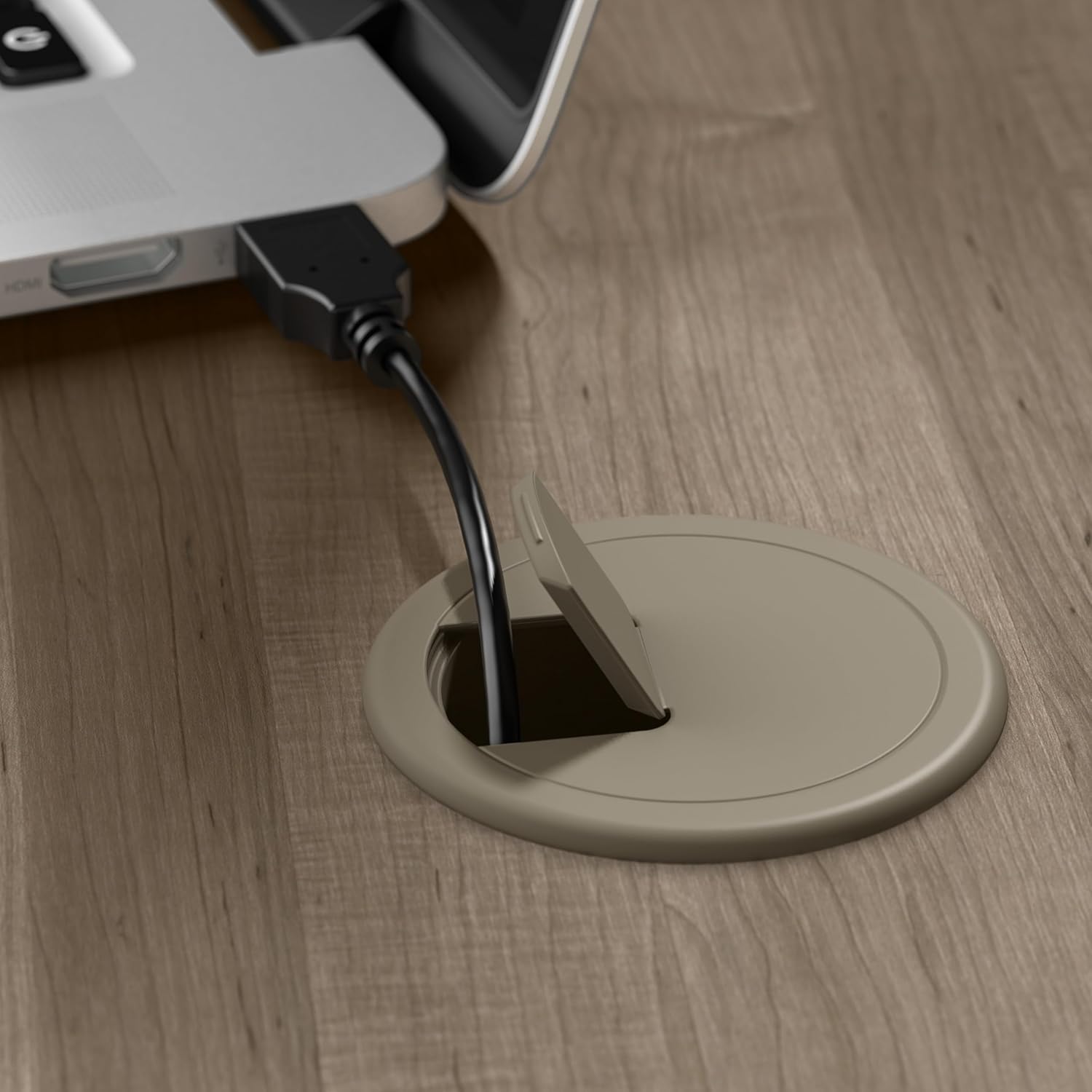
Image: A close-up of the wire management grommet on the desktop, designed to keep cables tidy.
Maintenance
To ensure the longevity and appearance of your desk, follow these simple maintenance instructions:
- Regularly wipe surfaces with a damp cloth to remove dust and spills.
- Avoid using harsh chemicals or abrasive cleaners, as these can damage the finish.
- Periodically check all fasteners and tighten if necessary to maintain structural integrity.
- Protect the desktop from excessive heat or moisture.
Troubleshooting
This section addresses common issues you might encounter with your desk.
Issue: Desk feels unstable or wobbly.
Solution: Ensure all assembly hardware is securely tightened. Verify that the desk is placed on a level surface. If applicable, ensure the wall attachment hardware is properly installed and secured.
Issue: Drawers do not slide smoothly.
Solution: Check for any obstructions in the drawer slides. Ensure the drawer slides are correctly aligned and installed according to the assembly instructions. Lubrication with a silicone-based spray can improve smoothness if needed.
Issue: Computer overheating in the cabinet.
Solution: The computer cabinet is designed for storage. For optimal ventilation and to prevent overheating, it is recommended to operate computers with the cabinet door left open. Ensure adequate airflow around the computer.
Issue: Missing or damaged parts during assembly.
Solution: If you encounter missing or damaged parts, please contact Bush Furniture customer service immediately for assistance. Refer to the warranty section for contact information.
Specifications
| Feature | Detail |
|---|---|
| Brand | Bush Furniture |
| Model Number | CAB001AG |
| Product Dimensions (D x W x H) | 59.45"D x 59.45"W x 66.3"H |
| Color | Ash Gray |
| Style | L Desk w/ Hutch |
| Base Material | Engineered Wood |
| Finish Type | Ash Gray |
| Item Weight | 212.8 Pounds |
| Maximum Weight Recommendation (Desktop) | 200 Pounds |
| Number of Drawers | 2 (1 file, 1 box) |
| Number of Shelves | 6 (including hutch and cabinet) |
| Required Assembly | Yes |
| Recommended People for Assembly | 2 |
| Drawer Glide Mechanism | Ball Bearing Glides |
| Has Finished Back | Yes |
Warranty and Support
The Bush Furniture Cabot L Shaped Desk with Hutch is backed by the Bush Furniture 1 Year Manufacturer's Warranty.
- Warranty Period: 1 Year from the date of purchase.
- Coverage: This limited warranty covers manufacturing defects in materials and workmanship.
- Contact Support: For warranty claims, missing parts, or technical assistance, please refer to the contact information provided in your product packaging or visit the official Bush Furniture website.


