
1. Introduction
This manual provides instructions for the safe and efficient use of your JACKYLED Power Strip Tower, Model JACKYLED464. This device is designed to provide multiple power outlets and USB charging ports for various electronic devices, incorporating surge protection and a space-saving design. Please read this manual thoroughly before use and retain it for future reference.
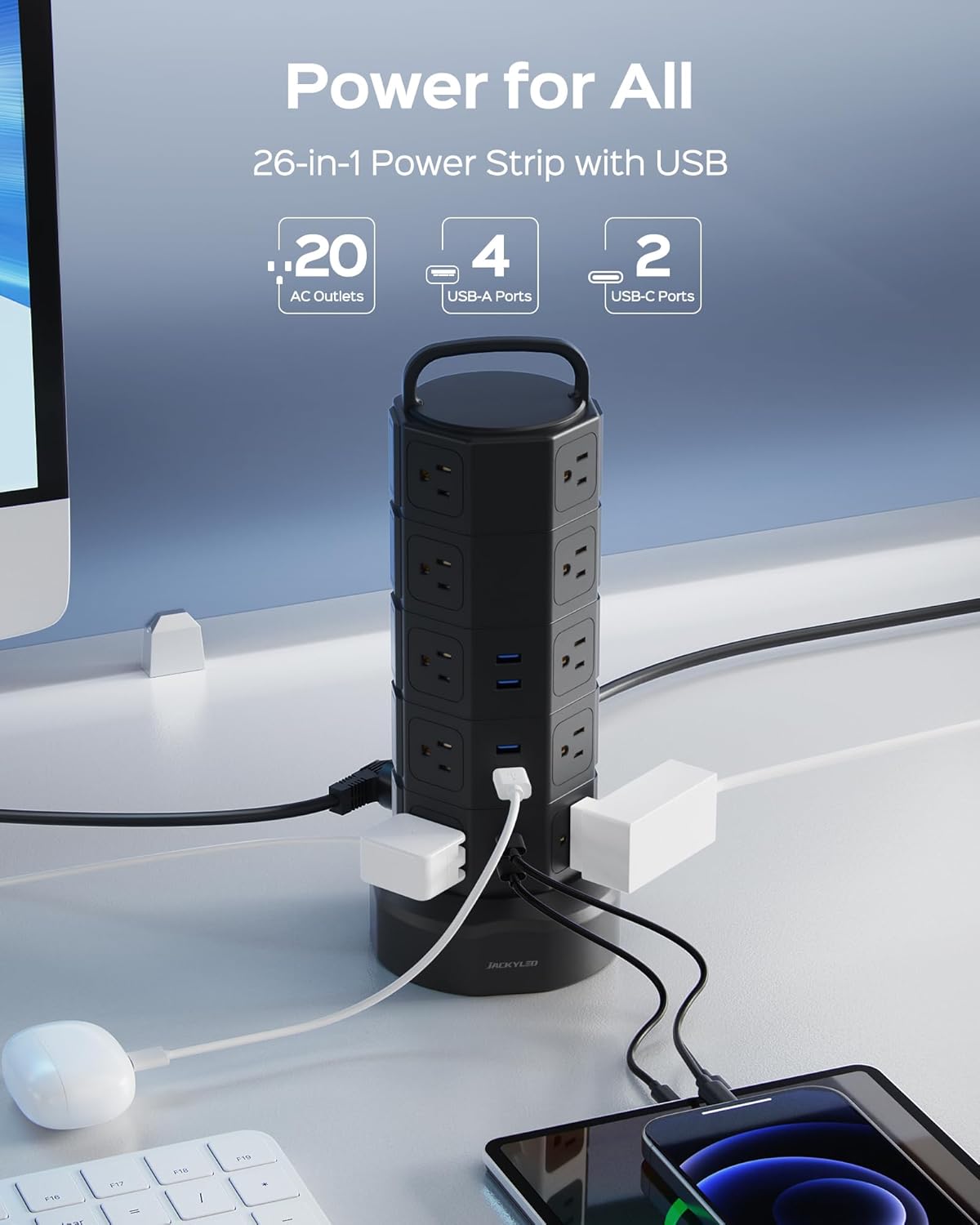
Image 1.1: The JACKYLED Power Strip Tower, showcasing its 20 AC outlets, 4 USB-A ports, and 2 USB-C ports, providing power for multiple devices.
2. Safety Instructions
To ensure safe operation and prevent damage, observe the following safety precautions:
- Do not exceed the maximum load of 13 Amps or 1625 Watts. Overloading can cause overheating and fire.
- This product is for indoor use only. Do not expose to moisture or wet conditions.
- Do not disassemble or modify the unit. Refer all servicing to qualified personnel.
- Keep away from children and pets.
- Ensure the power cord is fully extended and not coiled when in use to prevent heat buildup.
- Do not plug one power strip into another.
- The unit features 1050 Joules surge protection, 13A overload protection, short-circuit protection, over-current protection, over-voltage protection, and overheating protection. It also has a fire-retardant casing.

Image 2.1: Visual representation of the 8-point safety protection system, including surge, overload, flame retardant, grounded, short-circuit, over-current, over-voltage, and overheat protection.

Image 2.2: Detail of the 13A Overload Protector, which automatically cuts off power when the total wattage exceeds 1625W, shown in both normal and overloaded states.
3. Product Overview
The JACKYLED Power Strip Tower is designed for efficient power distribution and charging. It features a vertical tower design with outlets on multiple sides to accommodate various plug sizes without blocking adjacent ports.
- 20 AC Outlets: Widely spaced to fit larger adapters.
- 6 USB Ports: Includes 2 USB-C ports (5V\u23933A) and 4 USB-A ports (5V\u23932.4A), with a total shared output of 4.8A/24W.
- Independent Switches: Each layer of AC outlets has an independent power switch with an indicator light.
- Retractable Cord: A 6.5ft heavy-duty extension cord that can be extended or retracted into the base for cable management.
- 45° Flat Plug: Designed for a snug fit in wall outlets, especially behind furniture.

Image 3.1: A detailed view highlighting the wide spacing between AC outlets, allowing for larger power adapters to be used simultaneously.

Image 3.2: The power strip tower positioned on a desk, illustrating its vertical, space-saving design that helps organize multiple cables and devices.
4. Setup
Follow these steps to set up your power strip tower:
- Placement: Choose a stable, dry, and flat surface for the power strip tower. Ensure it is away from heat sources, water, and direct sunlight.
- Extend the Cord: Hold the base of the tower firmly and pull the power cord from the base to the desired length (up to 6.5ft). Ensure the cord is not tangled or obstructed.
- Connect to Power: Plug the 45° flat plug into a grounded 3-prong wall outlet.
- Connect Devices: Plug your AC-powered devices into the widely spaced AC outlets and your USB-powered devices into the appropriate USB-A or USB-C ports.
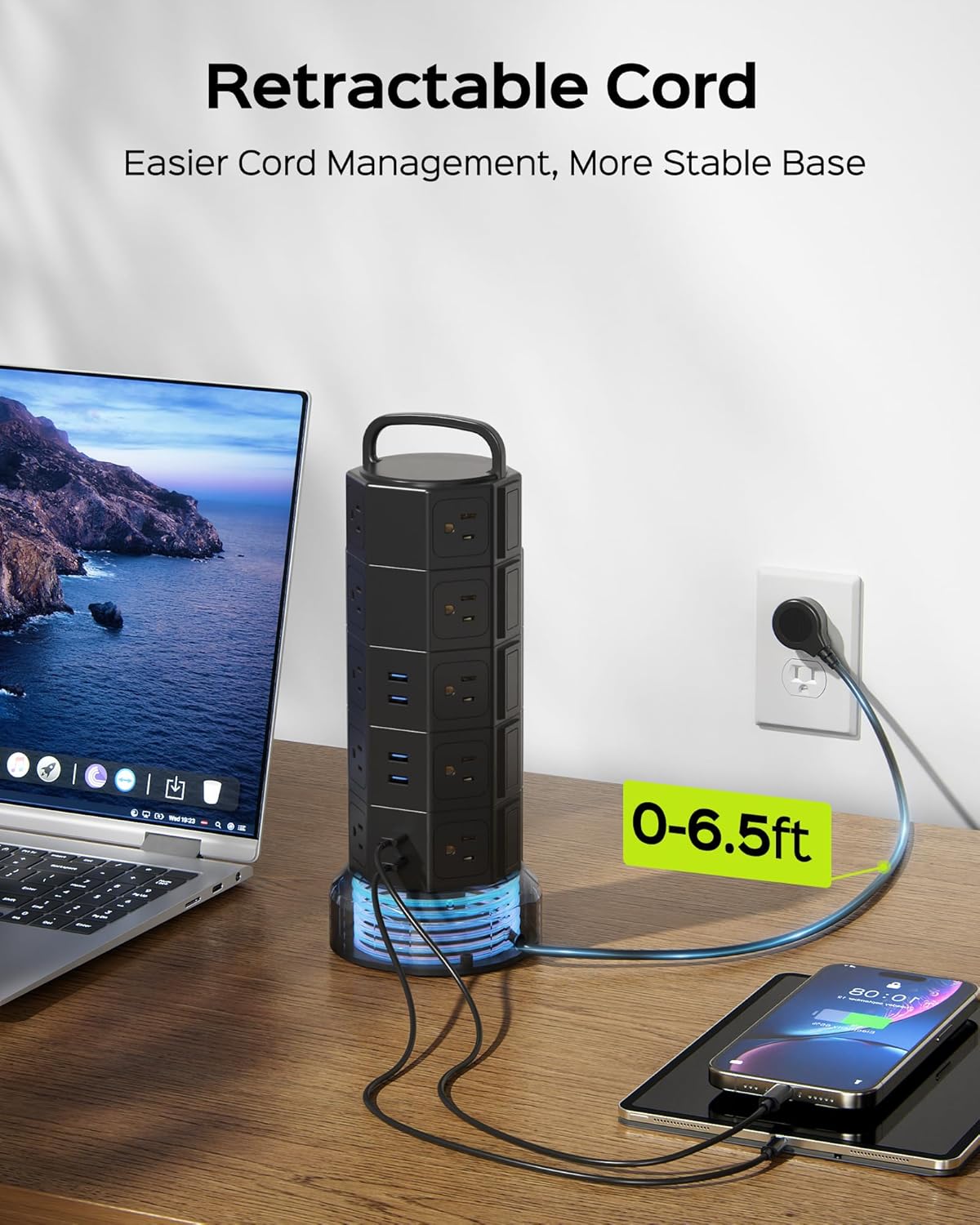
Image 4.1: The power strip tower with its 6.5ft retractable cord extended, demonstrating how the cord can be managed for easier setup and a more stable base.

Image 4.2: A comparison showing the 45° flat plug design, which allows the power strip to be placed closer to walls or behind furniture without obstruction, compared to a standard plug.
5. Operating Instructions
Operating your JACKYLED Power Strip Tower is straightforward:
- Powering On/Off AC Outlets: Each layer of AC outlets has an independent power switch. Press the switch to turn on or off the outlets on that specific layer. The indicator light on the switch will illuminate when active.
- USB Charging: The USB ports (USB-A and USB-C) are always active when the unit is plugged in. They feature smart charging technology to detect and deliver optimal charging speeds for your devices.
- Retracting the Cord: To retract the cord, hold the base and rotate the handle clockwise. The cord will wind up inside the base.

Image 5.1: The power strip tower with its independent switches highlighted, allowing users to control power to specific layers of outlets, saving energy.

Image 5.2: Various devices, including smartphones, tablets, smartwatches, and headphones, connected to the USB-A and USB-C charging ports, demonstrating universal compatibility.
Video 5.1: An overview of the JACKYLED Power Strip Tower, demonstrating its 20 AC outlets, 6 USB ports, independent switches, and space-saving design.
Video 5.2: A demonstration of the JACKYLED Power Strip Tower's features, including its numerous outlets, USB charging capabilities, and how it helps organize a workspace.
6. Maintenance
Proper maintenance ensures the longevity and safe operation of your power strip tower:
- Cleaning: Disconnect the power strip from the wall outlet before cleaning. Use a dry, soft cloth to wipe the exterior. Do not use liquid cleaners or abrasive materials.
- Storage: When not in use for extended periods, retract the power cord fully into the base and store the unit in a cool, dry place away from direct sunlight and extreme temperatures.
- Inspection: Periodically inspect the power cord and the unit for any signs of damage, such as frayed wires, cracks, or loose connections. If damage is found, discontinue use immediately and contact customer support.
7. Troubleshooting
If you encounter issues with your power strip tower, refer to the following common problems and solutions:
| Problem | Possible Cause | Solution |
|---|---|---|
| No power to outlets/USB ports. | Overload protector tripped. | Unplug some devices. Press the red reset button on the bottom of the unit. |
| No power to a specific layer of AC outlets. | Independent switch is off. | Press the independent switch for that layer to turn it on. |
| Devices not charging via USB. | Device cable issue or device not compatible. | Try a different USB cable or port. Ensure your device is compatible with 5V USB charging. |
| Power cord difficult to retract. | Cord is tangled or obstructed. | Ensure the cord is free from obstructions. Gently guide it while rotating the handle clockwise. |
If the problem persists after attempting these solutions, please contact customer support.
8. Specifications
| Feature | Detail |
|---|---|
| Brand | JACKYLED |
| Model Number | JACKYLED464 |
| Total Power Outlets | 26 (20 AC, 6 USB) |
| AC Outlets | 20 |
| USB Ports | 6 (2 USB-C, 4 USB-A) |
| USB-C Output | 5V\u23933A (Max) |
| USB-A Output | 5V\u23932.4A (Max) |
| Total USB Output | 4.8A/24W (Shared) |
| Voltage | 125 Volts |
| Maximum Current | 13 Amps |
| Maximum Power | 1625 Watts |
| Surge Protection Rating | 1050 Joules |
| Power Cord Length | 6.5 ft |
| Plug Type | Type B - 3 pin (North American) |
| Enclosure Material | Polycarbonate |
| Shape | Octagon |
| Special Features | Surge Protection, USB Slot, Independent Switches, Overload Protection, Short-Circuit Protection, Over-Current Protection, Over-Voltage Protection, Overheating Protection, Flame-Retardant Casing, Smart Energy Saving |
| Recommended Uses | Apartment, Garage, Office |
9. Warranty Information
JACKYLED products are manufactured to high-quality standards. For specific warranty details, including duration and coverage, please refer to the warranty card included with your product packaging or visit the official JACKYLED website. Please retain your proof of purchase for warranty claims.
10. Customer Support
If you have any questions, require technical assistance, or need to report an issue with your JACKYLED Power Strip Tower, please contact our customer support team:
- Online Support: Visit the JACKYLED official website for FAQs and support resources.
- Email: Refer to your product packaging or the official website for the customer service email address.
Our customer service team is available to provide quick, easy-to-follow solutions and professional assistance.