
SKG 4098E
SKG 4098E Wireless Neck Massager Instruction Manual
Model: 4098E | Brand: SKG
1. Introduction
Thank you for choosing the SKG 4098E Wireless Neck Massager. This device is designed to provide targeted relief for neck tension and associated discomfort through electrical impulses, heat, and vibration. Please read this manual carefully before use to ensure safe and effective operation.
2. Important Safety Information
WARNING:
- Do not use for more than 30 minutes at a time.
- Consult a physician before use if you have a pacemaker, heart condition, epilepsy, or are pregnant.
- Do not use on broken or irritated skin.
- Keep out of reach of children.
- Do not disassemble or modify the device.
- Use only the provided power adapter for charging.
Failure to follow these safety instructions may result in injury or device malfunction.
3. Package Contents
Please check the package for the following items:
- SKG 4098E Wireless Neck Massager
- Remote Control
- USB Charging Cable
- User Manual

Image: The SKG 4098E Neck Massager in white, with its accompanying remote control. The massager has a U-shaped design with two orange-glowing electrode pads and a central control button. The remote is rectangular with power, mode, intensity, and heat buttons.
4. Product Overview
The SKG 4098E features an ergonomic design for comfortable wear and effective massage. Key components include:
- Main Unit: U-shaped device that rests on the neck.
- Electrode Pads: Two movable 360° gel pads that deliver electrical impulses and heat.
- Control Button (on device): Power on/off and mode selection.
- Remote Control: For convenient adjustment of modes, intensity, and heat.
- Charging Port: Located on the main unit.

Image: An exploded view diagram of the SKG 4098E Neck Massager, showing its internal components and modular design. This illustrates the various parts that make up the device, including the outer casing, internal electronics, and electrode pads.
5. Setup
5.1 Charging the Device
- Connect the USB charging cable to the charging port on the massager.
- Plug the other end of the cable into a compatible USB power adapter (not included) or a computer USB port.
- The indicator light will show charging status (e.g., red for charging, blue for fully charged).
5.2 Preparing for Use
- Ensure the device is fully charged.
- Lightly moisten the skin on your neck where the electrode pads will make contact. This improves conductivity and massage effectiveness.
6. Operating Instructions
6.1 Wearing the Massager
Place the SKG 4098E around your neck, ensuring the electrode pads are in direct contact with the skin on the back of your neck. Adjust for a comfortable and secure fit.
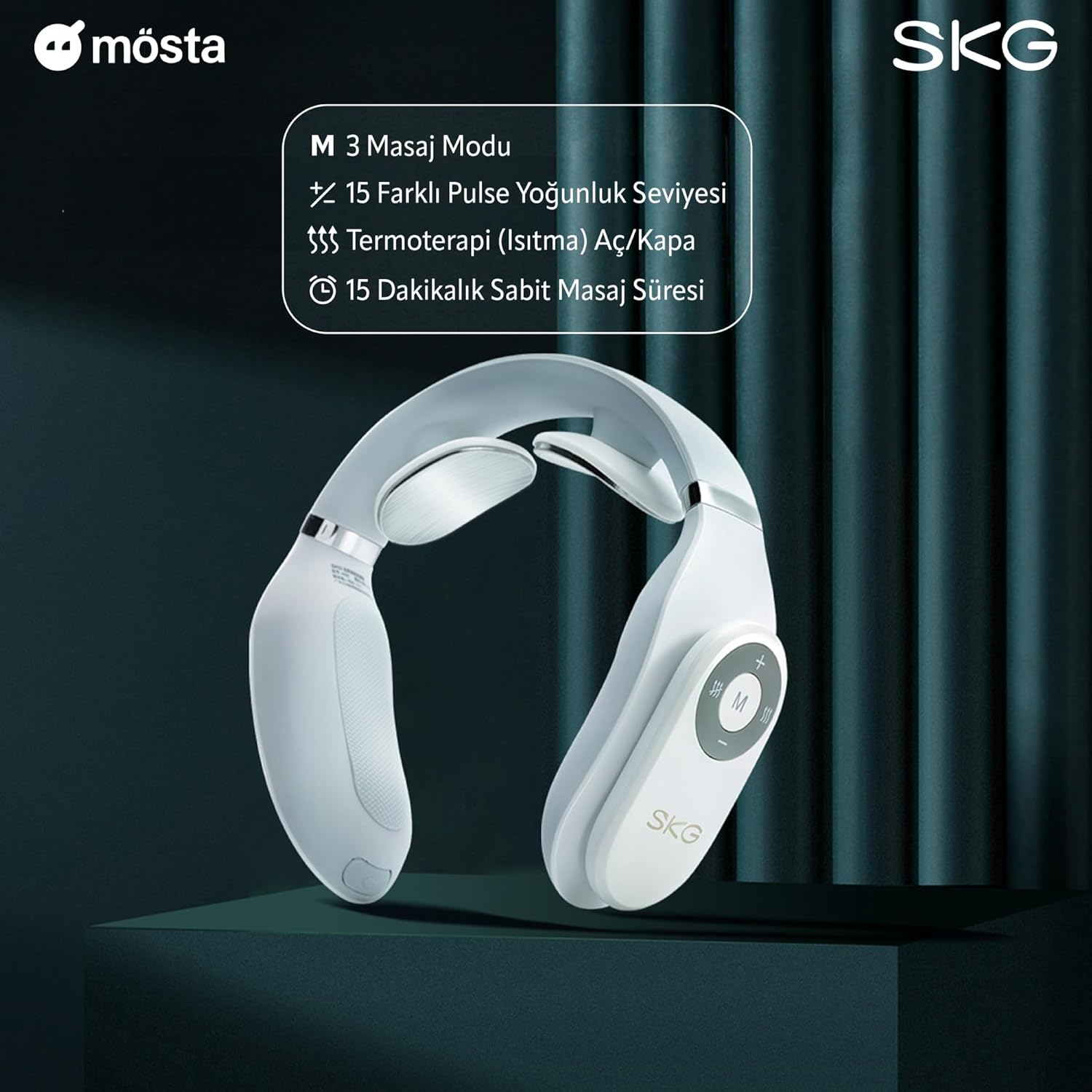
Image: A person wearing the SKG 4098E Neck Massager around their neck, demonstrating proper placement for use. The massager is positioned to allow the electrode pads to contact the neck area.
6.2 Powering On/Off
- To Power On: Press and hold the power button on the device or the remote control until the indicator light illuminates.
- To Power Off: Press and hold the power button on the device or the remote control until the indicator light turns off.
6.3 Selecting Massage Modes
The device offers 3 massage modes and 15 intensity levels. Use the remote control for easy adjustment.
- Press the 'M' button on the remote control to cycle through the available modes:
- Daily Mode: General relaxation.
- Leisure Mode: Gentle massage.
- Exercise Mode: Deeper muscle stimulation.

Image: The SKG 4098E Neck Massager and its remote control, with text indicating 3 massage modes, 15 pulse intensity levels, thermotherapy on/off, and a 15-minute fixed massage duration. This visual aids in understanding the device's features.
6.4 Adjusting Intensity
Use the '+' and '-' buttons on the remote control to increase or decrease the massage intensity (1-15 levels).
- Start with a low intensity and gradually increase to a comfortable level.
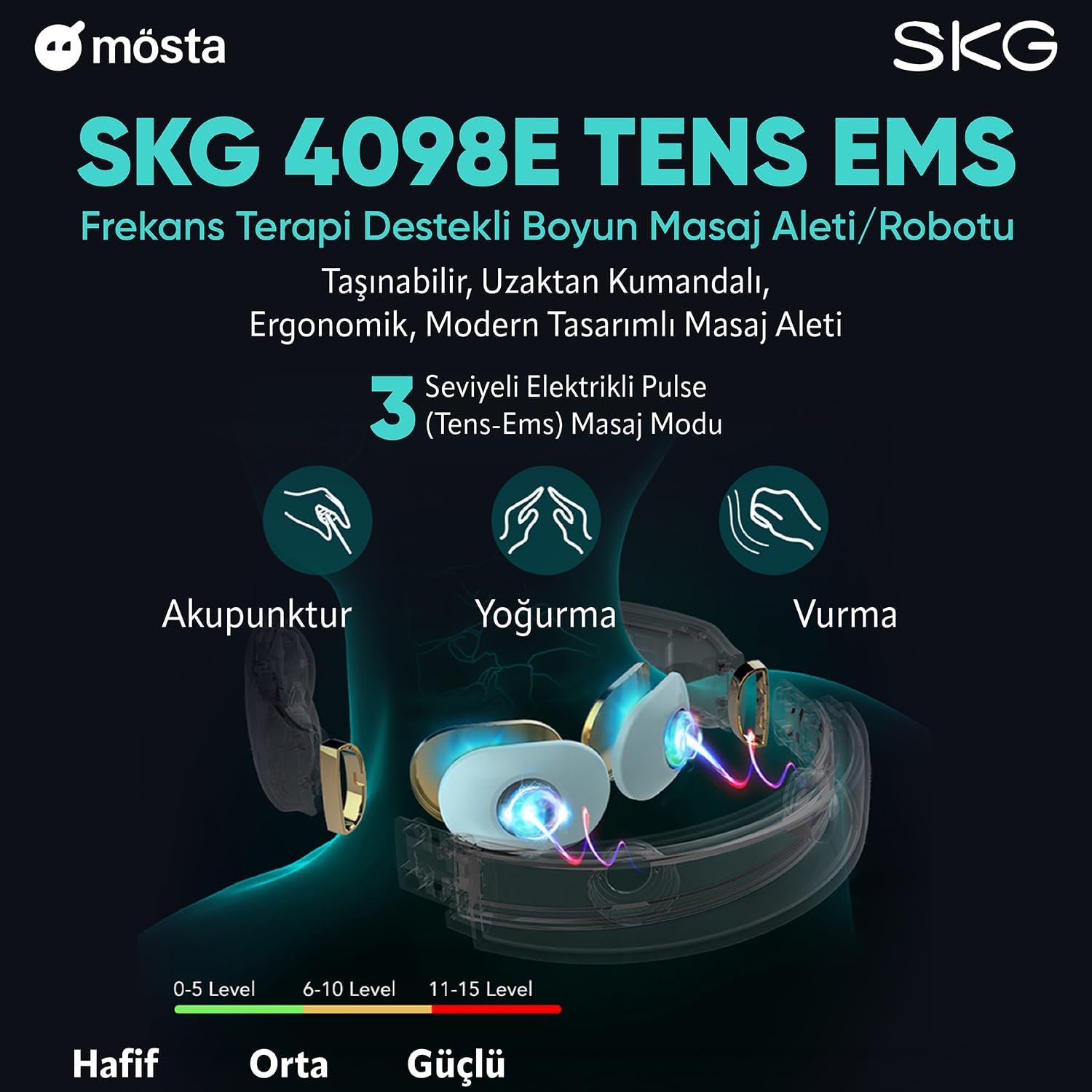
Image: A graphic illustrating the TENS EMS functionality of the SKG 4098E Neck Massager, showing three types of electrical pulse massage: Acupuncture, Kneading, and Tapping. It also indicates intensity levels from 0-5 (light), 6-10 (medium), and 11-15 (strong).
6.5 Activating Heat Function
- Press the heat button (often indicated by a flame or temperature icon) on the remote control to activate or deactivate the heat function.
- The heat function provides a constant temperature of up to 43°C (109.4°F) for enhanced relaxation.
6.6 Session Duration
The device has an automatic shut-off feature after approximately 15 minutes to prevent overuse. Do not exceed 30 minutes of use per day.
7. Maintenance and Care
7.1 Cleaning
- Before cleaning, ensure the device is powered off and disconnected from any power source.
- Wipe the electrode pads and the main unit with a soft, damp cloth.
- Do not use abrasive cleaners, alcohol, or corrosive liquids.
- Ensure the device is completely dry before storing or recharging.
7.2 Storage
- Store the massager in a cool, dry place, away from direct sunlight and extreme temperatures.
- Keep it away from dust and moisture.
8. Troubleshooting
| Problem | Possible Cause | Solution |
|---|---|---|
| Device does not power on. | Low battery. | Charge the device fully. |
| No sensation or weak massage. | Poor contact with skin; low intensity setting; dry skin. | Ensure electrode pads are firmly against the skin. Moisten neck area. Increase intensity. |
| Stinging sensation. | Dry skin; high intensity. | Moisten neck area. Reduce intensity. Ensure good contact. |
| Heat function not working. | Heat function not activated. | Press the heat button on the remote control. |
9. Specifications
- Model: SKG 4098E
- Brand: SKG
- Power Source: Battery Powered (1 Lithium-ion battery, included)
- Material: Plastic, Silicone
- Color: White
- Dimensions (L x W x H): 13.5 x 13 x 4.1 cm (5.3 x 5.1 x 1.6 inches)
- Weight: 270 grams (0.6 lbs)
- Special Features: Heat function, Wireless
- Massage Modes: 3 (Daily, Leisure, Exercise)
- Intensity Levels: 15
- Maximum Heat Temperature: 43°C (109.4°F)
- Automatic Shut-off: Approximately 15 minutes
10. Warranty and Support
For warranty information and customer support, please refer to the warranty card included with your product or visit the official SKG website. Keep your purchase receipt as proof of purchase.
Contact Information:
- Website: www.skg.com
- Email: support@skg.com
Related documents4098E


Ask a question about this manual
Ask about setup, troubleshooting, compatibility, parts, safety, or missing instructions. Manuals+ will review the question and use this page’s manual context to help answer it.