
1. Introduction
Thank you for choosing the JACKYLED Power Strip Tower Surge Protector. This device is designed to provide a centralized and protected power solution for your electronic devices. Featuring 20 AC outlets, 6 USB ports, 1050 Joules of surge protection, and a 6.5ft retractable heavy-duty extension cord, it offers convenience and safety for your home, office, or garage. Please read this manual thoroughly before use to ensure proper operation and to maximize the lifespan of your product.
2. Important Safety Instructions
- Indoor Use Only: This power strip is designed for indoor use in dry locations. Do not use it outdoors or in wet environments.
- Electrical Rating: Do not exceed the electrical rating of 13A, 125V, 1625W. Overloading the power strip can cause damage and may lead to fire or electric shock.
- Surge Protection: The unit provides 1050 Joules of surge protection. While it protects against power surges, it is not a substitute for proper grounding or protection against direct lightning strikes.
- Avoid Daisy Chaining: Do not plug one power strip into another. This can lead to overloading and fire hazards.
- Proper Grounding: Ensure the power strip is plugged into a properly grounded 3-prong outlet.
- Children and Pets: Keep out of reach of children and pets.
- Ventilation: Do not cover the power strip or place it in an enclosed space where heat cannot dissipate.
- Damage: Do not use if the power cord, plug, or casing is damaged. Contact customer support for assistance.
- Disassembly: Do not attempt to disassemble or modify the unit. This will void the warranty and may cause electric shock.
3. Product Features
The JACKYLED Power Strip Tower Surge Protector is equipped with several features designed for convenience and safety:
- 20 AC Outlets: Widely spaced outlets to accommodate various plug sizes without blocking adjacent ports.
- 6 Smart USB Ports: (5V/4.8A shared, 2.4A max/port) for charging mobile devices.
- 1050J Surge Protection: Protects connected devices from voltage spikes.
- Independent Switches: Each layer features an independent power switch with an indicator light for efficient power management.
- 6.5ft Retractable Heavy-Duty Cord: Allows for adjustable cord length and neat storage.
- Space-Saving Tower Design: Vertical design minimizes desktop footprint and helps organize cables.
- 45° Flat Plug: Designed to fit snugly in outlets behind furniture.
- 13A Overload Protector: Automatically cuts off power when overloaded (1625W) to prevent damage.
- Flame-Retardant Casing: Constructed from top-grade flame-retardant material for enhanced safety.
- Multiple Safety Protections: RoHS, FCC Certified with overload, short-circuit, over-current, over-voltage, and overheating protection.
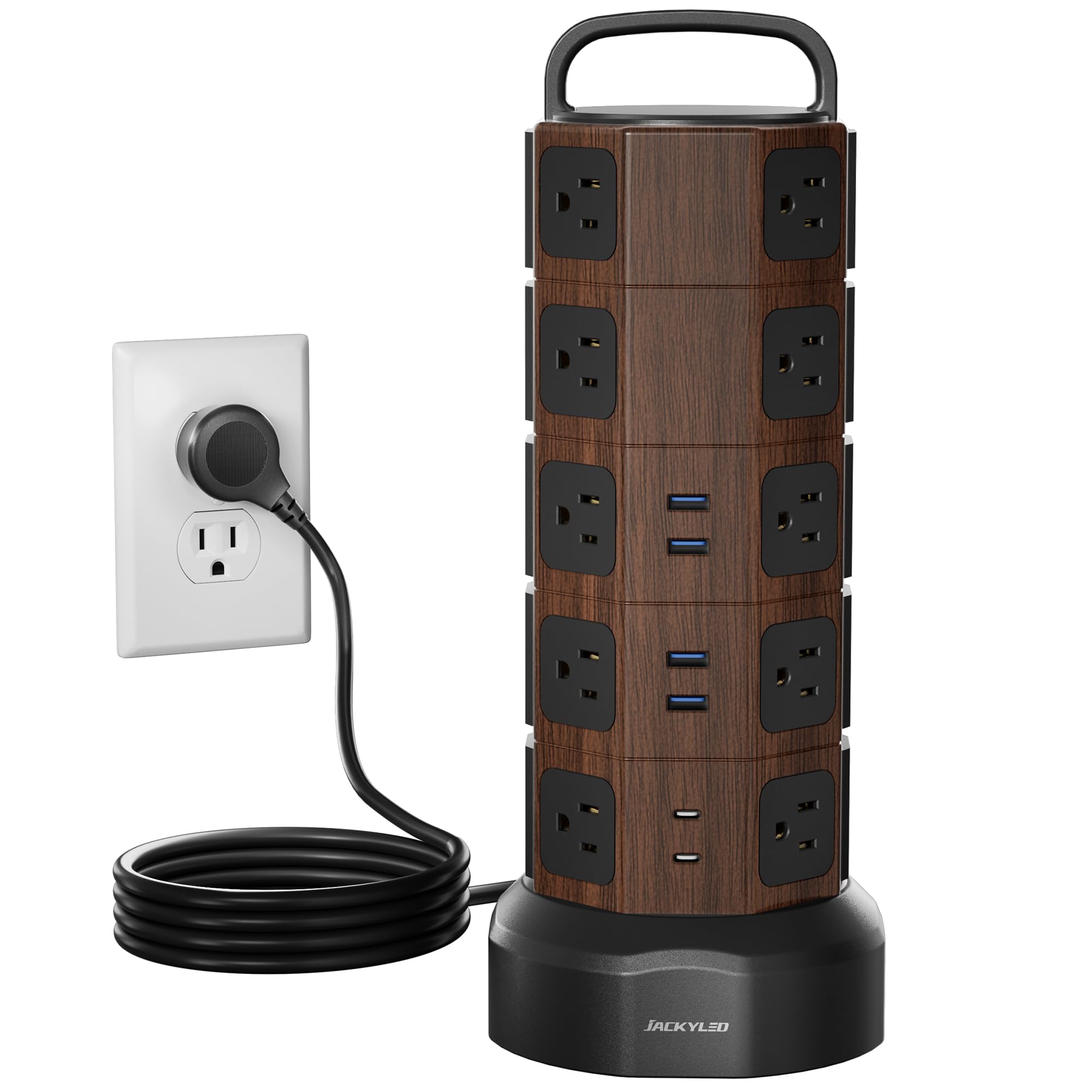
Figure 3.1: Overview of the JACKYLED Power Strip Tower Surge Protector.

Figure 3.2: The 26-in-1 power strip tower providing multiple outlets for various devices.
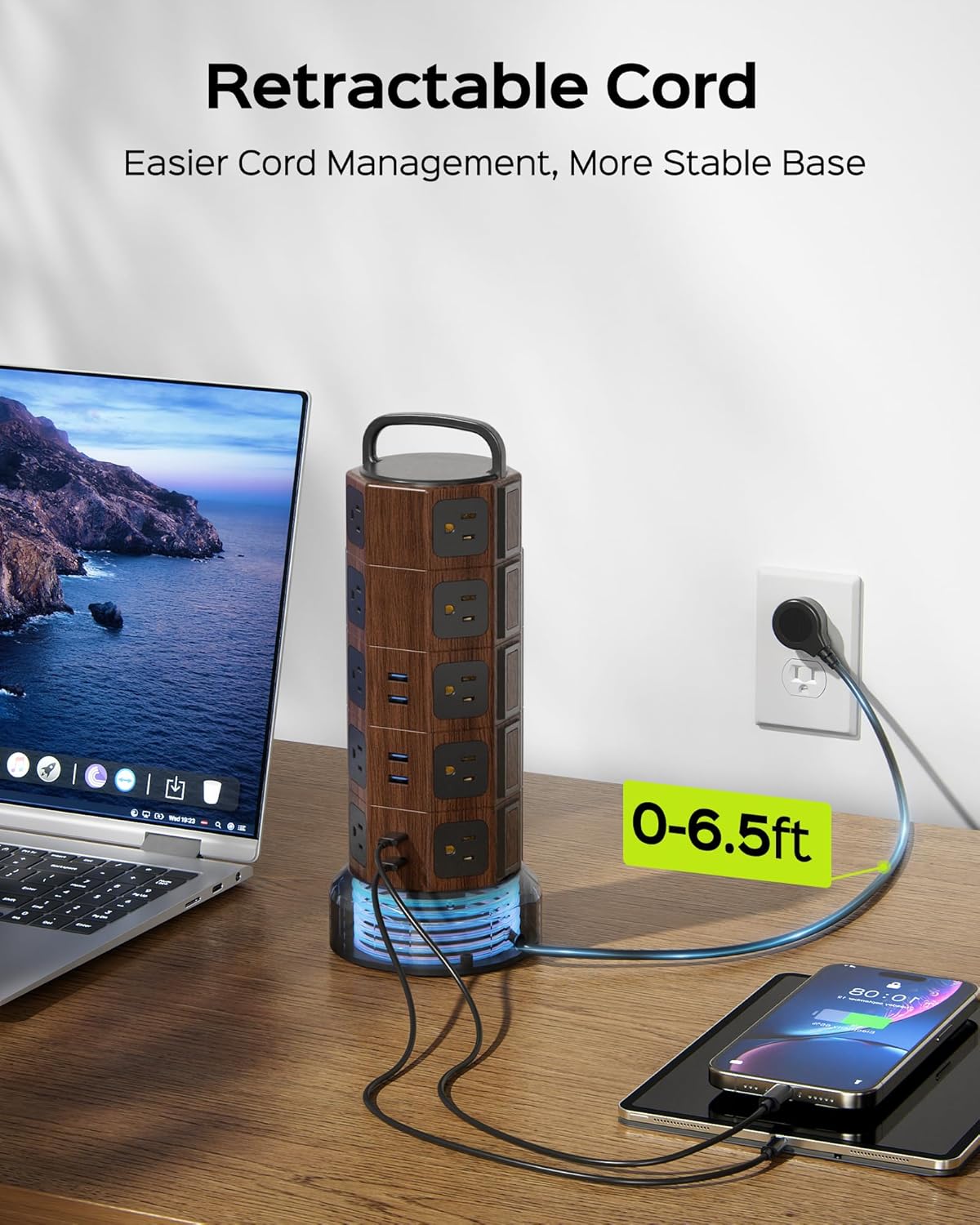
Figure 3.3: The 6.5ft retractable cord for flexible length adjustment and tidy storage.

Figure 3.4: Independent switches on each layer for sectional power control.
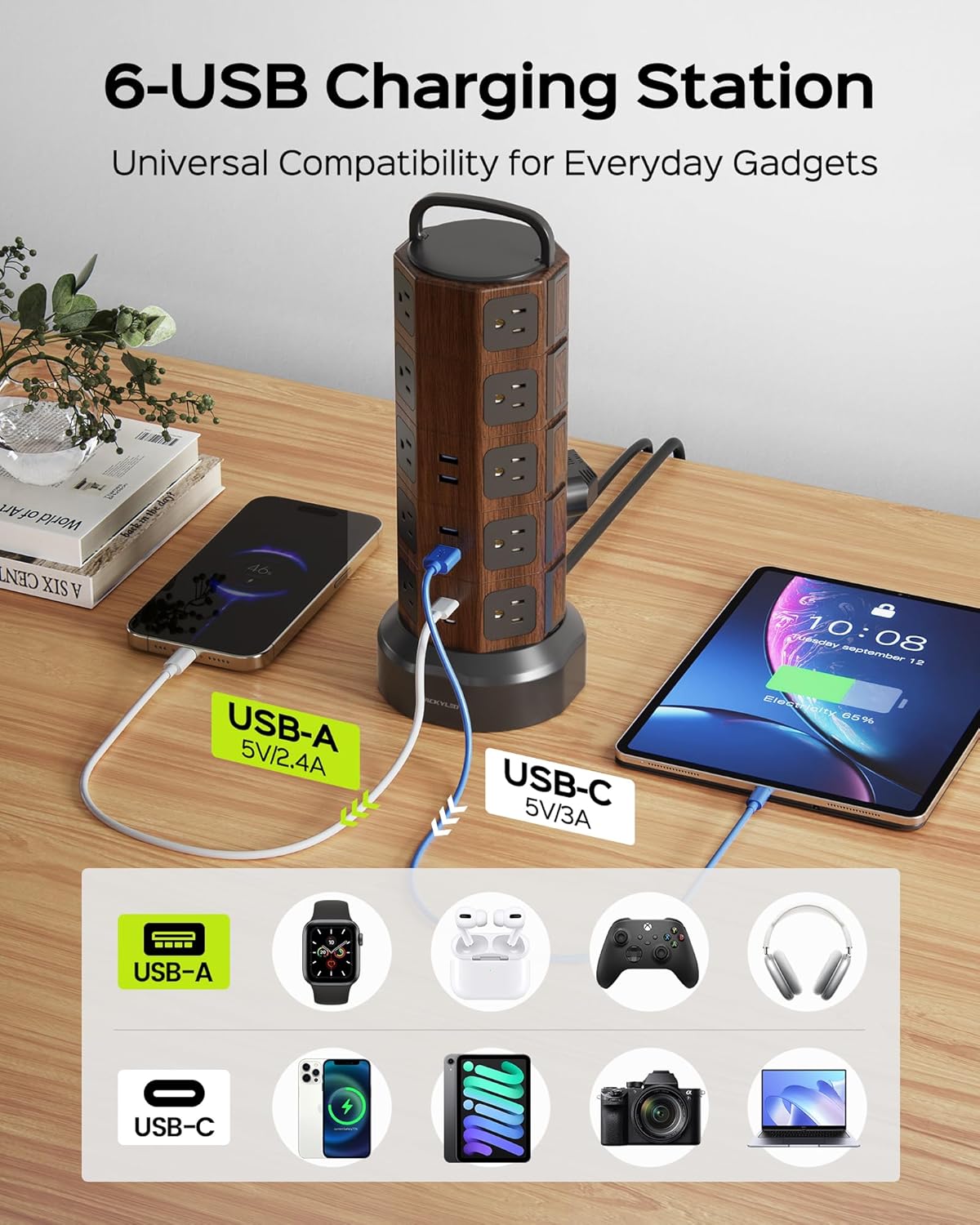
Figure 3.5: Six smart USB ports for charging various gadgets.

Figure 3.6: The 45-degree flat plug design for convenient use behind furniture.

Figure 3.7: Space-saving tower design for a tidy workspace.

Figure 3.8: Product dimensions: 13 inches height, 5.3 inches base diameter.

Figure 3.9: Visual representation of 1050J surge protection.

Figure 3.10: The 13A overload protector button, which pops out when overloaded.

Figure 3.11: Illustration of the flame-retardant casing's self-extinguishing properties.

Figure 3.12: Summary of the 8 all-round safety protection features.
Product Videos
Video 3.1: An overview of the JACKYLED Power Strip Tower Surge Protector, highlighting its 20 AC outlets and 6 USB ports.
Video 3.2: Another demonstration of the JACKYLED Power Strip Tower, showcasing its features and benefits.
4. Setup
- Unpack: Carefully remove the power strip from its packaging.
- Placement: Place the power strip on a stable, flat, and dry surface, away from heat sources or water.
- Extend Cord: Hold the base of the power strip and pull the power cord out to the desired length. The cord can extend up to 6.5 feet.
- Plug In: Insert the power strip's 3-prong plug into a standard, properly grounded 125V AC wall outlet.
- Retract Cord (Optional): To retract excess cord, hold the base and rotate the top handle clockwise. The cord will wind up inside the base.
5. Operating Instructions
- Power On/Off: Each layer of AC outlets and USB ports has an independent power switch. Press the switch to turn on (indicator light will illuminate) or turn off (indicator light will extinguish) power to that specific layer.
- Using AC Outlets: Plug your electronic devices into any of the 20 AC outlets. Ensure the total power consumption does not exceed 1625W.
- Using USB Ports: Connect your USB-powered devices (e.g., smartphones, tablets) to any of the 6 USB ports using a compatible USB cable. The USB ports provide 5V/4.8A shared output, with a maximum of 2.4A per port.
- Overload Protection: If the total power consumption exceeds 1625W, the 13A overload protector button located on the bottom of the unit will pop out, cutting off power to all connected devices. To reset, unplug some devices, then press the button back in.
6. Maintenance
- Cleaning: Disconnect the power strip from the wall outlet before cleaning. Use a dry, soft cloth to wipe the exterior. Do not use liquid cleaners or abrasive materials.
- Storage: When not in use for extended periods, retract the power cord fully and store the unit in a cool, dry place.
- Inspection: Periodically inspect the power cord and plug for any signs of damage. If damage is found, discontinue use and contact customer support.
7. Troubleshooting
| Problem | Possible Cause | Solution |
|---|---|---|
| No power to outlets/USB ports. | Overload protector tripped. | Unplug some devices, then press the reset button on the bottom of the unit. |
| Individual layer switch is off. | Press the independent switch for the affected layer to turn it on. | |
| Wall outlet has no power. | Test the wall outlet with another device or check your home's circuit breaker. | |
| USB devices not charging. | USB port overloaded or cable faulty. | Ensure total USB current does not exceed 4.8A. Try a different USB port or cable. |
| Cord does not retract smoothly. | Cord tangled or mechanism obstructed. | Ensure the cord is not twisted. Gently guide the cord while rotating the handle. Do not force it. |
8. Specifications
| Feature | Detail |
|---|---|
| Brand | JACKYLED |
| Model Number | JACKYLED488 |
| Color | Walnut Black |
| Total Power Outlets | 26 (20 AC, 6 USB) |
| AC Voltage Rating | 125 Volts |
| Maximum Current | 13 Amps |
| Maximum Power | 1625 Watts |
| USB Output | 5V/4.8A (shared), 2.4A max per port |
| Surge Protection Rating | 1050 Joules |
| Cord Length | 6.5 feet |
| Power Plug Type | Type B - 3 pin (North American) |
| Enclosure Material | Rubber (Flame-Retardant) |
| Item Weight | 2.4 Pounds |
| Shape | Octagon |
9. Warranty and Customer Support
This JACKYLED Power Strip Tower Surge Protector comes with a 1-year warranty from the date of purchase, covering defects in materials and workmanship under normal use. The warranty does not cover damage caused by misuse, accident, unauthorized modification, or exceeding the product's electrical ratings.
For technical assistance, warranty claims, or any questions regarding your product, please contact JACKYLED customer support. Our team is available to provide professional assistance and solutions.
Contact Information: Please refer to the product packaging or the official JACKYLED website for the most up-to-date customer support contact details.