
Introduction
Thank you for choosing the Vinsetto Mobile Office Filing Cabinet. This 3-drawer unit is designed to provide secure and organized storage for your office essentials. Its compact design, locking mechanism, and mobile casters offer flexibility and functionality for various office and study environments. Please read this manual carefully before assembly and use to ensure proper operation and longevity of your product.
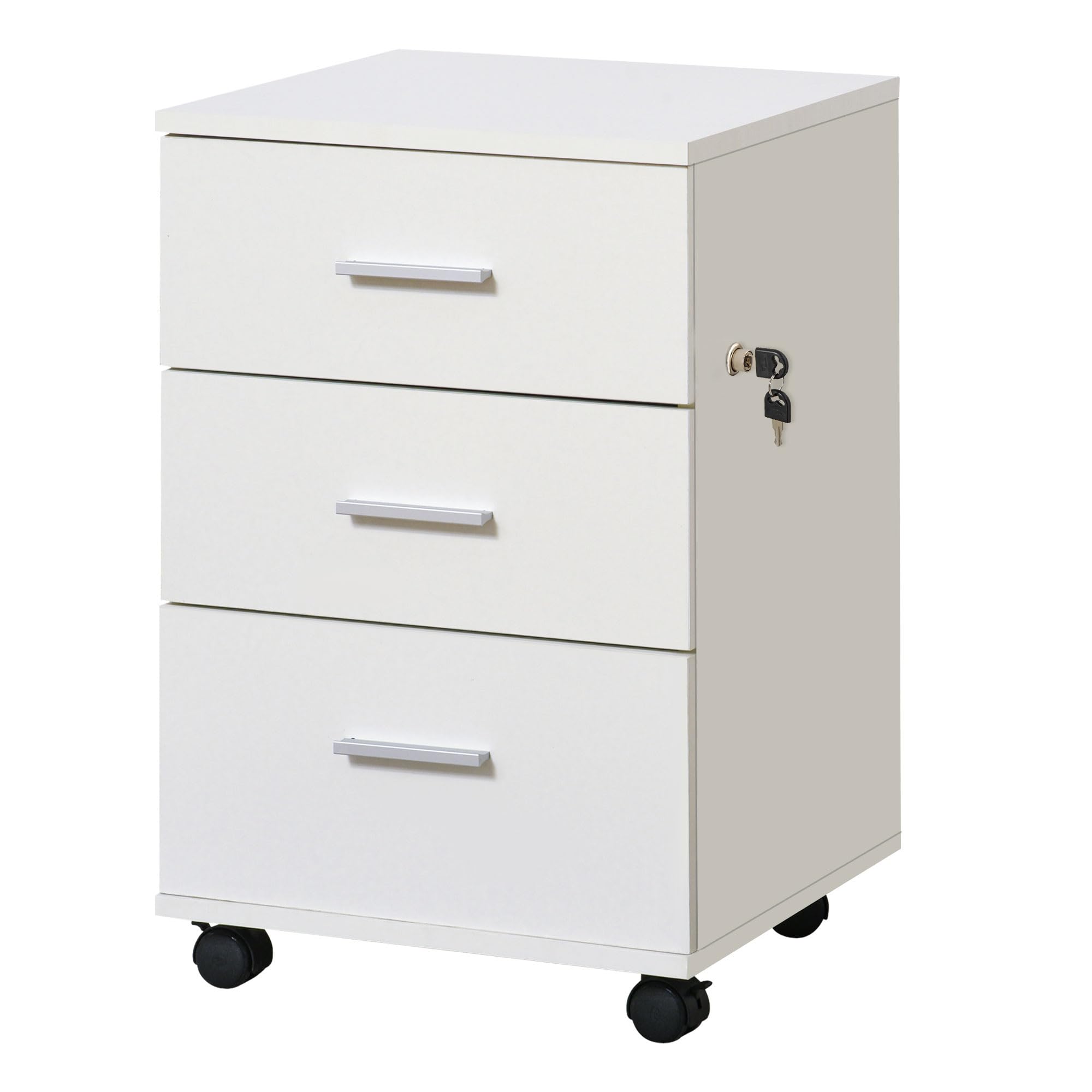
Front view of the Vinsetto Mobile Office Filing Cabinet in white, showcasing its three drawers and casters.
Safety Information
- Assembly and Transport: Exercise special care during assembly and when transporting this product.
- Weight Capacity: Ensure the product is loaded within the specified weight limits. The maximum weight capacity is 30 kg.
- Lock Usage: Always use the key to securely lock the drawers to prevent accidental opening or unauthorized access.
- Stability: For optimal stability, especially when drawers are open, ensure the unit is placed on a level surface and the locking casters are engaged.
Package Contents
Before beginning assembly, please verify that all components are present and undamaged. If any parts are missing or damaged, please contact customer support.
- Cabinet panels (Melamine particle board)
- 3 Drawers
- 1 Countertop
- 4 Swivel Casters (2 with brakes)
- Locking mechanism with 2 keys
- Assembly hardware (screws, dowels, etc.)
- Instruction manual
Setup and Assembly
This filing cabinet requires assembly. Follow the included graphical instructions carefully. It is recommended to assemble the unit on a soft, clean surface to prevent scratches.
- Unpack Components: Carefully remove all parts from the packaging and lay them out. Verify against the parts list.
- Assemble Cabinet Frame: Connect the side panels, back panel, and top/bottom panels using the provided hardware. Ensure all connections are secure.
- Install Drawer Slides: Attach the drawer slides to the inner sides of the cabinet frame and to the drawer boxes as per the instructions.
- Assemble Drawers: Construct each of the three drawers. Ensure the drawer bottoms are properly seated and secured.
- Install Casters: Attach the four swivel casters to the bottom of the cabinet. Position the two casters with brakes at the front for easy access.
- Install Lock: Mount the locking mechanism and handles onto the top drawer. Ensure the lock engages all three drawers when activated.
- Insert Drawers: Carefully slide the assembled drawers into the cabinet frame.

The compact design allows the cabinet to fit conveniently under most desks, optimizing workspace.
Operating Instructions
Using the Drawers
- To open a drawer, gently pull the handle.
- To close a drawer, push it firmly until it is fully seated within the cabinet.
- Avoid overloading drawers to ensure smooth operation and prevent damage.

The three drawers offer ample storage capacity for various office supplies and documents.
Using the Lock
- Insert one of the provided keys into the lock cylinder located on the top drawer.
- Turn the key clockwise to lock all three drawers simultaneously.
- Turn the key counter-clockwise to unlock the drawers.
- Remove the key after locking or unlocking to prevent it from being lost or damaged.

The integrated lock secures all three drawers with a single key turn, providing privacy and security.
Mobility and Braking
- The cabinet is equipped with four swivel casters for easy movement.
- Two of the casters have brakes. To engage a brake, press down on the lever located on the caster.
- To release a brake, lift the lever.
- Always engage the brakes when the cabinet is in its desired position to prevent accidental movement.

One of the swivel casters with its integrated brake mechanism, allowing for both mobility and stability.
Maintenance
- Cleaning: Wipe the cabinet surfaces with a soft, damp cloth. Avoid using harsh chemicals or abrasive cleaners, which can damage the melamine finish.
- Hardware Check: Periodically check all screws and fasteners to ensure they are tight. Re-tighten if necessary.
- Caster Care: Keep the caster wheels free of debris (hair, dust, etc.) to ensure smooth rolling.
- Lock Maintenance: If the lock mechanism becomes stiff, a small amount of graphite lubricant can be applied to the keyhole.
Troubleshooting
| Problem | Possible Cause | Solution |
|---|---|---|
| Drawers do not slide smoothly. | Overloaded drawer, debris in slides, loose hardware. | Reduce load, clean drawer slides, tighten assembly screws. |
| Lock does not engage all drawers. | Drawers not fully closed, misalignment of locking mechanism. | Ensure all drawers are pushed in completely. Check lock installation and adjust if necessary. |
| Cabinet moves unintentionally. | Caster brakes not engaged. | Engage the brakes on the front casters. |
| Cabinet is wobbly. | Loose assembly hardware, uneven floor. | Tighten all assembly screws. Move to a level surface or use shims if necessary. |
Specifications
| Brand: | Vinsetto |
| Model Number: | 924-008 (ES924-0080731) |
| Color: | White |
| Material: | Melamine Particle Board |
| Overall Dimensions (L x W x H): | 40 x 41.5 x 61.5 cm (15.7 x 16.3 x 24.2 inches) |
| Small Drawer Interior (L x W x H): | 31 x 28 x 8 cm (12.2 x 11 x 3.1 inches) |
| Large Drawer Interior (L x W x H): | 31 x 28 x 14 cm (12.2 x 11 x 5.5 inches) |
| Number of Drawers: | 3 |
| Lock Type: | Key Lock |
| Casters: | 4 swivel casters (2 with brakes) |
| Max Weight Capacity: | 30 kg (66 lbs) |
| Assembly Required: | Yes |

Diagram illustrating the key dimensions of the filing cabinet: 40 cm width, 40 cm depth, and 61.5 cm height.
Warranty and Support
For warranty information, technical support, or to order replacement parts, please contact the retailer or manufacturer directly. Keep your purchase receipt as proof of purchase.


