1. Introduction
This manual provides essential instructions for the operation and maintenance of your HCDZ YB1FA replacement remote control. This remote is designed to be compatible with various Quietside ductless mini split air conditioner models, including QS09-VJ220, QS12-VJ220, QS18-VJ220, QS24-VJ220, and QSFMI-09A. It functions as a direct replacement and requires no programming.
2. Safety Information
- Keep batteries out of reach of children.
- Do not mix old and new batteries, or different types of batteries.
- Remove batteries if the remote control will not be used for an extended period.
- Dispose of used batteries according to local regulations.
3. Package Contents
Verify that all items are present:
- 1 x HCDZ YB1FA Replacement Remote Control
Note: Batteries and a detailed instruction manual are not included in the package.
4. Setup: Battery Installation
The remote control requires two AAA batteries (not included).
- Locate the battery compartment cover on the back of the remote control. The cover typically has an "OPEN" indicator or a small latch.
- Slide or gently pry open the battery compartment cover.
- Insert two new AAA batteries, ensuring the positive (+) and negative (-) terminals align correctly with the markings inside the compartment.
- Replace the battery compartment cover, ensuring it clicks securely into place.

Image 1: Back of the remote control with the battery compartment open, showing where to insert AAA batteries.
Once batteries are installed, the remote control is ready for use without any additional programming.
5. Operating Instructions
Point the remote control directly at the indoor unit of your air conditioner. Ensure there are no obstructions between the remote and the unit.
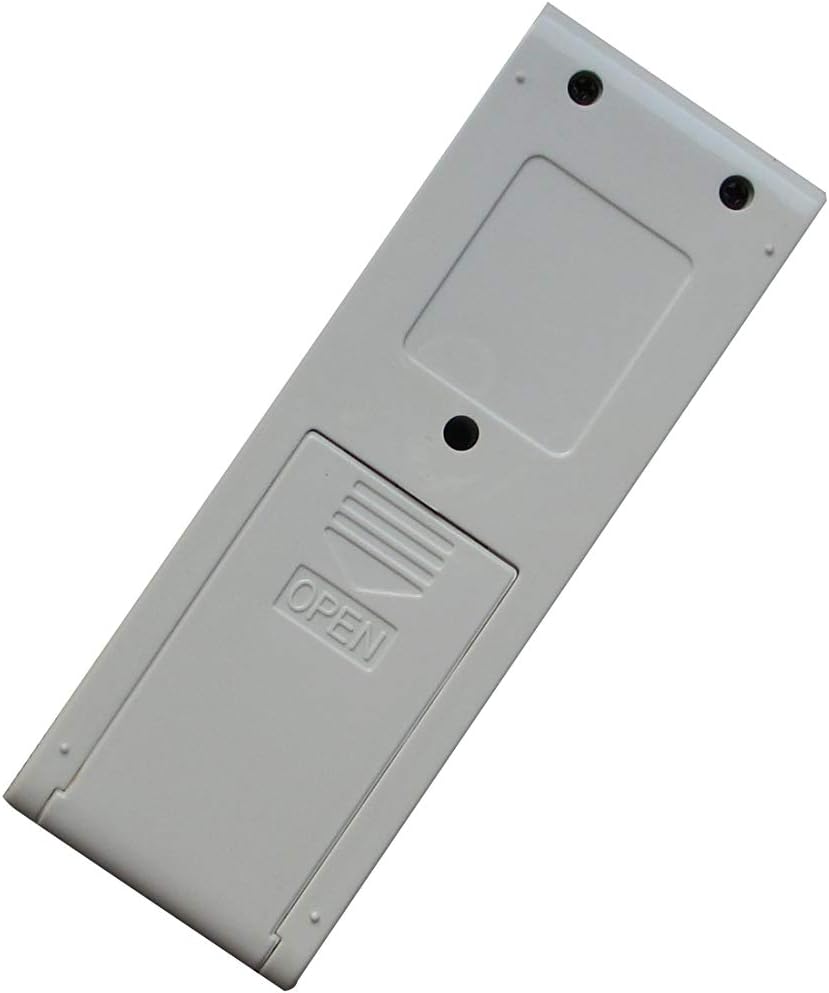
Image 2: Front view of the remote control, displaying its buttons and LCD screen.
Common Functions:
- Power Button: Turns the air conditioner ON or OFF.
- Mode Button: Cycles through operating modes such as Cool, Heat, Fan, Dry, Auto.
- Temperature Adjustment: Use the Up/Down arrows (or similar buttons) to increase or decrease the desired temperature. Note: This remote only displays temperature in Celsius.
- Fan Speed Button: Adjusts the fan speed (e.g., Low, Medium, High, Auto).
- Swing Button: Controls the louver swing function.
- Timer Button: Sets the ON/OFF timer for the unit.
- Sleep Button: Activates or deactivates sleep mode.
Refer to your specific Quietside air conditioner's user manual for detailed explanations of each function and button layout, as button labels may vary slightly.
6. Maintenance
Battery Replacement:
Replace batteries when the remote control's display becomes dim or if the air conditioner does not respond to commands. Follow the steps outlined in Section 4 for battery installation.
Cleaning:
Wipe the remote control with a soft, dry cloth. Do not use liquid cleaners or abrasive materials.
7. Troubleshooting
| Problem | Possible Cause | Solution |
|---|---|---|
| Remote not working / No response from AC unit | Dead or incorrectly installed batteries. Obstruction between remote and AC unit. Remote is too far from AC unit. | Replace batteries with new AAA batteries, ensuring correct polarity. Remove any objects blocking the signal path. Move closer to the AC unit. |
| Display is dim or blank | Low battery power. | Replace batteries. |
8. Specifications
- Model: YB1FA
- Brand: HCDZ
- Compatibility: Quietside QS09-VJ220, QS12-VJ220, QS18-VJ220, QS24-VJ220, QSFMI-09A Ductless Mini Split Air Conditioners
- Power Source: 2 x AAA Batteries (not included)
- Special Features: No programming required, Celsius display only.
9. Warranty and Support
This product is a replacement remote control. For specific warranty information, please refer to the terms provided by the seller at the time of purchase. For technical support or inquiries regarding compatibility, please contact the HCDZ customer service or the retailer from whom the product was purchased.


