Introduction
This manual provides detailed instructions for the SoundPEATS Truengine 3 SE Bluetooth Wireless Earbuds. Please read this guide thoroughly before using your earbuds to ensure proper operation and to maximize your listening experience. Keep this manual for future reference.
Package Contents

Image: Contents of the SoundPEATS Truengine 3 SE package, including earbuds, charging case, user manual, USB-C charging cable, and multiple sizes of ear tips.
- SoundPEATS Truengine 3 SE Wireless Earbuds
- Charging Case
- USB-C Charging Cable
- Ear Tips (various sizes)
- User Manual
Product Overview
The SoundPEATS Truengine 3 SE earbuds are designed for high-quality audio and comfortable wear. They feature advanced technology for a superior listening experience.

Image: Front view of the SoundPEATS Truengine 3 SE wireless earbuds, showcasing their ergonomic design and the SoundPEATS logo.
Key Features:
- Qualcomm QCC3020 Chip: Ensures stable connectivity and efficient power consumption.
- Dual Dynamic Drivers: Delivers rich, detailed sound with enhanced bass and clear treble.
- Dual Microphones with CVC Noise Cancellation: Provides clear call quality by reducing ambient noise.
- Sensitive Touch Control: Manage music, calls, and voice assistant with simple taps.
- Ergonomic Design: Ensures a secure and comfortable fit for extended use.
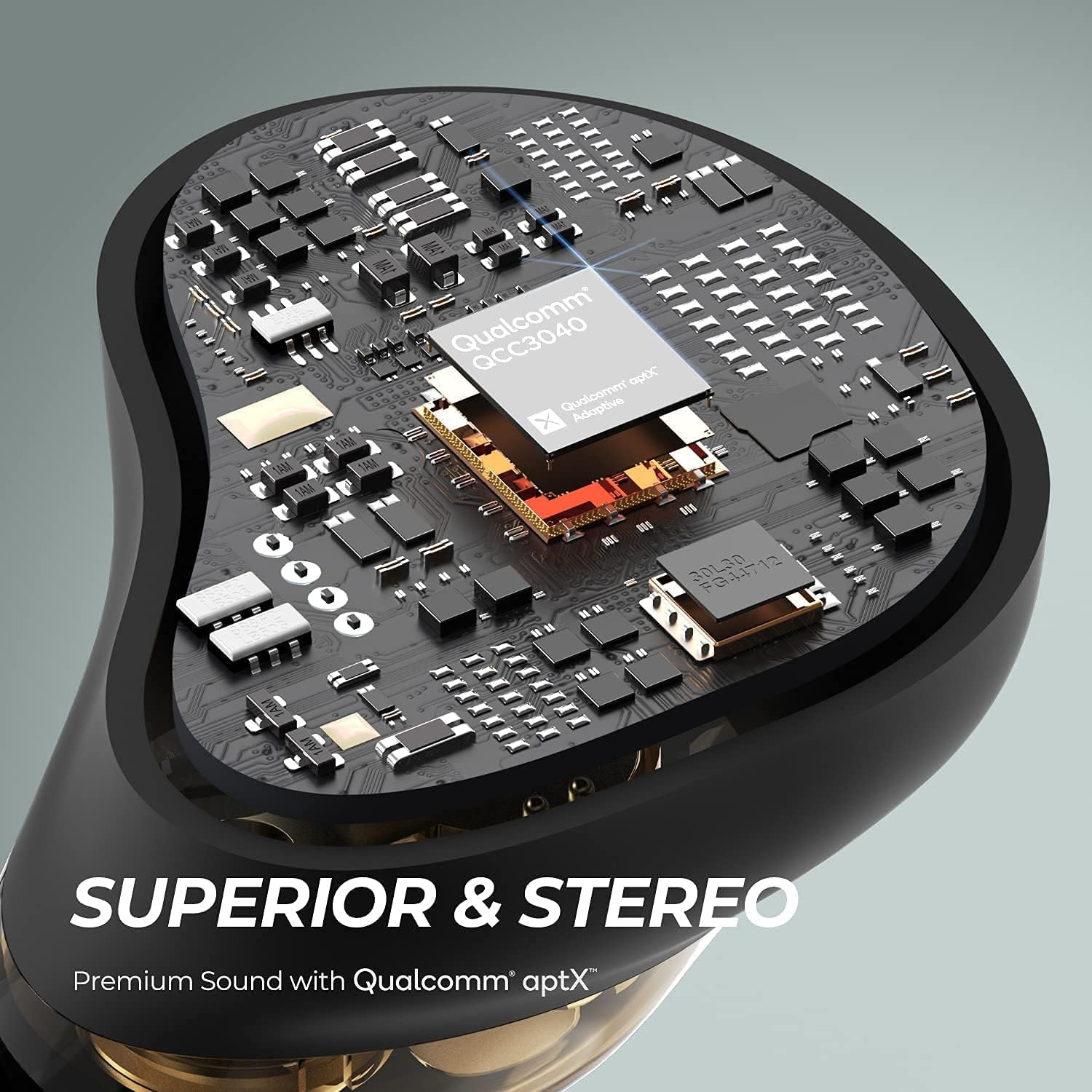
Image: Internal view of an earbud highlighting the Qualcomm QCC3040 chip, indicating advanced audio processing and stable connection.

Image: Close-up view of the dual dynamic drivers within an earbud, illustrating the technology for distinct audio reproduction.

Image: A woman running outdoors while wearing the earbuds, with an inset showing the location of the two outer microphones for CVC noise cancellation.
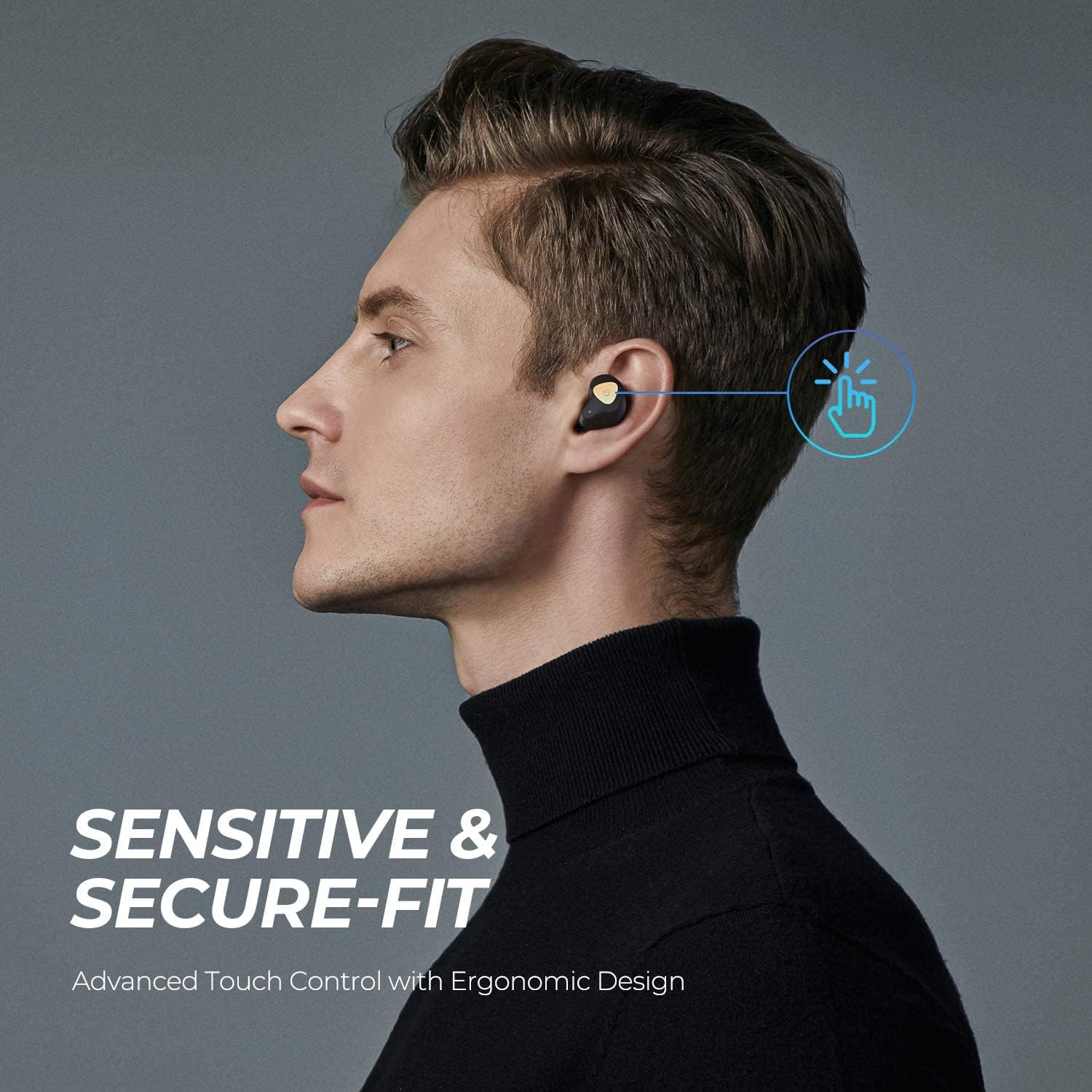
Image: A man demonstrating the touch control feature on an earbud, with an animated graphic indicating a tap action.
Setup
1. Charging the Case and Earbuds
Before first use, fully charge both the charging case and the earbuds.
- Place the earbuds into the charging case. Ensure the charging contacts align.
- Connect the USB-C cable to the charging port on the case and to a power source.
- The indicator lights on the case will show the charging status. A full charge typically takes about 1.5 hours for the earbuds and case.
- The earbuds offer approximately 5.5 hours of playtime per charge, with the charging case providing multiple additional charges for a total of up to 40 hours.

Image: SoundPEATS Truengine 3 SE earbuds and their charging case resting on a surface, illustrating their compact and lightweight design, and highlighting their long battery life.
2. Pairing
Follow these steps for initial pairing with your device:
- Open the charging case. The earbuds will automatically enter pairing mode. The indicator light on the right earbud will flash red and white alternately.
- Activate Bluetooth on your device (e.g., smartphone, tablet).
- Search for "SOUNDPEATS Truengine 3 SE" in the Bluetooth device list and select it to connect.
- Once connected, the indicator light on the right earbud will turn white.
- If pairing fails, place the earbuds back into the charging case, close the lid, and then reopen it to re-enter pairing mode.

Image: SoundPEATS Truengine 3 SE earbuds displayed next to a smartphone with its Bluetooth settings open, showing the earbuds listed as "SOUNDPEATS" for easy and stable pairing.
Operating Instructions
The Truengine 3 SE earbuds feature touch controls for various functions:
Touch Control Functions:
| Function | Action |
|---|---|
| Power On | Open the charging case, or press and hold the multifunction touch area for 1.5 seconds. |
| Power Off | Place earbuds back into the charging case and close the lid, or press and hold the multifunction touch area for 10 seconds. |
| Play/Pause | Double-tap the multifunction touch area on either earbud. |
| Volume Up | Press and hold the multifunction touch area on the right earbud. |
| Volume Down | Press and hold the multifunction touch area on the left earbud. |
| Next Track | Triple-tap the multifunction touch area on the right earbud. |
| Previous Track | Triple-tap the multifunction touch area on the left earbud. |
| Answer/End Call | Double-tap the multifunction touch area on either earbud. |
| Reject Call | Press and hold the multifunction touch area for 1.5 seconds on either earbud. |
| Activate Voice Assistant | Single-tap the multifunction touch area on either earbud. |
Mono Mode
Either earbud can be used independently in mono mode. Simply take one earbud out of the case, and it will automatically connect to your device if previously paired. The other earbud can remain in the case or be powered off.
Maintenance
- Clean the earbuds and charging case regularly with a soft, dry cloth.
- Avoid using harsh chemicals or abrasive materials.
- Keep the charging contacts on the earbuds and case clean to ensure proper charging.
- Store the earbuds in their charging case when not in use to protect them and keep them charged.
- Avoid exposing the earbuds to extreme temperatures, humidity, or liquids.
Troubleshooting
Earbuds not connecting or pairing:
- Ensure the earbuds are charged.
- Turn off Bluetooth on your device, then turn it back on.
- Delete "SOUNDPEATS Truengine 3 SE" from your device's Bluetooth list and attempt to re-pair.
- Place both earbuds back into the charging case, close the lid, wait a few seconds, then open the lid to reactivate pairing mode.
- If issues persist, try resetting the earbuds (refer to the manufacturer's website for specific reset instructions if not detailed here).
No sound from one earbud:
- Ensure both earbuds are charged.
- Try placing both earbuds back into the charging case and taking them out again.
- Perform a reset of the earbuds.
Charging issues:
- Clean the charging contacts on both the earbuds and the case.
- Ensure the USB-C cable is securely connected to both the case and the power source.
- Try a different USB-C cable or power adapter.
Specifications
| Feature | Detail |
|---|---|
| Brand | SoundPEATS |
| Model Number | Truengine 3 SE |
| Bluetooth Version | 5.0 |
| Bluetooth Chip | QCC3020 |
| Driver Size | Ø6 mm x2 (Dual Dynamic Drivers) |
| Working Time (Earbuds) | Approximately 5.5 hours |
| Charging Time (Earbuds) | Approximately 1.5 hours |
| Charging Case Battery | 500 mAh |
| Earbud Battery | 55 mAh x 2 |
| Microphone | Dual Microphones with CVC Noise Cancellation |
| Connectivity Technology | Wireless (Bluetooth) |
| Headphones Form Factor | In Ear |
| Material | Plastic |
| Item Weight | 9.07 Grams |
Warranty and Support
SoundPEATS products are covered by a warranty. For detailed warranty information, product registration, or technical support, please visit the official SoundPEATS website or contact their customer service. Keep your purchase receipt as proof of purchase.
Official Website: www.soundpeatsaudio.com


