
Introduction
Thank you for choosing the Chicco Baby Monitor Video Evolution. This device is designed to help parents monitor their child with ease and peace of mind. Featuring a motorized rotating camera, a 5-inch color display, and a range of up to 220 meters, it provides a secure and reliable connection. This manual provides essential information for the safe and effective use of your baby monitor.

Image: The Chicco Baby Monitor Video Evolution, featuring the baby unit (camera) and the parent unit (monitor) displaying a sleeping baby.
Important Safety Information
Please read and understand all safety instructions before using this product. Failure to follow these instructions could result in injury or damage to the product.
- Strangulation Hazard: Keep all cords out of reach of children (at least 1 meter / 3 feet away). Never place the camera or cords within a crib or playpen.
- Choking Hazard: This product contains small parts. Keep out of reach of children.
- Overheating: Do not cover the units with clothing, blankets, or any other material. Ensure proper ventilation.
- Water and Moisture: Do not expose the units to water or moisture. Do not use near bathtubs, sinks, or other wet areas.
- Power Sources: Use only the AC power adapters provided with the product. Do not use other adapters as this may damage the unit or pose a safety risk.
- Interference: Keep the units away from other electronic devices that may cause interference, such as microwave ovens or Wi-Fi routers.
- Adult Supervision: This product is not a substitute for responsible adult supervision. Always ensure an adult is supervising the child.
Package Contents
Ensure all items are present in the package:
- Parent Unit (Monitor)
- Baby Unit (Camera)
- 2 x AC Power Adapters
- User Manual (this document)
Product Overview
Parent Unit (Monitor)
The Parent Unit features a 5-inch color LCD screen for clear viewing of your baby. It includes controls for camera movement, volume, brightness, two-way talk, and menu navigation.

Image: The Parent Unit (monitor) with a clear view of a sleeping baby on its 5-inch screen.
Baby Unit (Camera)
The Baby Unit is equipped with a motorized camera that can pan (320°) and tilt (120°) remotely from the Parent Unit. It includes infrared LEDs for night vision, a temperature sensor, and a microphone.

Image: Front view of the Baby Unit (camera), highlighting its lens and design.
Setup
1. Charging the Parent Unit
- Connect the smaller end of one AC power adapter to the Parent Unit's charging port.
- Plug the other end into a wall outlet.
- Charge the Parent Unit for at least 8 hours before first use to ensure optimal battery life. The battery indicator on the screen will show charging status.
2. Positioning the Baby Unit (Camera)
- Place the Baby Unit on a flat, stable surface in your baby's room, such as a dresser or shelf.
- Ensure the camera is at least 1 meter (3 feet) away from the crib or playpen to prevent strangulation hazards from the power cord.
- Position the camera to have a clear view of your baby. Avoid placing it where direct sunlight or strong artificial light can interfere with the image.
- Connect the second AC power adapter to the Baby Unit and plug it into a wall outlet. The Baby Unit must remain plugged in for operation.
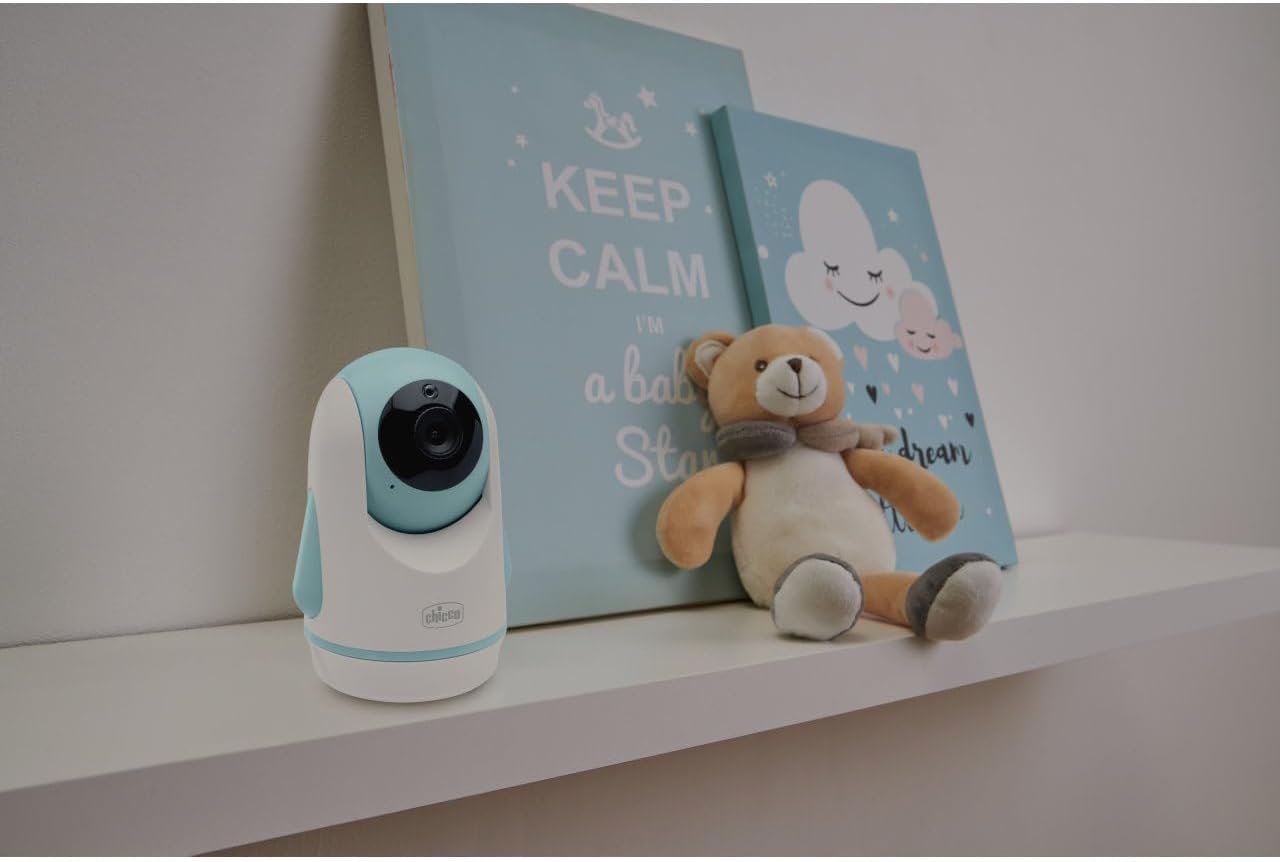
Image: The Baby Unit positioned on a shelf in a nursery, demonstrating ideal placement.
3. Initial Connection
The Parent Unit and Baby Unit are pre-paired at the factory. Once both units are powered on, they should automatically connect. If they do not connect, refer to the "Troubleshooting" section for pairing instructions.
Operating Instructions
Turning On/Off
- Parent Unit: Press and hold the Power button until the screen turns on/off.
- Baby Unit: The Baby Unit turns on automatically when plugged into a power source. Unplug to turn off.
Basic Functions
- Video Monitoring: The 5-inch color LCD screen on the Parent Unit displays live video from the Baby Unit.
- Audio Monitoring: Listen to your baby through the Parent Unit's speaker. Adjust volume using the dedicated buttons.
- Two-Way Talk: Press and hold the microphone button on the Parent Unit to speak to your baby through the Baby Unit's speaker. Release the button to listen.
Advanced Features
- Motorized Pan & Tilt: Use the directional buttons on the Parent Unit to remotely adjust the camera's viewing angle (320° horizontal, 120° vertical).
- Night Vision: The infrared night vision activates automatically in low-light conditions, providing a clear black-and-white image of your baby.
- Room Temperature Monitoring: The Parent Unit displays the current temperature of your baby's room, measured by the Baby Unit's built-in thermometer.
- Lullabies & White Noise: Access the menu on the Parent Unit to select and play soothing melodies or white noise to help your baby sleep.
- Eco Intelligent Mode: This mode optimizes energy efficiency by activating the screen and audio only when sound is detected from the baby's room. The transmission power is also modulated based on the distance between units.

Image: The Baby Unit operating in a dark room, showcasing its automatic night vision feature.
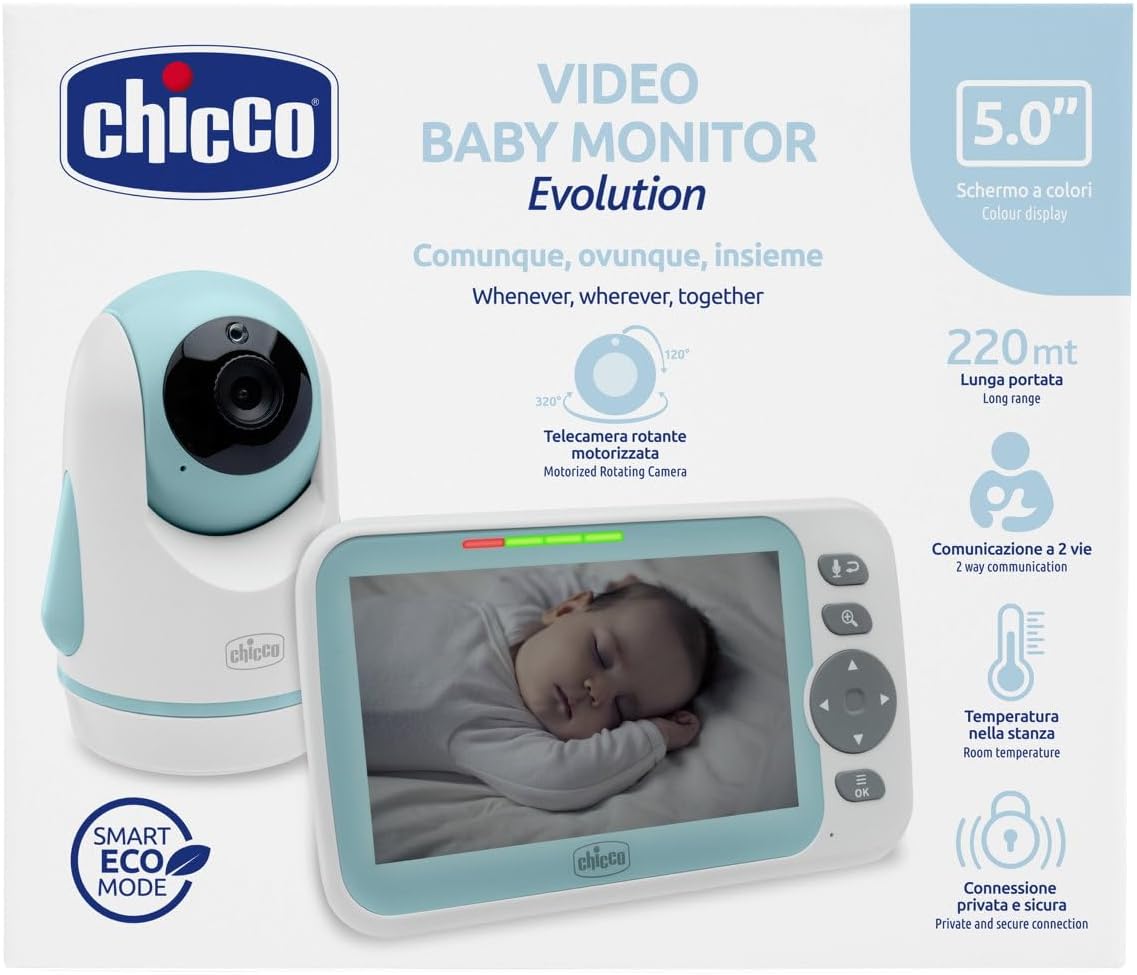
Image: An infographic summarizing the main features of the Chicco Baby Monitor Video Evolution, including its 5-inch display, 220m range, two-way communication, temperature monitoring, motorized camera, and Eco Intelligent mode.
Maintenance
- Cleaning:
- Unplug both units before cleaning.
- Wipe the surfaces of the Parent Unit and Baby Unit with a dry, soft cloth.
- Do not use cleaning sprays or liquid cleaners.
- Storage:
- If not using the monitor for an extended period, store it in a cool, dry place.
- Ensure the Parent Unit's battery is fully charged before storing and recharge it every few months to maintain battery health.
Troubleshooting
| Problem | Possible Cause | Solution |
|---|---|---|
| No image/sound on Parent Unit. | Units are not powered on or not connected. | Ensure both units are plugged in and turned on. Check power adapters. |
| Poor signal or interference. | Units are too far apart or obstructions exist. Other electronic devices causing interference. | Move Parent Unit closer to Baby Unit. Reduce obstructions. Move units away from other electronics (e.g., Wi-Fi routers, microwaves). |
| Parent Unit battery not holding charge. | Battery is old or not fully charged. | Ensure Parent Unit is charged for at least 8 hours. If issue persists, battery may need replacement (contact support). |
| Camera not responding to pan/tilt controls. | Connection issue or camera malfunction. | Restart both units. Ensure a strong connection. If problem persists, contact support. |
| Temperature reading seems inaccurate. | Baby Unit placed near a heat source or draft. | Relocate the Baby Unit to a more central location in the room, away from windows, vents, or direct heat sources. |
Specifications
- Model: 00011480000000
- Brand: Chicco
- Wireless Communication Technology: Wi-Fi (FHSS technology for secure connection)
- Parent Unit Display: 5-inch Color LCD
- Camera Rotation: 320° Horizontal, 120° Vertical (Motorized)
- Night Vision Range: Up to 220 meters (optimal conditions)
- Operating Range: Up to 220 meters (optimal conditions, without obstacles)
- Special Features: Photographic Sensor, Automatic Infrared Night Vision, Room Thermometer, Two-Way Talk, Lullabies/White Noise, Eco Intelligent Mode
- Material: Plastic (Structure: Pp - Pa - Tpr - Steel - Al; Fabric: Polyester, Cotton)
- Dimensions (L x W x H): 27 x 9.2 x 23 cm (Product); 900 grams
- Power Source: AC Power Adapter (Parent Unit rechargeable battery included)
- Color: White/Azure Blue
- Recommended Uses: Baby monitoring, Night vision, Babyphone
Warranty Information
Chicco products are manufactured to high-quality standards. This product comes with a limited warranty against defects in materials and workmanship. The specific warranty period and terms may vary by region. Please retain your proof of purchase for warranty claims. For detailed warranty information, refer to the warranty card included in your product packaging or visit the official Chicco website.
Customer Support
If you have any questions, require assistance, or encounter issues not covered in this manual, please contact Chicco customer support:
- Website: Visit the official Chicco website for FAQs, product registration, and support contact details.
- Contact Information: Refer to the contact section on the Chicco website for phone numbers or email support in your region.
Please have your product model number (00011480000000) and proof of purchase ready when contacting support.