1. Safety Information
Always prioritize safety when operating welding equipment. Failure to follow safety guidelines can result in serious injury or death.
- Electric Shock: Welding current can kill. Do not touch live electrical parts. Wear dry welding gloves and protective clothing. Ensure proper grounding.
- Fumes and Gases: Welding fumes and gases can be hazardous to your health. Work in a well-ventilated area. Use a fume extractor if necessary.
- Arc Rays: Arc rays can burn eyes and skin. Wear a welding helmet with appropriate shade filter and protective clothing.
- Fire and Explosion: Welding can cause fire or explosion. Keep flammable materials away from the welding area. Have a fire extinguisher readily available.
- Burns: Hot metal and sparks can cause burns. Wear protective gloves, long sleeves, and other appropriate clothing.
- Overheating and Overload Protection: The TIG-250P is equipped with automatic shutdown systems for overheating and overload conditions. If the machine shuts down, allow it to cool before resuming operation.
2. Product Overview
The YESWELDER TIG-250P is a versatile 250 Amp AC/DC Aluminum TIG Welder with Pulse functionality. It is a digital inverter-based machine capable of multiple welding processes.
Key Features:
- AC/DC TIG Welding: Software-controlled square wave AC/DC TIG inverter for precise aluminum and other metal welding.
- 6-in-1 Functionality: Capable of AC/DC TIG, AC/DC Pulse TIG, STICK, and Spot welding.
- Digital Settings: Allows precise adjustment of Pre Gas Time, Start Current, Up Slope and Down Slope Time, Finish Current Level, and Post Gas.
- 2T/4T Trigger Function: Provides control over the welding process from start to finish.
- Autosave: Automatically saves welding parameters even when powered off, with auto-recovery of last used settings.
- Unique Air Channel: Enhances heat dissipation for power devices and control circuits, minimizing dust absorption and improving longevity.
Components:

The package includes the TIG-250P welding machine, 13' WP-26 TIG Torch, 13' WP-9 Spot TIG Torch, 10' Electrode Holder & Cable, 10' Work Clamp & Cable, Gas Hose, Power Adapter Cord, and additional TIG accessories (3 Collets, 1 Collet Body, 3 Alumina Ceramic Cup, 1 Long Back Cap, 1 Short Back Cap).

The front panel features a digital display, parameter indicators, welding mode selection, 2T/4T/Spot buttons, and an adjustment knob. The rear panel includes the power switch, power cable, cooling fan, and gas inlet.
3. Setup
- Power Connection: Connect the power adapter cord to the machine's power input and a suitable 220V power source. Ensure the power source meets the machine's requirements.
- Ground Clamp Connection: Attach the 10' Work Clamp & Cable to the appropriate terminal on the front panel (usually the negative terminal for DC TIG, or as indicated for AC TIG). Securely clamp the work clamp to the workpiece or welding table.
- TIG Torch Connection: Connect the TIG torch (WP-26 or WP-9) to the designated TIG torch connector on the front panel. Ensure a secure connection.
- Gas Hose Connection: Connect the 8ft Argon Gas Hose to the gas inlet on the rear panel of the machine and to your argon gas cylinder regulator. Ensure all connections are tight to prevent gas leaks.
- Electrode Holder (for Stick Welding): If performing Stick welding, connect the 10' Electrode Holder & Cable to the positive terminal on the front panel.
- TIG Accessories: Install the appropriate collet, collet body, and alumina ceramic cup onto the TIG torch. Insert the tungsten electrode and secure it with the back cap.

4. Operating Instructions
The TIG-250P offers various welding modes and adjustable parameters for optimal performance.
4.1. Welding Modes

- AC HF TIG: Ideal for welding aluminum and its alloys.
- AC Pulsed TIG: Provides enhanced control for thin materials and reduces heat input.
- Spot TIG: For precise spot welding applications.
- DC HF TIG: Suitable for welding stainless steel, carbon steel, copper, and other non-ferrous metals.
- DC Pulsed TIG: Offers improved control and reduced distortion for DC TIG applications.
- STICK (MMA): For traditional shielded metal arc welding.
4.2. Parameter Adjustment
Use the digital display and adjustment knob on the front panel to set welding parameters. The parameter indicators will show which setting is currently being adjusted.
- Pre Gas Time: Duration of shielding gas flow before arc ignition.
- Start Current: Initial current level at the start of the weld.
- Up Slope Time: Time taken for the current to ramp up from start current to peak current.
- Down Slope Time: Time taken for the current to ramp down from peak current to finish current.
- Finish Current Level: Current level at the end of the weld.
- Post Gas Time: Duration of shielding gas flow after the arc is extinguished to protect the cooling weld puddle and tungsten.
- 2T/4T Function: Select between 2-stroke (press and hold for arc) or 4-stroke (press to start, press to stop) trigger operation for the TIG torch.
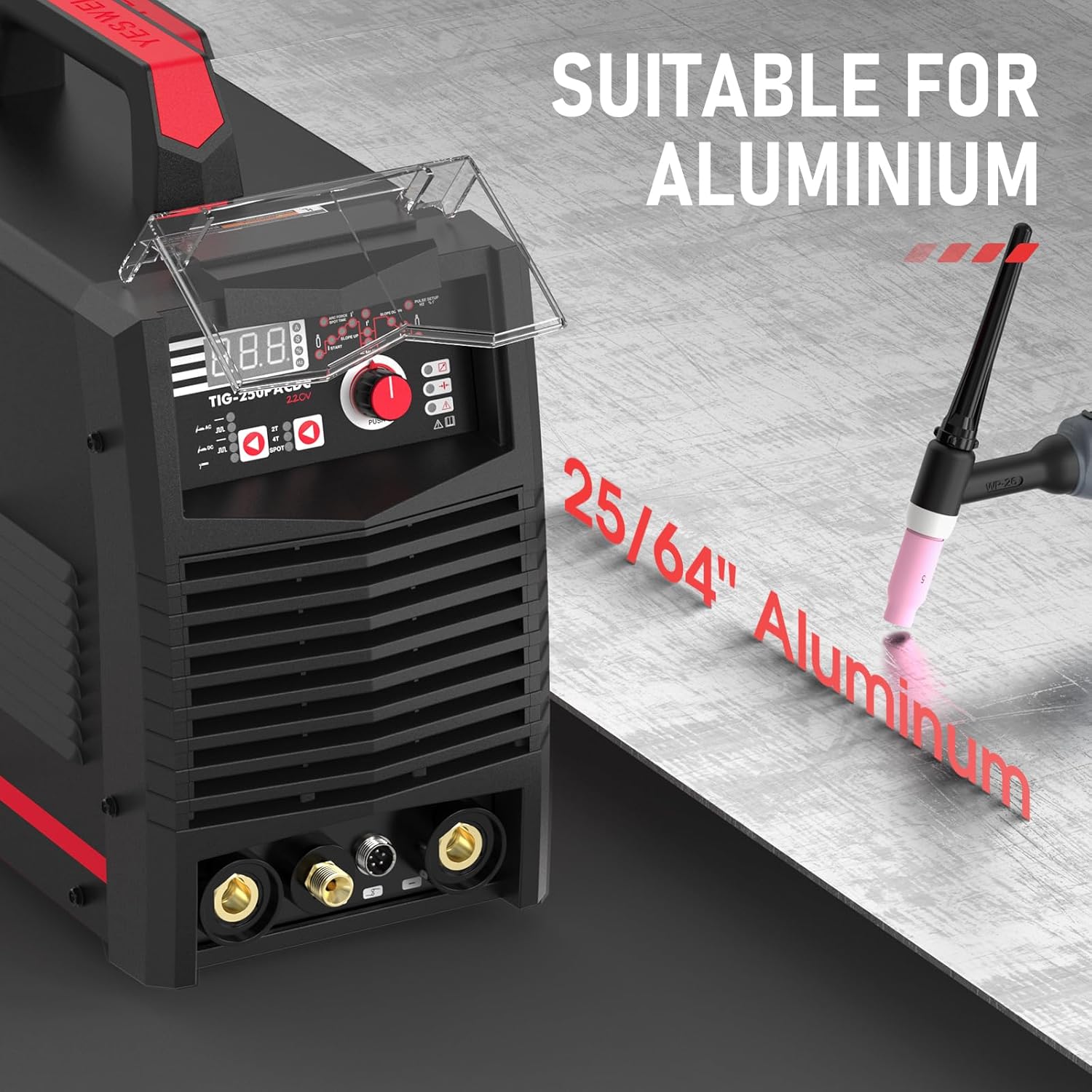
The machine automatically saves your welding parameters, ensuring that your last settings are recovered upon power-on.
4.3. Material Compatibility
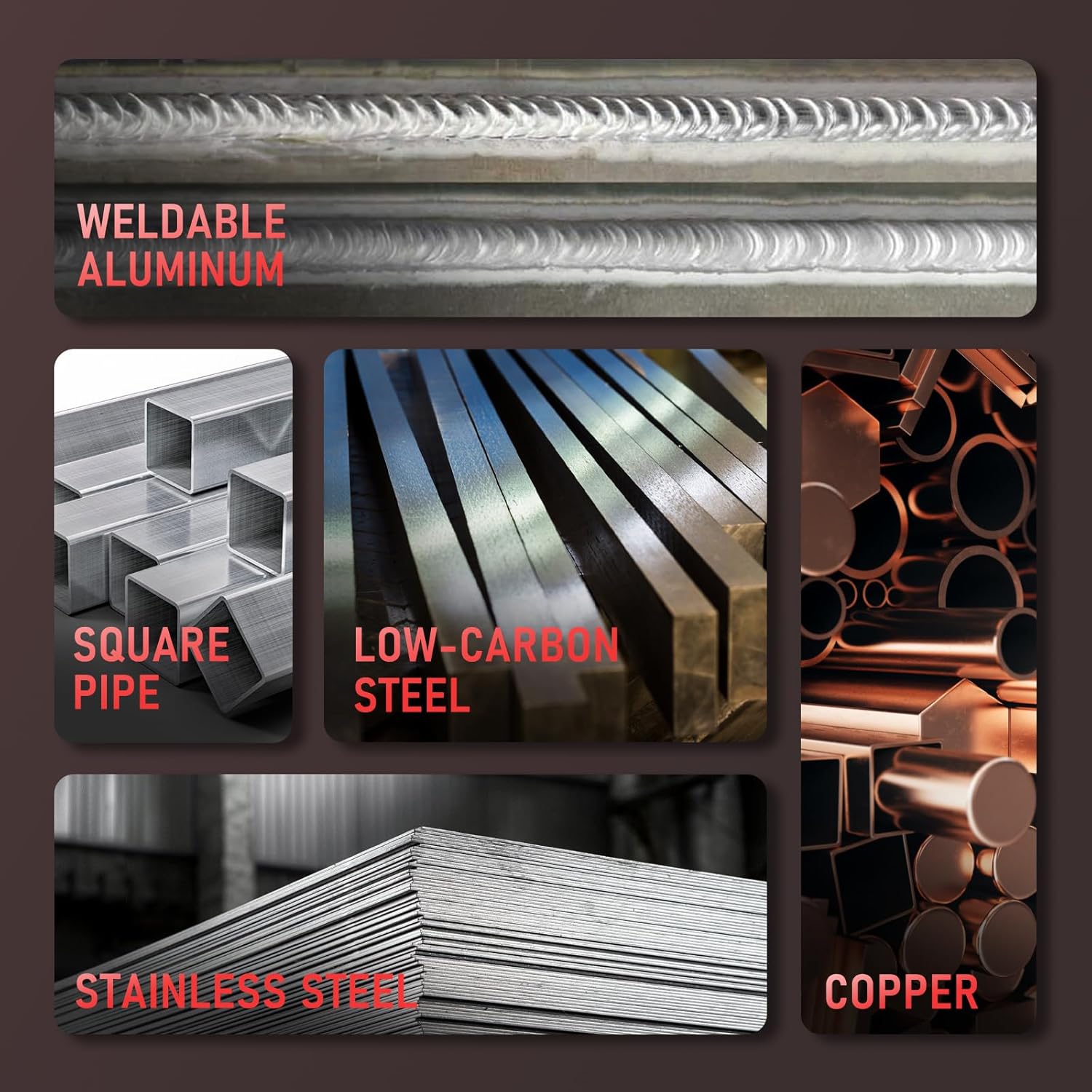
The TIG-250P is designed for welding a variety of metals, including aluminum up to 25/64" thickness, stainless steel, low-carbon steel, and copper.
5. Maintenance
Regular maintenance ensures the longevity and optimal performance of your welding machine.
- Cleaning: Keep the machine clean and free from dust and debris. The unique air channel design helps minimize dust absorption, but periodic cleaning of vents is recommended.
- Cable Inspection: Regularly inspect all cables (power, ground, torch) for damage, cuts, or frayed insulation. Replace damaged cables immediately.
- TIG Torch Consumables: Check and replace TIG torch consumables (tungsten, collets, collet bodies, ceramic cups) as they wear out to maintain arc quality and performance.
- Gas Connections: Periodically check gas hose and connections for leaks.

6. Troubleshooting
This section provides guidance for common issues you might encounter.
| Problem | Possible Cause | Solution |
|---|---|---|
| Machine does not power on. | No power supply, faulty power cable, power switch off. | Check power connection, ensure switch is on, inspect power cable. |
| No arc or weak arc. | Improper ground connection, incorrect gas flow, worn tungsten, wrong settings. | Verify ground clamp, check gas cylinder and flow rate, replace tungsten, adjust welding parameters. |
| Machine shuts down during operation. | Overheating or overload protection activated. | Allow the machine to cool down. Reduce duty cycle or welding current. Ensure proper ventilation. |
| Poor weld quality (porosity, discoloration). | Insufficient shielding gas, contaminated workpiece, incorrect travel speed. | Check gas flow, clean workpiece thoroughly, adjust welding technique. |
For issues not covered here, please contact YESWELDER customer support.
7. Specifications
| Specification | Value |
|---|---|
| Model Number | TIG-250P ACDC |
| Package Dimensions | 19.25 x 16.5 x 12.75 inches |
| Item Weight | 34.9 pounds |
| Power Source | AC/DC |
| Recommended Uses | Home |
| Cooling Mode | Fan Cooling |
| Insulation Grade | F |
| Protection Standard | IP21S |
8. Official Product Videos
Video 8.1: An official product video from YESWELDER demonstrating the TIG-250P 250 Amp AC/DC Aluminum Tig Welder with Pulse functionality.
9. Warranty and Support
For warranty information, technical support, or any inquiries regarding your YESWELDER TIG-250P, please contact YESWELDER customer service. Refer to the product packaging or the official YESWELDER website for the most up-to-date contact details.
YESWELDER is committed to providing quality welding equipment and support to its users.


