
1. Introduction
This manual provides essential information for the safe and effective use of your Ledlenser H8R Rechargeable Headlamp. The H8R is a lightweight, multipurpose headlamp designed for various activities, offering 600 lumens of high-power LED illumination and hands-free operation. Please read these instructions thoroughly before first use and retain them for future reference.
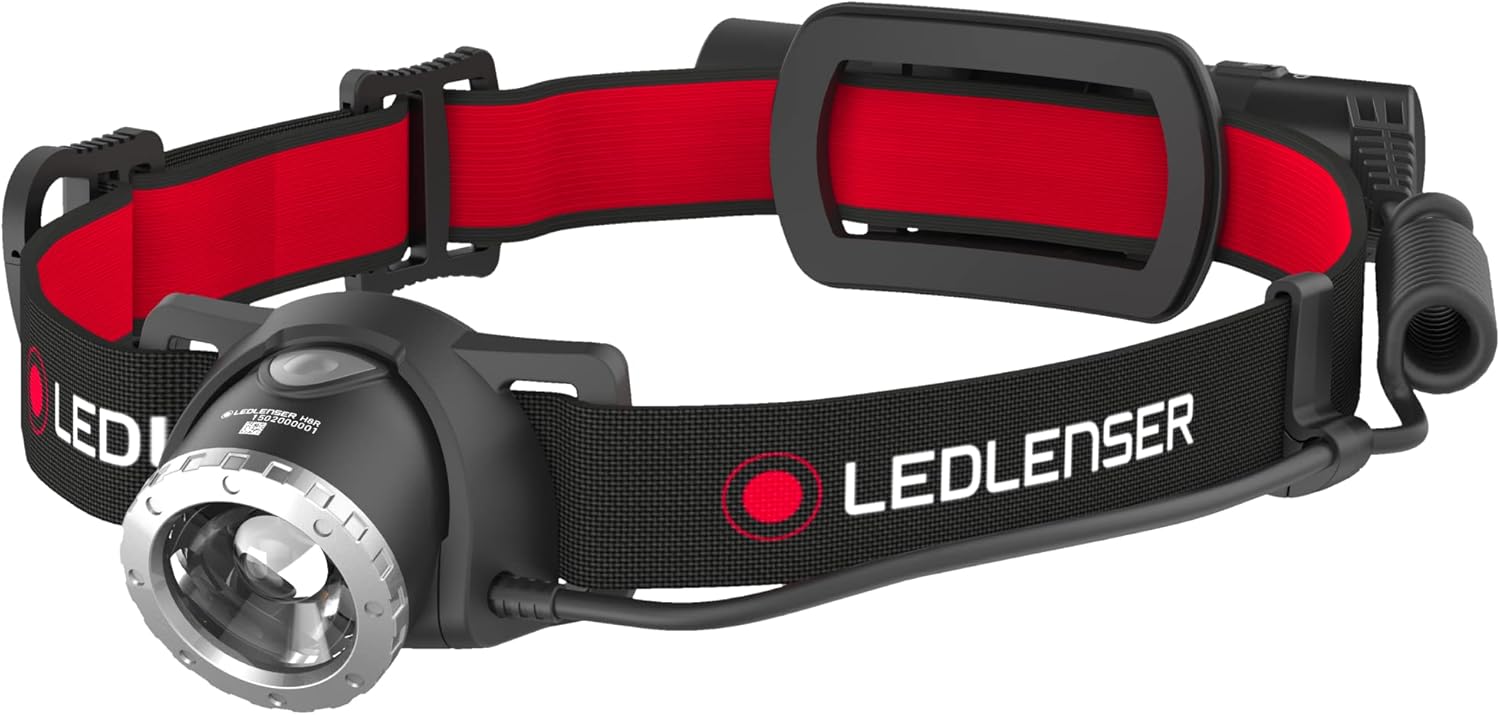
Image 1.1: The Ledlenser H8R Headlamp, showcasing its design with a red and black headband and front light unit.
2. Product Overview
2.1 Components
- Ledlenser H8R Headlamp Unit
- Adjustable Headband (removable and machine washable)
- Rechargeable Battery Set (1 x 18650 3.7V Lithium Ion battery)
- USB Charging Cable
2.2 Key Features
- 600 Lumens Output: Provides powerful illumination for various tasks.
- Long-lasting Rechargeable Battery: Offers up to 120 hours of light on low mode and 10 hours on high mode.
- Lightweight and Adjustable Design: Ensures comfort and durability for extended use.
- Rapid Focus and Advanced Focus System: Allows seamless adjustment between a broad floodlight and a sharp spotlight.
- Smart Light Technology: Enables programming of light functions to suit specific needs.
- Temperature Control System: Prevents overheating, allowing for brighter and longer operation.
- Transportation Lock: Prevents accidental activation during transport or storage.

Image 2.1: An illustration highlighting the H8R Core headlamp's features, including its extreme power and illumination, suitable for everyday use.
3. Setup
3.1 Initial Charging
Before first use, fully charge the headlamp's battery. Connect the provided USB charging cable to the headlamp's charging port and to a USB power source (e.g., computer, wall adapter). The charging indicator will show the charging status.

Image 3.1: The USB charging system of the H8R headlamp, showing the charging port and indicator light.
3.2 Adjusting the Headband
Place the headlamp on your head and adjust the elastic headband for a comfortable and secure fit. The headband is designed to be wide for stability and can be removed for cleaning.
4. Operating Instructions
4.1 Power On/Off and Light Modes
Press the power button located on the headlamp to cycle through different light modes:
- Power: Standard illumination mode.
- Boost: Maximum brightness for a short period.
- Low Power: Reduced brightness for extended run time.
- Rear Red Light: For visibility from behind.

Image 4.1: An illustration detailing the H8R's light functions (Power, Boost, Low Power, Rear Red) and performance metrics like lumen output, beam distance, and run time.
4.2 Focus and Beam Adjustment
The H8R features a Rapid Focus and Advanced Focus System. Rotate the bezel around the lens to seamlessly adjust the light beam from a wide floodlight for close-up tasks to a focused spotlight for long-distance viewing. The light head can also be swiveled to direct the beam as needed.

Image 4.2: A close-up view of the H8R headlamp demonstrating the light's ability to swivel for beam direction adjustment and the Rapid Focus/Advanced Focus System for seamless beam focusing.
4.3 Smart Light Technology
The Smart Light Technology allows users to program individual light functions. Refer to the detailed instructions provided with the product packaging for specific programming steps to customize your headlamp's operation.

Image 4.3: An image illustrating the Smart Light Technology feature, indicating that light functions can be programmed according to user needs.
4.4 Transportation Lock
To prevent accidental activation and conserve battery during transport or storage, engage the transportation lock. Consult the product packaging for specific instructions on how to activate and deactivate this feature.
5. Maintenance
5.1 Charging
Regularly charge the Lithium Ion battery to maintain optimal performance. The charging indicator will signal when the battery is fully charged. Avoid over-discharging the battery for prolonged periods.
5.2 Cleaning
Clean the headlamp's lens and body with a soft, damp cloth. Do not use abrasive cleaners or solvents. The headband is removable and machine washable for easy cleaning.
5.3 Storage
Store the headlamp in a cool, dry place away from direct sunlight. If storing for an extended period, ensure the battery is partially charged and consider activating the transportation lock.

Image 5.1: This image highlights the Temperature Control System, which prevents overheating, and the Transportation Lock feature, designed to prevent inadvertent activation.
6. Troubleshooting
- Headlamp does not turn on:
Ensure the battery is charged. Check for proper battery insertion. Deactivate the transportation lock if it is engaged. - Light is dim or flickers:
Recharge the battery. Clean the lens if it is dirty. - Headlamp not charging:
Verify the USB cable is securely connected to both the headlamp and the power source. Try a different USB cable or power source. - Focus mechanism is stiff:
Ensure no dirt or debris is obstructing the focusing mechanism. Avoid forcing the mechanism.
7. Specifications
| Feature | Specification |
|---|---|
| Model | H8R |
| Part Number | 880501 |
| Light Source Type | LED |
| White Brightness | 600 Lumens |
| Beam Distance | Up to 150 meters |
| Run Time (Low Power) | Up to 120 hours |
| Run Time (High Power) | Up to 10 hours |
| Power Source | Battery Powered |
| Battery Type | 1 x 18650 3.7V Lithium Ion |
| Water Resistance Level | Water Resistant |
| Item Weight | 0.64 Pounds (10.2 ounces) |
| Product Dimensions | 8"D x 4.49"W x 2.73"H |
| UPC | 847706100753 |
8. Warranty Information
Ledlenser provides a 7-Year Guarantee on this product. This guarantee covers defects in material or workmanship. In the event of a defect, Ledlenser will repair or replace the product, at their discretion, with one of equal or greater value. Please retain your proof of purchase for warranty claims.
9. Support
For further assistance, technical support, or warranty claims, please refer to the contact information provided in your product packaging or visit the official Ledlenser website.


