
Introduction
This manual provides comprehensive instructions for the safe and efficient operation, maintenance, and troubleshooting of your CROWNFUL Commercial Ice Maker. Please read this manual thoroughly before operating the appliance and retain it for future reference.
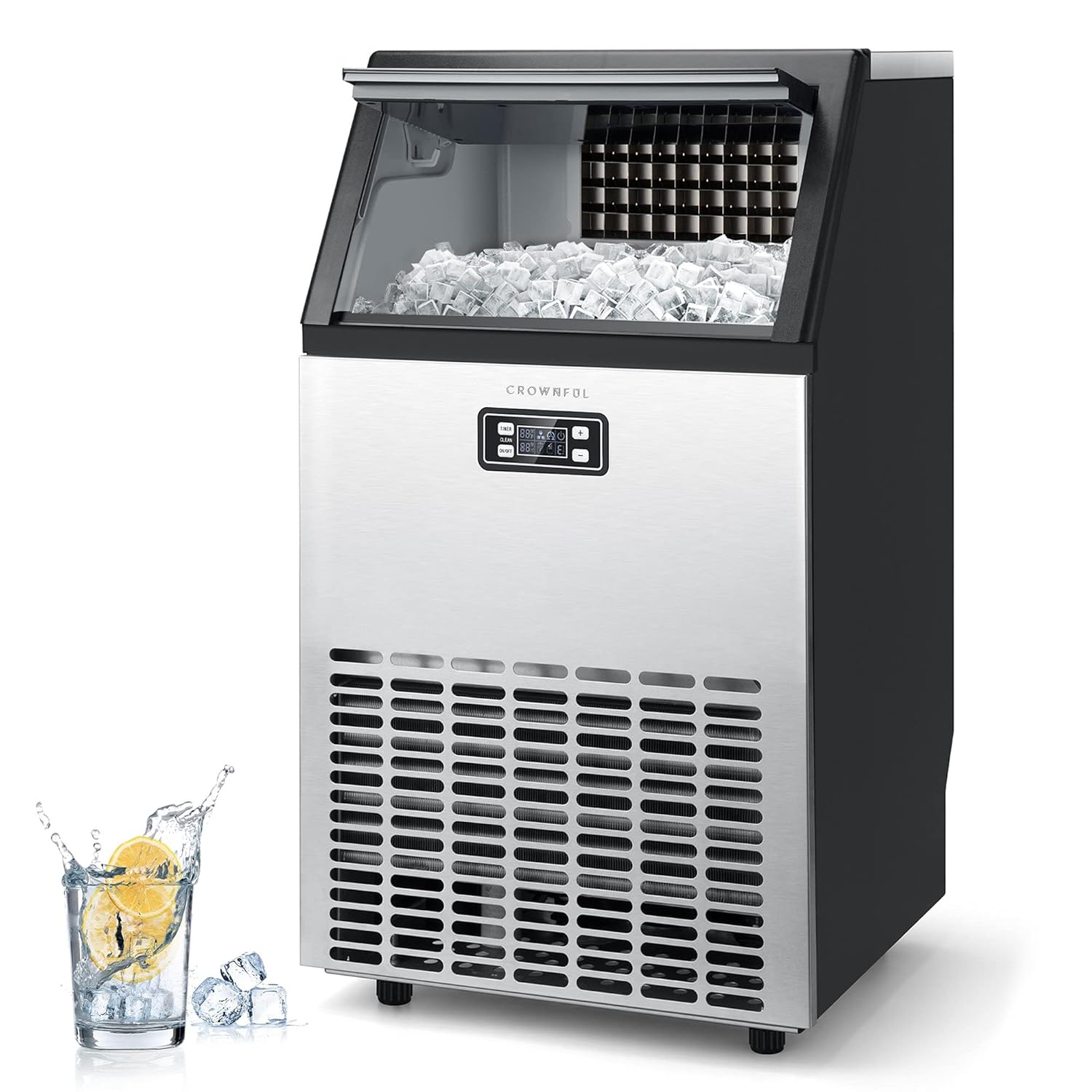
Front view of the CROWNFUL Commercial Ice Maker, showcasing its stainless steel finish and control panel.
1. Setup and Installation
Proper installation is crucial for the optimal performance and longevity of your ice maker. Ensure the unit is placed on a stable, level surface in a well-ventilated area, away from direct sunlight or heat sources. Allow sufficient clearance around the unit for proper air circulation.
1.1 Unpacking
Carefully remove all packaging materials, including internal packing and protective films. Inspect the ice maker for any signs of damage during transit. Keep packaging for potential future transport or return.
1.2 Water Connection
The ice maker requires a continuous water supply and a drain. Use the provided water inlet pipe, drain pipe, and water quick connector for installation. Connect the water inlet to a potable water source and the drain pipe to a suitable drainage system. Ensure all connections are secure to prevent leaks.

Detailed view of the water inlet and draining port on the rear of the ice maker, with instructions for connecting the water supply.
1.3 Electrical Connection
Plug the ice maker into a grounded electrical outlet. Refer to the specifications section for power requirements. Do not use extension cords or adapters.
1.4 Initial Cleaning
Before first use, it is recommended to perform an initial cleaning cycle. Refer to the "Maintenance" section for detailed cleaning instructions.

Diagram illustrating the dimensions of the ice maker and the included accessories: ice shovel, drain hose, water quick connector, and water hose.
2. Operating Instructions
The CROWNFUL Commercial Ice Maker is designed for user-friendly operation with an intelligent LCD control panel.
2.1 Control Panel Overview
The control panel allows you to manage various functions, including ice cube thickness, timing, and automatic cleaning. It also provides indicators for ice full and water shortage.
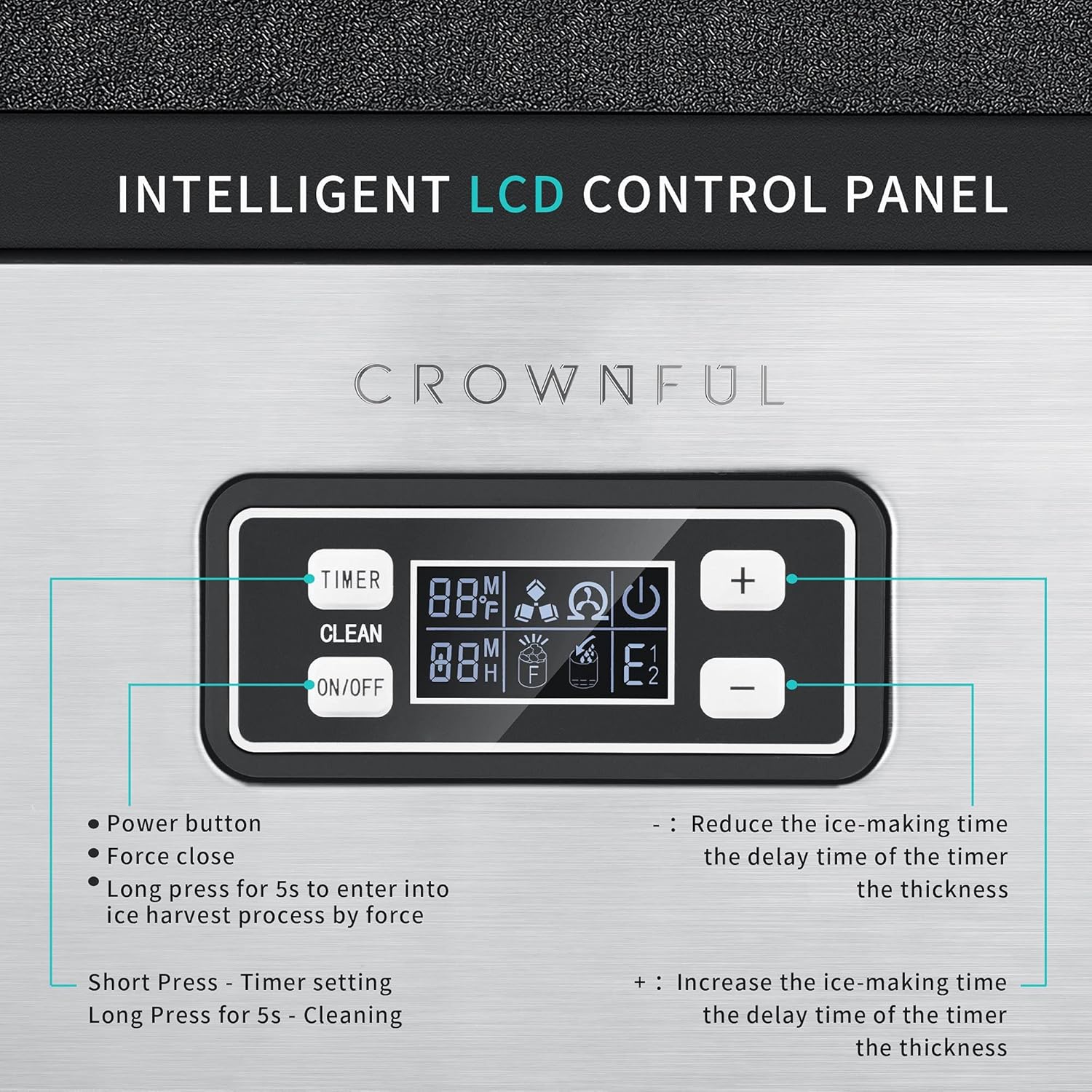
Close-up of the intelligent LCD control panel, showing buttons for Timer, Clean, On/Off, and +/- for adjustments.
2.2 Making Ice
- Ensure the water supply is connected and turned on.
- Press the "ON/OFF" button on the control panel to start the ice making process.
- Use the (+) or (-) buttons to select your desired ice cube thickness (small, medium, or large). The machine can produce 45 ice cubes per cycle in 11-20 minutes, with a capacity of 100lbs of ice in 24 hours.
- The ice maker will automatically detect when the ice storage bin is full and pause production.
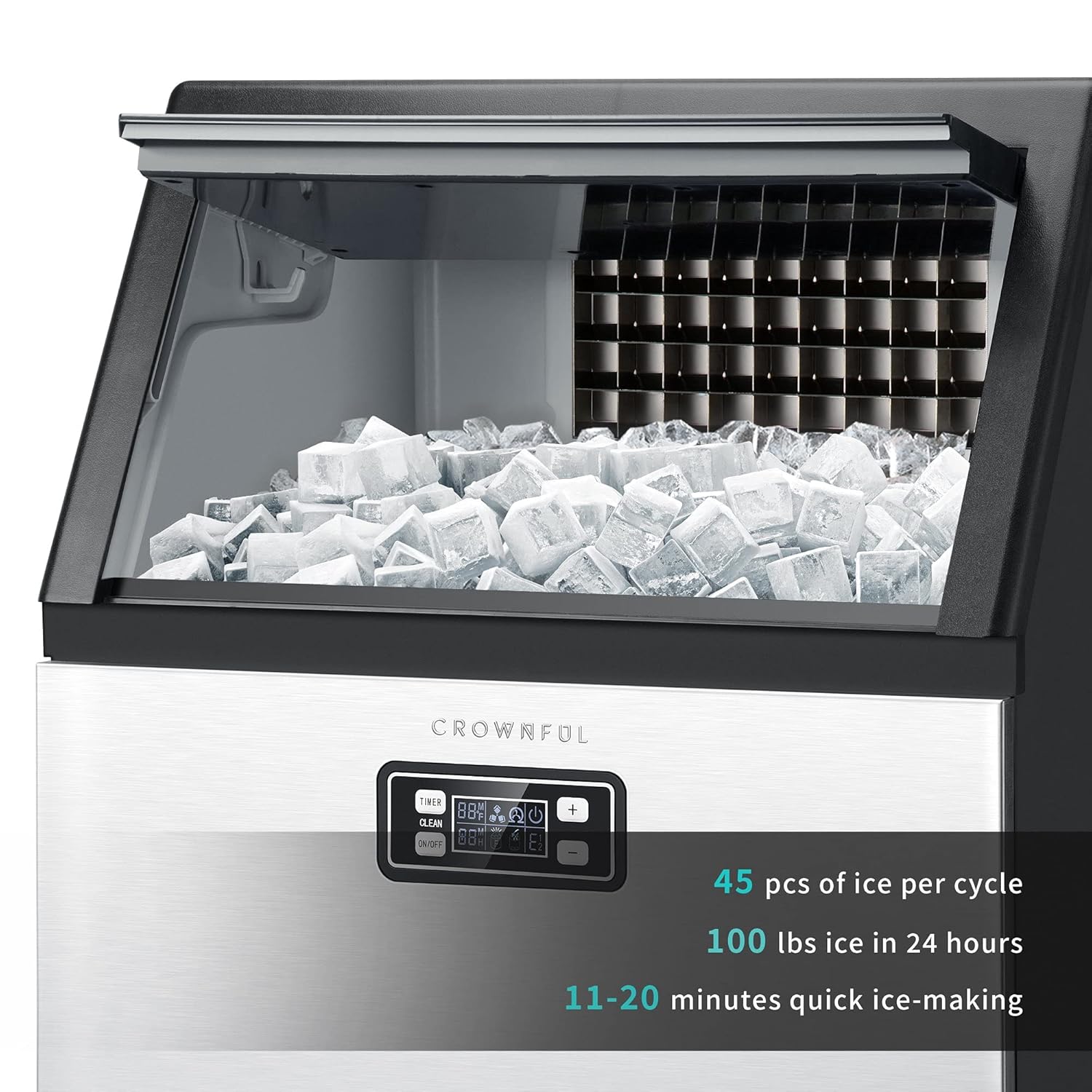
Interior view of the ice making module, showing ice cubes forming and dropping into the storage bin.
2.3 Timer Function
The timer function allows you to set a turn-on or shut-off time for the ice maker. Press the "TIMER" button and use the (+) or (-) buttons to adjust the desired time.
2.4 Ice Storage
The ice maker has a storage bin capacity of 33lbs. Please note that this commercial ice maker is not a freezer. For long-term storage, transfer ice cubes to a refrigerator freezer.
Official product video demonstrating the CROWNFUL Commercial Ice Maker in operation, including ice production and features.
3. Maintenance and Cleaning
Regular maintenance ensures the efficiency and hygiene of your ice maker.
3.1 Automatic Cleaning
The ice maker features an automatic cleaning function. To activate, long press the "CLEAN" button for 5 seconds. The machine will initiate a self-cleaning cycle.
3.2 Manual Cleaning
For thorough cleaning, disconnect the power supply and drain any remaining water. Clean the ice making module, water reservoir, and ice storage bin with a mild detergent and warm water. Rinse thoroughly with clean water. Ensure all components are dry before reassembling and restarting the unit.
3.3 External Cleaning
Wipe the exterior of the stainless steel unit with a soft, damp cloth. Avoid abrasive cleaners that could damage the finish.
4. Troubleshooting
If you encounter issues with your CROWNFUL Commercial Ice Maker, refer to the following common problems and solutions:
| Problem | Possible Cause | Solution |
|---|---|---|
| Ice maker not producing ice. | No water supply, clogged water filter, low ambient temperature, compressor issue. | Check water connection and supply. Clean or replace water filter. Ensure ambient temperature is within operating range. If problem persists, contact customer support. |
| Ice cubes are too small or soft. | Water temperature too high, low water pressure, incorrect ice thickness setting. | Ensure water supply is cold. Check water pressure. Adjust ice thickness setting on the control panel. |
| Ice maker is noisy. | Unit not level, fan obstruction, normal operation sounds. | Ensure the unit is on a level surface. Check for any obstructions around the fan. Some operational noise is normal. |
| Error code displayed (e.g., E2). | Specific internal malfunction. | Refer to the specific error code in the full user manual (PDF) or contact customer support for assistance. |
For more detailed troubleshooting or issues not listed, please refer to the full user manual (PDF) available on the product page or contact CROWNFUL customer support.
5. Specifications
| Feature | Detail |
|---|---|
| Model Number | CF-CIM01 |
| Ice Production Capacity | 100 lbs / 24 hours |
| Ice Storage Capacity | 33 lbs |
| Ice Cube Per Cycle | 45 pieces |
| Cycle Time | 11-20 minutes |
| Product Dimensions (D x W x H) | 15.75"D x 17.64"W x 31.42"H |
| Wattage | 200 watts |
| Material | Stainless Steel |
6. Warranty and Support
CROWNFUL offers a 12-month warranty and lifetime support for this product. If you encounter any problems or require assistance, please do not hesitate to contact CROWNFUL customer service. Contact information can typically be found on the product packaging or the official CROWNFUL website.
For additional resources, you may also refer to the official User Manual (PDF) provided by the manufacturer: CROWNFUL Commercial Ice Maker User Manual (PDF).
7. Important Safety Information
- Always unplug the unit before cleaning or performing any maintenance.
- Do not immerse the appliance, cord, or plug in water or other liquids.
- Keep children and pets away from the appliance during operation.
- Do not operate the appliance with a damaged cord or plug.
- Ensure proper ventilation to prevent overheating.
- Use only potable water for ice production.