
Hubei A42-G750
Contents
A42-G750 Laptop Battery Replacement User Manual
Model: A42-G750 | Brand: Hubei
Introduction
This user manual provides essential information for the safe and effective use of your Hubei A42-G750 Laptop Battery Replacement. This battery is designed to be compatible with various ASUS ROG G750 series laptops, offering a reliable power source for your device. Please read this manual thoroughly before installation and use to ensure optimal performance and safety.
Safety Information
Your safety is paramount. Please adhere to the following safety guidelines:
- WARNING: Risk of explosion if battery is replaced incorrectly. Replace only with the same or equivalent type recommended by the manufacturer.
- Do not disassemble, crush, puncture, or short-circuit the battery.
- Do not expose the battery to high temperatures (above 60°C / 140°F) or direct sunlight.
- Keep the battery away from fire, water, and excessive moisture.
- If the battery shows signs of damage, swelling, or leakage, discontinue use immediately and dispose of it properly.
- Dispose of used batteries according to local regulations. Do not dispose of with household waste.
- Keep out of reach of children.
Package Contents
Verify that all items are present in your package:
- 1 x Hubei A42-G750 Laptop Battery Replacement
Setup and Installation
Follow these steps to install the new battery:
- Power Off Laptop: Completely shut down your ASUS ROG G750 series laptop. Do not just close the lid or put it to sleep.
- Disconnect Power: Unplug the AC adapter from the laptop.
- Remove Old Battery: Carefully turn the laptop over. Locate the battery compartment. Depending on your specific G750 model, you may need to slide release latches or remove screws to open the compartment and remove the old battery. Refer to your laptop's original service manual for precise instructions if unsure.
- Insert New Battery: Align the Hubei A42-G750 battery with the battery slot. Gently push it into place until it clicks or is securely seated.
- Secure Battery: If applicable, re-engage any latches or replace screws to secure the battery compartment cover.
- Initial Charge: Connect the AC adapter to your laptop and allow the new battery to fully charge before its first use.

Image 1: Top view of the Hubei A42-G750 Laptop Battery showing the specification label and safety warnings.
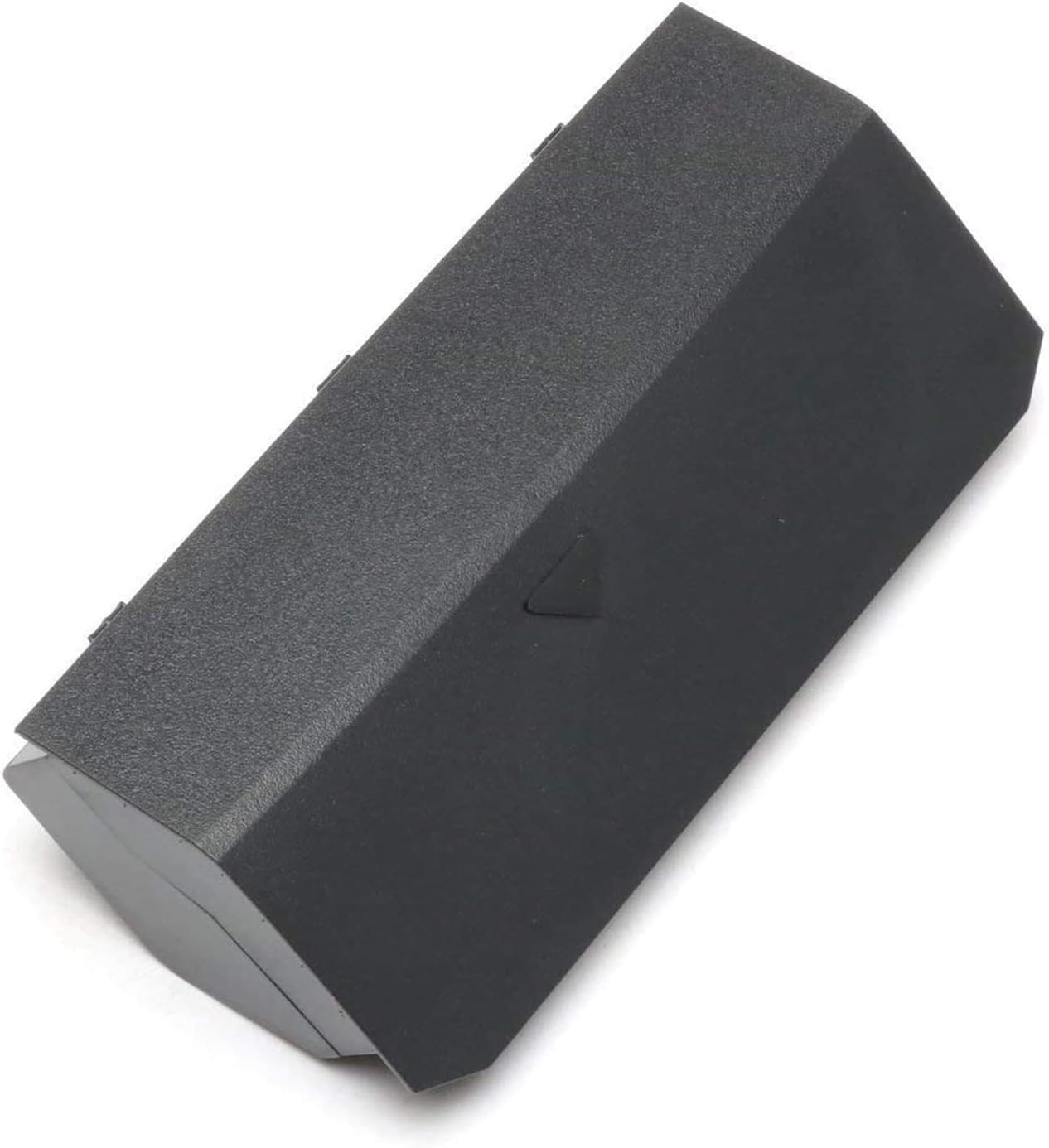
Image 2: Angled view of the Hubei A42-G750 Laptop Battery, showing its form factor.
Operating Instructions
To maximize the lifespan and performance of your new battery:
- First Use: Fully charge the battery before using it for the first time.
- Regular Use: For optimal battery health, avoid frequently discharging the battery completely. It is generally recommended to keep the charge level between 20% and 80%.
- Calibration: Periodically (every 2-3 months), allow the battery to discharge completely until the laptop shuts down, then fully recharge it without interruption. This helps calibrate the battery's charge indicator.
- Storage: If storing the laptop or battery for an extended period, ensure the battery is charged to approximately 50-60% and stored in a cool, dry place.
Maintenance
Proper maintenance can extend your battery's life:
- Temperature Control: Avoid exposing your laptop and battery to extreme temperatures, both hot and cold. High temperatures can degrade battery performance and lifespan.
- Clean Contacts: Periodically inspect and gently clean the battery contacts on both the battery and the laptop with a dry, lint-free cloth to ensure good connection.
- Software Updates: Keep your laptop's operating system and drivers updated, as power management features can be improved with software updates.
Troubleshooting
If you encounter issues with your battery, try the following:
- Battery Not Charging:
- Ensure the AC adapter is properly connected to both the laptop and a working power outlet.
- Try re-seating the battery in its compartment to ensure a firm connection.
- Check if the AC adapter itself is functioning correctly (e.g., try with another compatible adapter if available).
- Update or reinstall battery drivers in your laptop's Device Manager.
- Battery Not Recognized:
- Perform a hard reset: Disconnect AC adapter, remove battery, hold power button for 15-20 seconds, then reinsert battery and reconnect AC adapter.
- Check for BIOS/UEFI updates for your laptop model.
- Short Battery Life:
- Adjust power settings in your operating system to optimize battery usage.
- Close unnecessary background applications.
- Reduce screen brightness.
- Ensure the laptop's cooling system is clean and functioning properly to prevent overheating, which can impact battery life.
Specifications
| Battery Type | Li-ion |
| Voltage | 15V |
| Capacity | 88Wh / 5900mAh |
| Cells | 8-cell |
| Color | Black |
| Compatible Part Numbers | A42-G750, 0B110-00200000, 0B110-00200000M |
| Compatible Laptop Models | ASUS ROG G750 G750J G750JH G750JM G750JS G750JW G750JX G750JY G750JZ G750JX4700 G750Y47JX-BL Series ASUS ROG GFX70 GFX70J GFX70JZ GFX70JS GFX70JZ4710 GFX70JZ4860 Series ASUS G750JH Series: G750JH-1A, G750JH-DB71, G750JH-T4080H, G750JH-T4032H, G750JH-T4106H, G750JH-T4180H, G750JH-T4181H, G750JH-T4138H, G750JH-T4060H, G750JH-T4050H, G750JH-T4092H, G750JH-T4053H, G750JH-T4103H, G750JH-T4071H, G750JH-T4030H, G750JH-DB72-CA, G750JH-T4086D, G750JH-T4170H, G750JH-T4100 ASUS G750JM Series: G750JM-DS71, G750JM-BSI7N23, G750JM-BSI7N24, G750JM-T4014H, G750JM-T4031H, G750JM-T4049H, G750JM-T4099H, G750JM-T4001H, G750JM-T4051H, G750JM-T4056H, G750JM-T4039H, G750JM-T4110H, G750JM-T4109H, G750JM-T4153H, G750JM-T4105H, G750JM-T4103H, G750JM-T4121H, G750JM-RB71-CB ASUS G750JS Series: G750JS-RS71, G750JS-DS71, G750JS-TS71, G750JS-T4022H, G750JS-T4193H, G750JS-T4008H, G750JS-T4003H, G750JS-T4147H, G750JS-T4054H, G750JS-T4064H, G750JS-T4151H, G750JS-T4121H, G750JS-T4190H, G750JS-T4228, G750JS-T4069H, G750JS-T4068H, G750JS-T4129H, G750JS-T4015H, G750JS-T4154H, G750JS-T4078H, G750JS-T4022H, G750JS-T4023H ASUS G750JW Series: G750JW-DB71, G750JW-NH71, G750JW-BBI7N05, G750JW-RB71-CB, G750JW-RS72-CB ASUS G750JX Series: G750JX-DB71, G750JX-RB71, G750JX-TB71, G750JX-T4070H, G750JX-T4052H, G750JX-T4059H, G750JX-T4032H, G750JX-T4041H, G750JX-T4061H, G750JX-T4035H, G750JX-T4144H, G750JX-T4133H, G750JX-T4191H, G750JX-T4167H, G750JX-T4195H, G750JX-T4179H, G750JX-T4145H, G750JX-T4166H, G750JX-T4201H, G750JX-T4246H, G750JX-T4279H, G750JX-T4215H ASUS G750JY Series: G750JY-T4026H, G750JY-T4044H, G750JY-T4013P, G750JY-T4010H, G750JY-T4023H, G750JY-T4051H, G750JY-T4003H, G750JY-T4033H, G750JY-T4036D, G750JY-T4049H, G750JY-T4020P, G750JY-T4009H, G750JY-T4028H, G750JY-T4009H-BE ASUS G750JZ Series: G750JZ-DS71, G750JZ-XS72, G750JZ-T4023H, G750JZ-T4105H, G750JZ-T4030H, G750JZ-T4089H, G750JZ-T4103H, G750JZ-T4017H |
| Item Weight | 1.05 pounds |
| Package Dimensions | 7.32 x 4.88 x 1.89 inches |
| Manufacturer | Dongguan jiataiyuan electronics Co.,Ltd |
| Certifications | CE-/FCC-/RoHS-Certified |
Warranty and Support
Your Hubei A42-G750 Laptop Battery Replacement comes with the following:
- 12 Months Warranty: Covers manufacturing defects and performance issues under normal use.
- 30 Days REFUND Guarantee: For returns within 30 days of purchase.
- 24 x 7 Email Support: For technical assistance and inquiries.
For support, please contact the manufacturer, Dongguan jiataiyuan electronics Co.,Ltd, via the contact information provided at your point of purchase or on the product packaging.
Documents and downloads
Ask a question about this manual
Ask about setup, troubleshooting, compatibility, parts, safety, or missing instructions. Manuals+ will review the question and use this page’s manual context to help answer it.