
1. Important Safety Instructions
Please read all instructions carefully before assembling and using the HAMMER Cobra 4532 XTR Plus II Rower. Retain this manual for future reference. Failure to follow these instructions may result in injury or damage to the equipment.
- Consult a physician before starting any new exercise program.
- Ensure the rower is placed on a flat, stable surface with adequate clearance around it.
- Keep children and pets away from the equipment during use.
- Regularly inspect the rower for wear and tear, especially cables, straps, and moving parts. Do not use if damaged.
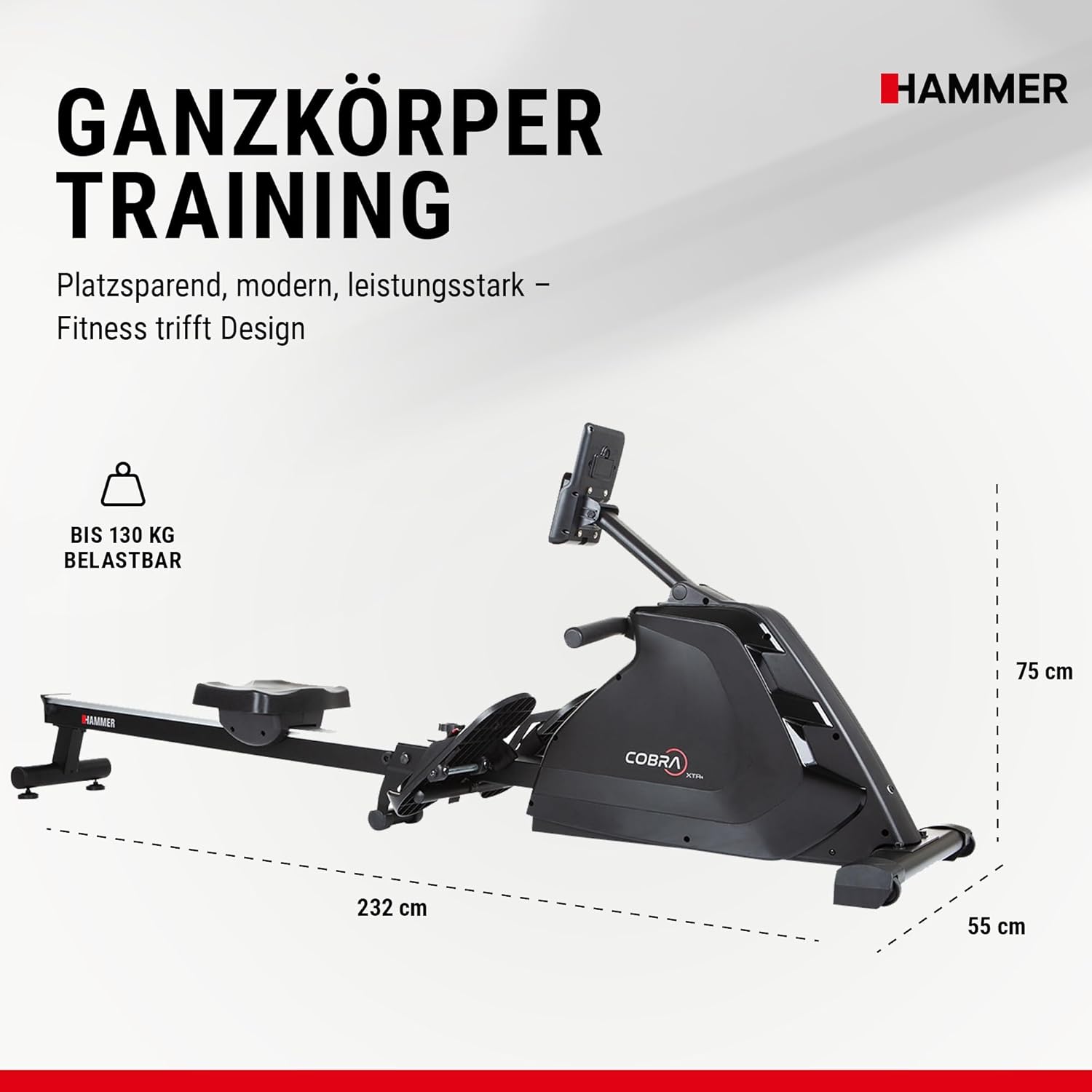
- Do not exceed the maximum user weight of 130 kg (286 lbs).
- Wear appropriate athletic footwear and clothing during exercise.
- Stop exercising immediately if you feel faint, dizzy, or experience pain.
2. Product Overview
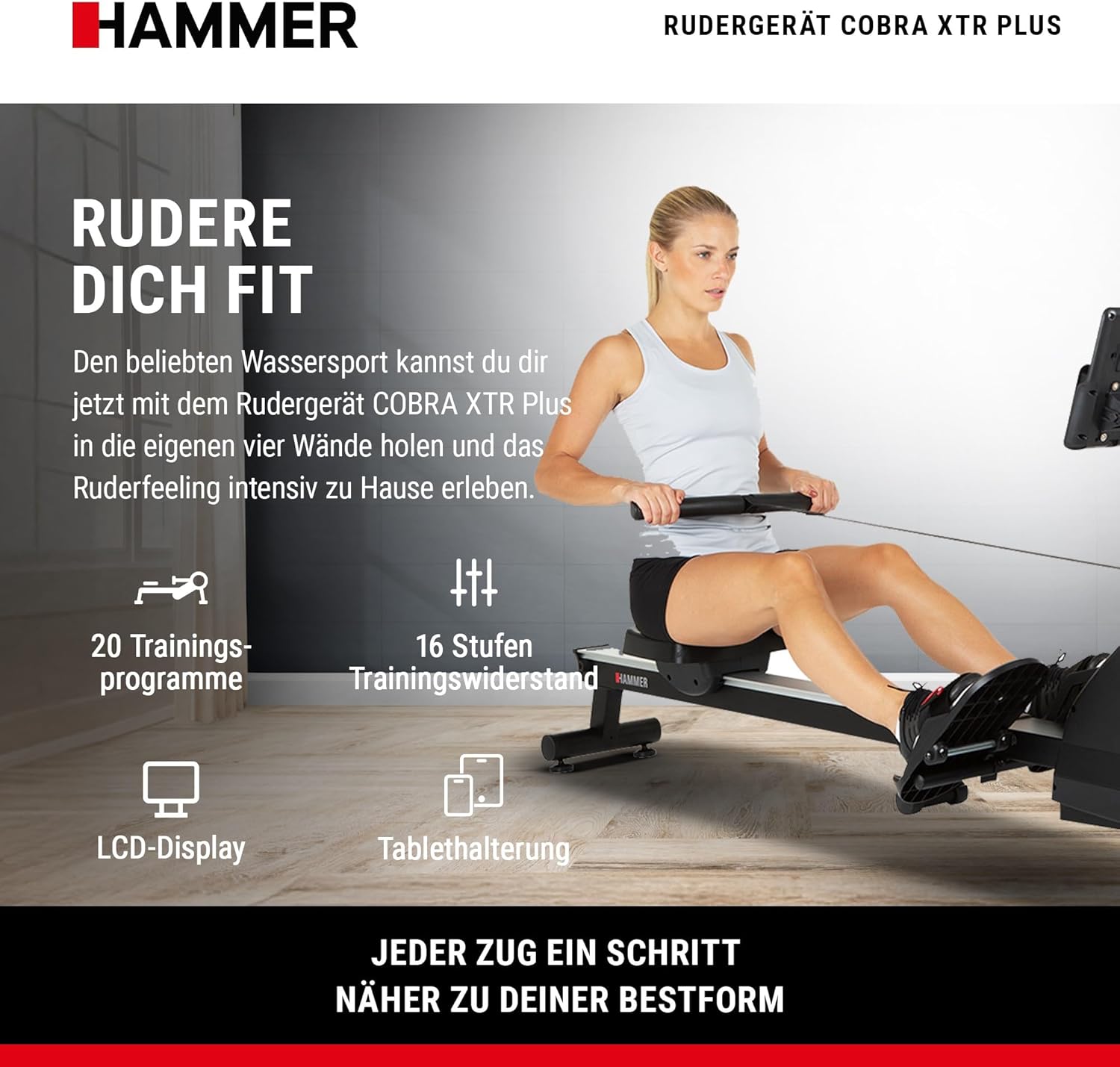
The HAMMER Cobra 4532 XTR Plus II Rower is designed for comprehensive full-body workouts at home. It engages multiple muscle groups simultaneously, enhancing cardiovascular fitness, endurance, and muscle strength. The rower features an advanced training computer, interactive app compatibility, and a space-saving folding design.
3. Setup and Assembly
3.1 Unpacking
Carefully remove all components from the packaging. Place them on a clean, flat surface. Check the contents against the parts list (not provided in this manual, refer to your product packaging for a complete list).
3.2 Component Identification
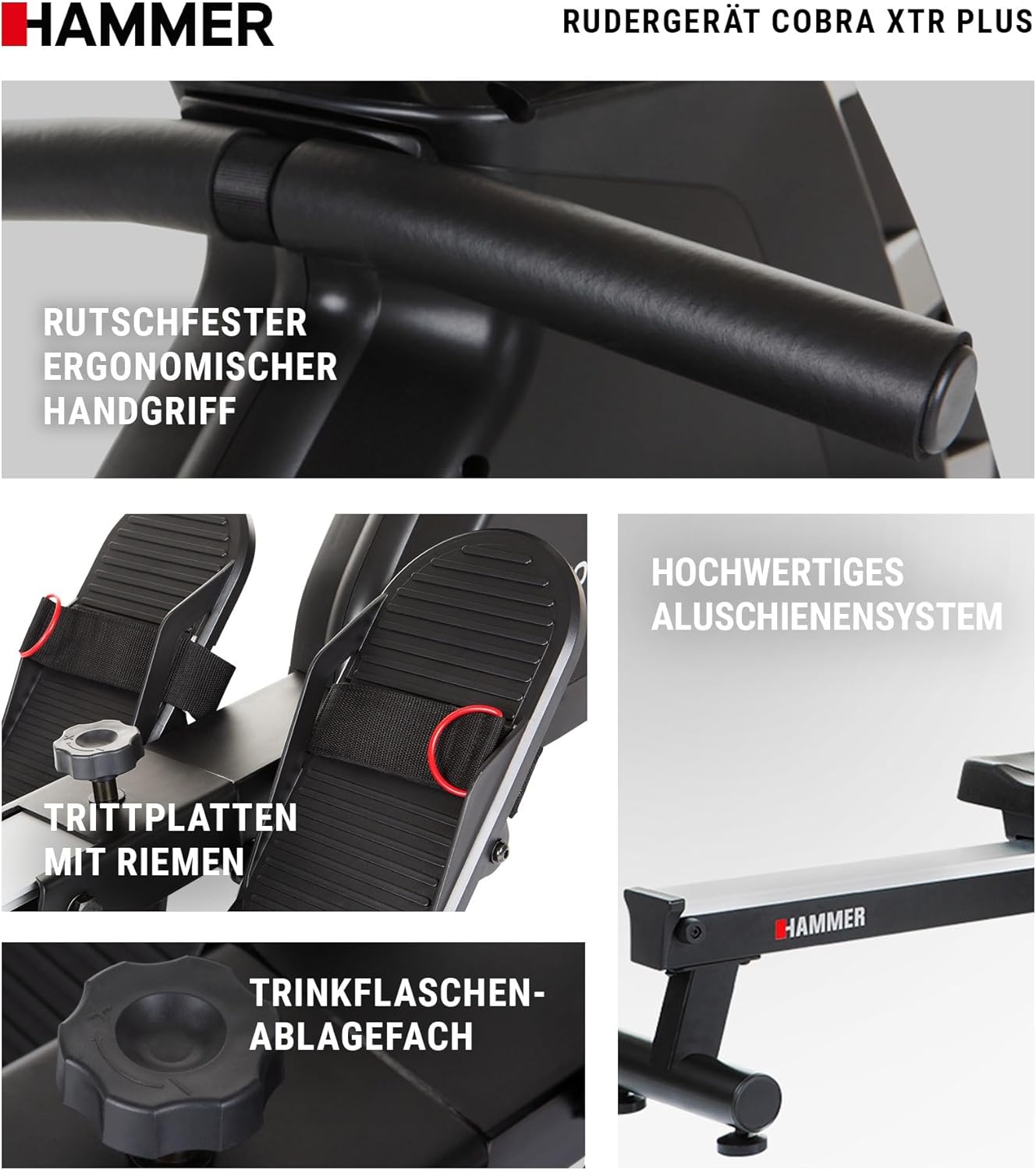
Familiarize yourself with the main components, including the main frame, seat, footplates, handle, and training computer.
3.3 Assembly Steps
While specific assembly steps are not detailed here, general assembly typically involves:
- Attaching the main rail to the front stabilizer.
- Mounting the seat onto the rail.
- Securing the footplates.
- Connecting the handle and resistance mechanism.
- Installing the training computer and its holder.
Ensure all bolts and screws are tightened securely before use. Refer to the detailed assembly instructions included in your product packaging.
4. Operating Your Rower
4.1 Understanding the Training Computer
The integrated LCD training computer provides real-time feedback on your workout. It tracks various metrics to help you monitor your progress and optimize your training.

- LCD Display: Clear screen with blue backlight for easy readability.
- Metrics Displayed: Distance, Calorie Consumption, Heart Rate, Resistance Level, Training Time.
- User Profiles: Supports up to 5 individual user profiles for personalized tracking.
- Controls: Features a 'Push & Turn' knob for easy navigation and selection.
4.2 Training Programs
The rower offers a variety of pre-set training programs to keep your workouts engaging and effective.
- Total Programs: 20 diverse training programs.
- Pulse Programs: Includes 4 heart rate-controlled programs to target specific training zones.
- Resistance Levels: 16 adjustable levels of training resistance.

4.3 Interactive Training with Apps
Enhance your training experience by connecting your smartphone or tablet to the rower. The integrated holder supports interactive fitness applications.

- Smartphone/Tablet Holder: Securely holds your device for easy viewing.
- App Compatibility: Compatible with popular fitness apps such as BitGym, Kinomap, and HAMMER Workouts for virtual rowing experiences and varied training.
4.4 Heart Rate Monitoring
The training computer includes an integrated heart rate receiver, allowing you to monitor your pulse during workouts. This is crucial for targeted training, whether for endurance, fat burning, or cardiovascular health.

5. Care and Maintenance
Regular maintenance ensures the longevity and safe operation of your rower.
- Cleaning: Wipe down the rower with a damp cloth after each use to remove sweat and dust. Avoid abrasive cleaners.
- Inspection: Periodically check all bolts, nuts, and moving parts for tightness and wear. Tighten any loose fasteners.
- Rail System: Keep the aluminum rail system clean and free of debris to ensure smooth seat movement.
- Lubrication: Consult your product's specific manual for any recommended lubrication points and schedules.
6. Storage
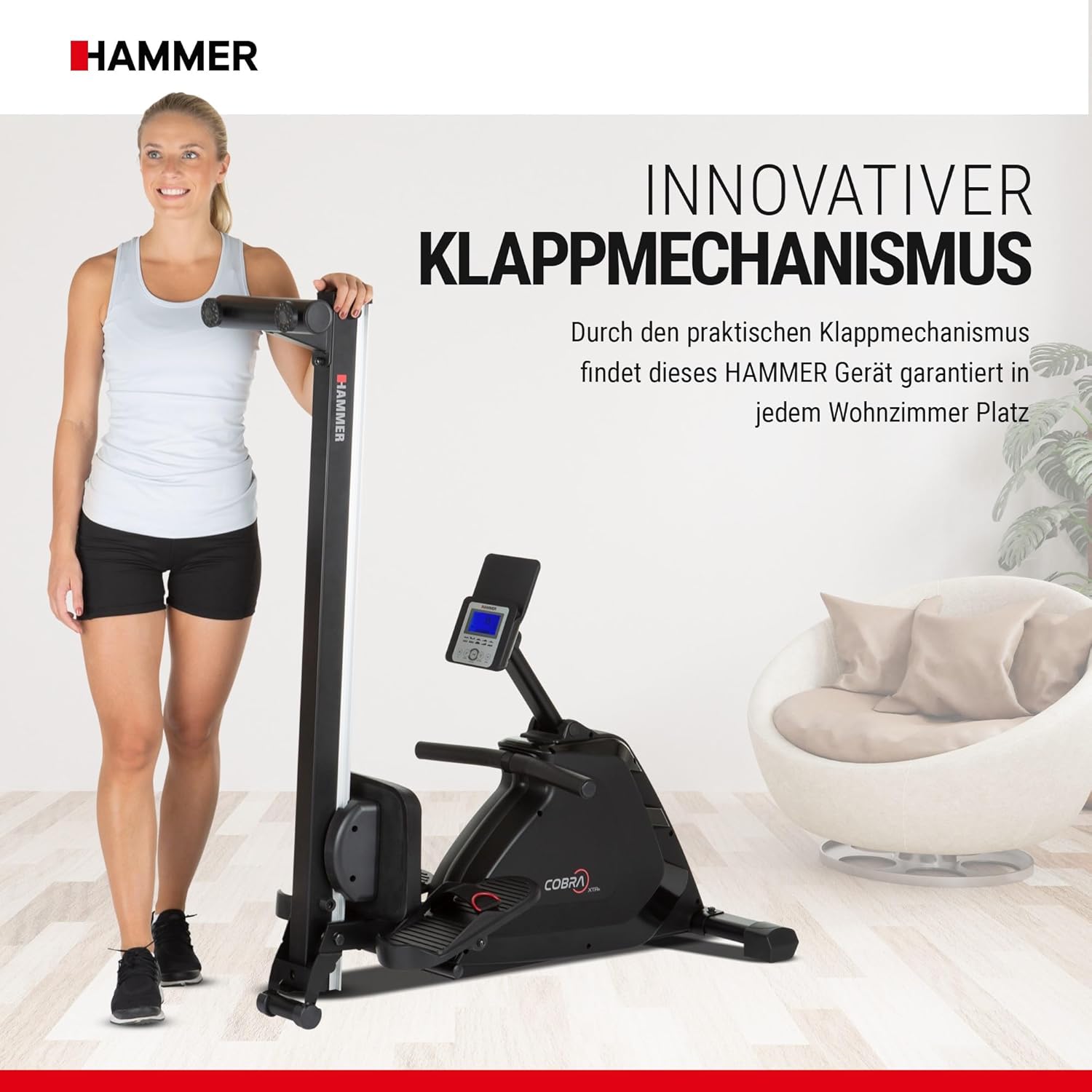
The HAMMER Cobra 4532 XTR Plus II Rower features an innovative folding mechanism for convenient, space-saving storage.
- Folding: After your workout, the rail can be easily folded upwards.
- Transport: Utilize the integrated transport rollers for easy relocation.
- Placement: Store the rower in a dry, clean area away from direct sunlight and extreme temperatures.
7. Troubleshooting Guide
This section addresses common issues you might encounter with your rower.
| Problem | Possible Cause | Solution |
|---|---|---|
| Training computer does not turn on. | Batteries are dead or incorrectly installed. | Check battery orientation or replace with new AA batteries. |
| Inconsistent or no resistance. | Resistance mechanism issue or cable detachment. | Inspect the resistance cable connection. If the issue persists, contact customer support. |
| Seat does not slide smoothly. | Rail system is dirty or damaged. | Clean the rail system thoroughly. Check for any obstructions or damage to the rollers. |
| Heart rate reading is inaccurate or absent. | Heart rate sensor not properly positioned or external interference. | Ensure the heart rate sensor (if external) is correctly worn. Minimize interference from other electronic devices. |
8. Technical Specifications
| Feature | Specification |
|---|---|
| Model Name | Cobra XTR II Plus |
| Model Number | 4532 |
| Brand | HAMMER |
| Color | Black |
| Dimensions (L x W x H) | 232 x 55 x 75 cm (91.3 x 21.7 x 29.5 inches) |
| Item Weight | 34 Kilograms (75 lbs) |
| Maximum User Weight | 130 Kilograms (286 lbs) |
| Frame Material | Alloy Steel |
| Resistance Mechanism | Water (implied by product description, though 'Eau' is also listed as resistance mechanism in specs) |
| Resistance Levels | Adjustable (16 levels) |
| Display Type | LCD |
| Meter Functions | Heart Rate, Time, Distance, Calories, Resistance Level |
| Power Source | Electric (for computer) / AA Batteries required |
| Special Features | Interactive training decision, Folding mechanism, Smartphone/Tablet holder |
9. Warranty Information
HAMMER products are manufactured with high-quality materials and undergo strict quality control. For specific warranty terms and conditions, please refer to the warranty card included with your product or visit the official HAMMER website. Keep your proof of purchase for any warranty claims.
10. Customer Support
Should you have any questions, require assistance with assembly, operation, or maintenance, or need to report a defect, please contact HAMMER customer support. Contact details can typically be found on the manufacturer's website or in the product packaging.
