
Important Safety Instructions
Please read all instructions carefully before using this heater. Failure to follow these instructions may result in fire, electric shock, injury, or property damage. Keep this manual for future reference.
- Do not operate any heater with a damaged cord or plug, or after the heater malfunctions or has been dropped or damaged in any manner.
- Do not use outdoors or in wet locations. This heater is designed for outdoor use but must be protected from direct water exposure.
- Always plug heaters directly into a wall outlet/receptacle. Never use with an extension cord or relocatable power tap (outlet/power strip).
- Keep combustible materials, such as furniture, pillows, bedding, papers, clothes, and curtains at least 3 feet (0.9 meters) from the front of the heater and keep them away from the sides and rear.
- Extreme caution is necessary when any heater is used by or near children or invalids and whenever the heater is left operating and unattended.
- Do not insert or allow foreign objects to enter any ventilation or exhaust opening as this may cause an electric shock or fire, or damage the heater.
- To prevent a possible fire, do not block air intakes or exhaust in any manner. Do not use on soft surfaces, like a bed, where openings may become blocked.
- This heater includes a Tip-Over Protection feature that automatically shuts off the unit if it is accidentally knocked over.
Product Overview
The TRUSTECH KPT-91H is an electric outdoor heater designed to provide warmth efficiently. It features multiple heating modes, oscillation, and safety functions for user convenience and protection.
Key Features:
- Three Heating Modes: 1500W High Heat, 750W Low Heat, and ECO Energy-Saving Mode.
- 45° Auto Oscillation for even heat distribution.
- Fast Heating capability with adjustable temperature from 59°F to 86°F.
- Remote Control and LED Touch Control Panel for easy operation.
- Tip-Over Protection for enhanced safety.
- Quiet operation and a 12-hour timer function.
Control Panel Layout:

A close-up view of the LED touch control panel, showing the LED display and buttons for 'Temp up', 'Temp down', 'On/Off', 'Mode button', 'Oscillating', and 'Timer' functions.
Setup
- Unpacking: Carefully remove the heater from its packaging. Retain the packaging for storage or if the unit needs to be returned.
- Placement: Place the heater on a firm, level surface. Ensure there are no obstructions within 3 feet (0.9 meters) of the front, sides, and rear of the heater to allow for proper airflow and prevent fire hazards. Do not place the heater directly under a power outlet.
- Power Connection: Ensure the heater is switched off before plugging it into a standard 120V AC electrical outlet. Do not use an extension cord.
Operating Instructions
1. Power On/Off
Press the On/Off button on the control panel or the remote control to turn the heater on or off.
2. Mode Selection
Press the Mode button to cycle through the available heating modes:
- High Heat (1500W): Provides maximum heating output.
- Low Heat (750W): Provides moderate heating output.
- ECO Mode: Energy-saving mode that adjusts heating output based on the ambient temperature to maintain a set temperature efficiently.

This image illustrates the three operational modes of the TRUSTECH KPT-91H heater: High Heat (1500W), Low Heat (750W), and an Energy-Saving ECO mode, allowing users to select the appropriate heating level for their environment.
3. Temperature Setting
Use the Temp Up and Temp Down buttons on the control panel or remote to set your desired temperature between 59°F and 86°F.
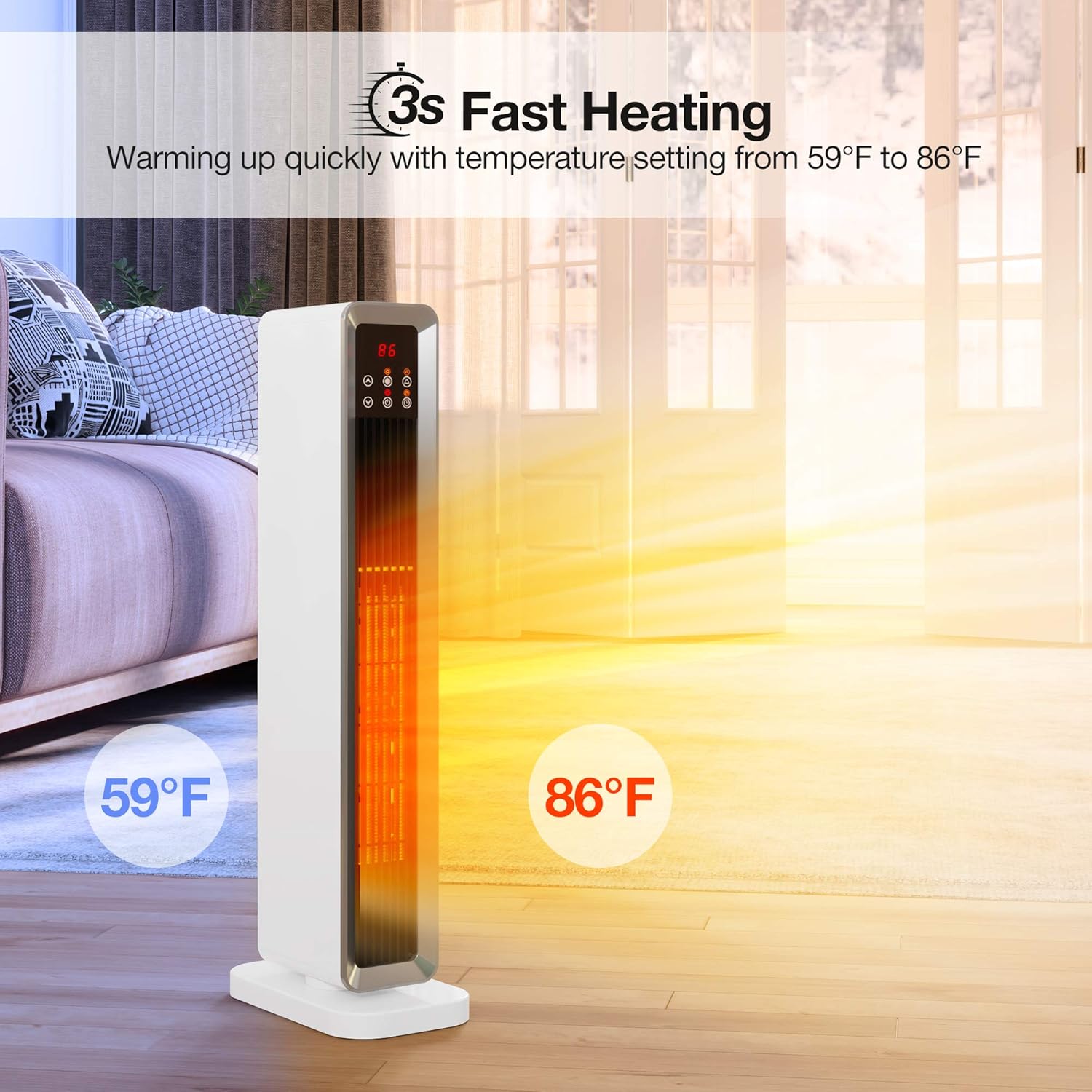
This image highlights the heater's rapid heating capability, reaching desired temperatures quickly. Users can set the temperature between 59°F and 86°F for personalized comfort.
4. Oscillation Function
Press the Oscillating button to activate the 45° auto oscillation feature. This function helps distribute warm air more broadly across the area.
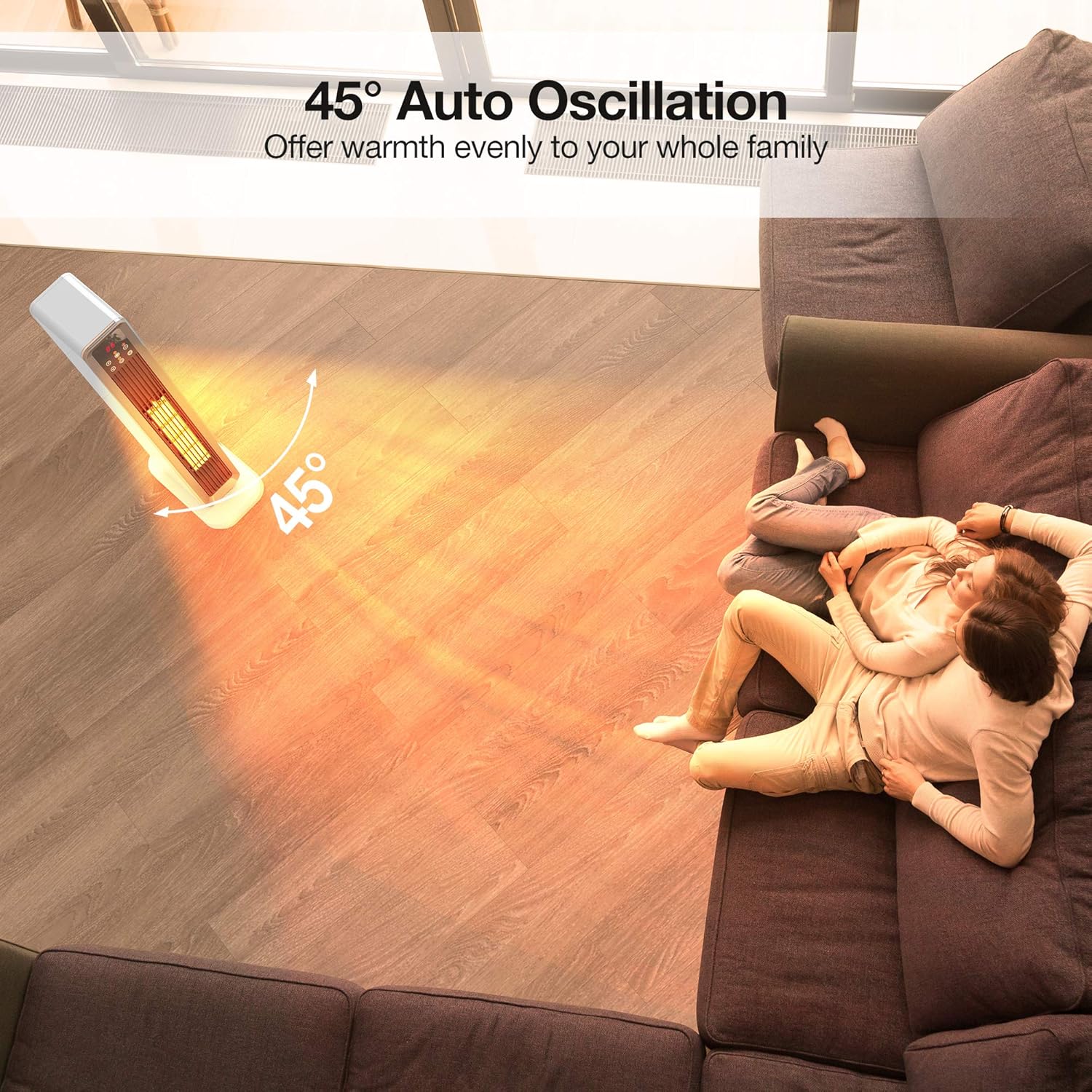
The heater features a 45-degree auto oscillation function, designed to distribute warmth evenly across a wider area, ensuring consistent heating throughout the space.
5. Timer Function
Press the Timer button to set the automatic shut-off timer. The timer can be set for up to 12 hours.

This image illustrates the heater's 12-hour timer function, allowing users to schedule operation. It also emphasizes its quiet operation, with noise levels below 48dB, suitable for use during sleep or work.
6. Remote Control
The included remote control allows you to operate all functions of the heater from a distance. Ensure the remote has working batteries and is pointed towards the heater's control panel.

The heater can be controlled via its intuitive LED touch control panel or the included remote control, offering convenient operation from a distance.
7. Tip-Over Protection
The heater is equipped with a safety switch that automatically turns off the unit if it is tilted or knocked over. If this occurs, place the heater upright on a stable surface, and it will resume operation.

For enhanced safety, the heater is equipped with tip-over protection. If the unit is accidentally knocked over, it will automatically shut off to prevent hazards.
Maintenance
Cleaning:
- Always unplug the heater from the power outlet and allow it to cool completely before cleaning.
- Use a soft, damp cloth to wipe the exterior surfaces of the heater. Do not use abrasive cleaners or solvents.
- Do not immerse the heater in water or allow water to drip into the interior of the heater.
- Periodically clean the air intake and exhaust grilles with a vacuum cleaner attachment to remove dust and lint.
Storage:
When not in use, store the heater in its original packaging in a cool, dry place, away from direct sunlight and moisture.
Troubleshooting
| Problem | Possible Cause | Solution |
|---|---|---|
| Heater does not turn on. | No power supply. Tip-over switch activated. Overheat protection activated. | Ensure the heater is plugged into a working outlet. Place the heater on a firm, level surface. Unplug the heater, let it cool for 10 minutes, then plug it back in. |
| No heat output. | Low heat mode selected. Temperature setting too low. | Switch to High Heat mode. Increase the temperature setting. |
| Unusual noise. | Dust or debris in fan. Unit not on a stable surface. | Unplug and clean the air grilles. Ensure the heater is on a flat, stable surface. |
If the problem persists after attempting these solutions, please contact customer support.
Specifications
| Brand | TRUSTECH |
| Model Number | KPT-91H |
| Special Feature | Energy Efficient, Portable, Tip-Over Protection |
| Color | White |
| Form Factor | Dish |
| Indoor/Outdoor Usage | Outdoor |
| Recommended Uses | Outdoor |
| Mounting Type | Floor Mount |
| Room Type | Living Room, Patio |
| Burner Type | Radiant |
| Heat Output | 1500 Watts |
| Fuel Type | Electric |
| Voltage | 120 Volts |
| Package Dimensions | 26.1 x 11.85 x 7.2 inches |
| Item Weight | 7.39 pounds |
Warranty and Support
For warranty information or technical support, please refer to the warranty card included with your product or contact TRUSTECH customer service. Keep your purchase receipt as proof of purchase.
Contact information for support can typically be found on the manufacturer's website or on the product packaging.


