
Introduction
The Canyon CNS-SW82BB Smartwatch is a sports-oriented device designed to track various fitness activities. It features a durable, waterproof case, a round full-touch display, GPS tracking, an IP68 water resistance rating, a heart rate sensor, and an accelerometer. The watch supports tracking for multiple sports, including swimming. Data can be shared with platforms like Strava, and it provides weather forecasts. The Canyon Life App facilitates synchronization with a smartphone, storing daily statistics and delivering notifications. The device is equipped with a battery offering up to 5 days of operation on a single charge.
Setup
1. Unboxing
Carefully remove all components from the packaging. Ensure the following items are present:
- Canyon CNS-SW82BB Smartwatch
- Charging cable
- User Manual (this document)
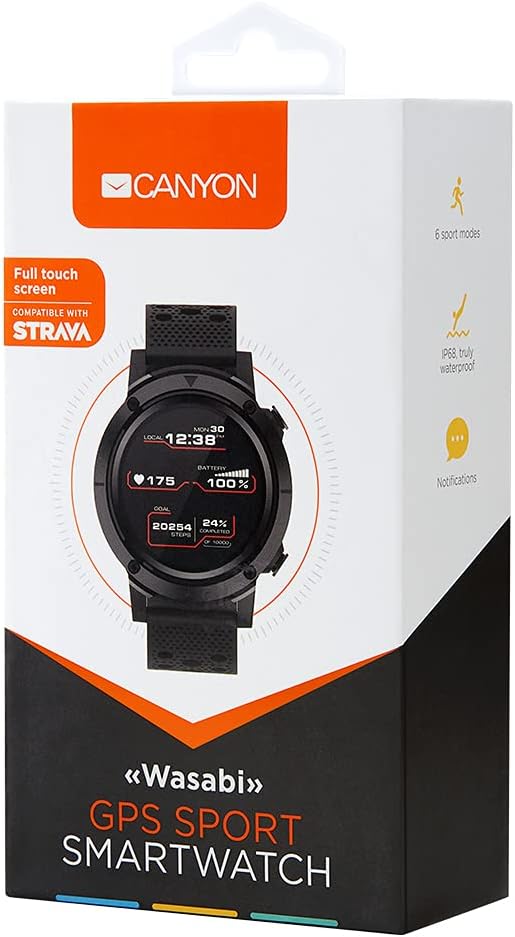
Image: The retail packaging for the Canyon CNS-SW82BB Smartwatch, displaying the watch face and key features like 'Full touch screen' and 'Compatible with Strava'.
2. Initial Charging
Before first use, fully charge your smartwatch. Connect the charging cable to the watch's charging port and plug the other end into a USB power adapter (not included) or a computer's USB port. The watch features wireless charging capability. A full charge typically provides up to 5 days of battery life, depending on usage.
3. App Installation and Pairing
To unlock the full functionality of your smartwatch, install the Canyon Life App on your smartphone. The app is compatible with both iOS and Android operating systems.
- Download the Canyon Life App from your smartphone's app store (Apple App Store for iOS or Google Play Store for Android).
- Ensure Bluetooth is enabled on your smartphone.
- Open the Canyon Life App and follow the on-screen instructions to create an account or log in.
- Select 'Add Device' or a similar option within the app to search for your CNS-SW82BB Smartwatch.
- Confirm the pairing request on both your smartphone and the smartwatch.
Operating Instructions
1. Basic Navigation
The CNS-SW82BB Smartwatch features a full-touch display for navigation. Swipe across the screen to access different menus and functions. Press the side button to return to the main watch face or to power on/off the device.

Image: Front view of the Canyon CNS-SW82BB Smartwatch, displaying the time, heart rate, battery level, and step goal on its circular screen.
2. Key Features
- GPS Tracking: The integrated GPS allows for accurate tracking of outdoor activities without needing your phone.
- Heart Rate Sensor: Monitors your heart rate throughout the day and during workouts.
- Accelerometer: Tracks steps, distance, and calories burned.
- Multi-Sport Modes: Select from various sports modes, including running, cycling, and swimming, for tailored tracking.
- Notifications: Receive call, message, and app notifications directly on your watch when connected to your smartphone.
- Weather Forecasts: Get current weather information on your wrist.
- Strava Integration: Share your activity data directly to the Strava platform via the Canyon Life App.
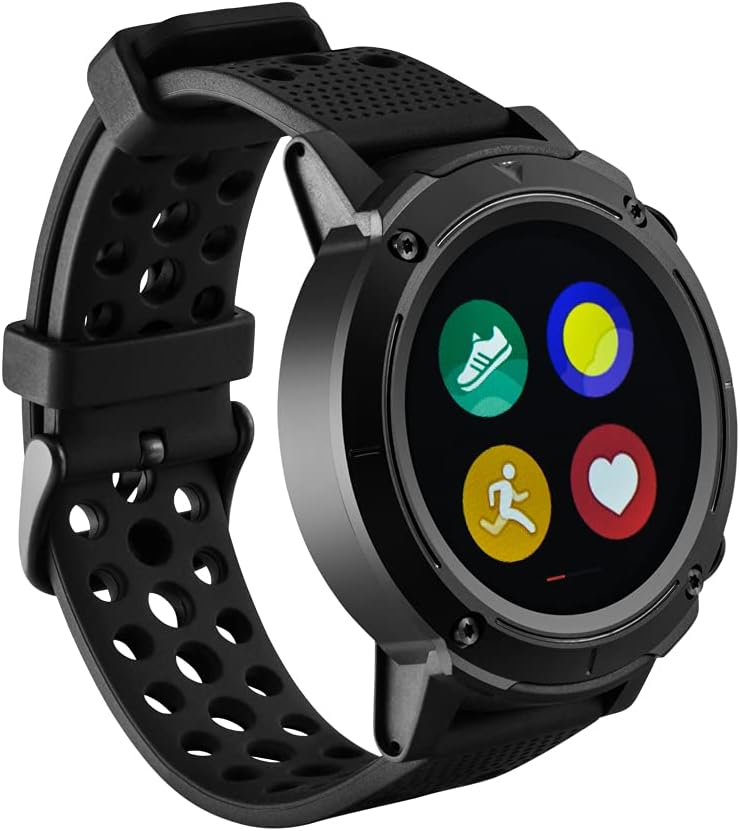
Image: Angled view of the Canyon CNS-SW82BB Smartwatch, showing various activity icons on its screen, representing different sports modes or applications.
3. Canyon Life App Synchronization
The Canyon Life App serves as the central hub for your smartwatch data. It automatically synchronizes daily statistics, including steps, distance, calories, and sleep patterns. You can view detailed activity history, set goals, and customize watch settings through the app.
Maintenance
1. Cleaning
To maintain the appearance and functionality of your smartwatch, regularly clean the device. Use a soft, damp cloth to wipe the screen and strap. Avoid using harsh chemicals or abrasive materials, as these can damage the watch.
2. Water Resistance (IP68)
The CNS-SW82BB Smartwatch has an IP68 water resistance rating, meaning it is protected against dust ingress and can withstand immersion in water up to 1.5 meters for 30 minutes. It is suitable for swimming and showering but should not be used for diving or high-pressure water activities.
3. Battery Care
To prolong battery life, avoid exposing the watch to extreme temperatures. Charge the device regularly, but avoid leaving it fully discharged for extended periods. The battery capacity is 500 mAh.
Troubleshooting
If you encounter issues with your Canyon CNS-SW82BB Smartwatch, refer to the following common solutions:
| Problem | Solution |
|---|---|
| Watch does not turn on | Ensure the watch is fully charged. Connect it to the charger for at least 30 minutes. |
| Cannot pair with smartphone | Check that Bluetooth is enabled on your phone and the watch. Restart both devices and try pairing again through the Canyon Life App. Ensure the app is updated to the latest version. |
| Inaccurate heart rate or step data | Ensure the watch is worn snugly on your wrist, about one finger's width above the wrist bone. Clean the sensor on the back of the watch. |
| Notifications not received | Verify that notifications are enabled in both your phone's settings and the Canyon Life App. Ensure the watch is connected via Bluetooth. |

Image: Rear view of the Canyon CNS-SW82BB Smartwatch, showing the optical heart rate sensor and charging contacts, along with the model number CNS-SW82BB.
Specifications
| Feature | Detail |
|---|---|
| Brand | CANYON |
| Model Name | CNS-SW82BB |
| Item Model Number | 13960698 |
| Color | Black |
| Screen Size | 1.3 Inches |
| Resolution | 240 x 240 Pixels |
| Shape | Round |
| Main Material | Polyurethane (PU) |
| Power Source | Battery |
| Battery Capacity | 500 milliamp_hours |
| Batteries Included | Yes |
| Special Features | Wireless charging |
| Operating System | Android, iOS |
| Connectivity Technology | Bluetooth |
| Wireless Communication Standard | Bluetooth |
| GPS | Integrated GPS |
| Water Resistance | IP68 |
| Product Dimensions (L x W x H) | 20 x 10 x 20 cm; 70 grams |
| Included Components | Canyon CNS-SW82BB |
| Age | Adult |
| Hand Orientation | Ambidextrous |
| Department | Unisex |
Warranty and Support
For warranty information or technical support, please refer to the documentation provided with your purchase or visit the official Canyon website. Contact their customer service for assistance with product issues or inquiries.


