
1. Product Overview
The Crucial 16GB DDR4 RAM (CT16G4SFRA32A) is designed to upgrade your laptop's memory for faster performance and seamless multitasking. This 16GB DDR4 SODIMM 260-pin module operates at 3200MHz with CL22 latency, supporting 2933MHz or 2666MHz depending on system compatibility. It is optimized for smooth multitasking, faster application loading, and efficient everyday performance. Compatible with laptops that support DDR4 memory, this module is ideal for improving system responsiveness for daily tasks like browsing, document editing, and media streaming. Built with energy efficiency in mind, this DDR4 RAM minimizes power consumption, extending battery life while delivering higher data transfer speeds. Installation is straightforward and requires no additional software, allowing for a quick and seamless upgrade. Extensive testing ensures high standards of reliability.
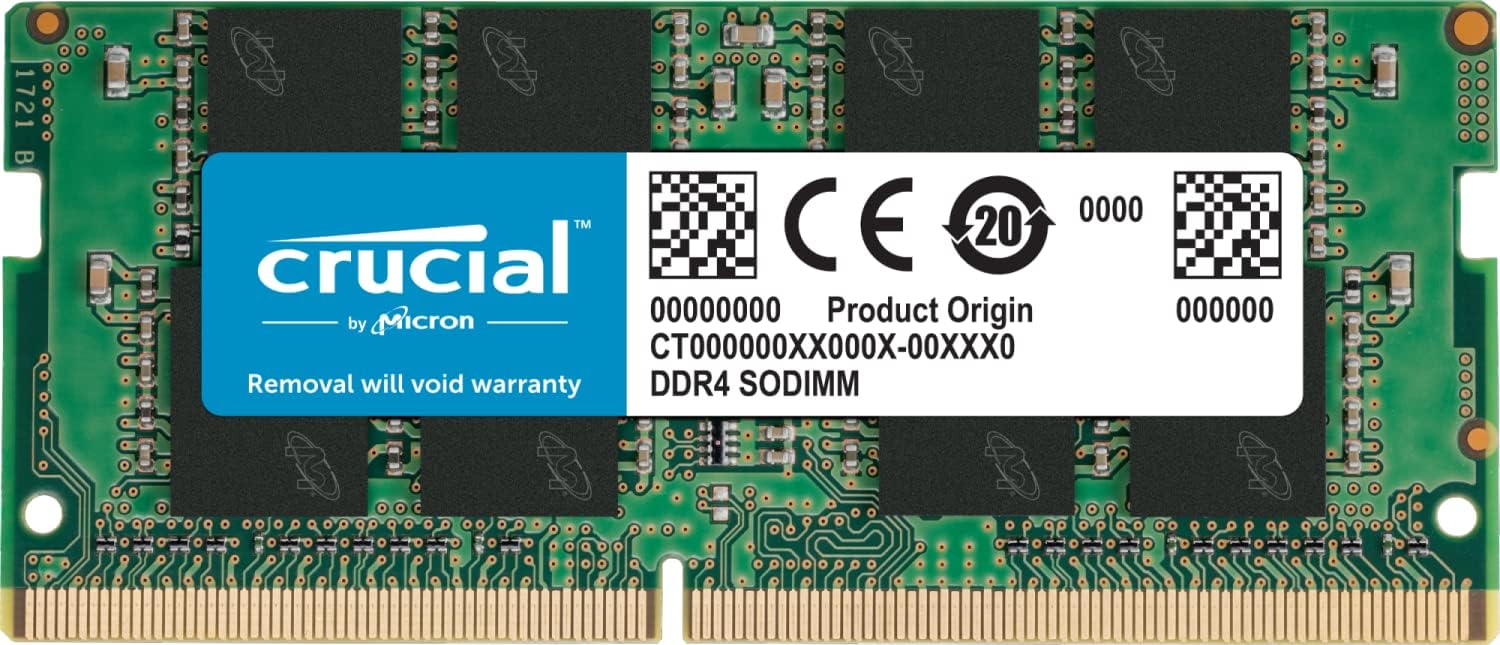
Image: Crucial 16GB DDR4 SODIMM RAM module. This image displays the compact form factor of the memory module, highlighting its label with specifications and the Crucial branding.
2. Setup and Installation
Upgrading your laptop's RAM is a straightforward process. Always ensure your laptop is powered off and disconnected from any power source before beginning. It is recommended to consult your laptop's specific service manual for detailed instructions on accessing the memory slots.
General Installation Steps:
- Prepare Your Laptop: Power down your laptop completely and remove the battery if it is external. Disconnect the power adapter.
- Access Memory Slots: Carefully open the bottom panel of your laptop to expose the internal components, including the memory slots.
- Remove Existing Modules (if applicable): If you are replacing existing RAM, gently push outwards on the clips holding the module in place. The module will pop up at an angle, allowing you to pull it out.
- Install New Module: Align the notch on the Crucial SODIMM module with the notch in the memory slot. Insert the module at a 45-degree angle, ensuring it is fully seated. Gently push down on the module until the side clips snap into place, securing it horizontally.
- Reassemble: Replace the bottom panel and secure it with screws. Reinstall the battery and reconnect the power adapter.
- Verify Installation: Power on your laptop. The system should automatically detect the new memory. You can verify the installed RAM in your operating system's system information or BIOS settings.

Image: A Crucial RAM module resting on a laptop keyboard, illustrating its size relative to a laptop.

Image: A Crucial RAM module correctly installed in a laptop's memory slot, showing the secure fit.
Installation Videos:
Video: Crucial Memory Upgrade - Dell laptop. This video demonstrates the process of upgrading memory in a Dell laptop, providing visual guidance for installation.
Video: If you need more memory on your laptop, this is a great upgrade! This video showcases the benefits and ease of upgrading laptop memory with Crucial modules.
3. Operating Instructions
Once installed, the Crucial 16GB DDR4 SODIMM module operates automatically with your laptop's system. No additional software or configuration is typically required. The memory will immediately contribute to improved system performance by:
- Enhancing Multitasking: Allows you to run more applications simultaneously without slowdowns.
- Accelerating Application Loading: Programs and files will open faster.
- Improving System Responsiveness: Overall smoother and more fluid user experience.
- Optimizing Data Transfer: Higher memory speeds (up to 3200MHz) ensure efficient data processing.
4. Maintenance
Crucial RAM modules are designed for long-term reliability and generally require minimal maintenance. To ensure optimal performance and longevity:
- Keep Laptop Clean: Regularly clean your laptop's cooling vents to prevent dust buildup, which can lead to overheating and affect component lifespan.
- Avoid Physical Damage: Handle the memory module carefully during installation. Once installed, ensure the laptop's casing is properly secured to protect internal components.
- Software Updates: Keep your operating system and drivers updated to ensure compatibility and optimal performance with your hardware.
5. Troubleshooting
If you encounter issues after installing your Crucial RAM, consider the following troubleshooting steps:
- System Not Booting/Black Screen: Ensure the RAM module is fully and correctly seated in its slot. Remove and re-insert the module, making sure the clips snap into place.
- Incorrect RAM Detected: Check your laptop's BIOS/UEFI settings to confirm the system recognizes the correct amount of RAM. If not, try re-seating the module.
- System Instability/Crashes: This could indicate a compatibility issue or a faulty module. Verify your laptop's maximum supported RAM capacity and type (DDR4, SODIMM, speed). If you installed multiple modules, try testing them one by one.
- Performance Issues: Ensure your operating system and drivers are up to date. Check for any background applications consuming excessive memory.
- Compatibility: Use the Crucial System Scanner or Crucial Upgrade Selector tools available on the Crucial website to confirm compatibility with your specific laptop model.
6. Specifications
| Brand | Crucial |
| Model Name | Crucial Memory (CT16G4SFRA32A) |
| Computer Memory Size | 16 GB |
| RAM Memory Technology | DDR4 |
| Memory Speed | 3200 MHz (also supports 2933MHz or 2666MHz) |
| Compatible Devices | Laptop |
| Additional Features | Non-ECC |
| Voltage | 1.2 Volts |
| Column Address Strobe Latency | CL22 |
| Form Factor | SO-DIMM |
| Number of Pins | 260 |
| UPC | 649528903600 |
7. Warranty and Support
The Crucial 16GB DDR4 SODIMM Laptop Memory module comes with a Limited Lifetime Warranty. For detailed warranty terms and conditions, please refer to the official Crucial website or contact their customer support.
For technical assistance, compatibility checks, or further support, please visit the official Crucial support page. You can often find step-by-step guides and a system scanner tool to ensure optimal performance and compatibility for your specific device.


