Introduction
Thank you for choosing the Celebrat A18 Extra Bass Wireless Headphones. This manual provides essential information for the safe and efficient use of your new headphones. Please read it thoroughly before use and retain it for future reference.
Product Overview
The Celebrat A18 headphones offer high-quality wireless audio with extra bass, featuring a built-in high-definition microphone for clear calls. Their scalable design ensures comfort, and the 3.5mm audio interface allows for both wireless and wired connectivity.
Headphone Components
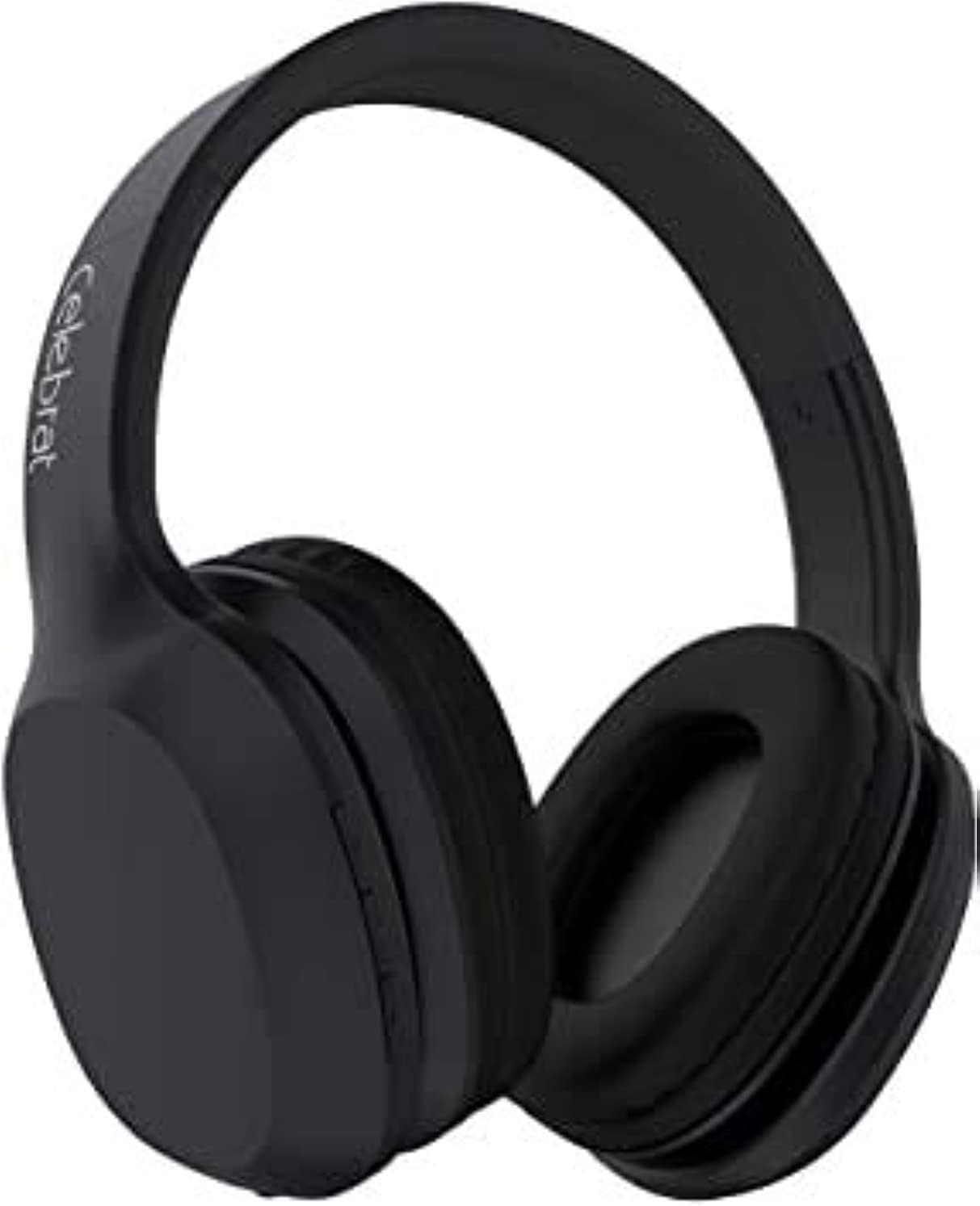
Figure 1: Front-side view of the Celebrat A18 Wireless Headphones, showcasing the overall design and earcups.

Figure 2: Side view of the Celebrat A18 Wireless Headphones, highlighting the control buttons located on the earcup.

Figure 3: View of the Celebrat A18 Wireless Headphones, illustrating the adjustable headband mechanism for a comfortable fit.
Control Functions
- Power Button: Used to power the headphones on/off and for Bluetooth pairing.
- Volume Up/Next Track: Short press for volume up, long press for next track.
- Volume Down/Previous Track: Short press for volume down, long press for previous track.
- Multi-function Button (MFB): Play/Pause music, Answer/End calls.
- Microphone: Built-in for hands-free calling.
- 3.5mm Audio Jack: For wired connection.
- Charging Port: For charging the internal battery.
Setup
Charging the Headphones
Before first use, fully charge the headphones. The battery capacity is 300mAh.
- Connect the charging cable to the charging port on the headphones.
- Connect the other end of the cable to a USB power source (e.g., computer USB port, USB wall adapter).
- The indicator light will illuminate during charging.
- Charging typically takes 2-3 hours. The indicator light will change or turn off once charging is complete.
Bluetooth Pairing
To connect your headphones wirelessly to a device:
- Ensure the headphones are fully charged.
- Press and hold the Power Button until the indicator light flashes, indicating pairing mode.
- On your device (smartphone, tablet, computer), enable Bluetooth.
- Search for available Bluetooth devices. The headphones should appear as "Celebrat A18" or similar.
- Select the headphones from the list to connect.
- Once successfully paired, the indicator light will typically stop flashing or change color.
The Bluetooth version is v5.0, offering a wireless range of up to 10 meters.
Operating Instructions
Power On/Off
- Power On: Press and hold the Power Button for approximately 3 seconds.
- Power Off: Press and hold the Power Button for approximately 3-5 seconds.
Music Playback
- Play/Pause: Press the Multi-function Button once.
- Next Track: Long press the Volume Up button.
- Previous Track: Long press the Volume Down button.
- Volume Up: Short press the Volume Up button.
- Volume Down: Short press the Volume Down button.
Music playback time is approximately 8 hours on a full charge.
Call Management
- Answer Call: Press the Multi-function Button once.
- End Call: Press the Multi-function Button once during a call.
- Reject Call: Press and hold the Multi-function Button for 2 seconds.
- Redial Last Number: Double-press the Multi-function Button.
Talk time is approximately 6 hours on a full charge.
Wired Mode
The headphones can be used with a 3.5mm audio cable when the battery is depleted or for devices without Bluetooth connectivity.
- Connect one end of the 3.5mm audio cable to the headphone's 3.5mm audio jack.
- Connect the other end to your audio device's 3.5mm audio output.
- In wired mode, the headphone's battery and Bluetooth functions are bypassed.
Maintenance and Care
- Cleaning: Use a soft, dry cloth to clean the headphones. Do not use abrasive cleaners or solvents.
- Storage: Store the headphones in a cool, dry place away from direct sunlight and extreme temperatures.
- Water Exposure: Avoid exposing the headphones to water or excessive moisture.
- Battery Care: To prolong battery life, avoid fully discharging the battery frequently. Charge regularly, even if not in use for extended periods.
- Handling: Do not drop, disassemble, or attempt to repair the headphones yourself. This may void the warranty and cause damage.
Troubleshooting
| Issue | Possible Solution |
|---|---|
| Headphones do not power on. | Ensure the headphones are charged. Connect to a power source and try again after a few minutes. |
| Cannot pair with a device. | Ensure headphones are in pairing mode (flashing indicator light). Turn off and on Bluetooth on your device. Move closer to the device. Clear previous Bluetooth connections on your device. |
| No sound or low volume. | Check headphone and device volume levels. Ensure headphones are properly paired. Try playing different audio. If in wired mode, check cable connection. |
| Poor audio quality. | Move closer to the paired device to reduce interference. Ensure no obstacles are between the headphones and the device. Check audio source quality. |
| Microphone not working. | Ensure headphones are properly connected. Check microphone settings on your device. |
Specifications
| Feature | Detail |
|---|---|
| Model Name | A18 |
| Brand | Celebrat |
| Connectivity Technology | Wired, Wireless (Bluetooth v5.0) |
| Wireless Range | 10 meters |
| Battery Capacity | 300mAh |
| Charging Time | 2-3 hours |
| Music Time | Up to 8 hours |
| Talk Time | Up to 6 hours |
| Headphones Form Factor | On Ear |
| Headphones Jack | 3.5 mm Jack |
| Included Components | Ear Cushions, Headband |
| Color | Green (as per product variant) |
| Package Dimensions | 20.4 x 18.2 x 8 cm |
| Item Weight | 496 g |
Warranty and Support
The Celebrat A18 Extra Bass Wireless Headphones are designed and tested for safe use. For specific warranty details, please refer to the warranty card included with your product or contact your point of purchase. Keep your proof of purchase for any warranty claims.
For technical support or further assistance, please contact Celebrat customer service through their official website or the contact information provided with your product packaging.


