
1. Introduction
The Bellman & Symfon Page Receiver is a wearable alert device designed to keep you connected within your home, especially if you are hard of hearing or deaf. It integrates with the Bellman & Symfon Visit Smart Home System, providing distinct vibrations and LED signals for various notifications.
This portable receiver ensures you receive important alerts from your smart home system, such as a ringing doorbell, a phone call, or an alarm, allowing you to maintain independence and awareness throughout your home.
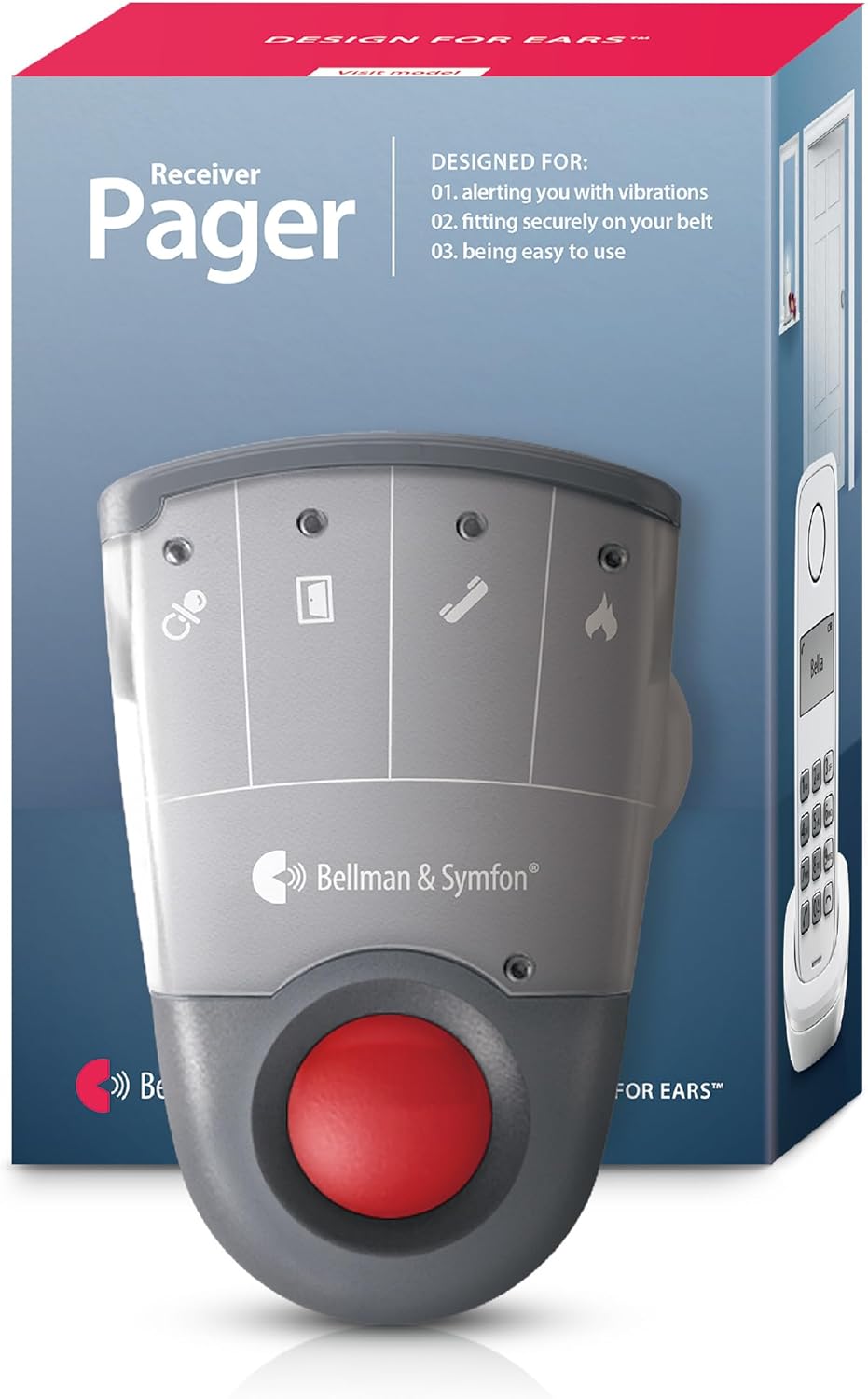
Image: The Bellman & Symfon Page Receiver, shown with its retail packaging.
2. Package Contents
Verify that all the following items are included in your package:
- Pager Receiver unit
- 1 x 1.2V Alkaline Battery
- Belt-Clip (pre-installed)
- Safety Cord
- User Manual (this document)

Image: Visual representation of the items included in the product box.
3. Setup
3.1 Battery Installation
The Pager Receiver is powered by a single 1.2V alkaline battery (included). It can operate for up to 3 weeks on a non-rechargeable alkaline battery or up to 1 week per charge on a rechargeable NiMH battery (sold separately).
- Locate the battery compartment on the back of the receiver.
- Open the compartment cover.
- Insert the 1.2V alkaline battery, ensuring correct polarity (+/-).
- Close the battery compartment cover securely.

Image: The Pager Receiver shown on an optional charger, demonstrating its battery-operated nature. Charger and bed shakers are sold separately.
3.2 Initial Pairing with Visit Transmitters
The Page Receiver wirelessly couples with Bellman & Symfon Visit transmitters (sold separately) to form your home's alerting system. It is compatible with both new and older Visit transmitters.
Refer to the specific instructions provided with your Visit transmitters for detailed pairing procedures. Generally, this involves activating the transmitter's pairing mode and then activating the receiver's pairing mode within close proximity.

Image: An overview diagram illustrating how various Visit Smart Home System components, including the Pager Receiver, can be integrated throughout a home.
4. Operating Instructions
4.1 Understanding Alerts
The Page Receiver provides alerts through a combination of distinct vibration patterns and colored LED signals. These alerts help you identify the source of the notification.
- Vibration Patterns: Different events trigger unique vibration patterns, allowing you to distinguish between a doorbell, phone call, or alarm without needing to look at the device.
- LED Signals: A colored LED will illuminate when a paired transmitter is activated. Each color corresponds to a specific event:
- Orange: Baby monitor
- Green: Doorbell
- Yellow: Telephone
- Red: Smoke alarm
- Orange and Red (alternating): Carbon monoxide alarm

Image: A hand holding the Pager Receiver, demonstrating how different vibration patterns alert the user to specific events.

Image: A close-up of the Pager Receiver highlighting the clear LED indicators for different alert types.
4.2 Buttons and Controls
Familiarize yourself with the buttons and indicators on your Page Receiver:

Image: A diagram detailing the various buttons and controls on the Pager Receiver.
- Visit LEDs: Indicate the source of the alert (e.g., doorbell, telephone).
- Label: Area for product identification.
- Belt Clip: For attaching the receiver to your clothing.
- Stop/Test Button: Press to stop an ongoing alert or to test the receiver's functionality.
- Battery LED: Indicates battery status.
- Safety Cord: Provides an additional secure attachment option.
The receiver is designed to be small, lightweight, and portable, allowing you to carry it in your pocket or on your belt for alerts anywhere in your home.

Image: The Pager Receiver shown clipped to a person's clothing, demonstrating its portability.
5. Maintenance
5.1 Battery Replacement
When the Battery LED indicates low power, replace the 1.2V alkaline battery following the steps in Section 3.1. If using a rechargeable NiMH battery, recharge it using a compatible Bellman & Symfon charger (sold separately).
5.2 Cleaning
To clean your Page Receiver, gently wipe the surface with a soft, dry cloth. Do not use abrasive cleaners, solvents, or immerse the device in water.
6. Troubleshooting
If your Page Receiver is not functioning as expected, consider the following:
- No alerts: Check the battery level. Ensure the receiver is within range of the paired Visit transmitters. Verify that the transmitters are functioning correctly.
- Incorrect alerts: Confirm that the receiver is correctly paired with the desired transmitters and that the LED color codes are understood.
- Weak vibrations: Replace the battery or recharge if using a rechargeable type.
For persistent issues, refer to the comprehensive troubleshooting guide available on the Bellman & Symfon support website or contact customer support.
7. Specifications
| Feature | Detail |
|---|---|
| Model | Page Receiver |
| Brand | Bellman & Symfon |
| Voltage | 1.5 Volts (DC) |
| Control Method | Touch |
| Mounting Type | Tabletop Mount |
| Sensor Technology | Radio Frequency |
| Power Source | Battery Powered |
| Compatible Devices | Bellman & Symfon devices |
| UPC | 850009332028 |
8. Warranty and Support
8.1 Warranty Information
Bellman & Symfon offers a 30-day money-back guarantee for products purchased. If you are not satisfied with your purchase, you may be eligible for a risk-free refund within 30 days of purchase.
8.2 Customer Support
For quick answers and professional support regarding your Bellman & Symfon products, please contact:
- Toll-free: (833) BELLMAN / (833) 235 5626
- Email: support.bsn@bellman.com