
1. Product Overview
The PAXCESS Electronic Drum Set PAXCESS 9 is a portable and versatile electronic drum kit designed for beginners and experienced drummers. It features 9 drum pads, including 3 Toms, 2 Crashes, 1 Hi-Hat, 1 Ride, 1 Snare, and 1 Bass, along with 2 foot pedals for a realistic drumming experience. The unit includes built-in dual stereo speakers and a rechargeable battery for extended playtime.

Image 1.1: The PAXCESS Electronic Drum Set, suitable for beginners.
2. Package Contents
Please verify that all the following items are included in your package:
- 1 x PAXCESS Electronic Drum Pad (9-in-1)
- 2 x Drum Sticks
- 2 x Foot Pedals (for Bass and Hi-Hat)
- 1 x USB Charging Cable
- 1 x Power Adapter
- 1 x AUX Cable
- 1 x User Manual

Image 2.1: All components of the PAXCESS Electronic Drum Set as packaged.
3. Setup Guide
Follow these steps for initial setup:
- Unpack Components: Carefully remove all items from the packaging.
- Place Drum Pad: Lay the electronic drum pad on a flat, stable surface.
- Connect Foot Pedals: Connect the two foot pedals to their respective ports on the control module.
- Power On: Connect the power adapter to the USB/DC 5V port on the control module and plug it into a power outlet. Alternatively, ensure the built-in rechargeable battery is charged.
- Turn On: Slide the ON/OFF switch to the 'ON' position.

Image 3.1: Detailed view of the control module ports for power, USB, headphones, and AUX connections.

Image 3.2: Power connection point on the drum module.
4. Operation
The control module provides various functions to enhance your drumming experience:
- Volume Control: Use the 'VOL+' and 'VOL-' buttons to adjust the overall volume.
- Style Selection: Press the 'STYLE' button to cycle through different drum kit sounds.
- Demo Songs: Press 'DEMO' to play pre-loaded demo songs.
- Rhythm Selection: Use the 'RHY' button to choose from various built-in rhythms.
- Record/Play: The 'REC' button allows you to record your drumming, and 'PLAY' will play back your recorded performance.

Image 4.1: Control panel with volume, style, demo, rhythm, record, and play buttons.
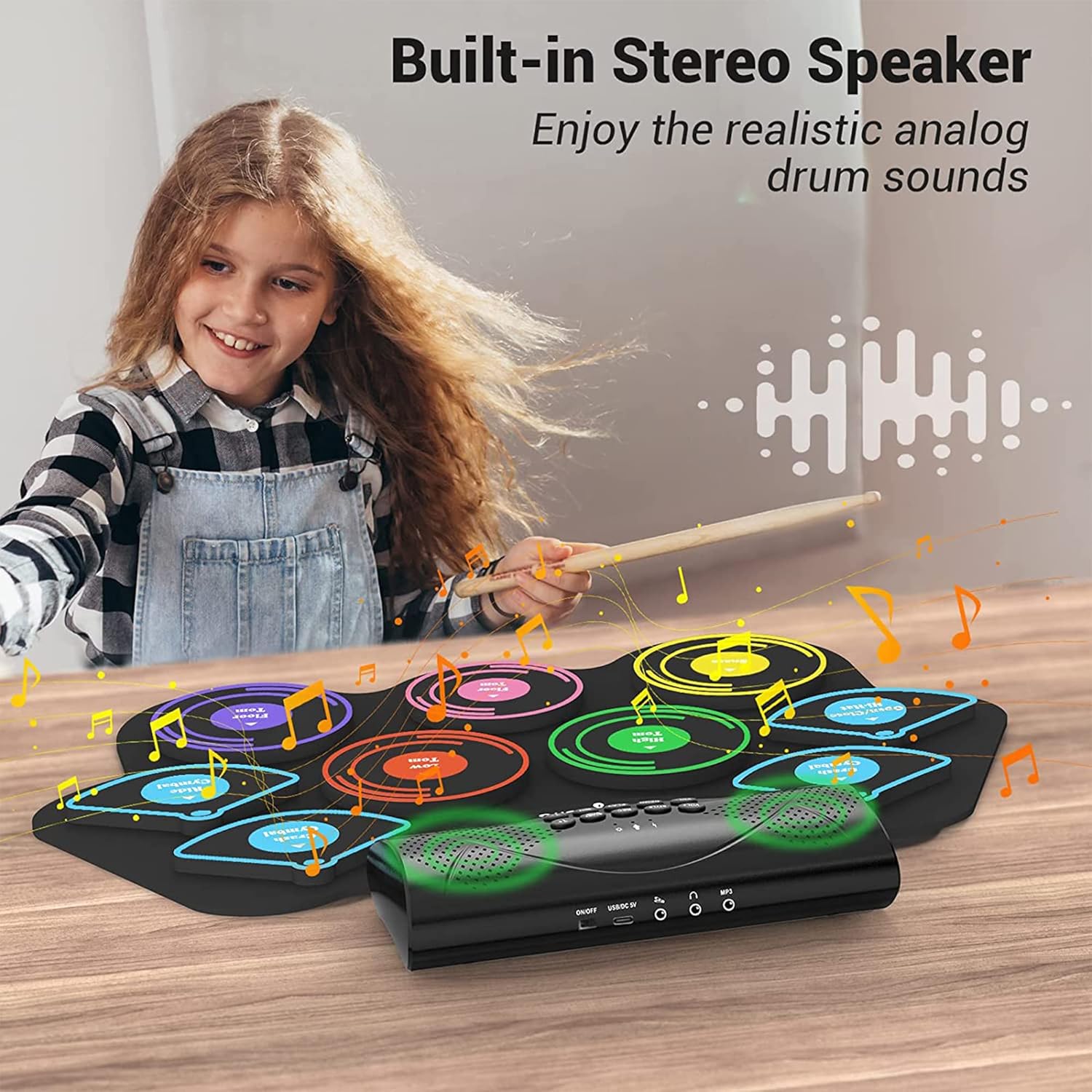
Image 4.2: The electronic drum set featuring built-in stereo speakers for sound output.
5. Connectivity
The drum set offers multiple connectivity options:
- Headphone Jack: Connect headphones to the 'PHONES' jack for private practice without disturbing others.
- AUX Input: Use the 'MP3' (AUX IN) port to connect an external audio device (e.g., smartphone, MP3 player) and play along with your favorite music.
- USB Connectivity: The USB port allows connection to a computer for MIDI functions or charging.
- Bluetooth: Pair your device via Bluetooth to stream audio and play along with songs wirelessly.

Image 5.1: Private practice using headphones connected to the drum set.

Image 5.2: The drum set features stable Bluetooth connectivity for wireless audio streaming.
Video 5.1: An official product video demonstrating the features and connectivity options of the PAXCESS Electronic Drum Set, including sound types, speakers, battery, Bluetooth, playing along with music, and various connection ports.
6. Portability & Storage
The flexible design of the drum pad allows it to be easily rolled up for convenient storage and transport. This makes it ideal for taking to different locations for practice or performances.

Image 6.1: The drum pad can be rolled up for easy storage and portability.
7. Maintenance
To ensure the longevity and optimal performance of your electronic drum set, follow these maintenance guidelines:
- Cleaning: Wipe the drum pad and control module with a soft, dry cloth. Avoid using abrasive cleaners or solvents.
- Storage: Store the drum set in a cool, dry place away from direct sunlight and extreme temperatures. Roll up the drum pad loosely to prevent creasing.
- Battery Care: For optimal battery life, fully charge the unit before first use. If storing for an extended period, charge the battery every 3 months to prevent deep discharge.
- Water Resistance: The drum pad is 100% waterproof, but the control module is not. Avoid exposing the control module to liquids.
8. Troubleshooting
If you encounter any issues, refer to the following common problems and solutions:
| Problem | Possible Cause | Solution |
|---|---|---|
| No sound from speakers | Volume too low; unit not powered on; headphones connected | Increase volume; ensure unit is ON; disconnect headphones if using speakers |
| Drum pads unresponsive | Loose connection; unit malfunction | Check all cable connections; restart the unit. If problem persists, contact support. |
| Bluetooth not connecting | Device not in pairing mode; out of range | Ensure drum set is in Bluetooth pairing mode; move device closer to the drum set. |
| Battery not charging | Charging cable or adapter faulty; power outlet issue | Verify cable and adapter are working; try a different power outlet. |
9. Product Specifications
- Model Number: PAXCESS 9
- Drum Pads: 9 (3 Toms, 2 Crashes, 1 Hi-Hat, 1 Ride, 1 Snare, 1 Bass)
- Foot Pedals: 2
- Connectivity: USB, AUX In, Headphone Jack, Bluetooth
- Battery: Built-in 2400mAh rechargeable battery
- Playtime: Up to 10 hours per charge
- Speakers: Dual Stereo Speakers
- Material: Bass Wood (for drumsticks), Silicone (for drum pad)
- Item Weight: 1 pound
- Package Dimensions: 19.8 x 7.52 x 3.66 inches
10. Warranty Information
This PAXCESS Electronic Drum Set includes a standard warranty. Additionally, users may be eligible for a FREE 6-Month Extended Warranty by submitting their order details at paxcess.vip within 30 days of purchase on Amazon. This extended warranty is only valid for Amazon purchases.
For further assistance or warranty claims, please contact PAXCESS customer support through the official website or your retailer.

