
Introduction
Thank you for choosing the NEQUARE S182 Full-Size LED Power Brush. This manual provides essential information for the safe and efficient use, maintenance, and troubleshooting of your new accessory. Please read this manual thoroughly before installation and operation, and retain it for future reference.
Important Safety Information
- Always disconnect the vacuum cleaner from the power supply before installing, removing, or cleaning the power brush.
- Do not immerse the power brush in water or any other liquid.
- Keep hair, loose clothing, fingers, and all parts of the body away from openings and moving parts.
- Do not use the power brush to pick up large objects, sharp objects, liquids, or burning/smoking materials.
- Ensure the power brush is securely attached to the vacuum cleaner before use.
- This product is designed for household use only.
Package Contents
Please check the package for the following items:
- 1 x NEQUARE S182 Full-Size LED Power Brush
- 1 x Instruction Manual (this document)
Product Overview
The NEQUARE S182 Full-Size LED Power Brush is a replacement accessory designed for compatible S182 vacuum cleaners. It features integrated LED lights to illuminate the cleaning path and a motorized brush roll for effective debris collection.
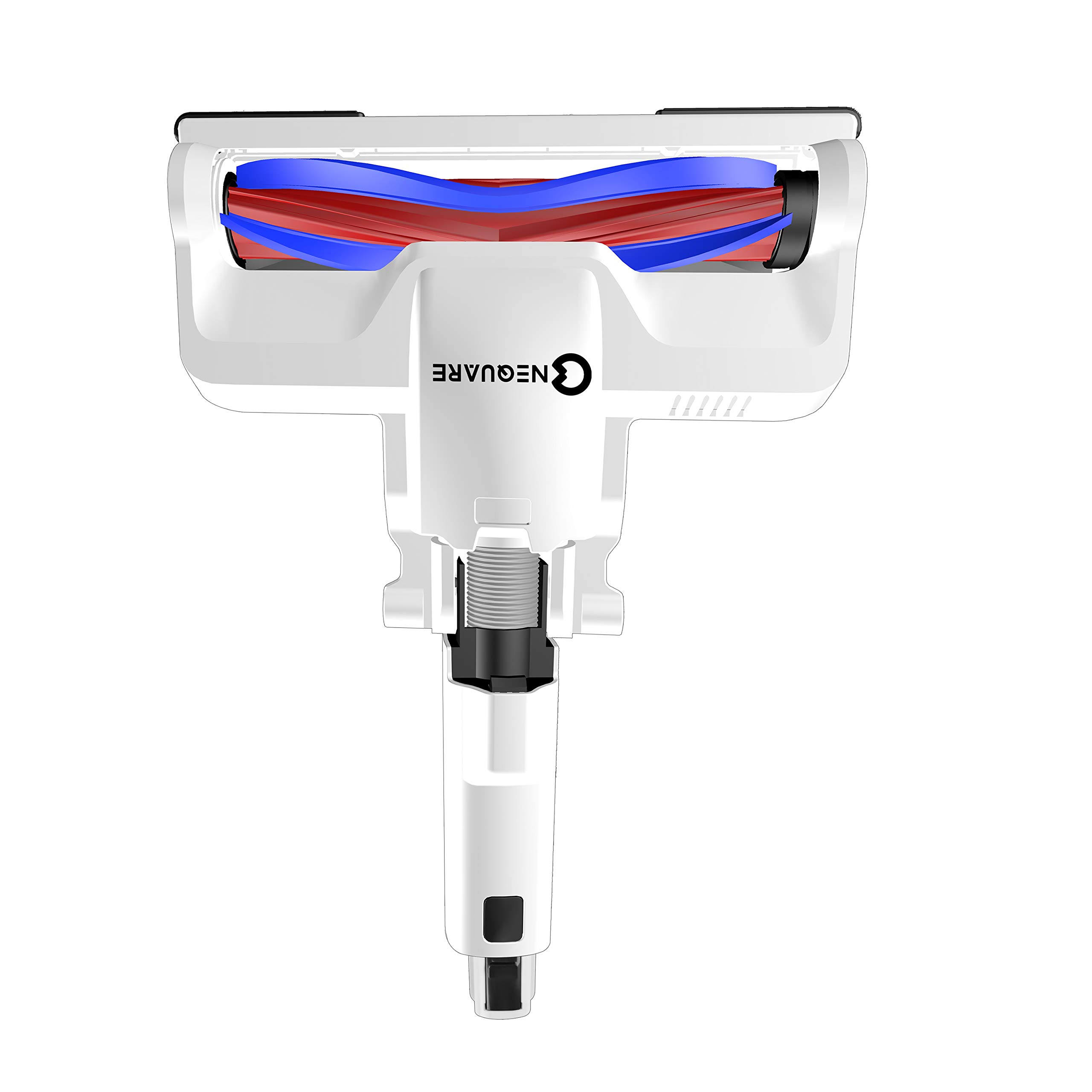
Image 1: NEQUARE S182 Full-Size LED Power Brush. This image displays the complete power brush unit, highlighting its design and the integrated LED lights at the front.
Key Components:
- Brush Roll: Motorized brush for agitating and lifting dirt.
- LED Lights: Illuminates the cleaning area, especially useful in dimly lit spaces.
- Connection Port: Attaches to the vacuum cleaner wand.
- Wheels: Facilitate smooth movement across surfaces.
Setup and Installation
- Power Off: Ensure your vacuum cleaner is turned off and unplugged from the power outlet before installation.
- Remove Old Brush (if applicable): If replacing an existing brush, locate the release button or latch on your vacuum cleaner's wand or main body and detach the old brush head.
- Attach New Brush: Align the connection port of the NEQUARE S182 Power Brush with the corresponding port on your vacuum cleaner's wand. Push firmly until it clicks into place, indicating a secure connection.
- Verify Connection: Gently pull on the brush head to ensure it is securely attached and will not detach during operation.
Note: Refer to your vacuum cleaner's main instruction manual for specific details on attaching accessories if you encounter difficulties.
Operating Instructions
- Power On: Plug in your vacuum cleaner and turn it on. The LED lights on the power brush should illuminate automatically, indicating it is ready for use.
- Cleaning Surfaces: Guide the power brush across the desired cleaning surface. The motorized brush roll will agitate carpets and hard floors to pick up dirt and debris. The LED lights will help reveal hidden dust.
- Movement: Move the vacuum cleaner at a steady pace to allow the brush to effectively clean the area. Avoid pressing down excessively, as this can hinder the brush roll's performance.
- Turning Off: When finished, turn off your vacuum cleaner and unplug it from the power outlet.
Caution: Do not use the power brush on wet surfaces or to pick up liquids. This can damage the brush and the vacuum cleaner.
Maintenance and Care
Regular maintenance ensures optimal performance and extends the lifespan of your NEQUARE S182 Power Brush.
Cleaning the Brush Roll:
- Disconnect Power: Always ensure the vacuum cleaner is unplugged before performing any maintenance.
- Access Brush Roll: Depending on your vacuum cleaner model, you may need to open a latch or remove a cover to access the brush roll. Refer to your vacuum's manual for specific instructions.
- Remove Debris: Carefully cut and remove any tangled hair, threads, or fibers from the brush roll using scissors or a brush cleaning tool.
- Clean Housing: Wipe the exterior of the power brush with a dry or slightly damp cloth. Do not use abrasive cleaners or immerse the unit in water.
- Reassemble: Once clean, reinsert the brush roll and secure any covers or latches.
Storage:
Store the power brush in a clean, dry place, away from direct sunlight and extreme temperatures, when not in use.
Troubleshooting
| Problem | Possible Cause | Solution |
|---|---|---|
| Brush roll not spinning. | Tangled debris in brush roll. Improper connection to vacuum. | Clean brush roll of hair and debris. Ensure brush is securely attached to the vacuum wand. |
| LED lights not illuminating. | Brush not properly connected. Power issue with vacuum. | Check connection to vacuum. Ensure vacuum is powered on and functioning correctly. |
| Reduced cleaning performance. | Brush roll worn or dirty. Vacuum suction issue. | Clean brush roll. Consider replacing if heavily worn. Check vacuum's filter and dustbin. |
If the problem persists after trying these solutions, please contact customer support.
Specifications
- Model: S182
- Type: Full-Size LED Power Brush
- Compatibility: Designed for NEQUARE S182 series vacuum cleaners
- Features: Integrated LED lighting, Motorized brush roll
- Batteries Required: No (Powered by vacuum cleaner)
Warranty and Customer Support
Warranty Information:
NEQUARE products are manufactured to high-quality standards. For specific warranty details regarding your S182 Full-Size LED Power Brush, please refer to the warranty card included with your original vacuum cleaner purchase or visit the official NEQUARE website. Keep your purchase receipt as proof of purchase for warranty claims.
Customer Support:
If you have any questions, require assistance, or encounter issues not covered in this manual, please contact NEQUARE customer support. Contact information can typically be found on the official NEQUARE website or on your product packaging.
Please have your product model number (S182) ready when contacting support.
Product Videos
No official product videos are available for this accessory based on the provided information.

