
tiiwee TWX4HAKV2
tiiwee X4 PIR Motion Detector Alarm System User Manual
Model: TWX4HAKV2
1. Product Overview
The tiiwee X4 is a comprehensive wireless PIR motion detector alarm system, ideal for securing various locations such as homes, offices, shops, caravans, motorhomes, or boats. Its standalone design ensures easy installation and immediate readiness for use. The system is designed for long-term operation with efficient power consumption and offers flexible security options through different operating modes and expandable accessories.

Image 1.1: The tiiwee X4 system components, including the main PIR motion detector, two remote controls, and two door/window sensors.
2. Package Contents
Upon unboxing your tiiwee X4 system, please verify that all the following components are included:
- 1 x tiiwee X4 PIR Motion Detector Unit
- 2 x Remote Controls
- 2 x Door/Window Sensors (TWWS03)
- 3 x AA Batteries (for X4 PIR unit)
- 2 x AAA Batteries (for Door/Window Sensors)
- Mounting accessories (screws, adhesive pads)
- User Manual (this document)
3. Setup and Installation
3.1 Battery Installation
The tiiwee X4 PIR motion detector operates on 3 x 1.5V AA batteries (included). The door/window sensors (TWWS03) each require 1 x AAA battery (included). Ensure correct polarity when inserting batteries.
- X4 PIR Unit: Open the battery compartment on the back of the unit and insert the 3 AA batteries.
- Door/Window Sensors: Slide open the cover of each sensor unit and insert the AAA battery.
3.2 Mounting the X4 PIR Unit
The X4 PIR unit can be placed on a flat surface or mounted on a wall. For optimal detection, position the unit where it has a clear line of sight to the area you wish to monitor. Avoid placing it directly facing heat sources or in direct sunlight, which can cause false alarms.
- Use the included screws and wall plugs for permanent wall mounting.
- Alternatively, use strong double-sided adhesive pads for temporary or less invasive mounting.

Image 3.1: Example of the X4 PIR unit installed in a garden shed, demonstrating its use in an outdoor storage area.

Image 3.2: The X4 PIR unit mounted in a garage, illustrating its application for vehicle and property security.
3.3 Mounting Door/Window Sensors
Mount the two parts of the door/window sensor on the frame and the moving part of a door or window. Ensure the two parts are aligned and within 1 cm of each other when the door/window is closed. Use the included adhesive pads or screws for mounting.
3.4 Initial Pairing (Pre-configured)
The included remote controls and door/window sensors are pre-paired with the X4 PIR unit for immediate use. If you purchase additional accessories, refer to the "Compatibility & Expansion" section for pairing instructions.
4. Operating Instructions
4.1 Remote Control Functions
The remote controls allow you to arm, disarm, and manage the X4 system from a distance. The signal can pass through walls and doors, offering convenience.
- Arm Button (Locked Padlock): Activates the alarm system. In this mode, any triggered sensor will activate the siren or doorbell sound based on its assigned zone.
- Disarm Button (Unlocked Padlock): Deactivates the alarm system. Sensors in Normal Zone will not trigger an alarm. Sensors in Welcome Zone will still trigger a doorbell sound.
- Doorbell Button (Bell Icon): Toggles the doorbell sound on/off for the X4 unit.
- SOS Button (Lightning Bolt): Immediately triggers the 120 dB siren, regardless of the system's armed status.
4.2 Understanding Zone Types
The X4 system supports three types of zones, allowing you to customize the response to sensor triggers. Up to 20 sensors can be connected to each zone type.
- Normal Zone: When the alarm is armed, a connected sensor's activation triggers the siren. When disarmed, it does not trigger any sound.
- Welcome Zone: A connected sensor's activation always triggers a doorbell sound, regardless of whether the alarm is armed or disarmed. This is useful for entry alerts during business hours.
- Emergency Zone: A connected sensor's activation always triggers a loud alarm siren, regardless of whether the alarm is armed or disarmed. This is suitable for critical areas requiring immediate, forceful alerts.
4.3 Alarm Behavior
When the alarm is triggered, the siren will sound for 2 minutes. After this period, the system automatically resets and returns to the armed mode, unless the siren is manually stopped using the remote control.

Image 4.1: Illustration of the X4 PIR motion detector detecting an intruder, triggering the alarm.
5. Key Features
- Extended Battery Life: The X4 PIR unit operates on 3 AA batteries, providing 5 to 7 months of use depending on intensity. The TWWS03 door sensors use 1 AAA battery, lasting at least 6 to 8 months. This minimizes the need for frequent battery replacements.
- Discreet Operation (Hidden Mode): The red detection light can be completely turned off. This feature prevents intruders from easily locating and disabling the X4 unit, enhancing the system's effectiveness.
- Multiple Sound Options: The X4 offers three distinct sounds: a doorbell chime with two different volume levels for daytime use as a passage detector, and a powerful 120 dB siren for deterring intruders during alarm events.
- Robust Security Logic: Unlike some systems, the X4 alarm cannot be simply turned off by pressing an on/off button on the unit itself once triggered. This design ensures the alarm remains active, providing a strong deterrent.

Image 5.1: Visual comparison demonstrating the X4's hidden mode (left) where the detection light is off, making it difficult to spot, versus other products (right) with a visible detection light.
6. Compatibility and Expansion
The tiiwee X4 system is highly flexible and can be expanded with additional tiiwee accessories to suit your specific security needs. You can add more remote controls for family members or employees, and integrate various sensors.
Compatible Accessories:
- tiiwee PIR Motion Detectors: Models twpir01, twpir02, twpir03, twpir04 (for indoor or outdoor use).
- tiiwee Door and Window Sensors: Model TWWS03.
- tiiwee Remote Controls.
- tiiwee Emergency Button.
Note: The X4 is a standalone system and should not be used to extend tiiwee A1, X1, or X3 alarm systems.
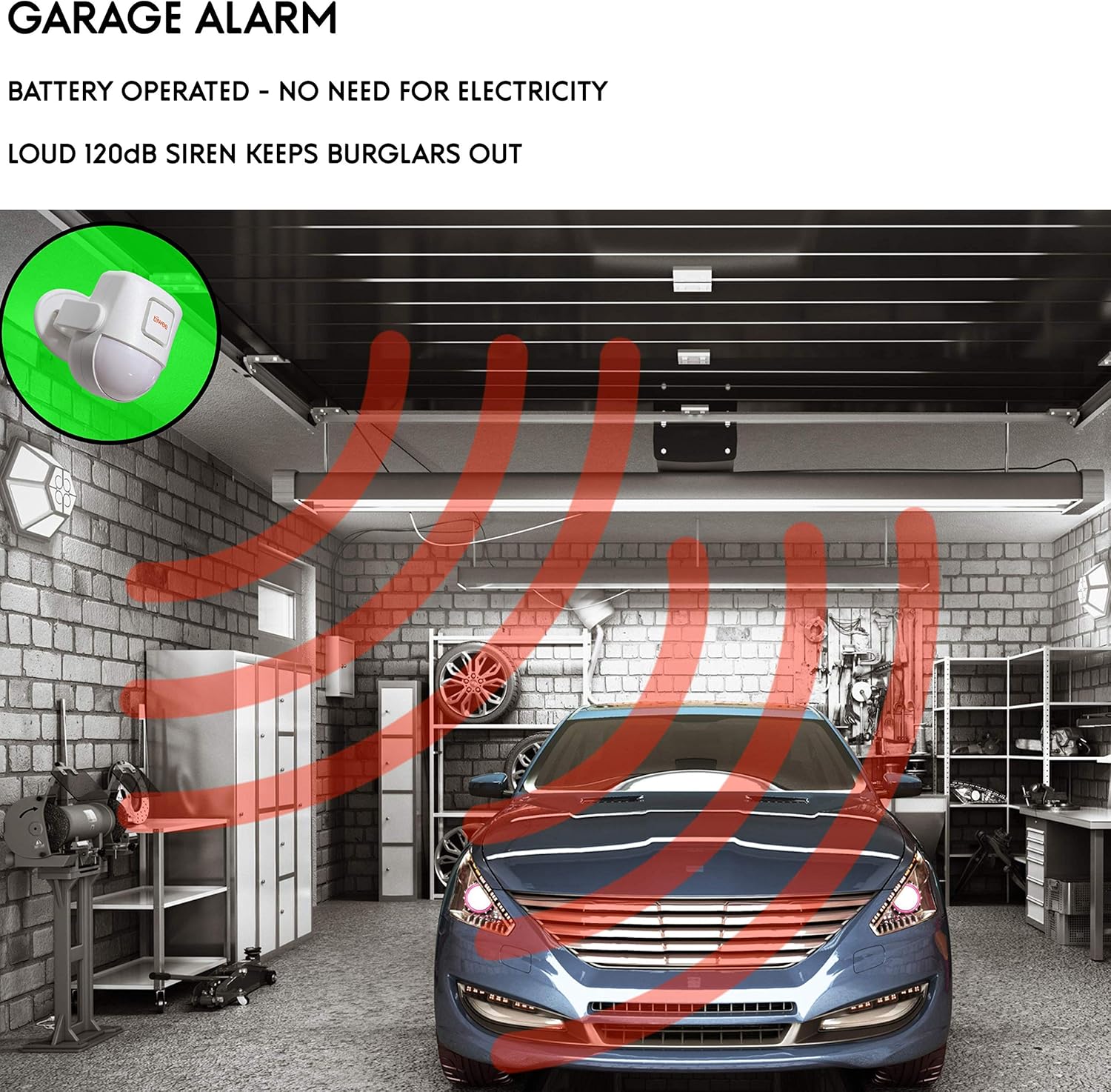
Image 6.1: Chart illustrating the range of tiiwee accessories compatible with the X4 motion sensor alarm, including various motion detectors, door/window sensors, emergency buttons, and remote controls.

Image 6.2: A floor plan diagram demonstrating how additional X4 motion detectors, window/door sensors, and remote controls can be strategically placed to expand the system's coverage throughout a home.
7. Maintenance
7.1 Battery Replacement
When batteries are low, the unit may indicate this (e.g., via a specific LED flash or sound, though not explicitly stated in provided data, it's standard for such devices). Replace batteries promptly to ensure continuous operation.
- X4 PIR Unit: Replace with 3 new 1.5V AA batteries.
- Door/Window Sensors: Replace with 1 new AAA battery per sensor.
- Remote Controls: Replace with appropriate button cell batteries (type not specified in input, but common for remotes).
Dispose of used batteries according to local regulations.
7.2 Cleaning
Wipe the units with a soft, dry cloth. Do not use abrasive cleaners or solvents, as these can damage the plastic casing or electronic components.
8. Troubleshooting
- System not responding to remote control:
- Check remote control battery.
- Ensure you are within the effective range of the X4 unit.
- Verify no major obstructions are blocking the signal.
- False alarms:
- Review placement of the PIR unit; avoid direct sunlight, heat sources, or areas with rapid temperature changes.
- Ensure pets or moving objects are not within the detection zone.
- Siren not sounding or too quiet:
- Check the X4 unit's batteries.
- Ensure the unit is in an armed state (for Normal Zone sensors) or Emergency Zone.
- Verify the volume setting if applicable (for doorbell sound).
- Door/Window sensor not triggering:
- Check the sensor's AAA battery.
- Ensure the two sensor parts are correctly aligned and close enough when the door/window is closed.
- Verify the sensor is correctly paired and assigned to the desired zone.
9. Specifications
| Attribute | Value |
|---|---|
| Model Number | TWX4HAKV2 |
| Brand | tiiwee |
| Dimensions (L x W x H) | 8.8 x 6.5 x 6 cm |
| Weight | 570 Grams |
| Power Source | Battery Powered (3 x AA for X4, 1 x AAA for sensors) |
| Voltage | 5 Volts |
| Sound Level | 120 dB |
| Max Detection Range | 8 Meters |
| Color | White |
10. Warranty and Support
tiiwee is committed to providing high-quality products and excellent customer service. While specific warranty details are not provided in this manual, tiiwee prides itself on its quality control and offers prompt, friendly service if any issues arise with their products.
For technical support, troubleshooting assistance, or warranty inquiries, please contact tiiwee customer service through their official website or the platform where you purchased the product.
For more information, visit the tiiwee Brand Store.
Related documentsTWX4HAKV2

Ask a question about this manual
Ask about setup, troubleshooting, compatibility, parts, safety, or missing instructions. Manuals+ will review the question and use this page’s manual context to help answer it.