
1. Introduction
The OSITO Eye Massager (Model AST-213) is designed to provide relief from dry eyes, eye strain, dark circles, and eye bags through a combination of heat, compression, and vibration. This rechargeable device aims to enhance relaxation and improve sleep quality. This manual provides detailed instructions for its safe and effective use.

Image: The OSITO Eye Massager, highlighting its ergonomic design.
2. Setup
2.1 Charging the Device
To prepare your eye massager for use, ensure it is fully charged:
- Connect the provided USB cable to the massager's data input port.
- Connect the other end of the USB cable to a power bank, notebook, computer, or a standard 100-240V, 50/60Hz power adapter.
- The charging indicator light will illuminate, indicating that the device is charging.
- A full charge takes approximately 3.5 hours.
Caution:
- Do not use the product while it is charging.
- Ensure the power cord is not squeezed or bent excessively to prevent damage.
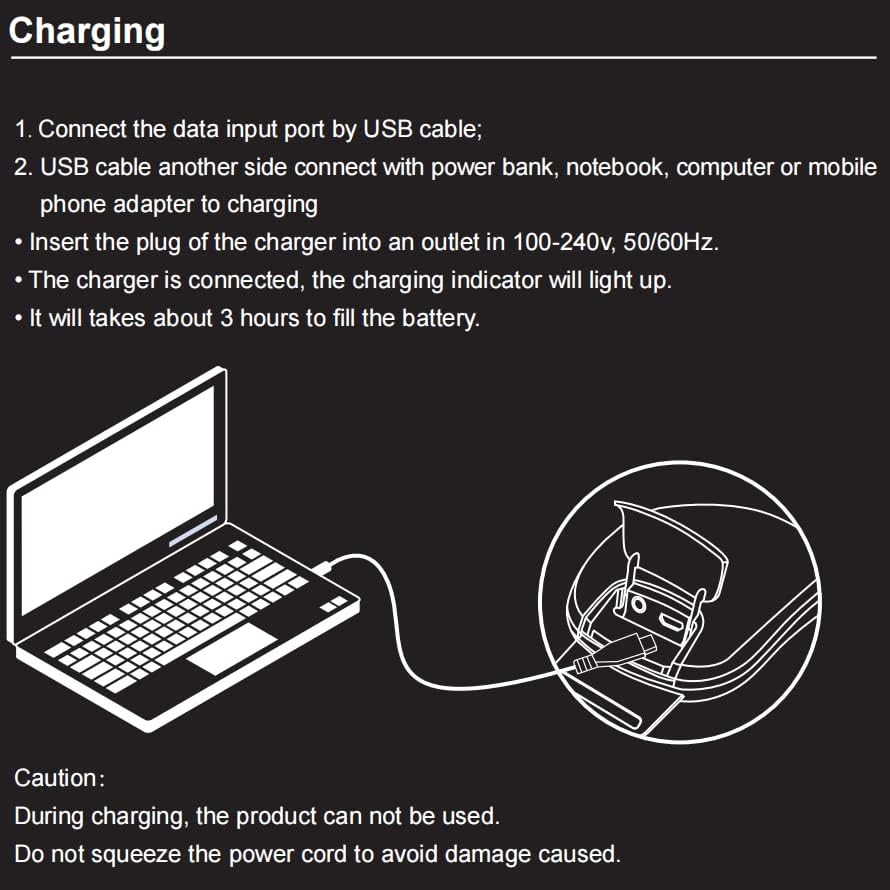
Image: Charging instructions for the eye massager, illustrating USB connection to a computer.
2.2 Customizing Music Playback
The OSITO Eye Massager features a built-in speaker for soothing music. You can also customize the audio experience:
- To add or remove music files, connect the eye massager to a computer using the USB data cable. The device will appear as a removable drive, allowing you to manage its music content.
- For private listening, connect standard headphones to the designated audio port. Connecting headphones will automatically mute the built-in speaker.

Image: User enjoying the eye massager with music, demonstrating the music feature and USB connectivity.
3. Operating Instructions
3.1 Controls and Modes
The device features intuitive controls for easy operation and offers five distinct massage modes:
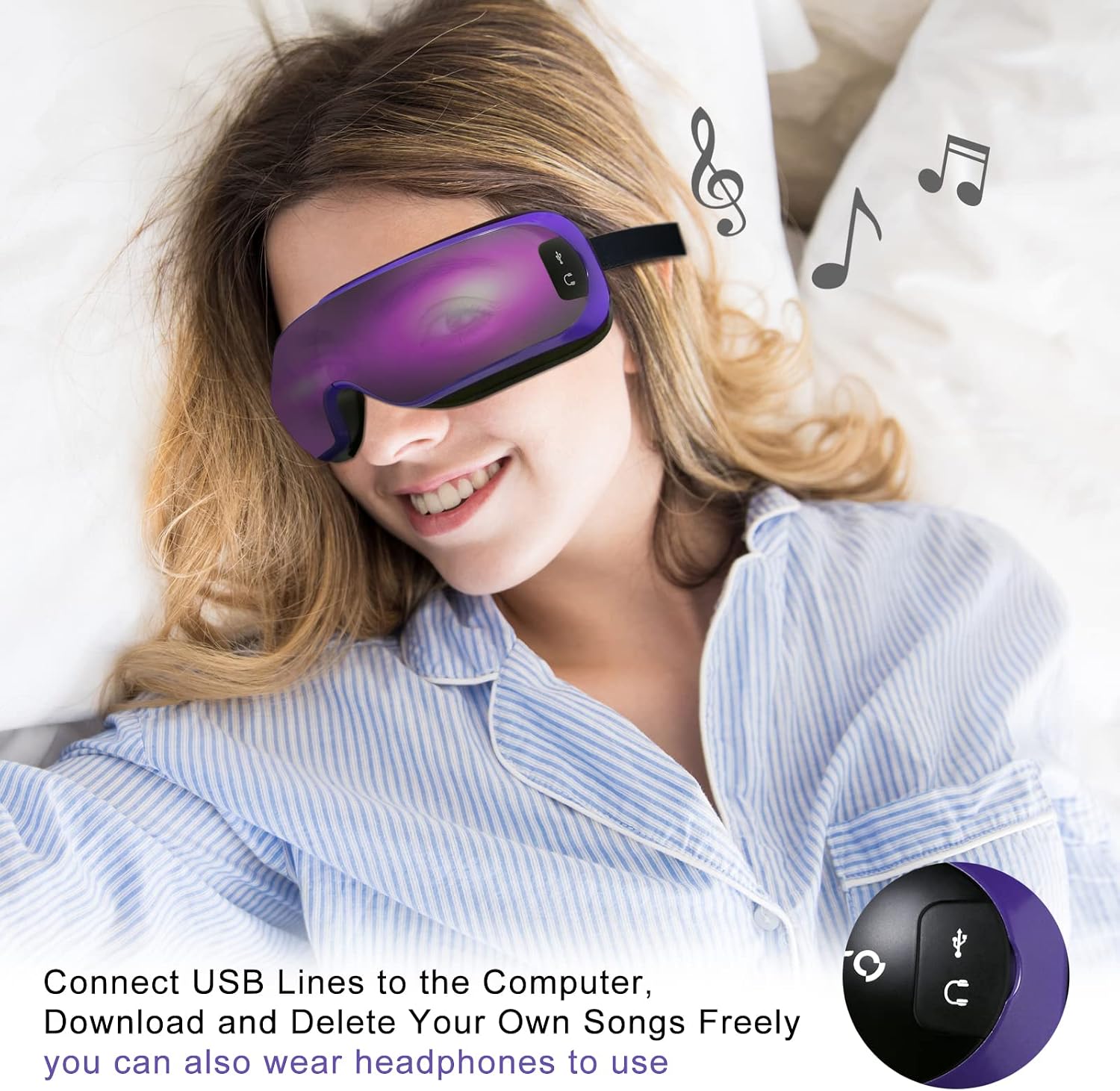
Image: Detailed diagram of the eye massager's control buttons and available massage modes.
- Power Button (a): Press and hold to turn the device on or off. Briefly press to cycle through the massage modes.
- Volume Up / Music Close (b): Short press to increase the volume. Long press to turn off the music playback.
- Volume Down / Next Track (c): Short press to decrease the volume. Long press to skip to the next music track.
- Vibration Indicator (d): Illuminates when the vibration function is active.
- Heating Indicator (e): Illuminates when the heating function is active.
Available Massage Modes:
- Mode 1: Compression Only
- Mode 2: Compression + Heat
- Mode 3: Compression + Heat + Vibration
- Mode 4: Heat Only
- Mode 5: Vibration Only
3.2 Recommended Usage
For optimal results and to promote relaxation, it is recommended to use the eye massager for 15 minutes per session. The device has a default timer setting of 15 minutes, which can assist with relaxation before sleep.

Image: A user demonstrating the eye massager in use, emphasizing the recommended 15-minute session.
3.3 Adjustable Design
The OSITO Eye Massager features a 180-degree foldable design and an adjustable elastic band to comfortably fit various face shapes and head circumferences. Adjust the band for a secure yet comfortable fit that allows the massage elements to align properly with your eye area.

Image: Illustration of the eye massager's 180-degree foldable and adjustable design, suitable for various face types.
4. Maintenance
To ensure the longevity and hygiene of your OSITO Eye Massager, follow these maintenance guidelines:
- Cleaning: Wipe the surface of the massager with a soft, slightly damp cloth. Do not use abrasive cleaners, solvents, or immerse the device in water.
- Storage: Store the massager in a cool, dry place away from direct sunlight and extreme temperatures. Keep it in its original packaging or a protective pouch when not in use to prevent dust accumulation and damage.
- Battery Care: To maintain battery health, fully charge the device before long periods of storage and recharge it every three months if not used regularly.
5. Troubleshooting
If you encounter any issues with your OSITO Eye Massager, please refer to the following common troubleshooting steps:
- Device does not turn on:
- Ensure the device is fully charged. Connect it to a power source and allow it to charge for at least 30 minutes before attempting to turn it on again.
- Check the USB cable and charging adapter for any visible damage. Try using a different compatible cable and adapter if available.
- No heat or vibration:
- Verify that the selected massage mode includes heat or vibration. Briefly press the power button to cycle through the modes until the desired functions are active (indicated by the respective lights).
- Ensure the device is securely positioned on your eyes, as some functions may require proper contact.
- Music not playing or controls not responding:
- If using the built-in speaker, check if headphones are connected; if so, disconnect them. If using headphones, ensure they are properly plugged into the audio port.
- Ensure music files are correctly loaded onto the device if using custom music.
- Try restarting the device by holding the power button until it turns off, then turn it back on.
- Uncomfortable fit:
- Adjust the elastic head strap to find a comfortable and secure fit. The device is designed to be 180-degree foldable to adapt to different face shapes.
If the issue persists after trying these steps, please contact customer support for further assistance.
6. Specifications
| Feature | Detail |
|---|---|
| Model Number | AST-213 |
| Target Use Body Part | Eyes |
| Power Source | Corded Electric (Rechargeable) |
| Special Features | Rechargeable, Music Playback, Foldable Design |
| Product Benefits | Relieve, Eliminate Fatigue, Improve Blood Circulation, Reduce Puffiness |
| Product Grade | Home |
| Water Resistance Level | Not Water Resistant |
| Unit Count | 1 Count |
| Material | Metal |
| Package Dimensions | 14.76 x 8.66 x 4.06 inches |
| Weight | 1.72 pounds |
7. Warranty & Support
7.1 Warranty Information
Specific warranty details for the OSITO Eye Massager (Model AST-213) are not provided in the product information. Please refer to the product packaging, any included warranty cards, or contact the manufacturer directly for comprehensive warranty terms and conditions.
7.2 Customer Support
For further assistance, technical support, or any inquiries regarding your OSITO Eye Massager, please contact OSITO customer service. You can typically find contact information on their official website or through the retailer where the product was purchased.