Introduction
This manual provides essential information for the safe and efficient use of your Samsung 28 L Convection Microwave Oven, model MC28M6036CC/TL. Please read these instructions thoroughly before operating the appliance and retain them for future reference.

Image: Front view of the Samsung 28 L Convection Microwave Oven.
Safety Information
Always follow basic safety precautions when using electrical appliances to reduce the risk of fire, electric shock, or injury. This appliance is for household use only.
- Do not attempt to operate this oven with the door open as this can result in harmful exposure to microwave energy.
- Do not place any object between the oven front face and the door or allow soil or cleaner residue to accumulate on sealing surfaces.
- Do not operate the oven if it is damaged. It is particularly important that the oven door closes properly and that there is no damage to the: (1) door (bent), (2) hinges and latches (broken or loosened), (3) door seals and sealing surfaces.
- The oven should not be adjusted or repaired by anyone except properly qualified service personnel.
- Ensure proper ventilation around the appliance.
- Do not heat liquids or other foods in sealed containers as they are liable to explode.
- Always use microwave-safe cookware.
- Supervise children closely when the oven is in use.
Package Contents
Verify that all components are present and in good condition upon unpacking:
- 1 Microwave Oven Unit
- 1 Glass Turn Table
- 1 Roller Ring
- 1 Round Wire Rack
- 1 User Manual (this document)
Setup
1. Placement
Place the oven on a flat, stable surface strong enough to hold the oven and the food being cooked. Ensure there is adequate space for ventilation: at least 20 cm (8 inches) of space above the oven, 10 cm (4 inches) at the rear, and 5 cm (2 inches) on each side. Do not block any ventilation openings.
2. Power Connection
Plug the power cord into a grounded electrical outlet. Ensure the voltage matches the specifications of your oven (230 Volts).
3. Installing the Turntable
Place the roller ring in the center of the oven cavity. Then, place the glass turntable securely on top of the roller ring. Ensure it rotates freely.

Image: Interior view of the microwave oven with the glass turntable and roller ring correctly positioned.
Operating Instructions
Your Samsung Convection Microwave Oven features Tact buttons and Jog Dials for easy and precise control. The oven offers various cooking modes to suit your needs.

Image: Detailed view of the control panel, showing the Tact buttons and Jog Dial for operation.
1. Microwave Cooking
Use this mode for reheating, cooking, and defrosting. Place food in a microwave-safe container on the glass turntable. Select the desired power level and cooking time using the Jog Dial and start button.
2. Convection Cooking
Ideal for baking and roasting, similar to a traditional oven. Preheat the oven to the desired temperature. Place food on the provided wire rack or a suitable baking dish. Select the convection mode, set temperature and time.
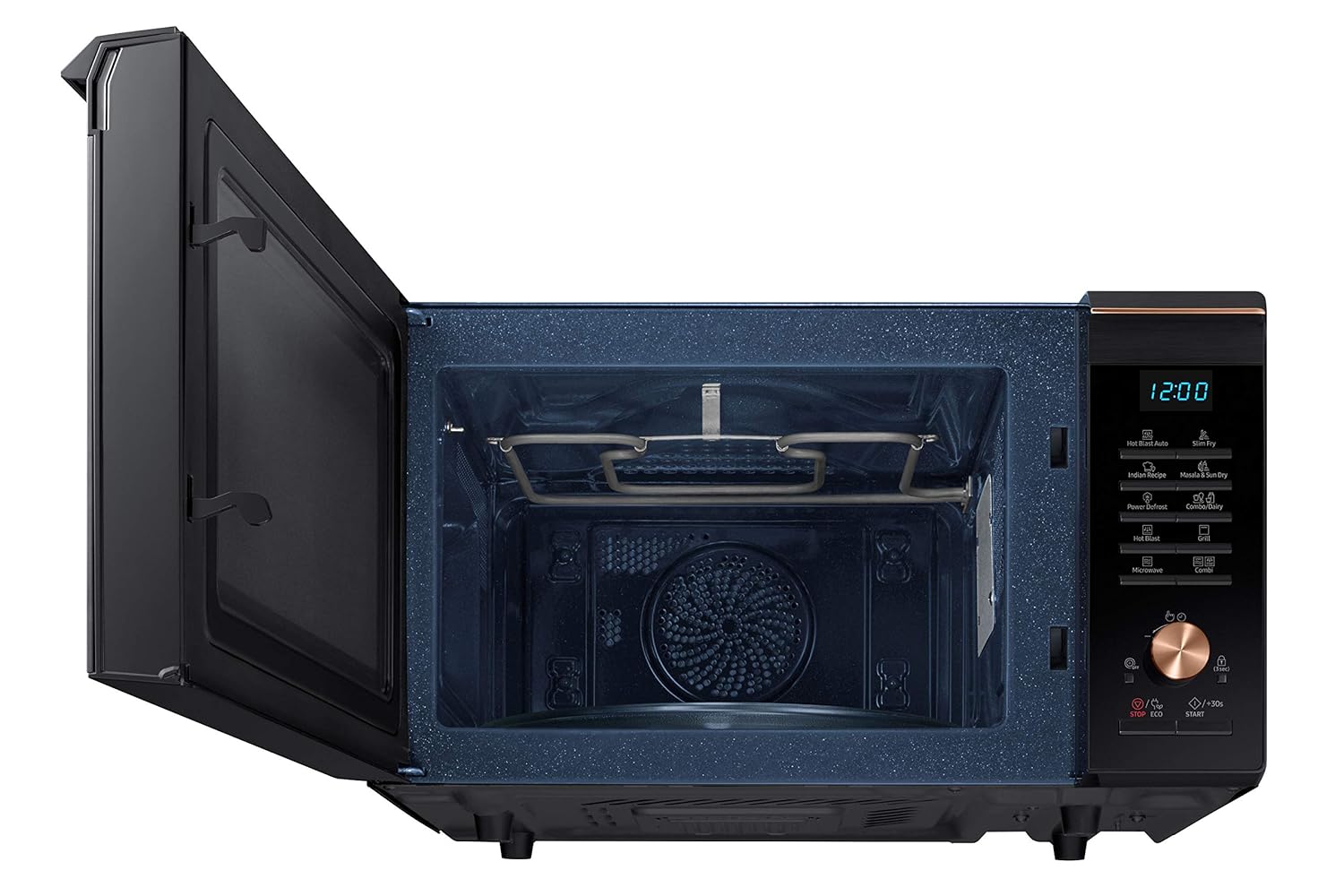
Image: Interior view highlighting the grill heating element, used for convection and grill cooking.
3. Grill Cooking
Use for grilling items like toast, chicken, or vegetables. Place food on the wire rack. Select the grill function and set the cooking time.
4. Combination Cooking (Combi)
This mode combines microwave and convection/grill functions for faster cooking and browning. Refer to the specific combination programs in your recipe book for optimal results.
5. Defrost
The oven features a Power Defrost function. Select the defrost mode, input the weight of the food, and the oven will automatically calculate the defrosting time.
6. Special Features
- Slim Fry: This feature allows for cooking with minimal oil, often utilizing the included crusty plate for crispier results.
- Hot Blast: Circulates hot air for faster and more even cooking, similar to a professional oven.
- Masala & Sun Dry: Specific programs designed for drying ingredients.
- Indian Recipe: Pre-programmed settings for popular Indian dishes.
- Child Lock: To activate, press and hold the designated button (usually 'STOP/ECO' or a lock icon) for 3 seconds. This prevents accidental operation by children.
Maintenance
1. Cleaning the Oven Interior
The oven features a Ceramic Enamel interior, which is easy to clean. After each use, wipe the interior with a damp cloth and mild detergent. For stubborn stains, use a non-abrasive cleaner. Do not use harsh chemicals or abrasive pads.
2. Cleaning the Exterior
Wipe the exterior surfaces with a soft, damp cloth. Avoid spraying cleaners directly onto the control panel.
3. Cleaning Accessories
The glass turntable, roller ring, and wire rack can be washed with warm soapy water or in a dishwasher.
Troubleshooting
If you encounter issues with your microwave oven, refer to the following common problems and solutions:
| Problem | Possible Cause / Solution |
|---|---|
| Oven does not start | Ensure the power cord is securely plugged in. Check the household fuse or circuit breaker. Ensure the door is closed properly. |
| Food not cooking evenly | Stir or rotate food halfway through cooking. Ensure appropriate cookware is used. |
| Light not working | The oven light is not user-replaceable. Contact service for replacement. |
| Unusual noise during operation | Ensure the turntable and roller ring are correctly positioned. Remove any foreign objects from the oven cavity. |
If the problem persists after attempting these solutions, please contact Samsung customer support.
Specifications
| Feature | Detail |
|---|---|
| Brand | Samsung |
| Model | MC28M6036CC/TL |
| Capacity | 28 litres |
| Installation Type | Freestanding |
| Oven Cooking Mode | Convection |
| Colour | Black |
| Voltage | 230 Volts |
| Wattage | 900 W |
| Fuel Type | Electric |
| Defrost System | Defrost |
| Door Orientation | Left |
| Material | Steel |
| Inner Material Type | Ceramic Enamel |
| Item Weight | 17 kg 900 g |
| Item Dimensions (LxWxH) | 51.8 x 58.6 x 37.1 Centimeters |
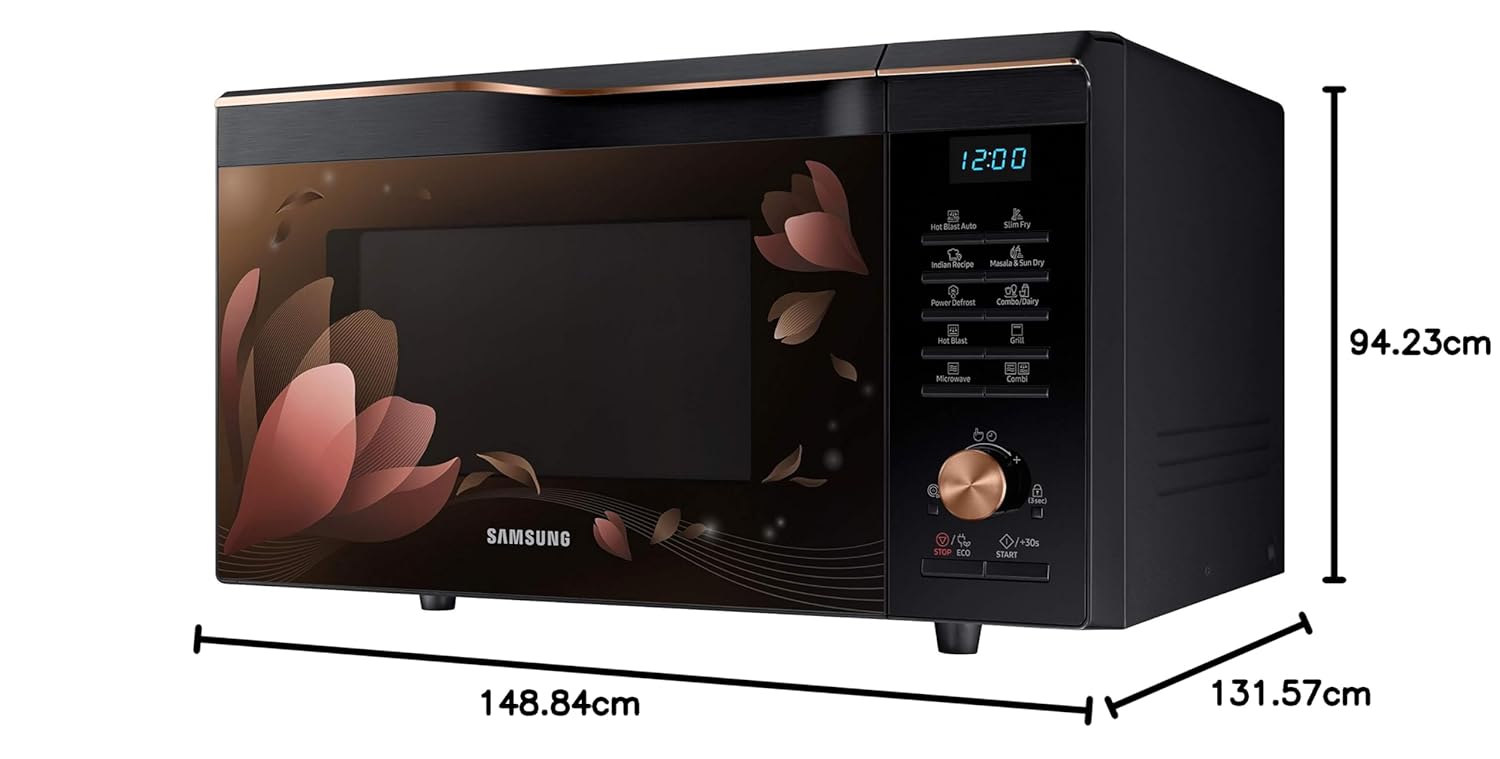
Image: Dimensional diagram of the microwave oven, indicating length, width, and height.
Warranty Information
Your Samsung 28 L Convection Microwave Oven comes with the following warranty:
- 1 year standard warranty on the product.
- 10 years warranty on the ceramic enamel cavity.
Please retain your purchase receipt for warranty claims. The warranty covers manufacturing defects under normal use conditions.
Support
For further assistance, technical support, or service requests, please contact Samsung customer care. Refer to the contact information provided with your product or visit the official Samsung website for your region.
Samsung Customer Service: 180057267864
For additional resources and recipes, you may visit the Samsung Brand Store.