
johgee 322-1
johgee Water Timer Digital Irrigation Timer User Manual
Model: 322-1
Introduction
Thank you for choosing the johgee Water Timer. This digital irrigation timer is designed to automate your watering schedule, providing convenience and efficiency for your home gardening, small lawns, flower beds, and vertical green irrigation needs. It features a rainwater sensor, flexible programming, and both automatic and manual modes, all within a durable, waterproof design.
Safety Information
- This product is for outdoor use only. Horizontal or inverted installation is prohibited.
- Do not store the timer in environments with high concentrations of salt or sulfur in the air.
- When expecting freezing temperatures, remove the product from the hose faucet and store it indoors to prevent potential freeze damage.
- The product itself does not generate pressure; it utilizes the pressure of tap water. Ensure a sufficient tap water or pressurized water source for normal operation.
- Keep out of reach of children when not in use.
Package Contents
Please verify that all items listed below are included in your package:
- 1 x johgee Irrigation Timer
- 1 x Rubber Rings (set)
- 1 x Tap Adapter
- 1 x Quick Connector
- 1 x Product Installation Instructions (this manual)
- 2 x 1.5V AA Batteries

Image showing the johgee Water Timer, its packaging box, and the included user manual.
Product Overview
Familiarize yourself with the components and display of your johgee Water Timer.

This image highlights key features of the water timer's display, including Current Time, Remaining Battery, First Watering Time, Next Irrigation Prompt, Watering Indicator, and controls for decreasing/increasing numbers, delay, and manual watering.

Detailed view of the johgee Water Timer showing its dimensions (12.5cm height, 5cm depth, 9cm width), construction materials (ABS + PC, 30% reinforced Nylon), IPX5 waterproof rating, and the internal battery compartment with a waterproof black silicone layer protecting the motherboard.
Setup
- Install Batteries: Open the battery compartment on the back of the timer. Insert two 1.5V AA batteries, ensuring correct polarity. Close the compartment securely. The LCD screen will turn on.
- Connect to Faucet: Screw the timer onto your outdoor hose faucet (3/4 inch internal thread connection). Ensure the rubber rings are properly seated to prevent leaks.
- Connect Hose: Attach your garden hose to the water outlet at the bottom of the timer (3/4 inch external thread). Use the quick connector if needed.
- Turn on Water: Slowly turn on your faucet to full pressure. The timer is now ready for programming.
Operating Instructions
1. Setting Current Time
Use the large dial buttons to navigate and set the current time. The screen will automatically turn off after 30 seconds of inactivity to conserve power.
2. Programming Watering Schedule
The timer allows for flexible programming of watering duration and frequency.
- Watering Duration: Set from 1 second to 99 minutes.
- Watering Frequency: Set from 1 hour to 15 days.
Follow the on-screen prompts and use the dial buttons to adjust "HOW LONG" (duration) and "HOW OFTEN" (frequency).

This image illustrates the range of watering duration (1 second to 99 minutes) and watering frequency (1 hour to 15 days) that can be set on the johgee Water Timer, shown in a garden setting.
3. Manual Watering Mode
To water instantly without interrupting your programmed schedule:
- Press the manual watering button (often indicated by a water drop icon).
- Set the desired manual watering duration.
- Press OK to start. The timer will water for the set duration and then return to its programmed schedule.
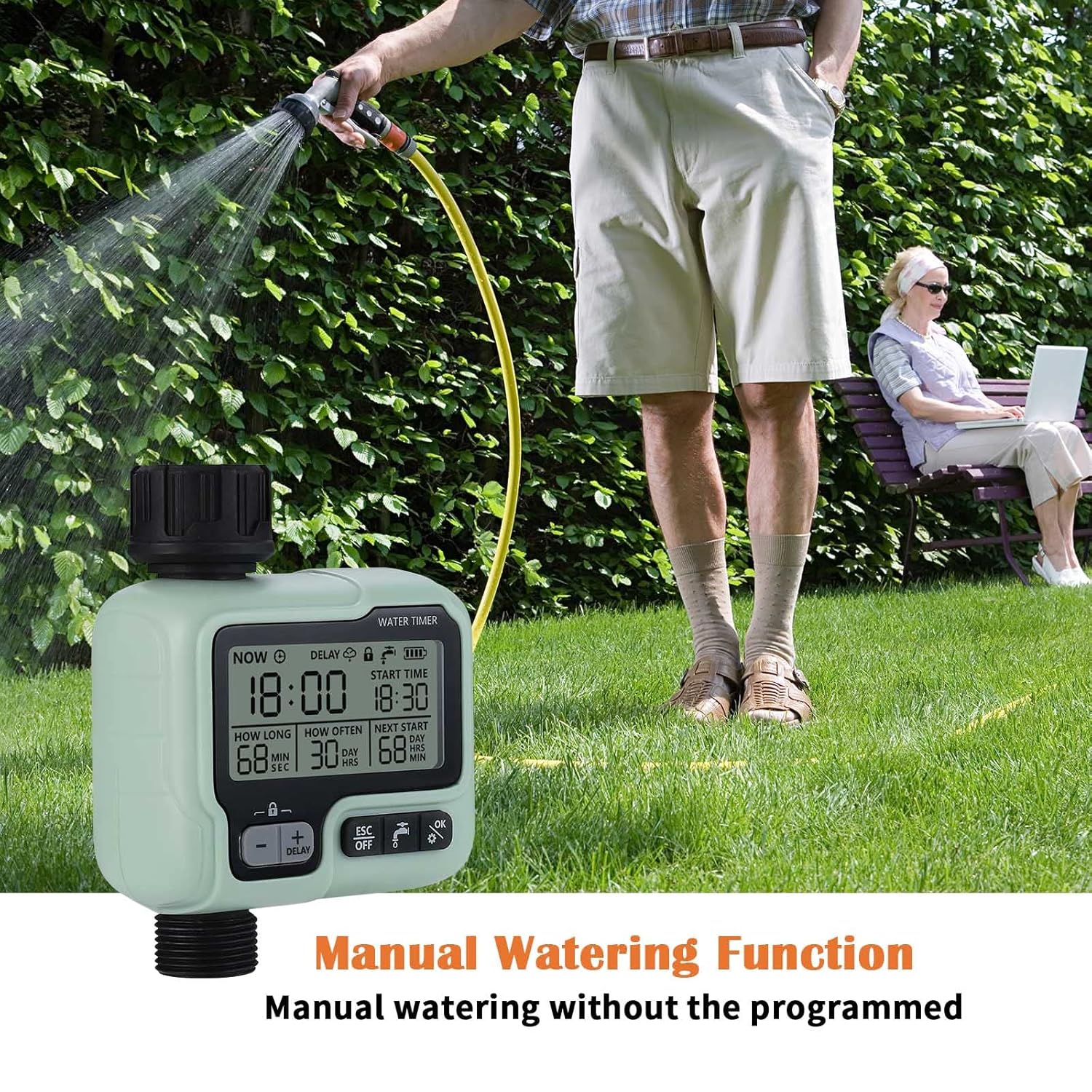
An image demonstrating the manual watering function of the johgee Water Timer, allowing for immediate watering without affecting the pre-programmed schedule.
4. Rainwater Sensor Function (Rain Delay Mode)
The upgraded rainwater sensor chip detects rainfall and automatically delays your watering program to prevent overwatering.
- When rain is detected, the timer will automatically pause the scheduled irrigation.
- The "DELAY" icon will display on the screen, and the "NEXT START" time will update accordingly.
- Once the sensor chip dries naturally, the timer will automatically resume its programmed irrigation schedule.

This image shows the johgee Water Timer in "Rain Delay Mode," indicated by the "DELAY" icon on the screen, which automatically adjusts the next watering start time based on rainfall detection.
5. Child Lock Mode
To prevent unintended operation or water waste, activate the Child Lock mode.
- Activate/Inactivate: Long press the designated button (often indicated by a lock icon or the '+' and '-' buttons simultaneously) for 3 seconds.
- When activated, the timer's settings cannot be changed accidentally.

An image illustrating the Child Lock feature of the johgee Water Timer, which can be activated by a 3-second long press to prevent accidental changes to settings, ensuring safety around children.
6. Power Indicator
The intelligent power display reminds you to replace the batteries in time. The timer will automatically shut down before the batteries are completely empty to protect the device.
Maintenance
- Battery Replacement: Replace batteries when the low power indicator appears on the screen. Always use two new 1.5V AA batteries.
- Cleaning: Wipe the exterior of the timer with a damp cloth. Do not use abrasive cleaners or submerge the unit in water.
- Winter Storage: Before freezing temperatures arrive, disconnect the timer from the faucet and hose. Remove the batteries and store the unit indoors in a dry, frost-free location.
- Check Gaskets: Periodically inspect the rubber rings and gaskets for wear and tear. Replace if damaged to ensure a watertight seal.
Troubleshooting
| Problem | Possible Cause | Solution |
|---|---|---|
| Timer not turning on/LCD blank | Dead or incorrectly installed batteries. | Replace batteries with new 1.5V AA batteries, ensuring correct polarity. |
| No water flow | Faucet is off; low water pressure; timer valve stuck; child lock active. | Ensure faucet is fully open. Check water pressure. Deactivate child lock. If valve is stuck, try manual watering to cycle it. |
| Water leaking from connections | Loose connection; damaged rubber rings. | Tighten connections. Inspect and replace rubber rings if damaged. |
| Timer not watering at scheduled time | Incorrect program settings; rain sensor active; low battery. | Verify program settings (start time, duration, frequency). Check if rain sensor is wet. Check battery level. |
| Child lock cannot be deactivated | Incorrect button press duration. | Ensure you are long-pressing the correct button(s) for 3 seconds. |
Specifications
| Ingress Protection | IP65 |
| Working Pressure | 0.05 - 0.8 Mpa |
| Working Temperature | 1℃ - 45℃ / 33.8°F - 113°F |
| Hose Tap Connection | 3/4 inch Internal Thread |
| Water Outlet | 3/4 inch External Thread |
| Suitable Water Temperature | 0 - 40 degrees Celsius |
| Power Supply | 2 x 1.5V AA Batteries (Included) |
| Watering Time Range | 1 second - 59 seconds; 1 minute - 99 minutes |
| Watering Frequency Range | 1 hour - 23 hours; 1 day - 15 days |
| Dimensions (LxWxH) | 49 x 126 x 98 Millimeters |
| Item Weight | 300 Grams |
| Material | Nylon (reinforced) |
| Model Number | 322-1 |
| UPC | 607595064150 |
Warranty and Support
For warranty information and customer support, please refer to the contact details provided with your purchase or visit the official johgee website. Keep your purchase receipt for warranty claims.
Related documents322-1


Ask a question about this manual
Ask about setup, troubleshooting, compatibility, parts, safety, or missing instructions. Manuals+ will review the question and use this page’s manual context to help answer it.