
Introduction
This manual provides detailed instructions for the assembly, operation, and maintenance of your HOMCOM Gaming Desk (Model 836-205BK). Please read these instructions carefully before assembly and retain this manual for future reference.
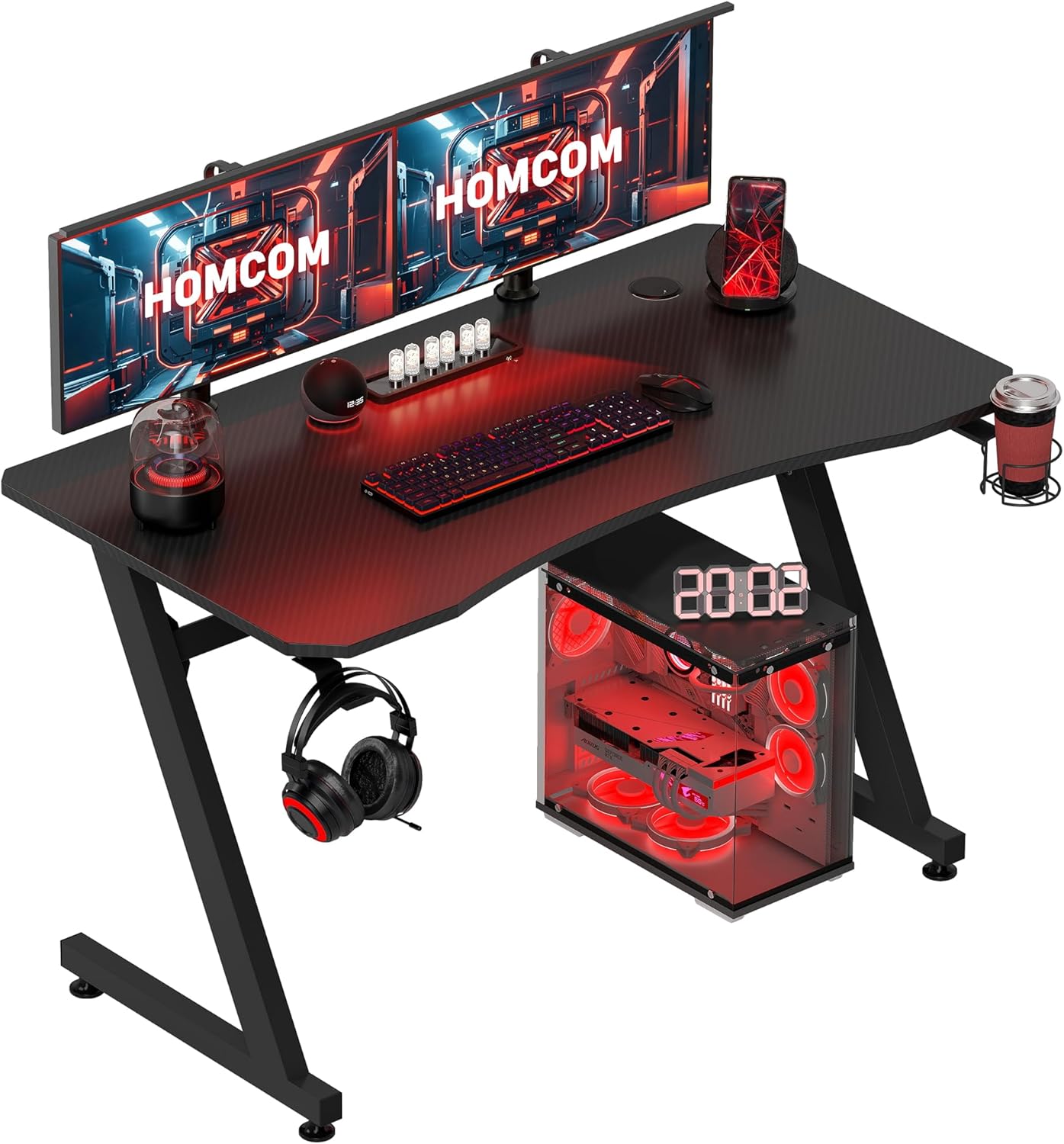
Image: The HOMCOM Gaming Desk, showcasing its design within a typical gaming environment.
Package Contents
Before beginning assembly, ensure all components are present and undamaged. If any parts are missing or damaged, please contact customer support.
- Desktop Surface (Engineered Wood)
- Z-Shaped Steel Frame Legs
- Adjustable Foot Pads
- Cup Holder
- Headphone Hook
- Assembly Hardware (screws, Allen key)
- Instruction Manual
Assembly Instructions
Follow these steps to assemble your gaming desk. It is recommended to assemble the desk on a soft, clean surface to prevent scratches.
- Unpack Components: Carefully remove all parts from the packaging and lay them out. Verify against the package contents list.
- Attach Frame to Desktop: Position the desktop surface upside down. Attach the Z-shaped steel frame legs to the designated mounting points on the underside of the desktop using the provided screws. Ensure all screws are tightened securely.
- Install Adjustable Foot Pads: Screw the adjustable foot pads into the bottom of the Z-shaped legs. These pads allow for leveling the desk on uneven surfaces.
- Mount Cup Holder and Headphone Hook: The cup holder and headphone hook can be attached to either side of the desk, depending on user preference. Secure them using the single screw provided for each accessory on the underside of the desktop.
- Cable Management Installation: The desk features integrated cable organizer holes. No separate installation is required for these.

Image: Overhead view of the desk with key dimensions, including the desktop surface and overall footprint.
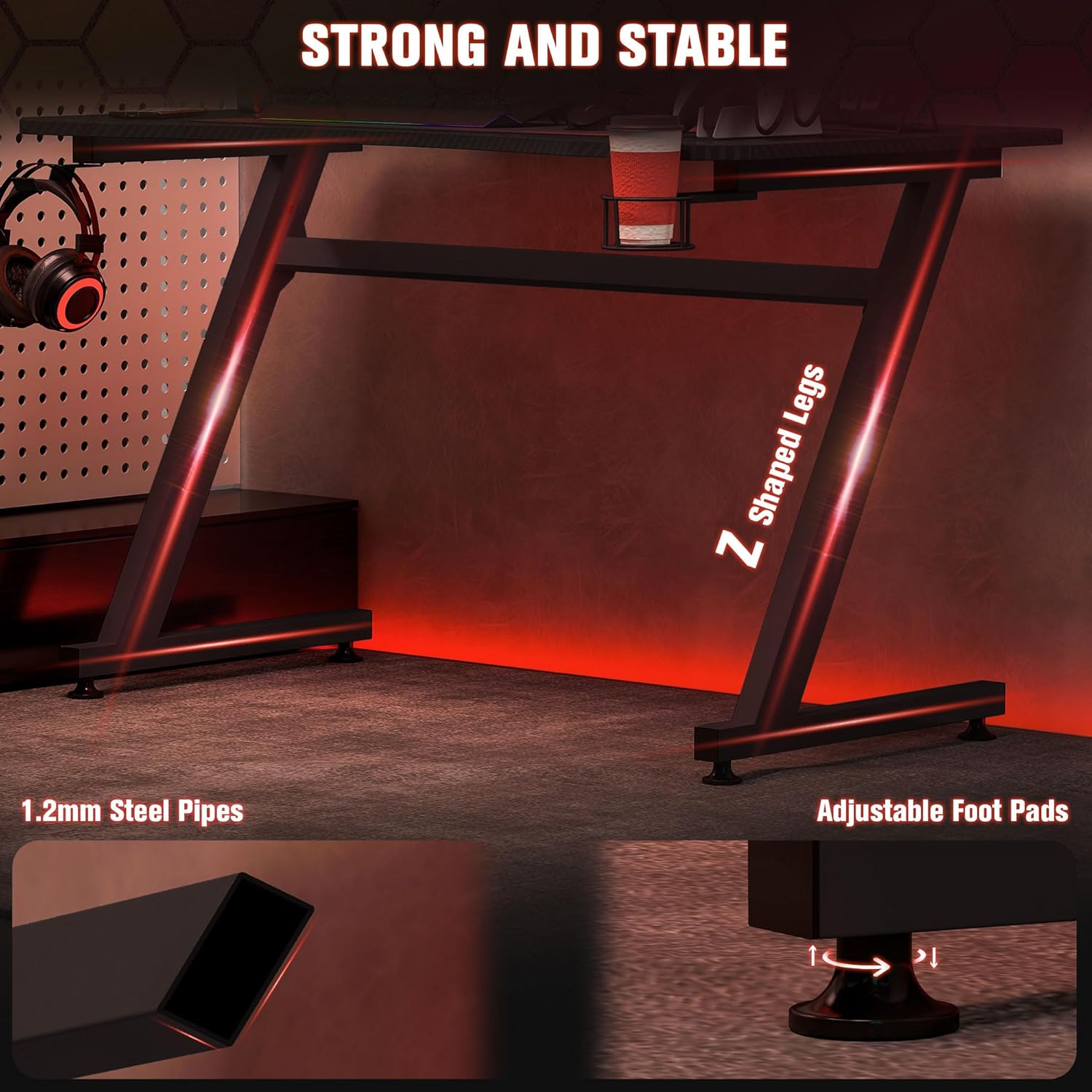
Image: Detail of the Z-shaped steel legs and the adjustable foot pads, highlighting the desk's stable construction.
Operating Instructions
The HOMCOM Gaming Desk is designed for optimal functionality and comfort.
- Desktop Surface: The spacious desktop provides ample room for monitors, keyboards, mice, and other peripherals. The carbon fiber textured surface offers durability and a modern aesthetic.
- Ergonomic Design: The curved front edge of the desktop is designed to enhance comfort during extended use, allowing for a more natural arm and wrist position.
- Cable Management: Utilize the two cable organizer holes located at the rear of the desktop to route and manage your cables, keeping your workspace tidy and free from tangles.
- Cup Holder: Use the integrated cup holder to keep beverages secure and prevent spills on your desk.
- Headphone Hook: Hang your headphones on the dedicated hook to keep them easily accessible and off the desktop surface when not in use.
- Adjustable Feet: If the desk wobbles, adjust the foot pads at the base of the legs by rotating them until the desk is stable and level.

Image: The ergonomic curved front of the desk, designed for comfortable operation.
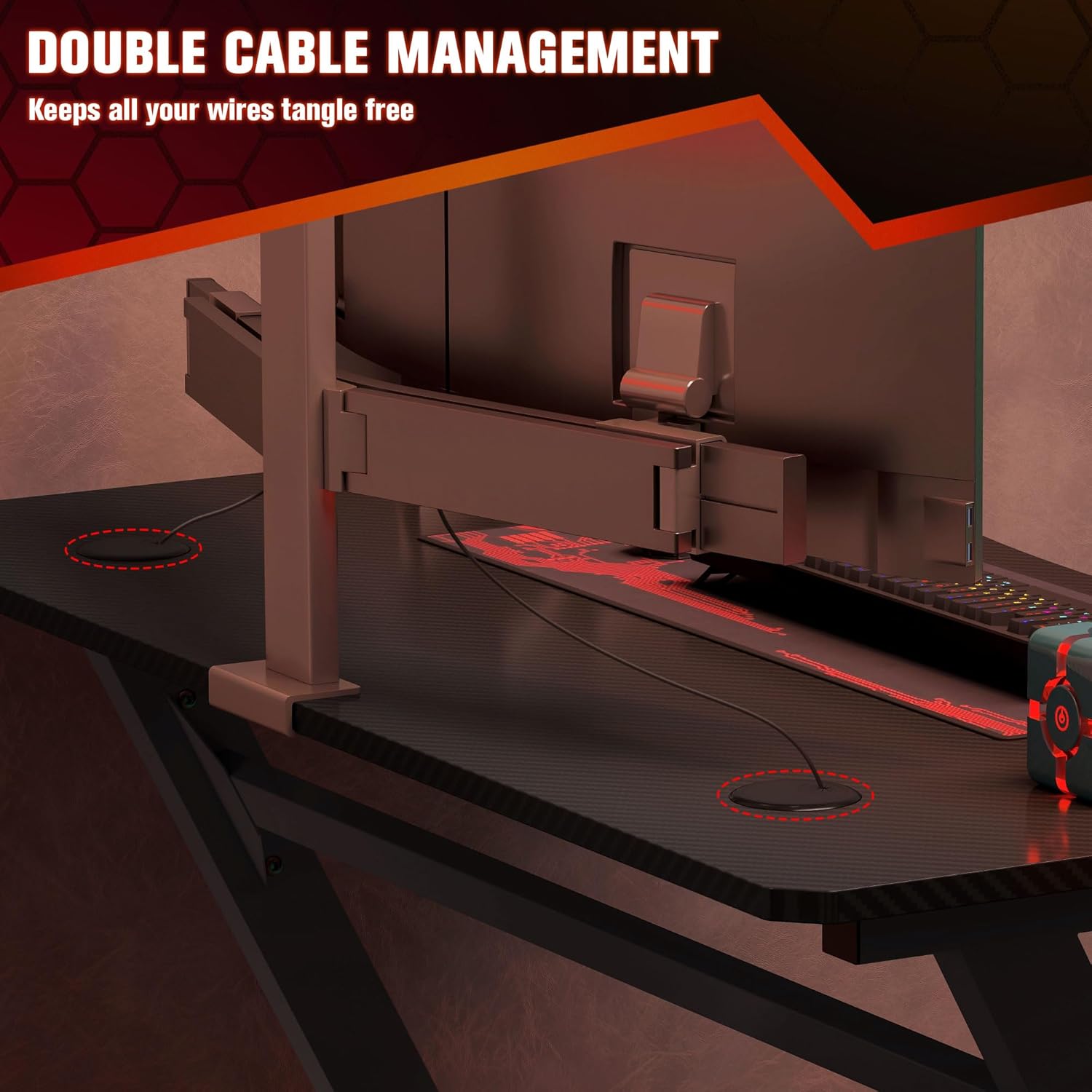
Image: Detail of the double cable management holes, illustrating how wires can be routed for a tidy setup.

Image: The detachable headphone hook and cup holder, providing convenient storage for accessories.
Care and Maintenance
To ensure the longevity and appearance of your HOMCOM Gaming Desk, follow these care guidelines:
- Cleaning: Wipe the desktop surface and frame with a soft, damp cloth. Avoid using harsh chemicals or abrasive cleaners, as these can damage the laminated finish.
- Spill Management: The desktop surface is designed to be waterproof. In case of spills, wipe them immediately with a dry cloth to prevent any potential damage.
- Protection: While the surface is scratch-resistant, avoid placing sharp or heavy objects directly on the desk without protection to prevent potential marks.
- Weight Capacity: Do not exceed the maximum weight capacity of 30 kg for the desktop and 1.5 kg for the hook and cup holder.

Image: Close-up of the carbon fibre textured surface, illustrating its scratch-resistant, waterproof, and easy-to-clean properties.
Troubleshooting
- Desk Wobbles: If the desk is unstable, adjust the individual foot pads at the bottom of each leg until the desk is level and firm on the floor.
- Assembly Difficulties: If you encounter difficulty during assembly, double-check that all parts are correctly oriented and that screws are aligned with their respective holes. Do not overtighten screws until all components are loosely fitted.
- Missing or Damaged Parts: If any components are missing or appear damaged upon unboxing, do not proceed with assembly. Contact HOMCOM customer support for assistance.
Specifications
| Feature | Detail |
|---|---|
| Brand | HOMCOM |
| Model Number | 836-205BK |
| Overall Dimensions (L x D x H) | 120 cm x 65 cm x 74.5 cm (47.24" x 25.59" x 29.33") |
| Desktop Dimensions (L x W) | 110 cm x 60 cm (43.3" x 23.6") |
| Material | Engineered Wood (Desktop), Alloy Steel (Frame) |
| Color | Black |
| Maximum Desktop Load Capacity | 30 kg (66 lbs) |
| Maximum Hook/Cup Holder Load Capacity | 1.5 kg (3.3 lbs) |
| Item Weight | 17.8 kg (39.2 lbs) |
| Special Features | Cup Holder, Headphone Hook, Adjustable Feet, Cable Organiser |
Warranty and Support
For warranty information, product support, or to order replacement parts, please contact HOMCOM customer service. Refer to your purchase documentation for specific contact details or visit the official HOMCOM website.
Website: HOMCOM Store on Amazon


