
Introduction
Thank you for choosing the SIMPLIHOME Amherst 72-inch Wide Solid Wood TV Stand. This manual provides detailed instructions for the safe assembly, proper use, and effective maintenance of your new media console. Please read all instructions carefully before beginning assembly and retain this manual for future reference.
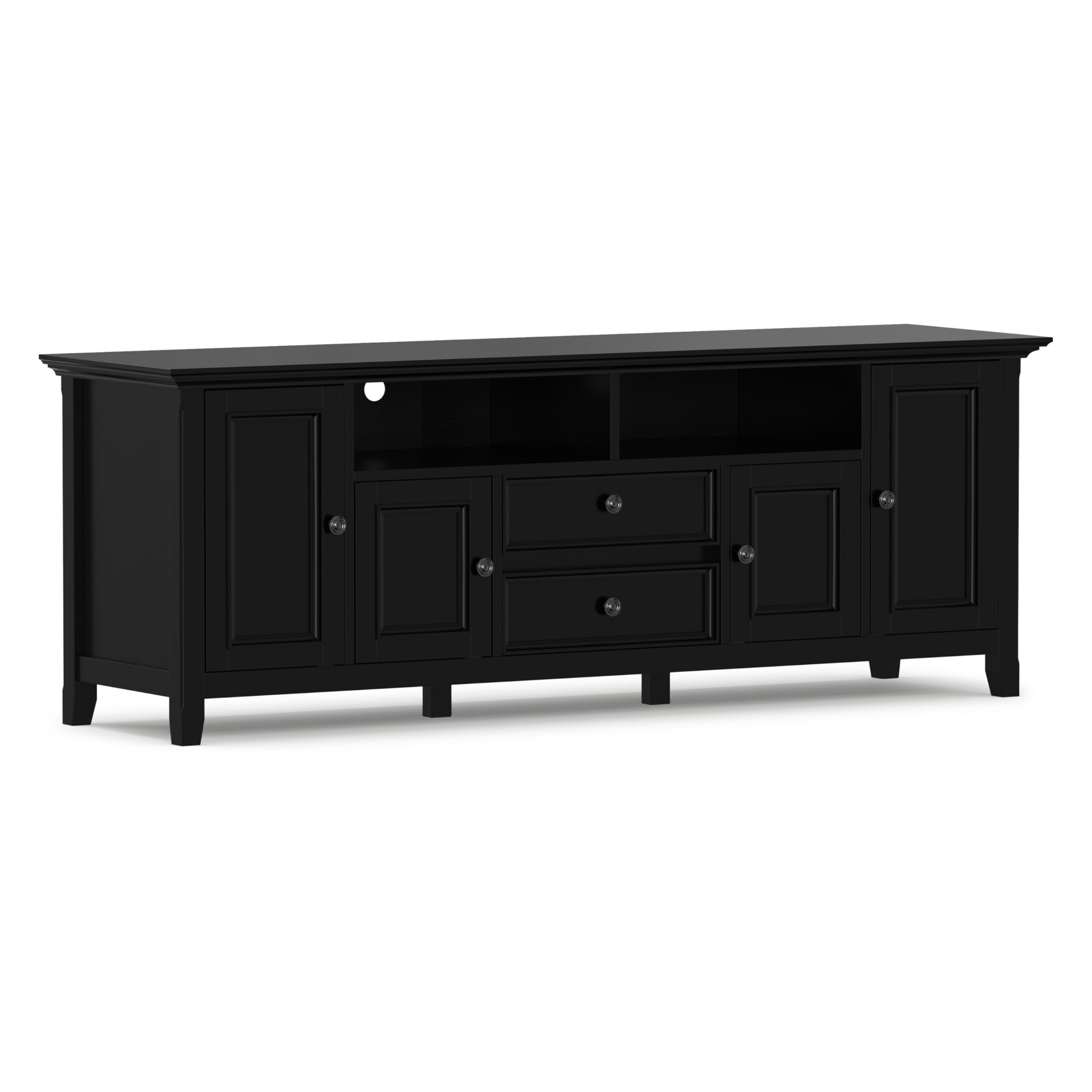
Image: Front view of the SIMPLIHOME Amherst 72-inch TV Stand in black, showcasing its design and storage compartments.
Safety Information
WARNING:
This product can expose you to chemicals including formaldehyde, phthalates, and lead which are known to the State of California to cause cancer or birth defects or other reproductive harm. For more information go to www.P65Warnings.ca.gov/furniture.
- Always follow assembly instructions carefully.
- Do not overload shelves or drawers.
- Use the provided anti-tip kit to secure the TV stand to a wall, preventing accidental tipping.
- Keep small parts away from children during assembly.
Package Contents
Before beginning assembly, ensure all parts are present and undamaged. If any parts are missing or damaged, do not proceed with assembly. Contact customer support for assistance.
- Top Panel
- Bottom Panel
- Side Panels (Left & Right)
- Back Panels
- Shelves (Adjustable)
- Drawer Components
- Cabinet Doors
- Hardware Pack (screws, dowels, cam locks, handles, hinges, drawer slides)
- Anti-Tip Kit
- Assembly Instructions
Setup and Assembly
Assembly is required for this TV stand. It is recommended that two adults assemble this unit. Please follow the detailed instructions provided in your package. An anti-tip kit is included for safety and must be installed.
- Unpack Components: Carefully remove all parts from the packaging and lay them out on a soft, clean surface to prevent scratches.
- Identify Hardware: Separate and identify all hardware components using the provided hardware list.
- Assemble Frame: Attach side panels to the bottom panel, then secure the top panel.
- Install Shelves: Insert adjustable shelves into desired positions.
- Assemble Drawers: Follow instructions to build and install the two smooth-glide drawers.
- Attach Doors: Mount cabinet doors using the provided hinges.
- Install Back Panels: Secure the back panels, ensuring cable management cutouts are accessible.
- Attach Handles: Fasten handles to drawers and cabinet doors.
- Secure with Anti-Tip Kit: Attach the anti-tip kit to the back of the TV stand and to a wall stud, following the kit's specific instructions. This step is crucial for stability and safety.

Image: Detailed dimensional drawing of the Amherst 72-inch Wide TV Media Stand, showing overall dimensions and internal compartment measurements.
Operating Instructions
The Amherst TV Stand is designed to accommodate TVs up to 80 inches. Place your television centrally on the top surface. Utilize the various storage options for your media devices and accessories.
- TV Placement: Position your television on the top surface, ensuring it is centered and stable. Do not exceed the recommended TV size or weight capacity.
- Cable Management: Use the rear cable management cutouts to route and organize power cords and audio/video cables, maintaining a tidy appearance and preventing tangles.
- Storage:
- Open Shelves: Ideal for media players, gaming consoles, or soundbars.
- Drawers: Store remote controls, small accessories, or manuals.
- Side Cabinets: Use for larger items, DVDs, or other media.
Video: Overview of the Simpli Home Amherst TV Stand, demonstrating its features and storage capabilities. This video is provided by Simpli Home Ltd.

Image: The Amherst TV Stand integrated into a living room, displaying a television, soundbar, and decorative items on its surface and within its compartments.
Maintenance
To ensure the longevity and appearance of your TV stand, follow these maintenance guidelines:
- Cleaning: Wipe clean with a soft, damp cloth. Avoid harsh chemicals or abrasive cleaners, as these can damage the finish.
- Dusting: Regularly dust with a dry, soft cloth.
- Spills: Blot spills immediately with a clean, dry cloth.
- Sunlight Exposure: Avoid prolonged exposure to direct sunlight to prevent fading or discoloration.
- Humidity: Maintain a consistent humidity level in the room to prevent wood from warping or cracking.
Troubleshooting
| Problem | Possible Cause | Solution |
|---|---|---|
| Stand is wobbly or unstable. | Loose hardware; uneven floor; anti-tip kit not installed. | Check and tighten all screws. Move to an even surface. Install the anti-tip kit as directed. |
| Drawers do not slide smoothly. | Improperly installed drawer slides; obstruction. | Ensure drawer slides are correctly aligned and installed. Check for any objects blocking the slides. |
| Cabinet doors are misaligned. | Hinges are loose or improperly adjusted. | Adjust the screws on the hinges to align the doors. Tighten any loose hinge screws. |
| Missing parts or damaged components. | Manufacturing defect or shipping damage. | Do not proceed with assembly. Contact SIMPLIHOME customer support immediately for replacement parts. |
Specifications
| Feature | Detail |
|---|---|
| Model Number | AXCAMH72-BL |
| Color | Black |
| Material | Solid Pine Wood |
| Dimensions (L x W x H) | 72 x 19 x 26 inches (182.9 x 48.3 x 66 cm) |
| Item Weight | 105.8 Pounds (48 kg) |
| TV Size Capacity | Up to 80 inches |
| Number of Drawers | 2 |
| Number of Shelves | 2 (adjustable) |
| Assembly Required | Yes (Full Assembly) |
| Special Features | Cable Management Cutouts, Anti-Tip Kit Included |
Warranty Information
The SIMPLIHOME Amherst TV Stand is warranted to be free from defects in material and workmanship for a period of one (1) year from the date of purchase to the original owner. This warranty covers manufacturing defects under normal use. It does not cover damage resulting from improper assembly, misuse, abuse, accident, or normal wear and tear. Please retain your proof of purchase for warranty claims.
Customer Support
If you have any questions regarding the assembly, operation, or maintenance of your SIMPLIHOME Amherst TV Stand, or if you require replacement parts, please contact our customer support team:
- Website: www.simplihome.com
- Email: support@simplihome.com (example)
- Phone: 1-800-XXX-XXXX (example)
Please have your model number (AXCAMH72-BL) and proof of purchase ready when contacting support.


