Introduction
Thank you for choosing the KitchenAid 5 Cup Cordless Food Chopper. This appliance is designed to provide the power and versatility you need for various food preparation tasks, all without the constraint of a cord. Powered by a rechargeable lithium-ion battery, it offers optimal runtime and performance, allowing you to cook wherever and however you choose. This manual provides essential information for safe and efficient use of your new food chopper.

Image: The KitchenAid Cordless Food Chopper in Empire Red, actively chopping red onions on a kitchen counter, highlighting its cordless convenience.
Important Safety Information
Please read all instructions carefully before using your KitchenAid 5 Cup Cordless Food Chopper. Failure to follow these instructions may result in electric shock, fire, or other hazards.
- Always ensure the appliance is switched off and unplugged before assembly, disassembly, or cleaning.
- Keep hands and utensils away from moving blades during operation to prevent injury.
- Do not immerse the motor base in water or other liquids.
- This appliance is for household use only. Do not use outdoors.
- Supervise children closely when the appliance is in use.
- Use only attachments and accessories recommended by KitchenAid.
- Do not operate the appliance with a damaged cord or plug, or after the appliance malfunctions or has been dropped or damaged in any manner.
What's in the Box
Your KitchenAid 5 Cup Cordless Food Chopper package includes the following components:
- 1x Motor Base (Empire Red)
- 1x 5-Cup Work Bowl
- 1x Work Bowl Lid with Drizzle Basin
- 1x Multi-Purpose Stainless Steel Blade
- 1x Whisk Accessory
- 1x Universal Battery Charger
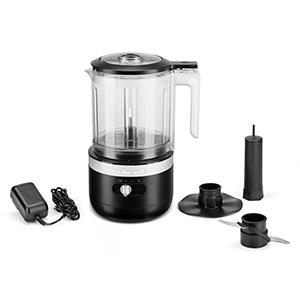
Image: A visual representation of all included parts: the motor base, work bowl, lid, multi-purpose blade, whisk accessory, and charger.
Setup and Charging
- Initial Charge: Before first use, fully charge the food chopper's lithium-ion battery. Connect the universal charger to the charging port on the motor base and plug it into a power outlet. The battery indicator light will show charging status. A full charge takes approximately 2 hours or less. A quick 10-minute charge can provide enough power to chop up to 11 onions.
- Assembly: Place the motor base on a clean, dry, flat surface. Position the 5-cup work bowl onto the motor base, ensuring it locks securely into place. Insert the multi-purpose blade or whisk accessory onto the drive pin in the center of the work bowl. Add your ingredients. Secure the work bowl lid by aligning it with the handle and twisting until it locks.

Image: The charging port of the KitchenAid Cordless Food Chopper, with the charger connected and the battery indicator light illuminated.
Operating Instructions
The KitchenAid 5 Cup Cordless Food Chopper features two speed settings for optimal control over your chopping and pureeing tasks.
- Adding Ingredients: Ensure the work bowl and blade/whisk are assembled correctly. Add your desired ingredients to the work bowl. For liquids or oils, use the drizzle basin on the lid while the chopper is running.
- Selecting Speed: Use the slide switch on the front of the motor base to select your desired speed:
- Speed 1 (Chop): Ideal for chopping nuts, herbs, vegetables, and other ingredients that require a coarser texture.
- Speed 2 (Puree): Best for pureeing fruits, vegetables, making sauces, hummus, or whipping cream.
- Operation: With the lid securely locked, press and hold the power button located on the handle to activate the chopper. Release the button to stop. Pulse for controlled chopping or hold for continuous processing.
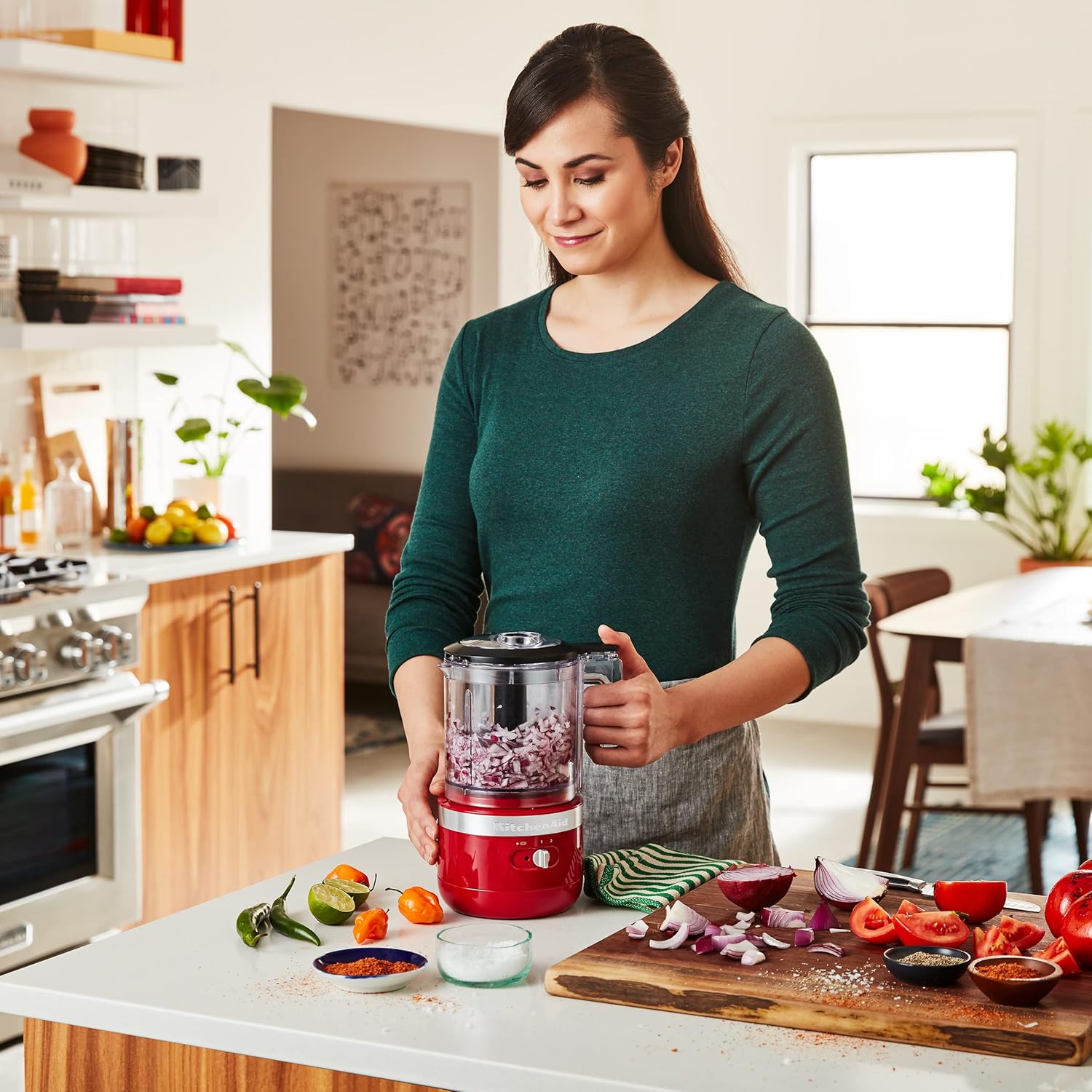
Image: A user operating the KitchenAid Cordless Food Chopper on a kitchen island, demonstrating its ease of use.
Video: KitchenAid Cordless 5 Cup Food Chopper in action, demonstrating its features and versatility.
Maintenance and Cleaning
Proper maintenance ensures the longevity and performance of your food chopper.
- Disassembly: Always unplug the charger (if connected) and ensure the chopper is off. Remove the lid, then carefully remove the blade/whisk accessory. Unlock and remove the work bowl from the motor base.
- Cleaning: The work bowl, lid, multi-purpose blade, and whisk accessory are all dishwasher-safe (top rack recommended). For the motor base, wipe clean with a damp cloth. Do not immerse the motor base in water.
- Cord Storage: The motor base features convenient cord storage to keep your countertop tidy. Wrap the charger cord around the base when not in use.
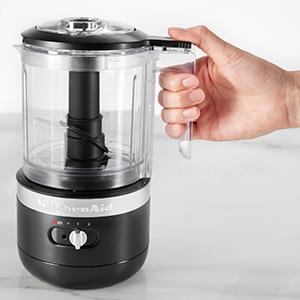
Image: The cord storage feature on the base of the KitchenAid Cordless Food Chopper, allowing for neat organization.
Troubleshooting
If you encounter any issues with your KitchenAid 5 Cup Cordless Food Chopper, please refer to the following common solutions:
- Appliance not turning on: Ensure the battery is charged. Check that the work bowl and lid are correctly assembled and locked into place. The safety interlock system prevents operation if components are not properly aligned.
- Ingredients not chopping evenly: Do not overfill the work bowl. Process ingredients in smaller batches if necessary. Ensure ingredients are cut into appropriate sizes before adding to the chopper.
- Motor sounds strained: This may indicate the work bowl is overfilled or ingredients are too dense. Reduce the amount of ingredients or cut them into smaller pieces.
Specifications
| Feature | Specification |
|---|---|
| Brand | KitchenAid |
| Model Number | KFCB519ER |
| Color | Empire Red |
| Product Dimensions | 6.61"D x 5.51"W x 10.39"H |
| Item Weight | 2.79 pounds |
| Bowl Capacity | 5 Cups |
| Number of Speeds | 2 |
| Blade Material | Stainless Steel |
| Special Feature | Cord Storage |
| Product Care Instructions | Dishwasher Safe (accessories), Hand Wash (motor base) |
| Batteries | 1 Lithium Ion batteries required (included) |
| Wattage | 120 watts |
Warranty and Support
KitchenAid products are manufactured to the highest quality standards. For detailed warranty information, please refer to the warranty card included with your product or visit the official KitchenAid website. For customer support, service, or to purchase additional accessories, please contact KitchenAid customer service or visit their official website.
You can find more information and support at the KitchenAid Store on Amazon.


