
Product Overview
Earth Defense Force 5 is an arcade shooter set in the year 2022, where players assume the role of an EDF soldier. The primary objective is to defend Earth from an all-out attack by unknown alien life-forms, battling against immense enemies to restore global peace. This PlayStation 4 disc contains the full game experience.

Setup and Installation
- Insert Disc: Gently insert the Earth Defense Force 5 PlayStation 4 game disc into your PlayStation 4 console's disc drive with the label facing up.
- Automatic Installation: The console will automatically detect the game disc and begin the installation process. Follow any on-screen prompts.
- System Updates: Ensure your PlayStation 4 system software is up to date for optimal performance. If prompted, download and install any available system updates.
- Game Updates: After initial installation, the game may require additional updates or patches. Connect your console to the internet to download these automatically.
- Launch Game: Once installation and updates are complete, select the Earth Defense Force 5 icon from your PlayStation 4 home screen to launch the game.
Operating and Gameplay
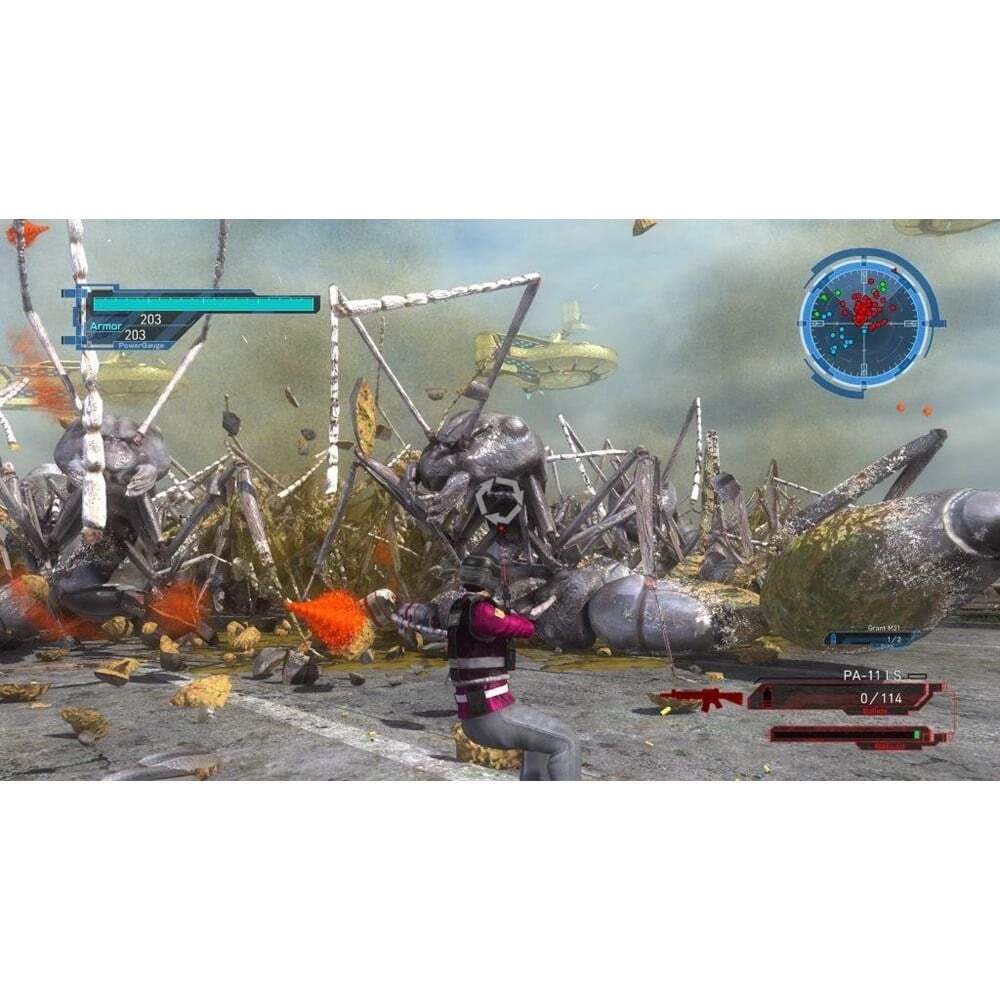
Earth Defense Force 5 offers intense third-person shooter action with a focus on large-scale battles against alien invaders. Players can choose from various classes, each with unique abilities and weapon sets.
Key Gameplay Features:
- Classes: Unlock and switch between four distinct classes before each mission: Ranger, Wing Diver, Air Raider, and Fencer. Each class offers a different playstyle and weapon specialization.
- Weapon Variety: Access over 1000 types of weapons, including assault rifles, rocket launchers, grenades, lasers, and more. Collect weapon drops during missions to expand your arsenal.
- Immense Enemies: Confront endless hordes of diverse alien life-forms, from giant insects and spiders to humanoid aliens and massive kaiju-like creatures.
- Destructible Environments: Experience dynamic battles where buildings and structures can be destroyed, adding to the chaotic atmosphere.
- Co-op Play: All missions support online co-op for up to 4 players, as well as local split-screen co-op, allowing you to team up with friends.
- Inferno Mode: Unlock the challenging "Inferno mode" for the ultimate test of skill against overwhelming enemy forces.
Combat and Progression:
During missions, defeat enemies to collect armor and weapon drops. Armor pickups increase your maximum health, while weapon pickups add new weapons to your inventory or upgrade existing ones. Experiment with different weapon combinations and class abilities to find effective strategies against various alien threats.


Maintenance
While Earth Defense Force 5 is a software product, proper maintenance of your game data and console can enhance your experience.
- Game Updates: Regularly connect your PlayStation 4 to the internet to ensure the game receives the latest patches and content updates. These updates often include bug fixes, performance improvements, and new features.
- Save Data Management: Periodically back up your game save data to PlayStation Plus cloud storage or a USB drive to prevent loss in case of console issues.
- Console Care: Keep your PlayStation 4 console in a well-ventilated area to prevent overheating. Ensure the disc drive is clean and free of dust.
Troubleshooting
If you encounter issues while playing Earth Defense Force 5, consider the following common solutions:
- Game Not Starting:
- Ensure the game disc is clean and free of scratches.
- Verify that the disc is inserted correctly into the console.
- Check for any pending system software or game updates.
- Performance Issues (Lag/Freezing):
- Close other applications running in the background on your PS4.
- Ensure your console has adequate ventilation.
- Rebuild the PS4 database (from Safe Mode) if issues persist.
- Online Co-op Connectivity:
- Check your internet connection and network settings.
- Ensure all players have the same game version (latest updates installed).
- Verify PlayStation Network (PSN) status.
- Corrupted Save Data:
- If you have a backup, restore your save data from cloud storage or a USB drive.
- Avoid turning off the console during saving operations.
For persistent issues, consult the official PlayStation support website or the game publisher's support channels.
Specifications
| Title | Earth Defense Force 5 (PS4) |
| Brand | PQube |
| Compatible Console | Sony PlayStation 4 |
| Item Model Number | FG-EDF5-PS4-EFIGS |
| Release Date | September 18, 2020 |
| Product Dimensions | 5.31 x 0.59 x 6.77 inches |
| Item Weight | 2.79 ounces |
| Language | English |
| ESRB Rating | Teen |
Warranty Information
As a video game software product, Earth Defense Force 5 typically does not come with a direct manufacturer's warranty in the same way hardware products do. However, your purchase may be covered by the retailer's return policy or consumer protection laws in your region for defects at the time of purchase.
For specific details regarding returns or exchanges for defective discs, please refer to the policy of the retailer from whom you purchased the game.
Support
For technical assistance, gameplay questions, or other support inquiries related to Earth Defense Force 5, please refer to the following resources:
- Publisher Support: Visit the official PQube website for support information, FAQs, and contact options.
- PlayStation Support: For issues related to your PlayStation 4 console or PlayStation Network services, visit the official PlayStation Support website.
- Online Communities: Many online forums and communities dedicated to Earth Defense Force games can provide helpful tips and solutions from other players.


