Introduction
Thank you for purchasing the Berrcom Non-Contact Infrared Forehead Thermometer. This device is designed for safe, accurate, and rapid temperature measurement of the human body, as well as room and object temperatures. Please read this manual thoroughly before use to ensure proper operation and to maintain the device's longevity.

Image: The Berrcom Non-Contact Infrared Forehead Thermometer, a white handheld device with a digital display and blue control buttons.
Safety Information
Please observe the following safety precautions to prevent injury or damage to the device:
- Do not immerse the thermometer in water or other liquids.
- Keep the device away from direct sunlight, dust, and extreme temperatures.
- Do not drop or subject the thermometer to strong impacts.
- This device is intended for household use. Consult a medical professional for any health concerns.
- Keep out of reach of children.
Product Overview
Key Features
- Non-Contact Measurement: Safe and hygienic, measure from 3-5cm distance.
- Multi-mode: Measures body, room, and object temperatures.
- Fast and Accurate: Instant temperature reading with high precision.
- Fever Alarm: Audible alarm for high temperatures.
- Large LCD Display: Easy-to-read digital display with backlight.
- Memory Function: Stores up to 32 sets of data for tracking.
- Automatic Shutdown: Powers off after 30 seconds of inactivity to save battery.

Image: Visual representation of key features including LCD large screen, mute/beep switching, automatic shutdown, environmental friendliness, one-button operation, and non-contact measurement.
Device Components

Image: Diagram showing the various components of the thermometer, including the infrared probe, memory key, mute/beep button, mode display, LCD display, temperature display, voice display, and scan button.
- Infrared Probe: Sensor for temperature detection.
- LCD Display: Shows temperature readings and settings.
- Mode Button: Switches between Body, Room, and Object modes.
- Mute/Beep Button: Toggles sound on/off.
- Memory Button: Accesses stored temperature readings.
- Scan Button (Trigger): Initiates temperature measurement.
- Battery Compartment: Located at the bottom of the handle.
Setup
Battery Installation
The thermometer requires two (2) AA batteries (not included) for operation.
- Open the battery compartment cover located at the bottom of the handle.
- Insert two AA batteries, ensuring correct polarity (+ and -).
- Close the battery compartment cover securely.

Image: The bottom view of the thermometer showing the open battery compartment and two AA batteries.
Operating Instructions
Powering On/Off
- To power on, simply press the Scan button (trigger). The device will perform a self-test and display the last measurement.
- The thermometer will automatically shut down after approximately 30 seconds of inactivity to conserve battery life.
Taking a Measurement (Body Temperature)
- Ensure the thermometer is in Body mode. If not, press the "MODE" button to switch until "BODY" is displayed.
- Hold the thermometer 3-5 cm (1.2-2 inches) away from the center of the forehead.
- Press the Scan button (trigger) once.
- The temperature reading will be displayed on the LCD screen within one second.
- An audible beep will confirm the measurement (if sound is enabled).

Image: A hand holding the thermometer, demonstrating the 3-5cm measurement distance from a baby's forehead, highlighting the 1-second measurement capability.

Image: A close-up of the thermometer's front, emphasizing its non-contact infrared technology and new generation core chip sensing for accurate readings.
Switching Measurement Modes
The thermometer supports three measurement modes: Body, Room, and Object.
- Press the "MODE" button to cycle through the available modes. The current mode will be displayed on the LCD screen.
- Body Mode: For measuring human body temperature.
- Room Mode: For measuring ambient room temperature.
- Object Mode: For measuring the surface temperature of objects (e.g., milk, bath water).

Image: A graphic illustrating the three distinct measurement modes: Body (with a baby icon), Room (with a living room icon), and Object (with a cup of milk icon).
Fahrenheit/Celsius Switching
The temperature unit can be switched between Celsius (°C) and Fahrenheit (°F).
- With the device powered on, press and hold the "MODE" button for a few seconds until the unit changes.
- Release the button when the desired unit is displayed.
Mute/Beep Function
To toggle the audible beep on or off:
- Press the "MUTE/BEEP" button (speaker icon) to switch between sound on and sound off.
- A speaker icon on the LCD will indicate if the sound is enabled.
Memory Function
The thermometer can store up to 32 sets of temperature readings.
- To view past readings, press the "MEM" (Memory) button.
- Each press will cycle through the stored readings from most recent to oldest.

Image: A graph illustrating the storage of 32 data sets, showing temperature changes over time, with the memory button highlighted on the thermometer.
Care and Maintenance
- Cleaning: Wipe the thermometer body with a soft, dry cloth. For the probe, use a cotton swab lightly moistened with alcohol. Do not use abrasive cleaners or immerse in water.
- Storage: Store the device in a cool, dry place, away from direct sunlight and extreme temperatures.
- Battery Replacement: Replace batteries when the low battery indicator appears on the display. Remove batteries if the device will not be used for an extended period.
Troubleshooting
| Problem | Possible Cause | Solution |
|---|---|---|
| No display/Device won't turn on. | Low or dead batteries; Incorrect battery installation. | Replace batteries; Check battery polarity. |
| Inaccurate readings. | Measurement distance too far/close; Dirty probe; Ambient temperature fluctuations. | Ensure 3-5cm distance; Clean the probe; Allow device to acclimate to room temperature. |
| "Lo" or "Hi" displayed. | Temperature is outside the measurable range. | Ensure measurement is within specified operating range. |
Specifications
| Feature | Detail |
|---|---|
| Product Dimensions | 6.1 x 1.57 x 3.94 inches |
| Item Weight | 7.05 ounces |
| Model Number | Berrcom |
| Batteries Required | 2 AA batteries (not included) |
| Measurement Distance | 3-5 cm |
| Display Type | LCD |
| Connectivity Technology | Infrared |
| Special Feature | Non-Contact, Fever Alarm, Memory Function |
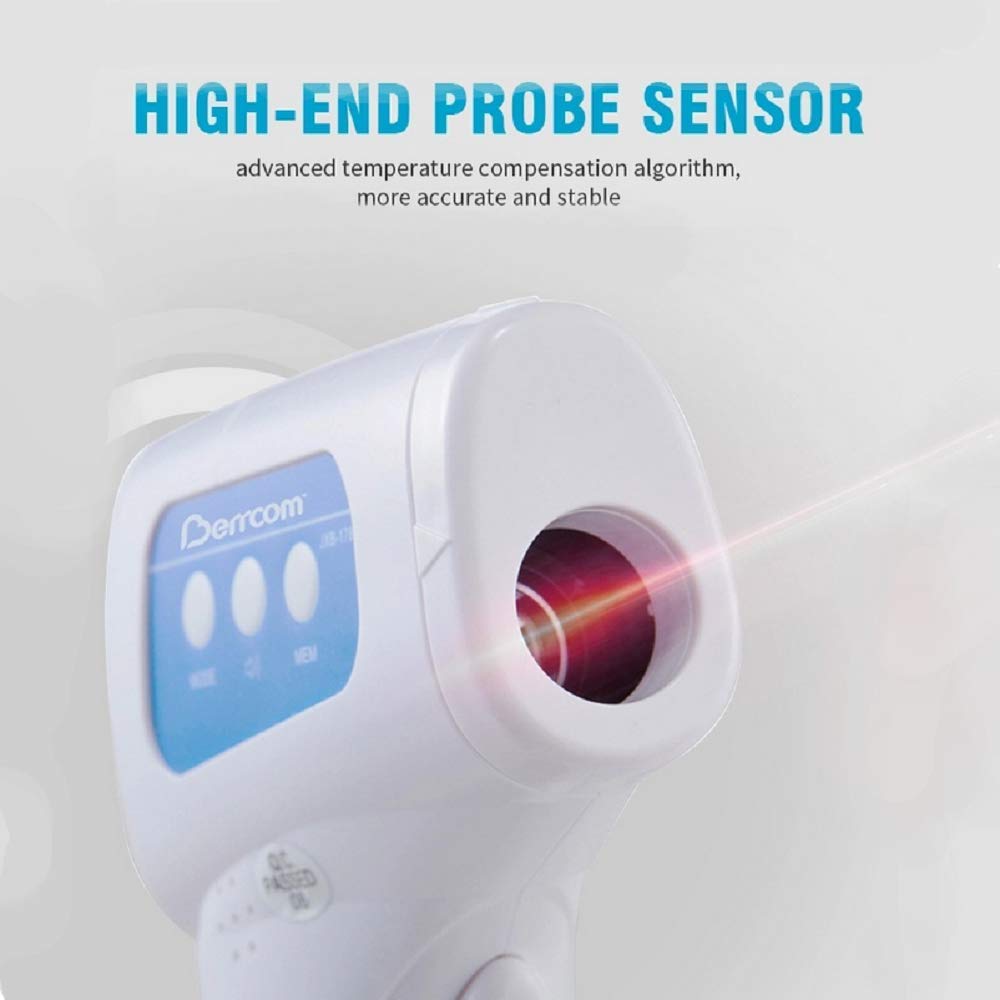
Image: A close-up of the thermometer's infrared probe, emphasizing its high-end sensor and advanced temperature compensation algorithm for accurate and stable readings.
Warranty and Support
For warranty information or technical support, please refer to the product packaging or contact the manufacturer directly. Keep your purchase receipt as proof of purchase.
Manufacturer: Berrcom
Date First Available: June 19, 2020