
Introduction
Thank you for purchasing the NincoRacers Hyundai i20 WRC 1:16 scale remote control car. This manual provides essential information for the safe and efficient operation of your new RC car. Please read this manual thoroughly before use and retain it for future reference.
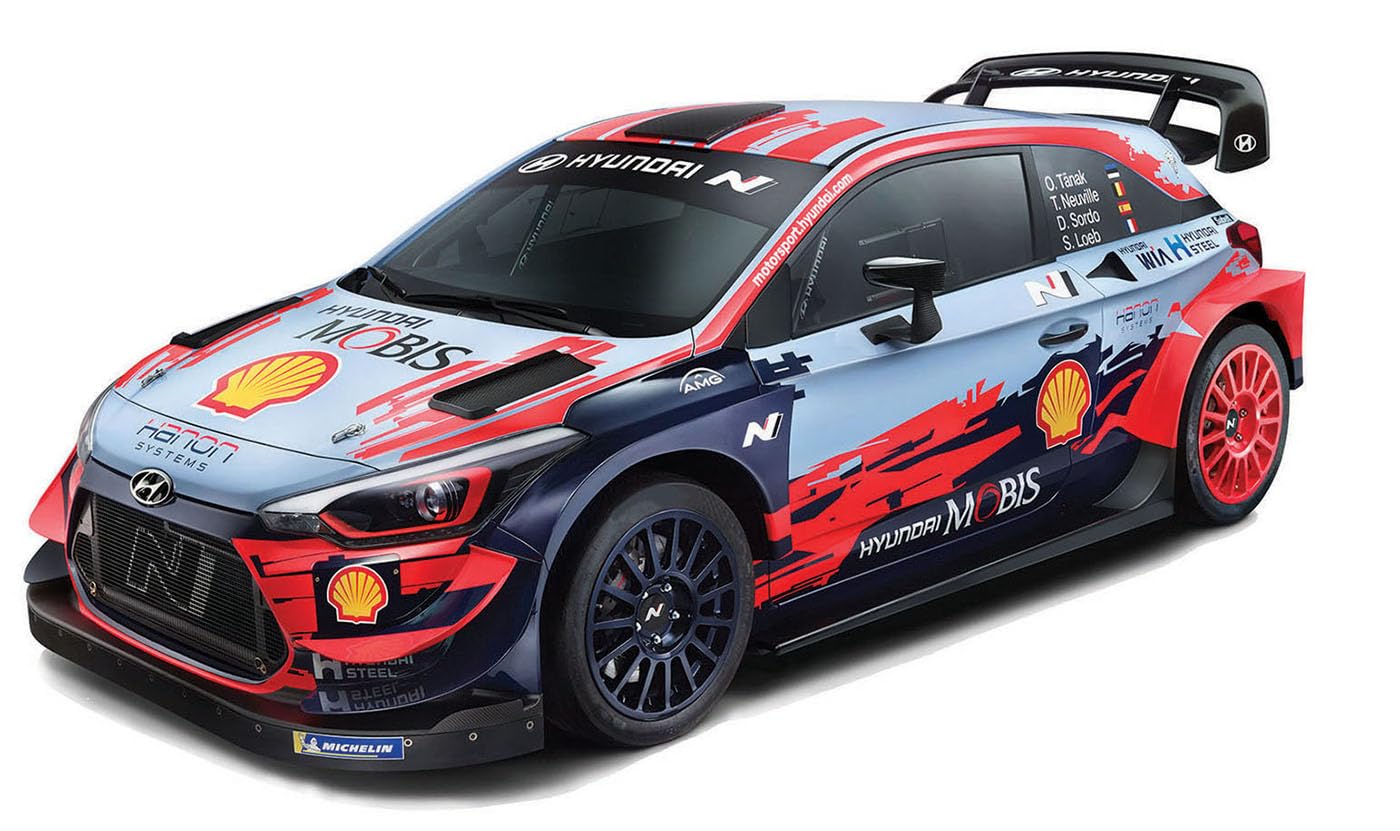
Figure 1: NincoRacers Hyundai i20 WRC Remote Control Car in action.
Safety Information
WARNING: Not suitable for children under 6 years due to small parts. Adult supervision is required at all times during operation.
- Always operate the vehicle in a safe, open area away from people, pets, and obstacles.
- Do not operate near roads, water, or in adverse weather conditions.
- Keep fingers, hair, and loose clothing away from moving parts.
- Do not touch the motor immediately after use, as it may be hot.
- Use only the specified batteries and charger. Incorrect use can lead to fire, injury, or property damage.
- Do not attempt to modify the vehicle or its components.
- Store the vehicle and remote control in a cool, dry place when not in use.
Package Contents
Verify that all items are present in the package:
- NincoRacers Hyundai i20 WRC Remote Control Car (1:16 Scale)
- 2.4 GHz Remote Control Transmitter
- Li-Ion Battery (500 mAh, 3.6V) for the car
- USB Charger for Li-Ion Battery
- AA Batteries for Remote Control (2 included)
- Instruction Manual (this document)
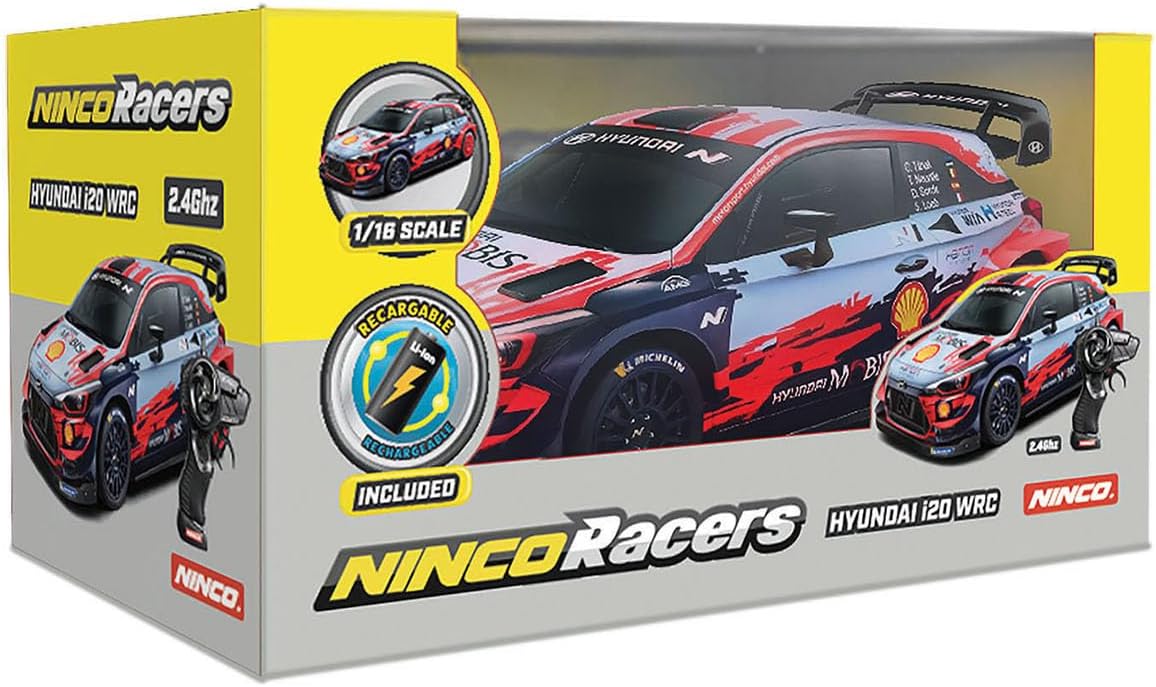
Figure 2: Product packaging illustrating included components.
Setup
1. Charging the Car Battery
- Locate the Li-Ion battery and the USB charger.
- Connect the Li-Ion battery to the USB charger.
- Plug the USB charger into a compatible USB power source (e.g., computer USB port, USB wall adapter).
- The indicator light on the USB charger will show the charging status. Refer to the charger's specific instructions for light indications (e.g., red for charging, green for fully charged).
- Charging typically takes approximately 3 hours for a full charge.
- Once fully charged, disconnect the battery from the charger.
Note: Do not overcharge the battery. Always supervise charging.
2. Installing the Car Battery
- Ensure the car's power switch is in the "OFF" position.
- Locate the battery compartment on the underside of the car.
- Open the battery compartment cover.
- Carefully connect the charged Li-Ion battery to the car's battery connector.
- Place the battery inside the compartment and close the cover securely.
3. Installing Remote Control Batteries
- Locate the battery compartment on the back of the remote control.
- Open the battery compartment cover.
- Insert 2 AA batteries, ensuring correct polarity (+/-).
- Close the battery compartment cover securely.

Figure 3: 2.4 GHz Remote Control Transmitter.
Operating Instructions
1. Pairing the Remote Control
The 2.4 GHz technology allows multiple cars to operate simultaneously without interference. Follow these steps to pair your remote control with the car:
- Turn on the remote control. The indicator light on the remote will flash.
- Turn on the car's power switch.
- The remote control and car will automatically pair. The indicator light on the remote will become solid, indicating a successful connection.
- If pairing fails, turn off both the car and remote, then repeat steps 1-3.
2. Driving the Car
Once paired, you can control the car using the remote control:
- Forward/Reverse: Pull the trigger towards you to move forward. Push the trigger away from you to move backward.
- Steering: Turn the steering wheel left or right to steer the car in the desired direction.
The car features durable rubber tires for excellent grip on various surfaces, allowing for dynamic driving.

Figure 4: Operating the remote control car.
Maintenance
- Cleaning: Use a soft, dry cloth to clean the car and remote control. Do not use water or chemical cleaners.
- Battery Care:
- Always remove batteries from the car and remote control when not in use for extended periods.
- Store batteries in a cool, dry place.
- Do not expose batteries to extreme temperatures.
- Storage: Store the car and remote control in a cool, dry environment, away from direct sunlight and moisture.
Troubleshooting
| Problem | Possible Cause | Solution |
|---|---|---|
| Car does not respond to remote. |
|
|
| Short playtime. |
|
|
| Car moves slowly or erratically. |
|
|
Specifications
| Brand | Ninco |
| Model Name | NH93168 |
| Scale | 1:16 |
| Material | PVC |
| Power Source | Battery-powered |
| Car Battery | 500 mAh, 3.6V Li-Ion (included) |
| Remote Control Batteries | 2 x AA (included) |
| Charging Time | Approx. 3 hours |
| Playtime | Up to 25 minutes |
| Control Frequency | 2.4 GHz |
| Recommended Age | 6 years and up |
| Dimensions (L x W x H) | 20 x 20 x 20 cm (approximate) |
Disposal Information
This product contains electronic components and batteries. Do not dispose of it with household waste. Please take it to a designated collection point for recycling electronic waste and batteries in accordance with local regulations. Proper disposal helps prevent potential negative consequences for the environment and human health.
Warranty and Support
For warranty information and customer support, please refer to the documentation provided at the time of purchase or visit the official Ninco website. Keep your proof of purchase for warranty claims.


