Product Overview
The WESCO 20V Cordless Impact Wrench is designed for various applications including home improvement, automotive repair, construction, and general assembly tasks. Its compact and lightweight design, combined with a powerful motor, makes it a versatile tool for tightening and loosening nuts and bolts.

Image: WESCO 20V 1/2 inch Cordless Impact Wrench, showing the tool, battery, charger, and included sockets (1/2", 5/8", 3/4").
Included Components
The product package includes the following items:
- 1 x WESCO 20V Cordless Impact Wrench
- 1 x 20V 2.0Ah Lithium-Ion Battery Pack (WS9970)
- 1 x Fast Charger (WS9924U)
- 4 x Impact Sockets (1/2", 5/8", 3/4", 7/8")
- 1 x Belt Clip
- 1 x User Manual
Safety Information
Always observe basic safety precautions when using power tools to reduce the risk of fire, electric shock, and personal injury. Read all instructions before operating this tool.
- Wear appropriate personal protective equipment, including eye protection and gloves.
- Ensure the work area is well-lit and clear of obstructions.
- Keep children and bystanders away while operating the tool.
- It is normal for sparks to generate while starting and shutting down the tool.
- Disconnect the battery pack from the tool when not in use or before performing any adjustments or maintenance.
- Do not expose the tool or battery to rain or wet conditions.
Setup
Charging the Battery
Before first use, fully charge the 20V Lithium-Ion battery pack. The fast charger can fully charge the battery in approximately 1 hour.
- Connect the charger to a standard power outlet.
- Slide the battery pack onto the charger until it clicks into place.
- The charger's indicator light will show the charging status. Refer to the charger's specific instructions for light indications.
- Once fully charged, remove the battery pack from the charger.

Image: WESCO 20V Lithium-Ion battery pack and fast charger, illustrating the charging components.
Attaching the Battery Pack
To attach the battery pack to the impact wrench:
- Align the battery pack with the receptacle on the bottom of the tool handle.
- Slide the battery pack firmly into place until it locks with a click. Ensure it is securely fastened before operation.
Installing Sockets
The impact wrench features a 1/2" quick-release chuck for easy socket installation.
- Select the appropriate impact socket (1/2", 5/8", 3/4", or 7/8") for your application.
- Push the socket firmly onto the 1/2" square drive anvil until it is fully seated.
- To remove, pull the socket off the anvil.

Image: Detailed view of the WESCO impact wrench, highlighting the 1/2" chuck, LED light, speed control switch, forward/reverse control, battery release, and belt clip.
Operating Instructions
Powering On/Off and Variable Speed Trigger
The tool is activated by pressing the variable speed trigger. The speed of the impact wrench is controlled by the amount of pressure applied to the trigger.
- To start the tool, press the trigger.
- To increase speed, apply more pressure to the trigger.
- To stop the tool, release the trigger.

Image: Close-up of the WESCO impact wrench demonstrating the forward/reverse control switch and the variable speed trigger.
Forward and Reverse Rotation
The direction of rotation is controlled by the forward/reverse switch located above the trigger.
- Push the switch to the left for tightening (forward rotation).
- Push the switch to the right for loosening (reverse rotation).
- When the switch is in the center position, the trigger is locked, preventing accidental operation.
LED Work Light
The built-in LED light illuminates the work area when the trigger is pressed, improving visibility in dark or confined spaces.
Applications
This impact wrench is suitable for a variety of tasks requiring high torque, such as:
- Automotive repairs, including lug nut removal and installation.
- Heavy equipment maintenance.
- Construction projects, such as scaffolding installation.
- Product assembly requiring fastening of large bolts.
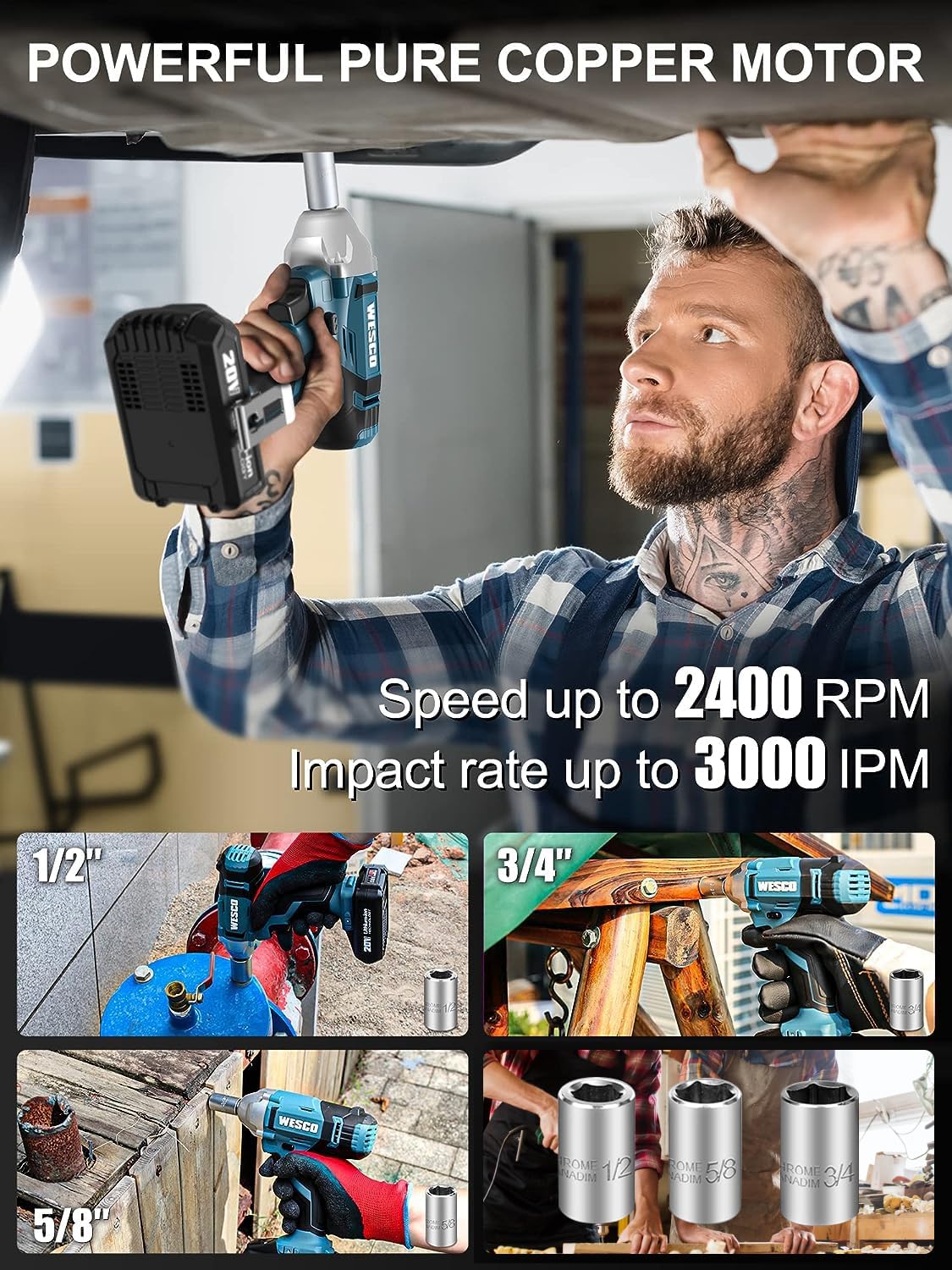
Image: The WESCO impact wrench being used in different scenarios, demonstrating its versatility and the power of its pure copper motor.

Image: A WESCO cordless impact wrench in use on a construction site, emphasizing its multi-purpose, quick charge, forward/reverse control, and lightweight features.
Maintenance
Regular maintenance ensures the longevity and optimal performance of your WESCO impact wrench.
- Cleaning: Keep the tool's ventilation openings clean and free of debris to prevent overheating. Use a soft, damp cloth to clean the exterior. Do not use harsh chemicals or abrasive cleaners.
- Storage: Store the tool, battery, and charger in a cool, dry place, away from direct sunlight and moisture. Ensure the battery is removed from the tool before storage.
- Battery Care: For optimal battery life, avoid fully discharging the battery frequently. Charge the battery before long periods of storage.
- Inspection: Periodically inspect the tool for any signs of damage, loose screws, or worn parts. Do not operate a damaged tool.
Troubleshooting
| Problem | Possible Cause | Solution |
|---|---|---|
| Tool does not start. | Battery not charged or not properly inserted. Forward/reverse switch in center (locked) position. | Ensure battery is fully charged and securely inserted. Move the forward/reverse switch to either the left or right position. |
| Reduced power or torque. | Low battery charge. Incorrect socket size or type. Overheating. | Recharge the battery. Use appropriate impact-rated sockets. Allow the tool to cool down. |
| Excessive sparking. | Normal during start/stop. Worn carbon brushes (if applicable, though this is a brushless motor). | This is generally normal. If sparking is continuous or excessive, discontinue use and contact customer support. |
| Battery not charging. | Charger not plugged in. Faulty battery or charger. | Check power connection. Contact customer support for replacement if faulty. |
Specifications
| Feature | Specification |
|---|---|
| Model Number | WS2905U-USA |
| Voltage | 20 Volts |
| Max Torque | 133.5 ft-lbs (180 N.m) / 1602 in-lbs |
| Impact Rate | Up to 3000 IPM |
| No-Load Speed | Up to 2400 RPM |
| Chuck Size | 1/2 inch Square Drive |
| Battery Type | Lithium-Ion |
| Battery Capacity | 2.0Ah |
| Charger Type | Fast Charger |
| Item Weight | 2.27 kg (approx. 5 lbs) |
| Material | Alloy Steel |
| Color | Blue |

Image: Internal view of the WESCO impact wrench motor, highlighting the pure copper wire construction for enhanced durability and performance.
Warranty and Support
WESCO products are designed for durability and performance. For warranty information, technical support, or service inquiries, please refer to the contact information provided with your purchase documentation or visit the official WESCO website.
Please retain your proof of purchase for warranty claims.
For further assistance, you may contact WESCO customer service through their official channels. The product is designed for long-term use, and proper care as outlined in this manual will help maintain its functionality.


