1. Introduction
This manual provides instructions for the AKNICI Silicone Case, designed to protect various 10.1-inch tablets. This case offers comprehensive protection against accidental drops, shocks, and scratches, while enhancing usability with integrated features.

Image 1.1: The AKNICI Silicone Case features thickened corners for enhanced drop protection, safeguarding your tablet from impacts.
2. Compatible Tablet Models
This silicone case is specifically designed for 10.1-inch tablets with dimensions of approximately 24CM x 17CM. Please verify your tablet's dimensions before installation. The case is compatible with, but not limited to, the following models:
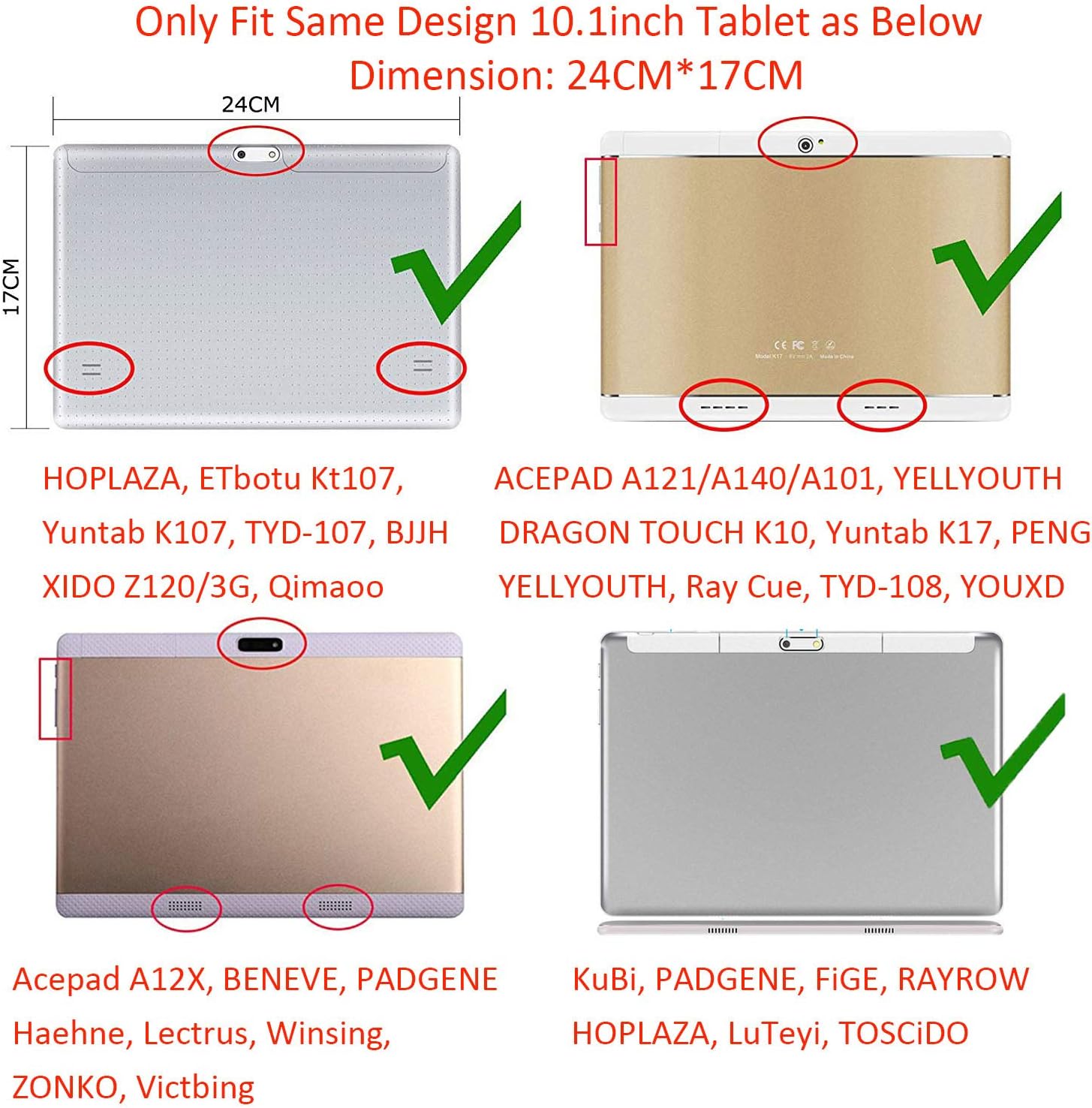
Image 2.1: Visual guide for tablet compatibility, highlighting the required 24CM x 17CM dimensions and examples of compatible models.
- TOSCiDO: M863, X109, X104, X108, K108, W109
- ACEPAD: 140, 130, A121, A101, A12X
- Dragon Touch: Notepad K10
- LNMBBS: N10, 10.1
- PADGENE: 10.1
- TYD: 109, 108, 107
- GOODTEL: GG
- TECLAST: M30
- ALLDOCUBE: iPlay10 Pro, M5XS
- Other 10.1-inch models: HOPLAZA 10.1, Lectrus 10.1, YOTOPT 10.1, Qimaoo 10.1, Victbing 10.1, ZONKO 10.1, ibowin 10.1, FiGE 10.1, Yuntab K107, Yuntab K17, YELLYOUTH 10.1, Haehne 10.1, Ray Cue 10.1, Winsing 10.1, YOUXD 10.1, LuTeyi 10.1, KuBi 10.1, RAYROW 10.1, Beneve 10.1, ETbotu Kt107, BJJH 10.1, PENG 10.1
3. Package Contents
Verify that all items are present in your package:
- 1 x AKNICI Silicone Tablet Case
- 1 x Adjustable Shoulder Strap
- 1 x 2-in-1 Stylus Pen

Image 3.1: The complete AKNICI Silicone Case package, including the case, shoulder strap, and stylus.
4. Setup and Installation
- Prepare the Case: Gently stretch the flexible silicone case to widen the opening. The silicone material is designed to be pliable for easy installation.
- Insert Tablet: Carefully slide your 10.1-inch tablet into the case, ensuring all corners are securely seated within the thickened silicone frame.
- Align Ports and Buttons: Confirm that all precise cutouts align with your tablet's cameras, speakers, charging port, and buttons for full accessibility.
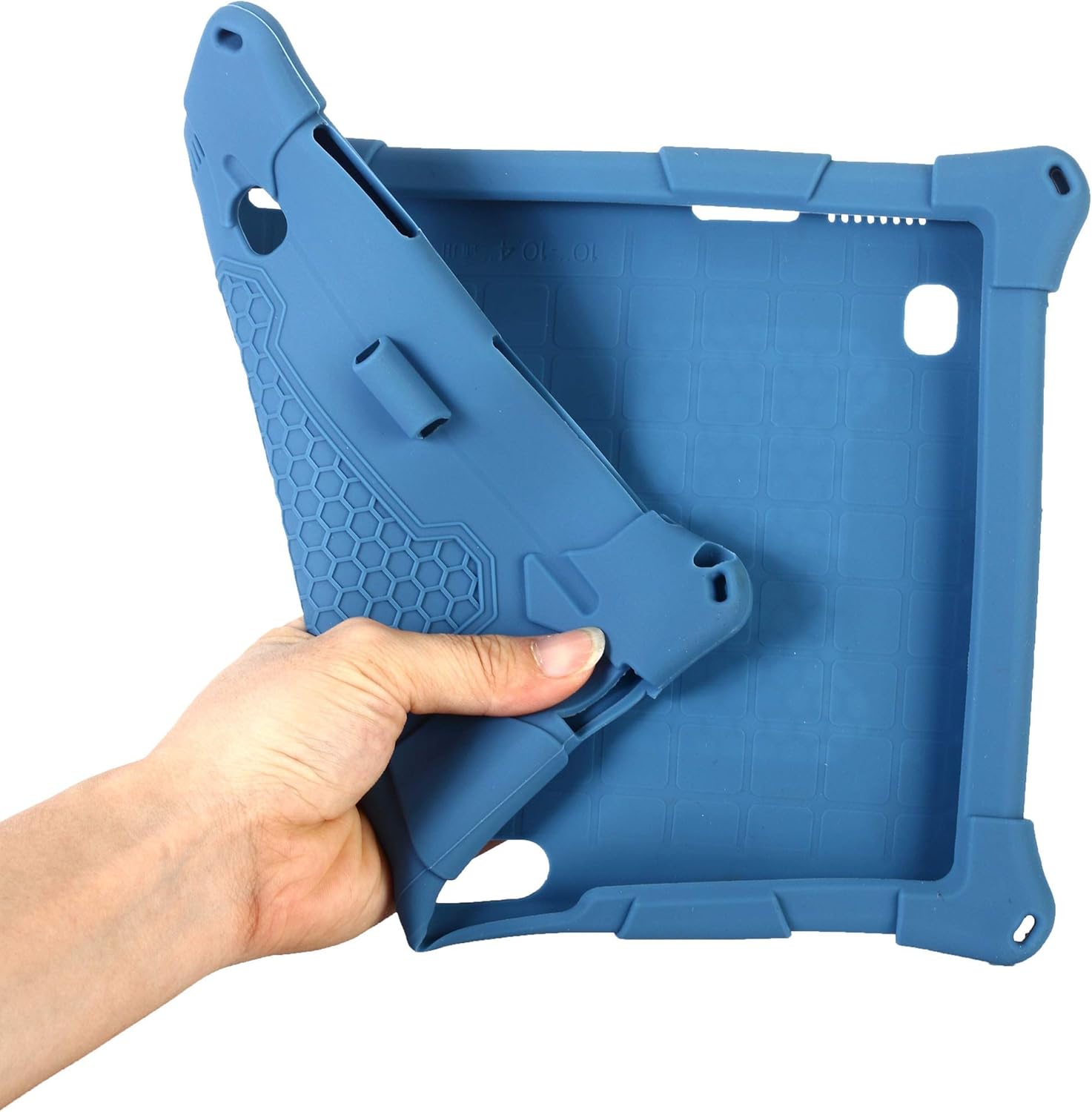
Image 4.1: The flexible silicone material allows for easy installation and removal of your tablet.

Image 4.2: Front view of the tablet correctly installed in the silicone case, showing screen visibility.
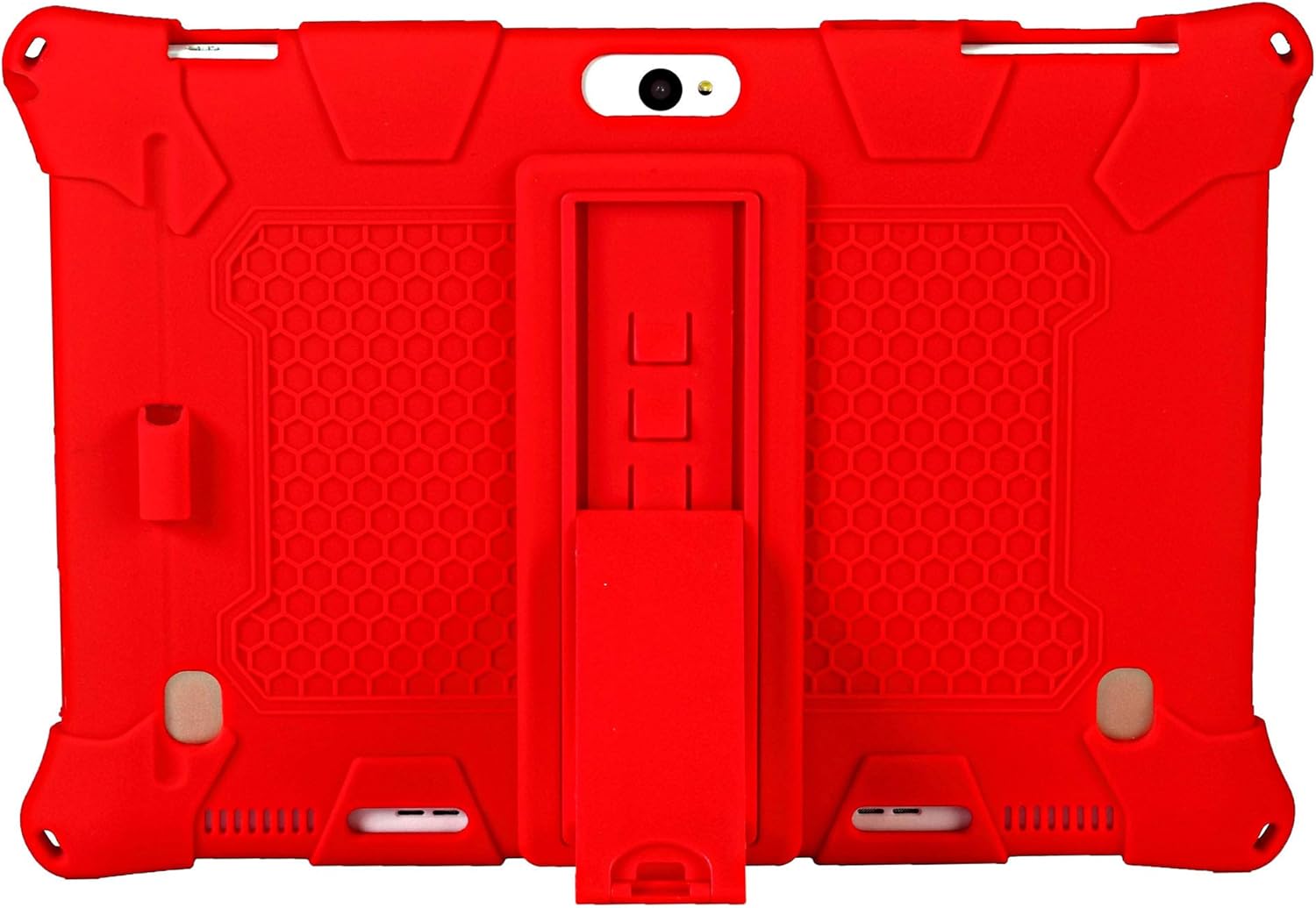
Image 4.3: Back view of the tablet in the case, illustrating proper alignment of the camera and the kickstand mechanism.
5. Operating Instructions
5.1 Using the Integrated Kickstand
The case features a foldable kickstand for hands-free viewing. To use:
- Locate the kickstand on the back of the case.
- Gently pull the kickstand outwards until it locks into position.
- Place your tablet on a flat surface to enjoy multiple viewing angles for typing or watching media.
- To retract, push the kickstand back into its recessed slot until it is flush with the case.

Image 5.1: The integrated kickstand provides stable support for your tablet in landscape orientation.
5.2 Attaching and Using the Shoulder Strap
The adjustable and removable shoulder strap provides convenient portability.
- Locate the four attachment points on the corners of the silicone case.
- Attach the strap's clips to the desired attachment points.
- Adjust the strap length for comfortable carrying or for hanging the tablet, such as on a car headrest for rear-seat viewing.

Image 5.2: The adjustable shoulder strap allows for easy and secure transport of your tablet.
5.3 Using the 2-in-1 Stylus Pen
The included stylus pen offers dual functionality for both writing and touch screen interaction.
- Use the soft rubber tip for precise navigation and interaction on your tablet's touchscreen.
- The pen also functions as a standard writing instrument.
- A dedicated pen holder is integrated into the case for convenient storage.
6. Maintenance
To ensure the longevity and cleanliness of your AKNICI Silicone Case:
- Cleaning: Wipe the case with a soft, damp cloth. For stubborn stains, a mild soap solution can be used. Avoid harsh chemicals or abrasive cleaners.
- Storage: Store the case in a cool, dry place away from direct sunlight when not in use for extended periods.
- Avoid Sharp Objects: Keep the silicone case away from sharp objects to prevent punctures or tears.
7. Troubleshooting
- Case Does Not Fit: Ensure your tablet is a 10.1-inch model and its dimensions are approximately 24CM x 17CM. This case is not universally compatible with all 10.1-inch tablets if their physical dimensions differ significantly.
- Ports/Buttons Not Accessible: Double-check that the tablet is correctly seated within the case and that all cutouts align. If not, remove the tablet and re-insert it carefully, ensuring proper alignment.
- Kickstand Not Stable: Ensure the kickstand is fully extended and locked into its open position. Place the tablet on a flat, stable surface.
8. Specifications
| Brand | AKNICI |
| Material | Silicone |
| Color | Red (as per product listing, other colors may be available) |
| Compatible Devices | 10.1-inch Tablets (approx. 24CM x 17CM) |
| Form Factor | Cover |
| Case Type | Soft |
| Features | Integrated Kickstand, Adjustable Shoulder Strap, Stylus Holder, 2-in-1 Stylus Pen, Shockproof Corners, Precise Cutouts |
9. Warranty and Support
Specific warranty information for this product is not provided within this manual. For details regarding warranty coverage, returns, or technical support, please refer to the product's original packaging, the seller's website, or contact AKNICI customer service directly.


