
Brilliant BHS120US-WH1
Contents
Brilliant Smart Dimmer Switch Instruction Manual
Model: BHS120US-WH1
Introduction
The Brilliant Smart Dimmer Switch is an advanced in-wall lighting control device designed to integrate seamlessly into your smart home ecosystem. It offers intuitive control over your lighting, including dimming capabilities, motion detection, and scene activation. This dimmer switch is compatible with popular smart home platforms such as Alexa, Google Assistant, Apple HomeKit, and smart lighting brands like Hue, LIFX, SmartThings, TP-Link, and Wemo.
This manual provides essential information for the proper installation, operation, and maintenance of your Brilliant Smart Dimmer Switch.
Product Features

Front view of the Brilliant Smart Dimmer Switch, showcasing its sleek white design.

Diagram highlighting key features: Motion Sensor for automatic light control, Dimming Slider to adjust brightness, Capacitive Touch for on/off, and Scene Control for activating pre-set scenes.
The Smart Dimmer Switch includes a built-in motion sensor to automatically turn lights on/off, a dimming slider for precise brightness control, and capacitive touch for simple on/off functionality. It also supports scene control, allowing you to activate custom lighting scenes with a double tap.
Setup and Installation
Important: A Brilliant Control panel must be installed and configured for the Smart Dimmer Switch to function. The dimmer switch connects to your Brilliant Control via Bluetooth.
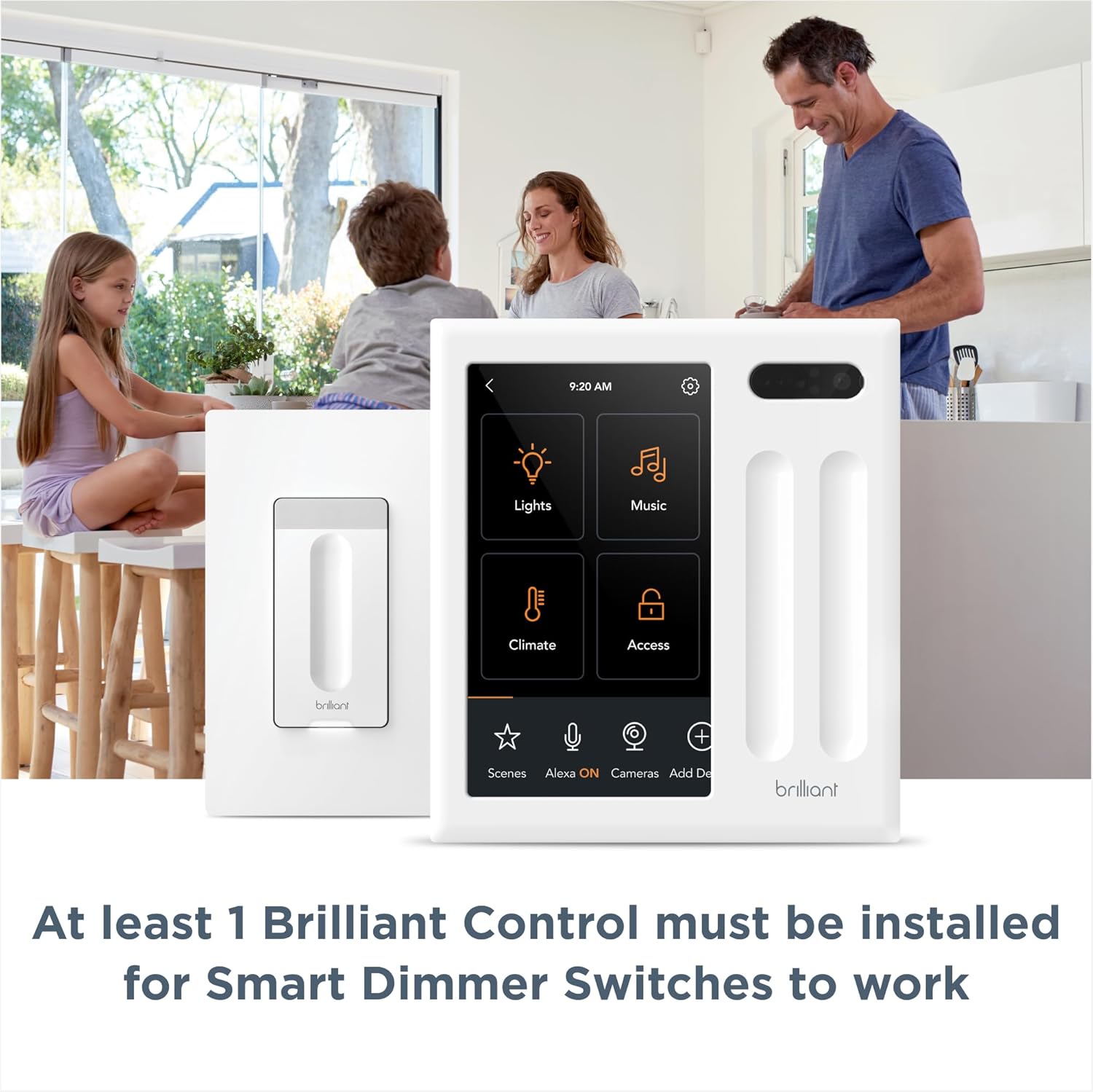
The Smart Dimmer Switch requires at least one Brilliant Control panel for operation.

Installation is similar to a standard light switch, requiring neutral and ground wires.
Installation Steps:
- Safety First: Turn off power at the circuit breaker before beginning installation.
- Remove Old Switch: Carefully remove your existing light switch from the wall box.
- Identify Wires: Identify the Line, Load, Neutral, and Ground wires. The Brilliant Smart Dimmer Switch requires neutral and ground wires for proper operation. If you are unsure, consult a qualified electrician.
- Connect Wires: Connect the wires from the wall box to the corresponding terminals on the Brilliant Smart Dimmer Switch. Ensure all connections are secure.
- Mount Switch: Secure the dimmer switch into the wall box and attach your existing Decora-style wall plate (not included).
- Restore Power: Turn power back on at the circuit breaker.
- Pairing: Follow the instructions on your Brilliant Control panel to pair the new Smart Dimmer Switch. This typically involves a discovery process within the Brilliant app or on the control panel itself.
Operating Your Smart Dimmer Switch
Manual Control:
- On/Off: Tap anywhere on the capacitive touch surface to toggle lights on or off.
- Dimming: Use the vertical dimming slider to adjust the brightness level of your lights. Slide up to brighten, down to dim.
- Scene Activation: Double-tap the capacitive touch surface to activate a pre-configured scene.
Smart Control and Automation:

Control your lights using voice commands through Amazon Alexa or Google Assistant devices.

Integrates with popular smart bulbs like Philips Hue, LIFX, TP-Link, and Wemo, allowing control without needing to keep physical switches on.

The built-in motion sensor can automatically turn lights on or off based on detected movement.

Manage your lights and other smart devices directly from any Brilliant Smart Home Control Panel.
The Brilliant Smart Dimmer Switch enhances your smart home experience by allowing control through voice assistants (Alexa, Google Assistant), integration with various smart bulbs, and automated lighting based on motion detection. All these features can be managed and customized through your Brilliant Control panel or the Brilliant mobile application.
Product Overview Video:
An official video introducing the Brilliant Smart Home System and its capabilities, including the dimmer switch.
Maintenance
To maintain the performance and appearance of your Brilliant Smart Dimmer Switch, follow these guidelines:
- Cleaning: Use a soft, dry, or slightly damp cloth to clean the surface of the switch. Avoid abrasive cleaners, solvents, or harsh chemicals, as these can damage the finish.
- Dust Removal: Regularly dust the switch to prevent accumulation that could affect the motion sensor or touch sensitivity.
- Environmental Conditions: Ensure the switch is installed in an indoor environment within recommended temperature and humidity ranges. Avoid exposure to direct water or extreme temperatures.
Troubleshooting
If you encounter issues with your Brilliant Smart Dimmer Switch, try the following troubleshooting steps:
| Problem | Possible Cause / Solution |
|---|---|
| Switch is unresponsive / Lights do not turn on/off |
|
| Dimming not working correctly |
|
| Motion sensor not detecting movement |
|
| Cannot connect to smart home platforms (Alexa, Google Assistant) |
|
If these steps do not resolve the issue, please refer to the Brilliant support website or contact customer service for further assistance.
Specifications
- Model Number: BHS120US-WH1
- Product Dimensions: 1.3 x 1.6 x 4 inches
- Item Weight: 1.6 ounces
- Operation Mode: Manual, Smart Control
- Contact Type: Normally Open
- Connector Type: Screw Terminal
- Terminal: Screw
- Circuit Type: Parallel
- Actuator Type: Touch
- Contact Material: Metal
- Number of Positions: 2
- Compatibility: Requires Brilliant Control. Works with Alexa, Google Assistant, Apple HomeKit, Hue, LIFX, SmartThings, TP-Link, Wemo.
- First Available Date: June 17, 2020
- Manufacturer: Brilliant
Warranty and Support
For detailed warranty information and customer support, please visit the official Brilliant Home Technology website or contact their customer service department. Keep your proof of purchase for warranty claims.
Brilliant Support: www.brilliant.tech/pages/support
Ask a question about this manual
Ask about setup, troubleshooting, compatibility, parts, safety, or missing instructions. Manuals+ will review the question and use this page’s manual context to help answer it.